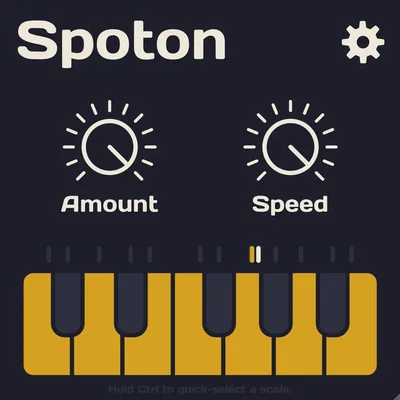
Spoton by Sixth Sample is a free pitch correction plugin, and if you’re comparing it to Auto-Tune Access or the lite version of Melodyne, it earns its place in that bracket. But if you’re hoping it competes with Auto-Tune Pro or Melodyne Studio, it doesn’t. This review is going to land squarely in the middle: Spoton is a useful, zero-cost tool for producers who need basic pitch correction in the box and don’t want a subscription. It’s not a professional-grade tuner. It was never trying to be.
How It Compares Out of the Box
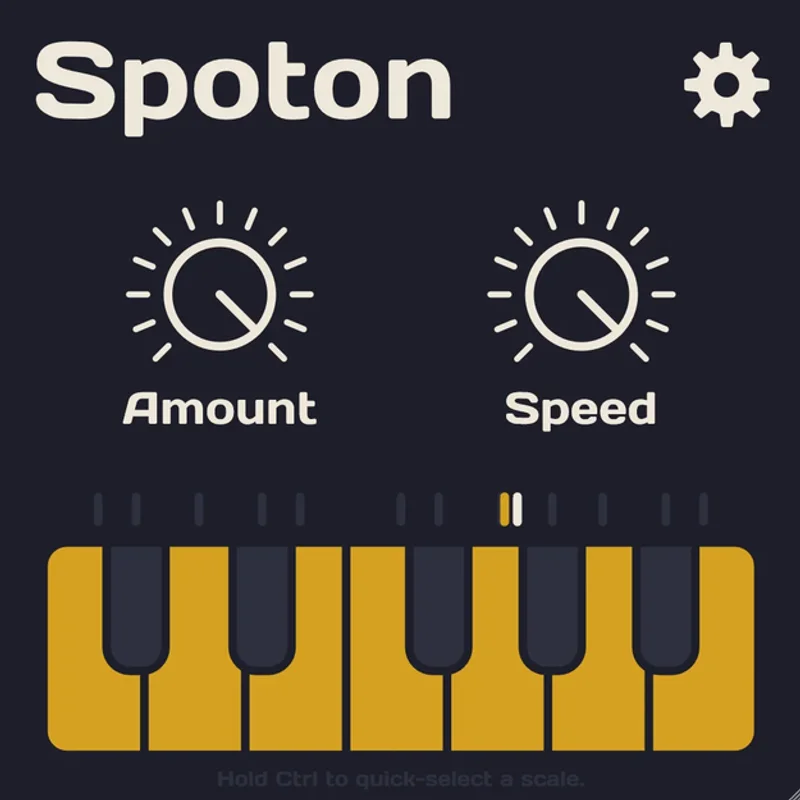
Load Spoton next to Auto-Tune Access and you’ll notice the interface is even simpler. There’s no throat length control, no humanize knob, no formant correction. You get a retune speed, a tolerance control, and a key selector. That’s close to it.
Melodyne Essential gives you more nodes to work with and sounds more natural on legato phrases. Auto-Tune Access adds the classic hard-tune character if you want it.
Spoton doesn’t try to replicate either of those personalities. It just corrects pitch. On a clean, dry vocal take at medium speed, first impressions are genuinely positive. The correction sounds transparent on sustained notes. It’s fast to set up.
Performance Deep Dive
We ran Spoton on a 32-bar pop-R&B session in Ableton 12 on an M2 MacBook Pro. CPU load sat at roughly 0.4% per instance. We stacked four instances before it registered a noticeable spike. For context, a single instance of Auto-Tune Pro runs around 1.2-1.8% on the same machine at comparable settings. Spoton wins on CPU, and it’s not close.
Latency is where it gets interesting. Spoton introduces approximately 20-30 ms of processing delay at default settings. That’s fine for mixing. For real-time monitoring while tracking, you’ll feel it. Auto-Tune Pro’s low-latency mode cuts that to under 5 ms. Spoton has no equivalent setting.
We tested correction on a rapid melismatic run. Notes moving faster than eighth-note triplets at 120 BPM started producing audible zipper artifacts on pitch transitions. The same phrase through Auto-Tune Access sounded cleaner. Melodyne Essential, given it’s not real-time, handled it with no artifacts at all. Spoton’s pitch detection works well on sustained and semi-sustained notes. Fast runs are its weak point.
The 10 MB download and simple activation make onboarding satisfying. No iLok. No account creation. Download, install, done.
Where It Wins
The strongest moment we had with Spoton was on a breathy, slightly sharp soprano hook. Medium-slow retune speed, correct key set, tolerance pulled in just enough to ignore intentional vibrato. The result was clean. We’d have A/B’d that against Auto-Tune Access and honestly had trouble picking the winner on sustained vowels.
For producers who track their own vocals at home and mix ITB, Spoton handles the 80% use case: correct the note, keep the performance, move on. No subscription. No iLok dongle to lose. No demo watermark cutting through your mixdown at 4 AM.
It’s also clever at the basics. The tolerance control stops it from chasing vibrato or intentional pitch slides. That’s a small thing done right.
Free is also a feature. On a tight budget build, Spoton gives you pitch correction so you can spend elsewhere on compression or reverb.
Where the Competition Wins
Auto-Tune Pro has formant correction. Spoton doesn’t. That matters more than you’d think. When you push retune speed fast on a male vocal, the cartoon chipmunk effect appears quickly in Spoton with no way to pull it back. In Auto-Tune Pro, you dial in throat length and it stays musical.
Melodyne wins on surgery. If a note has a pitch drift mid-sustain and you need to fix just part of it, Melodyne lets you do that. Spoton corrects the whole note or nothing. You can’t isolate a bend within a phrase.
There’s also no MIDI control in Spoton. You can’t drive it from a keyboard to create a vocoder-style chromatic correction effect. Auto-Tune Pro does that. It’s a different use case but a real creative limitation.
The artifacts on fast passages are frustrating. That’s the honest truth. If your vocalist sings runs, Spoton will be annoying to mix around.
Who Should Buy Which
- ✅ Use Spoton if you're on a zero budget and need basic pitch correction for sustaine d vocal lines
- ✅ Use Spoton if CPU headroom is tight and you're stacking many tracks in a dense session
- ✅ Use Spoton if you're new to pitch correction and want to learn the concept before committing to a paid tool
- ❌ Skip Spoton if your vocalist sings fast melismatic passages or complex runs
- ❌ Skip Spoton if you need real-time monitoring with sub-10 ms latency while tracking
- ❌ Skip Spoton if you want formant control, MIDI pitch input, or note-level surgical editing
Score Breakdown
| Category | Score | Notes |
|---|---|---|
| Sound Quality | 3.0/5 | Clean on sustained notes, artifacts emerge on fast passages |
| Value for Money | 5.0/5 | Free with no restrictions, hard to argue with that |
| Ease of Use | 4.5/5 | Three controls, immediate results, zero setup friction |
| Features | 2.0/5 | No formant control, no MIDI, no real-time mode, feature-light by design |
| CPU Efficiency | 4.5/5 | 0.4% per instance beats most competing pitch correctors |
| Overall | 3.6/5 | Useful free tool, not a professional-grade replacement |
Alternatives to Consider
If Spoton's limitations are already frustrating you, these are worth the upgrade:
Auto-Tune Access sits at the lowest paid tier of the Auto-Tune family. It adds formant correction and a lower-latency monitoring mode. Works best for producers who want the classic Auto-Tune character with more control than Spoton offers. The current price is shown in the buy box on this page. Auto-Tune Access review
Melodyne Essential is the entry point into Celemony's note-level editing system. It's not real-time, but the audio quality on complex vocal phrases is in a different league. If your vocalist sings anything more than straight held notes, Melodyne Essential is worth its price. Melodyne Essential review
KeroVee by g200kg is another free pitch correction plugin worth mentioning alongside Spoton. It adds a formant knob and more character control. For producers who love free tools and want more sonic shaping, KeroVee fills the gap Spoton leaves. best free vocal plugins
If you're building a full vocal chain from scratch, our best vocal plugins guide covers paid and free options across every price point.
Spoton is free. Download it, use it, and when you hear the artifacts on that fast bridge and think "I need something better," you'll know exactly where your budget should go next. It earns its place in a beginner's signal chain. It doesn't earn a place in a professional session. That's not a knock. That's just where it sits.
Frequently Asked Questions
Is Spoton by Sixth Sample really free to use?
Yes. Spoton is completely free with no watermark, no trial period, and no license restrictions. You download the 10 MB installer and it works without account creation or activation. There's no paid tier or pro version of this specific plugin.
Does Spoton work in Pro Tools?
Yes. Spoton supports AAX format alongside VST3, so it loads in Pro Tools on both Mac and Windows. You'll need a 64-bit system running macOS 10.13 or higher, or Windows 8.1 or higher. It doesn't support older 32-bit plugin hosts.
How does Spoton handle latency during live vocal recording?
Spoton introduces approximately 20-30 ms of processing delay at default settings. That's usable for mixing, but you'll likely feel the lag if you're monitoring through it while tracking vocals live. There's no low-latency mode. If real-time monitoring matters to you, Auto-Tune Access handles this better.
Can Spoton do the hard-tune robot vocal effect?
Technically yes, by pushing the retune speed to its fastest setting. But without formant correction, the result can sound unpleasant quickly, especially on male vocals. It gets close to the effect but becomes artificial-sounding faster than Auto-Tune does. For the classic T-Pain style effect, Auto-Tune Access or the full Auto-Tune Pro are better choices.