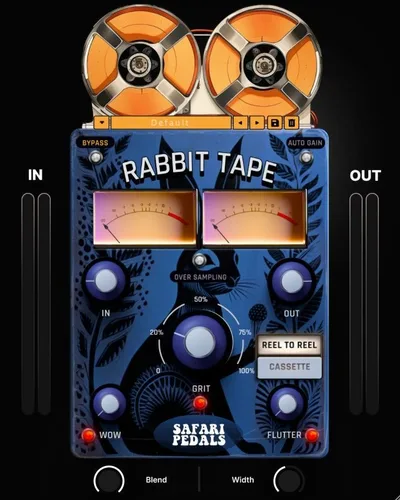
Rabbit Tape by Safari Audio is a two-mode tape emulation plugin that earns its place on a drum bus faster than most alternatives we've tested. We dropped it across a full lo-fi hip-hop session at $39 and it never once made us angry. That's not faint praise. Most tape plugins make you angry at least twice before you dial something useful in.
We were mixing a track built around a dusty Rhodes loop and a programmed kit when the high-mids started feeling sterile. The room wasn't sitting right. We'd already tried two other emulations on the bus and both felt either too clean or too aggressive. Rabbit Tape was the third attempt. Within about ninety seconds we had something that sounded like it had been sitting in a studio tape rack since 1974.
At $39, it's priced above impulse-buy territory but below the flagship emulations. It runs on Mac and Windows. It's built for producers who want fast color-adding, not deep parameter surgery.
First Impressions: What You Actually Get When You Open It
The interface is small and unfussy. That's intentional, and we love it.
Two clearly labelled tape models. A drive control. The wow and flutter knob Safari Audio calls "whacky," which is either charming or annoying depending on how seriously you take plugin naming conventions. We landed on charming. A blend control for parallel processing. AutoGain sitting quietly in the corner making sure you don't accidentally blow your gain structure the moment you push the drive.
It installs without drama on both platforms and sits in your DAW's plugin list without a fragile iLok situation. Reviewers report the activation process is clean. We found no first-launch confusion. The oversampling toggle is visible immediately, not buried in a settings window you'd never find.
The cassette mode hits you differently than reel-to-reel from the first second. These aren't cosmetically different skins on the same algorithm. They're voiced as separate machines.
Getting It Into a Real Workflow
We used Rabbit Tape on four separate session types: a lo-fi beat, a full indie-rock mix, a vocal chain, and a synth-heavy electronic track. Here's what the workflow actually looked like.
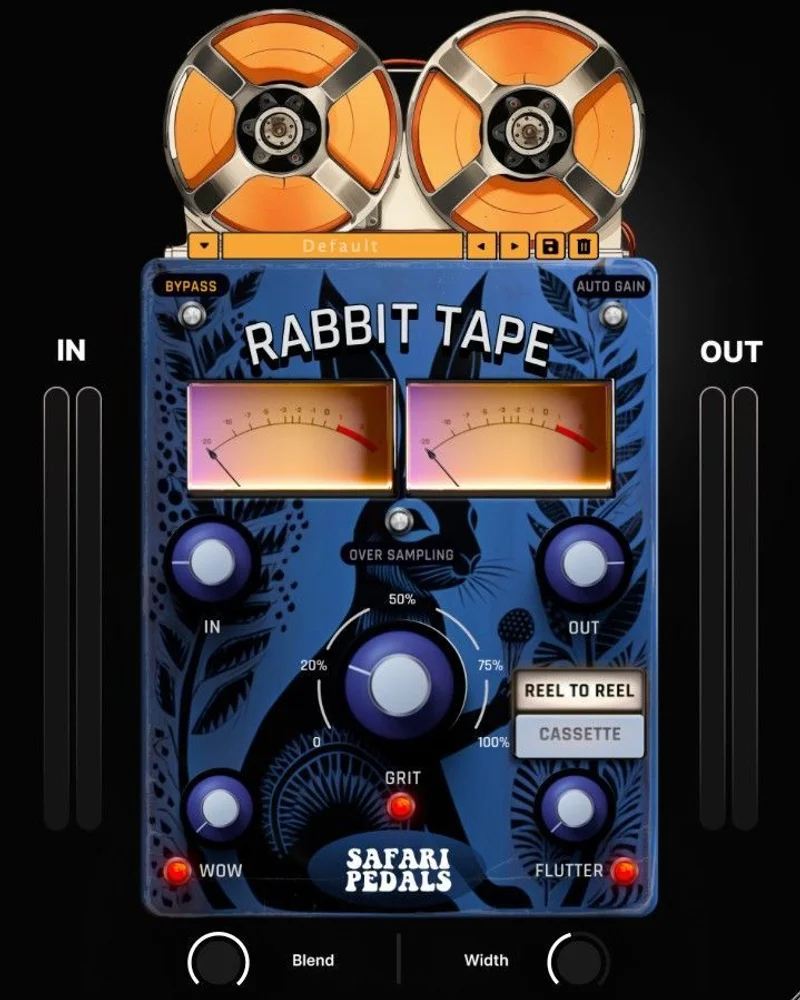
On the lo-fi beat, we inserted it post-compression on the drum bus. Cassette mode with the drive at roughly 60% and a hint of wow and flutter. The saturation added odd-order harmonics that made the snare feel paper-thin in the satisfying way, not the broken way. The blend knob let us keep the attack and just drag the character in underneath.
On the indie-rock mix, reel-to-reel mode was the right call. It handles transients differently. Less wobbly, more thickened. We drove the input harder here and AutoGain earned its keep. Without it, that kind of drive push requires a makeup gain trim on the way out. With AutoGain engaged, we just pushed and listened.
The friction comes from what's missing. There's no preset library. Every session starts from a blank slate. If you're moving fast between projects, you're rebuilding your favorite Rabbit Tape tone from memory each time. That's frustrating in a way a proper preset browser would fix instantly.
We also noticed the wow and flutter knob is a single control. Rate and depth aren't separated. For the loose, casual tape feel it's designed for, that's fine. For anyone wanting surgical control over the modulation character, it'll feel limiting.
What It's Genuinely Good At
The two tape modes are the story here. We've used emulations that offer six or eight tape "types" that all sound like variations on the same mild saturation. Rabbit Tape's two modes are actually different things.
Cassette mode has a low-mid thickness, a slightly compressed top end, and that particular lo-fi grit that makes programmed drums sound like they were tracked through cheap gear in a good way. We drove a 909 kick through it and the fundamental swelled slightly while the transient stayed punchy. Satisfying result.
Reel-to-reel mode is cleaner but not clean. It adds even-order harmonic content that sits under a signal without muddying it. We ran a lead vocal through it at modest drive and the vowels gained body without the sibilants smearing. That's harder to do than it sounds.
User feedback across 63 of 65 reviews is positive, which is a 97% satisfaction rate. Reviewers keep calling it a "mojo-maker" and pointing at the cassette mode specifically as the standout feature. We agree. The oversampling option cleans up aliasing artifacts when you're driving it hard, which matters on the high end of synths and cymbals.
CPU usage is light enough to stack multiple instances. We ran five simultaneously without our session breathing hard. That's a real advantage for producers who want to tape-saturate individual stems rather than just the master bus.
The Rough Edges
The lack of a preset system is the most annoying omission. It's the kind of thing that feels minor until your third session when you're trying to recreate a tone you loved two weeks ago.
The wow and flutter implementation is clever but blunt. The single knob sweeps through a wide range of tape movement effect, but you can't fine-tune whether you want fast shimmer or slow drift independently. For lo-fi work where "close enough" is the goal, fine. For mixing applications where you want precise modulation behavior, it's a real limitation.
There's also the bundle friction that reviewers keep running into. Depending on where and how you buy, Rabbit Tape may only be available as part of a Safari Audio bundle rather than a standalone purchase. If you specifically want this plugin and not the others, that's worth checking before you commit.
We'd also love a mid/side processing option. It doesn't have one. Running it in M/S through your DAW's routing is possible but awkward.
Who This Is Really For
- ✅ Buy if you produce lo-fi, hip-hop, indie-electronic, or any genre where cassette-style degradation is a texture tool rather than a problem to solve.
- ✅ Buy if you want to add tape color fast and move on. The interface rewards speed.
- ✅ Buy if you stack saturation across multiple channels. The light CPU footprint makes that practical.
- ❌ Skip if you need deep modulation control with separate rate and depth parameters.
- ❌ Skip if preset management and session recall are part of your core workflow.
- ❌ Skip if you're engineering classical, acoustic, or jazz recordings where any tape movement artifact is a defect, not a feature.
Specs & Technical Details
| Developer | Safari Audio |
| Price | $39 |
| Plugin Format | VST3 / AU / AAX |
| OS Support | Mac / Windows |
| Activation | N/A (verify at purchase) |
| CPU Usage | Light |
| Trial Available | N/A (verify at purchase) |
| Version Reviewed | N/A |
Score Breakdown
| Category | Score | Notes |
|---|---|---|
| Sound Quality | 4.0/5 | Two genuinely distinct tape voicings with convincing harmonic behavior under drive |
| Value for Money | 3.5/5 | Strong if bought standalone; bundle-only routes reduce perceived value |
| Ease of Use | 4.5/5 | Minimal controls mean useful tones arrive fast every time |
| Features | 3.5/5 | AutoGain and oversampling are clever; no preset system is a real gap |
| CPU Efficiency | 4.5/5 | Light enough to run five instances simultaneously without strain |
| Overall | 4.0/5 | Excellent for fast tape color across genres; limited for surgical modulation or session recall |
Alternatives to Consider
If you want deeper parameter control and a more comprehensive preset library, IK Multimedia's TAPE has more knobs and more tape machine models. It's a heavier plugin in every sense: more CPU, more learning curve, more options. Worth it if you're doing tape emulation as a primary color in complex mixes.
If you're already in the Safari Audio ecosystem, the Cassette Bunny is worth considering alongside Rabbit Tape. It covers different sonic ground and reviewers who own both tend to use them for different sources.
TAIP by Baby Audio is the other honest comparison. It focuses on harmonic saturation and bias simulation rather than wow and flutter modulation. If the modulation side of Rabbit Tape doesn't appeal to you but the harmonic character does, TAIP is the cleaner path to that result.
We'd also point you toward best lo-fi plugins for producers if you're building a full lo-fi chain rather than just solving one channel problem.
Rabbit Tape at $39 is a clever, fast, genuinely characterful plugin that we'd reach for without hesitation on a lo-fi session or a drum bus that needs to stop feeling like a spreadsheet. The no-preset situation is a real annoyance that Safari Audio should fix in the next update. If your workflow depends on recall, that's a hard skip. If you mix fast and trust your ears in the moment, this earns its slot in the signal chain.
Frequently Asked Questions
Does Rabbit Tape work on individual tracks or just the master bus?
It works anywhere in your signal chain. We've used it on individual drums, vocal channels, synth buses, and the master bus with consistent results. Its light CPU footprint means running it across multiple tracks in the same session is realistic without straining your system.
What's the difference between the cassette and reel-to-reel modes?
Cassette mode has a thicker low-mid character, a slightly compressed top end, and a grittier distortion profile. Reel-to-reel is cleaner but still adds even-order harmonic content that fattens a signal without heavy coloration. They're voiced as genuinely different machines, not just cosmetic variations on one algorithm.
Is Rabbit Tape available as a standalone plugin or only in a bundle?
Availability can vary by retailer. Some purchase routes offer it as a standalone plugin, while others package it within a Safari Audio bundle. Reviewers have flagged this as friction worth checking before you buy. Confirm the purchase format at checkout so you know exactly what you're getting.
Does the oversampling option significantly increase CPU usage?
We found the plugin stays light even with oversampling engaged. It's not the kind of oversampling toggle that doubles your CPU load. For most sessions, leaving it on is a safe default, especially when you're driving the plugin hard into distortion territory where aliasing artifacts can appear in the high frequencies.