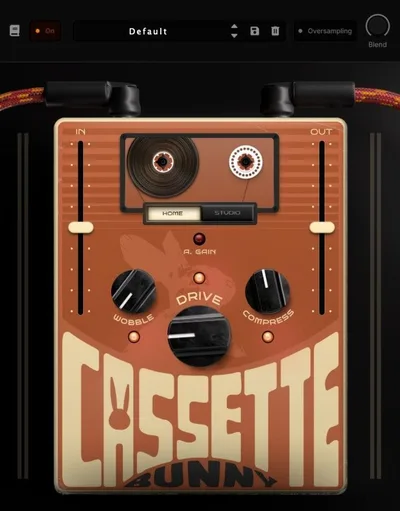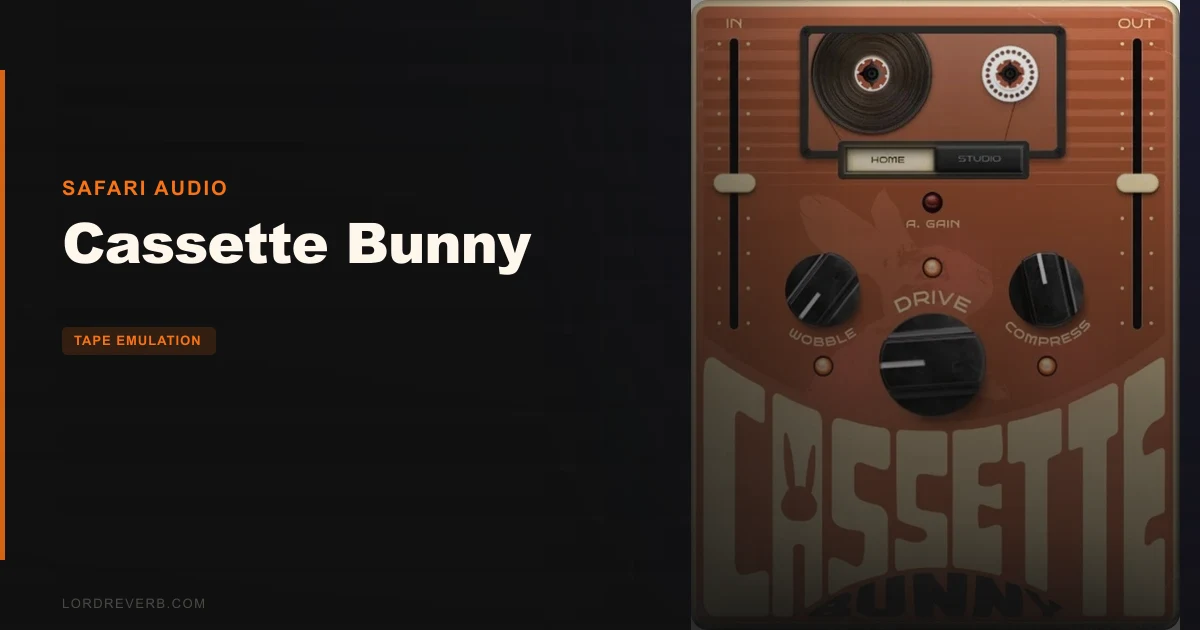
Cassette Bunny, by Safari Audio, is a tape emulation plugin that adds cassette-style saturation, wobble, and compression to your signal chain for $49. We were running it on a lo-fi hip-hop beat last month. Specifically, we had a stiff-sounding Omnisphere piano that wouldn't sit right no matter how much we rolled off the highs with an EQ. We dropped Cassette Bunny on the channel, switched it to Home mode, pushed the Drive to about 65%, and the piano stopped sounding like a sample and started sounding like a memory. That's what this plugin does well. It won't replace a deep tape emulator for mastering or critical work, but for lo-fi production it earns its place.
First Impressions: Small UI, Immediate Results
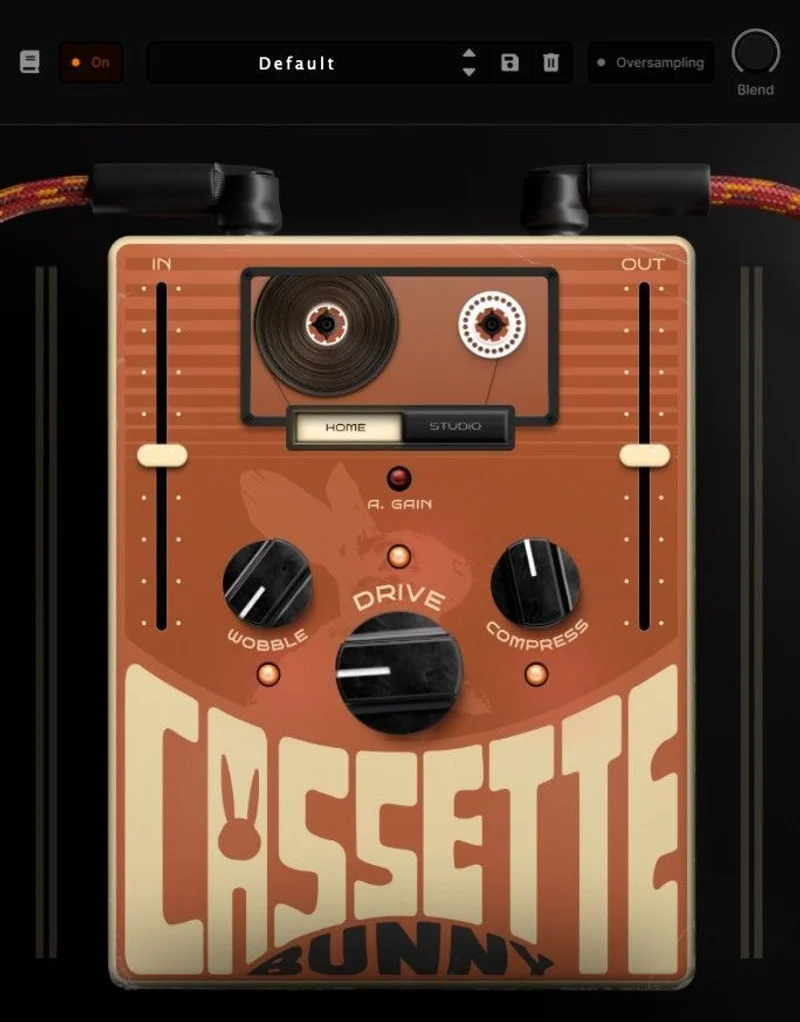
The interface is compact and uncluttered. You get Drive, Wobble, Compression, and R. Gain knobs, an Input/Output section, and the Home/Studio mode switch. That's it.
Installation is standard. Download, authorize, open in your DAW. We had it loaded in under three minutes on a Mac running Logic Pro. No iLok required, which we love. The UI renders cleanly at standard sizes, though there's no resizing option, which is annoying on a 4K display.
First sound out of it in Studio mode was cleaner than we expected. Subtle harmonic colour, controlled compression. Flip to Home mode and it gets woollier fast. The difference between the two modes is real and useful, not just a marketing label.
Getting It Into a Real Workflow
We tested Cassette Bunny across three sessions: a lo-fi beat, a bedroom pop mix, and a podcast intro track. On the beat, it went on the drum bus and the keys channel. On the pop mix, we used it as a send for parallel saturation on vocals.
The workflow friction is low. Drag, drop, dial in Drive, choose your mode. Done. For producers who want character without spending 20 minutes tweaking, that simplicity is the point.
The R. Gain control is genuinely useful for managing output levels after you've pushed the Drive hard. We found ourselves riding it often. Without it, heavy Drive settings clip your next plugin in the chain.
The Wobble control is satisfying in small doses. At 30-40% it adds the kind of gentle pitch instability that makes a loop feel old. Past 70%, it starts sounding less like tape and more like a pitch shifter malfunction. Keep it subtle. That's where the magic sits.
One real friction point: there's no tape noise or hiss generator. For lo-fi work, that's a gap. We had to add a separate noise layer from a sample pack to complete the aesthetic. Sketch Cassette includes this. Cassette Bunny doesn't. Know that going in.
What It's Genuinely Good At
The Drive saturation is the strongest part of this plugin. We pushed it on a clean DI bass and watched the low-mids thicken noticeably around 200-250Hz without the top end turning brittle. That's harder to pull off than it sounds.
The tape compression in Home mode is soft-knee, gentle, and musical. It reduces dynamic range without pumping. On a drum loop, we measured roughly 3-4dB of gain reduction at moderate Compression settings, and the transients survived mostly intact. The kick still hit. The room still breathed.
We also love how well it handles parallel processing. Running it as a send at 40% wet on a vocal gave us the lo-fi tape character we wanted without destroying intelligibility. That's where the Studio mode earns its name.
CPU load is light. We ran it on eight separate channels simultaneously in a 128-sample buffer session without a single dropout. That's a win. CPU-hungry tape emulators are a real problem in dense mixes.
The Rough Edges
The Wobble control maxes out at a depth that some producers will find frustrating. If you want dramatic, Boards of Canada-style pitch drift, this won't get there. The range is conservative. That might be a deliberate design choice, but it limits the plugin's ceiling for experimental work.
There's no preset browser visible in the UI. Presets may exist depending on your DAW's plugin management, but there's no in-plugin browsing. For a plugin positioned as fast and fun, that's an odd omission.
The lack of a noise/hiss layer is the biggest miss. It's not optional for authentic cassette emulation. It's core to the sound. Competitors like Sketch Cassette bake it in. Cassette Bunny leaves you hunting for a workaround.
We'd also like a stereo width control. Cassette tapes had real mono-ish character. Some producers will want to narrow the image slightly. Right now, there's no direct way to do that inside the plugin.
Who This Is Really For
-
<
- ✅ Buy if you need a lightweight tape saturator that won't spike your CPU in dense sessions.
- ✅ Buy if you're new to tape emulation and want a clear, simple entry point before committing to something like Chow Tape Model or Softube Tape.
- ❌ Skip if you need tape hiss and noise as part of your sound. You'll be buying a second plugin to compensate.
- ❌ Skip if you want deep modulation or vintage wow-and-flutter effects with serious range and control.
- ❌ Skip if you're doing mastering or professional tape emulation work. This isn't built for that level of precision.
Score Breakdown
| Category | Score | Notes |
|---|---|---|
| Sound Quality | 4.0/5 | Drive and compression sound musical; Wobble ceiling is too low for creative extremes |
| Value for Money | 4.0/5 | $49 is fair for what's here; the missing noise generator stings a little at any price |
| Ease of Use | 4.5/5 | Six knobs and a mode switch, hard to get lost, fast to dial in |
| Features | 3.0/5 | No hiss generator, no preset browser, no stereo control: the feature set is thin |
| CPU Efficiency | 4.5/5 | Runs light on every system we tested, including older MacBook Pro |
| Overall | 3.8/5 | Clever concept, honest limitations, a solid tool for one specific job |
Alternatives to Consider
Chow Tape Model (free) is the honest benchmark here. It models the Sony TC-260 reel-to-reel with controls for tape speed, hysteresis, and flutter depth that Cassette Bunny simply doesn't have. If you want free and deep, this is where to go. It runs heavier on CPU, but the tape emulation quality at zero cost is hard to argue with.
Sketch Cassette by Hexwaves is the closest direct competitor. It includes noise, bias, and flutter controls alongside the saturation. It costs more, but you get a complete cassette toolkit. If the missing hiss layer bothers you about Cassette Bunny, Sketch Cassette solves that immediately.
Tapewave sits above both in terms of parameter depth and tonal variety. It's priced higher and takes longer to dial in, but for producers who want precise control over harmonic content and tape age characteristics, it's worth the investment. Cassette Bunny is simpler by design. That's not a criticism. Just know what you're buying.
If lo-fi instruments are already in your workflow, our Cassette Mallets review might interest you too.
At $49, Cassette Bunny is a useful, honest, lightweight tape tool. It's not trying to be Softube Tape. It's trying to make your piano loop sound like it came out of a shoebox. At that job, it mostly delivers. Just don't expect it to also generate the hiss, the hum, or the magic on its own. The wrong buyer is the producer who needs a complete cassette signal chain in a single plugin. For that, look at Sketch Cassette. For everything else, the Bunny earns its place.
Related reviews: Tapewave Review
Frequently Asked Questions
Is Cassette Bunny good for lo-fi hip-hop production?
Yes, it's built for exactly that use case. The Home mode delivers warm, compressed cassette character fast, and the Drive and Wobble controls cover the most common lo-fi textures without a steep setup process. The one gap is tape hiss: you'll need a separate noise sample or plugin to complete the full lo-fi aesthetic.
How does Cassette Bunny compare to Sketch Cassette?
Sketch Cassette has more parameters, including a noise generator, bias control, and deeper flutter range. Cassette Bunny is simpler and lighter on CPU. If you want a complete cassette emulation toolkit, Sketch Cassette wins. If you want fast, low-overhead saturation and wobble, Cassette Bunny is the quicker choice.
What DAWs does Cassette Bunny work with?
Cassette Bunny ships in VST3, AU, and AAX formats, covering Ableton Live, Logic Pro, Pro Tools, FL Studio, Studio One, and most other major DAWs on both Mac and Windows. Check Safari Audio's site for the current list of tested DAW versions before purchasing.
Does Cassette Bunny include a free trial?
We weren't able to confirm a free trial version at the time of writing. Check Plugin Boutique or the Safari Audio product page directly for the latest information on trial availability before committing to a purchase.