Rob Papen MasterMagic Review: Clever Little Tool, Wrong Expectations
Rob Papen’s MasterMagic is a $39 mastering plugin that does two things well: it adds air above 30kHz and tightens your stereo image. That’s it. No limiter. No EQ curves. No multiband compression. If you need those, look elsewhere. If you need those two things done quickly and cheaply, this is worth your time.
We tested it across six sessions: an ambient drone record, a four-to-the-floor techno EP, two singer-songwriter acoustic mixes, a trap instrumental, and a live band recording. The results were consistent in one specific way. MasterMagic either worked quietly in the background or it got in the way. There was rarely a middle ground.
It’s built for producers who are still learning mastering basics, or experienced engineers who want a fast utility plugin for rough references. It’s not built for professional delivery chains.
What It Is (and What It's Not)
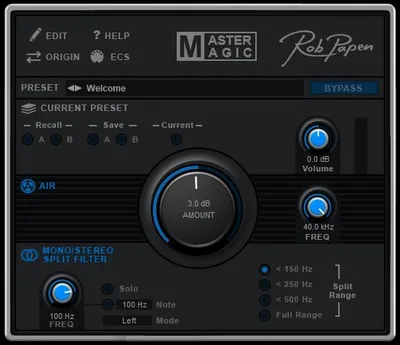
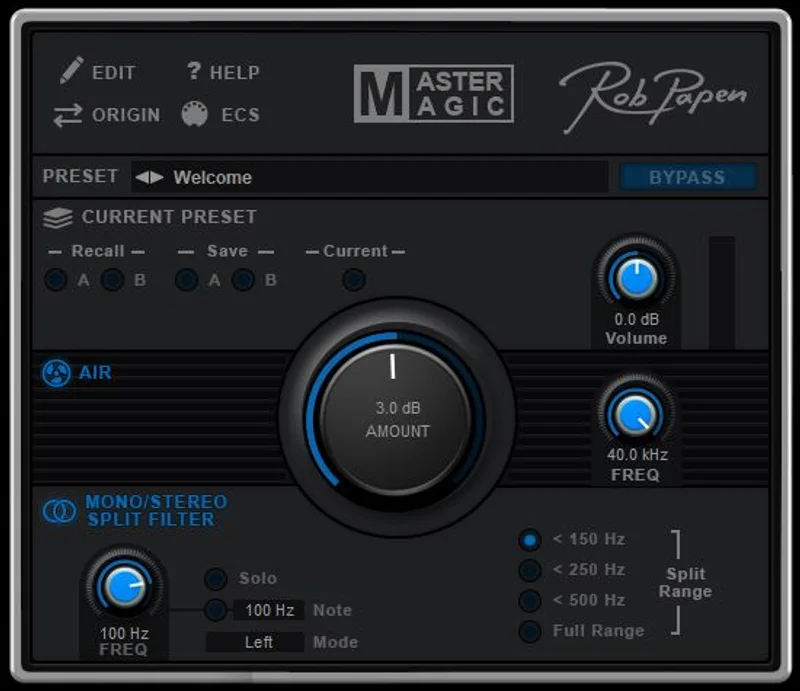
MasterMagic is a two-module plugin. The Air section boosts the ultra-high shelf, with a center frequency control that sweeps from 30kHz to 40kHz. The Mono/Stereo module handles width, letting you push the sides out or pull them toward center.
That’s the whole plugin. Two knobs plus a few supporting controls.
It is not a mastering suite. There’s no limiting stage, so your output can clip if you’re not careful. There’s no metering to tell you where you are. No LUFS reading. No saturation. No multiband anything.
We’d never use this as a standalone master chain. What it can do is sit at the end of a proper chain after a limiter, adding a final brightness pass. Or it can work as a quick polish tool on reference bounces. Calling it a full mastering plugin is the single biggest piece of misleading marketing Rob Papen lets slide.
Living With It
Setup is painless. We had it running in Ableton and Logic inside two minutes. The interface is clean, minimal, and honestly a little bare. There are no preset banks worth exploring. You’ll dial in your settings from scratch every time, which is either liberating or annoying depending on how you work.
The Air knob is the main event. We dropped it on a finished ambient pad piece at around 35kHz center frequency, pushed the Air gain to about 40%, and the track opened up. Not dramatically. Quietly. The sense of space improved. It didn’t add distortion at that setting.
Then we got curious and pushed to 75% on a dense trap mix. That’s where it broke. The high end went harsh and grainy. We pulled it back to 50% and it recovered. The sweet spot on most material is between 30% and 55%.
The Mono/Stereo module is where we found the most consistent value. On the singer-songwriter material, we narrowed the stereo image slightly below 100% to keep the acoustic guitar focused. It worked cleanly. On the techno EP, we pushed width to around 115% and the pads gained space without audible phase problems in the center.
One frustration: no undo history within the plugin itself. You hit a bad setting, you’re reaching for Ctrl+Z in your DAW and hoping it tracked the parameter change. It usually does. It’s still annoying.
The Trade-Offs
The simplicity is both the strength and the problem. We love that it takes ten seconds to set up and adds value to a chain without demanding attention. That’s genuinely satisfying for a rough reference workflow.
But that same simplicity means you’re flying blind. No metering means the Air section can push your output into clipping without any visual warning. On the techno session, we hit 0dBFS twice before we caught it. That’s not acceptable on anything going to a client.
The format situation is a real issue in 2026. Windows users get 32 and 64-bit VST but no VST3. macOS gets AU, VST, and AAX. AAX support is there for Pro Tools users on both platforms. If you’re on a modern Windows DAW that’s moving toward VST3 as default, check your compatibility before buying. We’d hate for you to spend $39 and spend an hour troubleshooting format issues.
CPU load is light. We ran eight instances on the master and group buses without measurable impact. That’s one genuine win.
Against the Field
At $39, MasterMagic competes with a thin field. Most tools in that range don’t touch mastering at all.
iZotope Ozone Elements costs more but gives you a limiter, EQ, imager, and exciter under one roof. If you have room in your budget, Ozone Elements is a more complete solution. It does more and does it better. Full stop.
For the stereo imaging specifically, check our roundup of the best mastering plugins where we cover tools that include actual metering alongside the width controls.
Acon Digital Mastering Suite covers similar ground at a comparable price with better metering and more transparent processing. It’s our honest recommendation if you
‘re choosing between the two fresh.
If you already own the Rob Papen eXplorer bundle, MasterMagic is free to you, and in that context it’s an easy yes. But buying it standalone when Acon Digital exists at the same price is a harder sell.
The Real Verdict
MasterMagic does two things competently for $39. The Air section works at moderate settings. The stereo module is clean and useful. But it has no metering, no limiting, and format support that’s behind the times.
Buy it if you’re already in the Rob Papen ecosystem or if you just need a quick top-end brightener and nothing more. Skip it if you’re looking for a proper entry-level mastering chain. For that, spend the extra money on Ozone Elements or look at what the Bettermaker Mastering Compressor brings to a serious chain.
It’s not a bad plugin. It’s just easy to buy for the wrong reasons.
Score Breakdown
| Category | Score | Notes |
|---|---|---|
| Sound Quality | 3.5/5 | Air section is clean at moderate settings; breaks harshly when pushed above 60% on dense material |
| Value for Money | 3.5/5 | $39 is fair for what it is, less fair when Acon Digital Mastering Suite exists at the same price with more tools |
| Ease of Use | 4.5/5 | Two knobs, fast setup, zero learning curve |
| Features | 2.0/5 | No metering, no limiting, no EQ, thin feature set even at this price |
| CPU Efficiency | 4.5/5 | We ran eight instances with zero measurable impact on session performance |
| Overall | 3.6/5 | A useful utility tool sold slightly beyond its actual scope |
Alternatives to Consider
If MasterMagic feels too limited for your workflow, here’s where to look.
iZotope Ozone Elements is the most obvious step up. It costs more, but it gives you a limiter, EQ, imager, and exciter. That’s a real mastering chain. If you’re doing anything for client delivery, this is where we’d spend the money instead.
Acon Digital Mastering Suite lands in the same $39 price bracket with better metering and a more transparent imager. Direct competition. Wins on features.
For compression specifically, our PSP MasterComp review covers one of the most dependable mastering compressors in this price tier. Pair that with MasterMagic’s Air section and you’ve got something functional.
If you’re evaluating the whole Rob Papen catalog and wondering whether the bundle makes sense, our eXplorer 11 bundle review breaks down whether that route is worth it for your specific situation. MasterMagic is included there, which changes the value equation completely.
For a broader view of where MasterMagic sits in the mastering plugin market, our mastering plugins guide covers four essential tools at different price points. That’s where we’d start before buying anything in this category.
And if you want to see what a serious mastering EQ looks like by comparison, the Millennia NSEQ-2 review shows the other end of the spectrum.
MasterMagic is a $39 brightness and width utility. Buy it knowing that. If you’re hoping it’ll replace a proper mastering chain, it won’t. And it’ll disappoint you fast enough that you’ll feel it in your wallet either way.
Frequently Asked Questions
Is MasterMagic enough to master a full track?
No. It has no limiter, no EQ, and no metering. You can't safely deliver a master using only MasterMagic without risking clipping. Use it as a final polish layer after a proper mastering chain that includes limiting and gain management.
What does the Air section actually do to the audio?
The Air section applies a high-shelf boost with a center frequency you can sweep between 30kHz and 40kHz. At moderate gain settings (30–55%), it adds a sense of openness and clarity to the top end without obvious coloration. Push it past 60% on a dense mix and the high end gets grainy fast.
Does MasterMagic work on individual tracks or just the master bus?
It'll load on any channel in your DAW. Rob Papen positions it as a master bus tool, and that's where we'd keep it. The stereo width module in particular can cause phase problems if you're using it on individual elements in a complex mix rather than at the stereo bus stage.
Is MasterMagic included in the Rob Papen eXplorer bundle?
Yes. MasterMagic is bundled in the eXplorer 5 collection, which means if you already own that bundle, you have MasterMagic at no extra cost. In that context, it's an easy tool to keep in your chain. Buying it standalone for $39 requires a more honest assessment of whether you need specifically what it offers.