The Plugin That Lives on Every Template
We loaded Wider 2 onto a pad bus during a late session, nudged the single knob to around 70%, and the synth went from sitting in the centre of the mix to filling the sides without touching anything else. That moment took about four seconds.
That's the review, honestly. But you deserve more detail than that.
Wider 2 is Polyverse's updated stereo widening plugin, built in collaboration with Infected Mushroom and released in April 2023. It's free. It runs on VST2, VST3, AU, and AAX on 64-bit Windows and macOS 10.9 and above. It expands your stereo image up to 200% of the original signal and, unlike a lot of free wideners, it doesn't destroy your mono compatibility in the process.
This review is for anyone who keeps asking whether a free plugin can actually hold up in a professional session. The answer here is yes, with specific caveats.
What Wider 2 Actually Does (and Where It Stops)
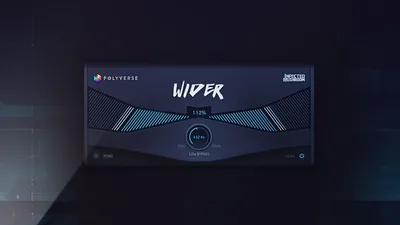
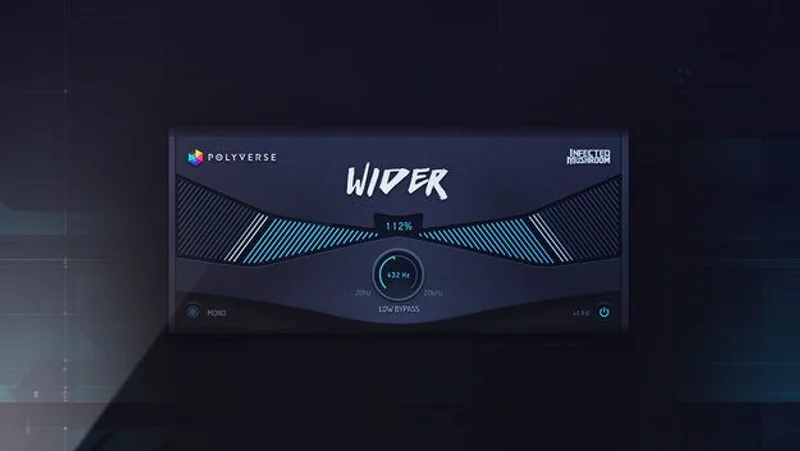
Wider 2 is a mid-side processor dressed in a single-knob interface. It widens by manipulating the side channel relative to the mid. The 200% ceiling means you can get exaggerated, almost unnatural width if you need it for a specific effect.
The version 2 update added three things that matter: a low-end bypass (which lets you exclude bass frequencies from the widening effect), GUI scaling, and mono and bypass buttons. That low-end bypass is the feature that makes this a serious tool rather than a toy.
What it's not: a multiband widener. You get one frequency split, not surgical control across multiple bands. If you need to widen only the 2-5kHz range of a drum bus while leaving the low-mids untouched, Wider 2 can't do that. You'll hit that wall fast if you're working in bass-heavy genres like drum and bass or techno.
It's also not a stereo imaging analyser. There's no correlation meter, no visual feedback on phase relationship. You're working by ear. For most use cases, that's fine. For mixing students who need to see what's happening, it's a stereo imaging guide for beginners problem waiting to happen.
Living With It Across a Real Session
We've had Wider 2 sitting on a template for months now. It lands on pads, background vocals, room mics, and occasionally on melodic synth layers. Here's what actually happens in daily use.
The low-end bypass is the feature we reach for most. We had a bass-heavy chord stab on an insert, width at 60%, and the kick underneath started to lose its punch. Pulled the low-end bypass up to around 200Hz and the bottom locked back in. Satisfying. It took ten seconds to fix a problem that would've cost a few minutes with a manual M/S setup in a stock EQ.
The GUI is clean and scales properly now, which sounds like a small thing until you're working on a 4K monitor and every other free plugin is rendering at postage-stamp size. Wider 2 scales. That's a win.
One quirk we noticed: the mono button is genuinely useful for checking phase, but it's easy to forget you've pressed it. We've bounced stems twice with it left on. That's not a design flaw, it's a workflow tax. Still annoying.
CPU usage is light. We ran 12 instances across a session on an Apple M2 chip and saw no meaningful spike. On older Intel machines it stays manageable. This is not a CPU-hungry plugin comparison situation.
Activation is zero friction. Download, install, open. No iLok, no account, no serial. That alone puts it ahead of plugins that make you jump through three hoops just to install.
The Trade-Offs Worth Knowing
The simplicity is both the strength and the limitation. One knob, one low-cut, one bypass. You can dial in a result in under ten seconds, which is brilliant when you're mid-session and don't want to context-switch. It's frustrating when you need more control.
Mono compatibility is genuinely good up to around 80-90% width. Push past that and you'll start to notice side content pulling away from the centre image in mono. At 200% it's an effect, not a tool. Know the difference before you bounce.
The lack of a correlation meter means you're trusting your ears and your reference tracks. Experienced mixers will be fine. Producers earlier in their journey might accidentally create phase problems they can't hear until the track plays on a phone speaker. That's a real risk worth flagging.
Compare it to doing M/S manually with stock plugins: Wider 2 is faster, easier to recall, and more portable across DAWs. It wins that comparison easily. Compare it to a multiband stereo widener roundup and it's a different conversation entirely.
Against the Field
Three tools sit in this co nversation: Wider 2, Soundtoys MicroShift, and Leapwing StageOne 2.
MicroShift sits in the mid-price range. It adds pitch-based widening using classic hardware voicings (H910, H949, Omnipressor-style). The width feels different, thicker, with more harmonic movement. It's a character tool where Wider 2 is a transparent one. If you need colour, buy MicroShift.
StageOne 2 is a premium plugin offering multiband width shaping, spatial positioning, and depth control. It's a completely different tool for a completely different problem. If your budget runs to it and you're serious about spatial mixing, it's worth investigating. But it's not competing with something free.
Ozone Imager 2 from iZotope is the other free option we respect. It adds a stereo visualiser and a vectorscope. If you need visual feedback alongside the widening, we'd run Ozone Imager. If you just need to widen fast and move on, Wider 2 is quicker to reach for. We keep both in the toolkit.
The Real Verdict
Wider 2 earns its place on every template we run. It's free, it's fast, it's phase-safe within sensible limits, and the low-end bypass is a legitimate mixing feature, not an afterthought.
We'd skip it if you're mixing bass-heavy electronic music and need per-band width control. It'll handle your pads and vocals beautifully, but your sub-bass workflow needs a more surgical tool.
For everyone else: install it today. You have no excuse not to.
Score Breakdown
| Category | Score | Notes |
|---|---|---|
| Sound Quality | 4.0/5 | Transparent widening with good mono integrity up to ~80-90% width |
| Value for Money | 5.0/5 | It's free, the score is obvious |
| Ease of Use | 4.5/5 | One knob and a bypass; new users are up in under a minute |
| Features | 3.0/5 | Low-end bypass is clever; no multiband, no visualiser hurts the score |
| CPU Efficiency | 4.5/5 | 12 instances on M2 with no meaningful spike observed |
| Overall | 4.2/5 | Best free widener for speed; limited for complex spatial work |
Alternatives to Consider
Ozone Imager 2 (free): Also free, adds a vectorscope and stereo visualiser. If you want to see your stereo field while you widen it, this is the better pick. Check our Ozone Imager 2 review for a direct comparison.
Soundtoys MicroShift: Pitch-based widening modelled on hardware. Adds character and harmonic movement that Wider 2 doesn't attempt. Worth the spend for mixers who want a width tool with personality. See our best stereo widening plugins guide for context on where it ranks.
Leapwing StageOne 2: Multiband width control, spatial positioning, depth shaping. A completely different tier of tool for producers who've outgrown single-band wideners. Our spatial audio plugin roundup covers it in detail.
Wider 2 is the starting point. StageOne 2 is where you end up when you need more. The gap between them is a much higher price and a much steeper learning curve.
Frequently Asked Questions
Is Wider 2 actually free, or is there a paid version?
Wider 2 is completely free. No subscription, no freemium tier, no iLok. You download it from the Polyverse site, install it, and it works. There's no paid version with locked features sitting behind a paywall.
Does Wider 2 cause phase problems in mono?
At moderate width settings (up to around 80%), mono compatibility is solid. Push past 100% and you'll notice side content thinning out when summed to mono. At 200% it's a deliberate effect, not a transparent widener anymore. Always check your mix in mono before you bounce.
What's the low-end bypass actually for?
It lets you set a frequency threshold below which the widening effect doesn't apply. So if you set it at 200Hz, everything below that stays narrow and centred while the top of the signal gets widened. This keeps your kick and bass locked in mono where they belong, which is basic good practice for club and streaming formats.
How does Wider 2 compare to using mid-side EQ manually in your DAW?
Manual M/S setups in stock DAW plugins can achieve similar results, but they take longer to configure, don't recall as cleanly across projects, and aren't as portable if you move sessions between DAWs. Wider 2 does the same core job in one plugin with one knob. For speed, it wins. For granular control, a full M/S chain gives you more options.