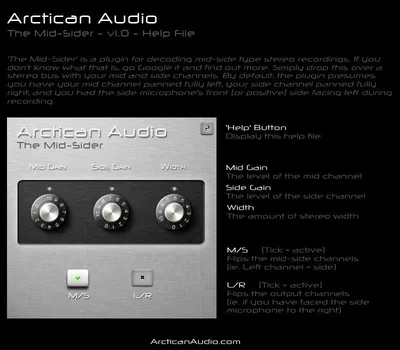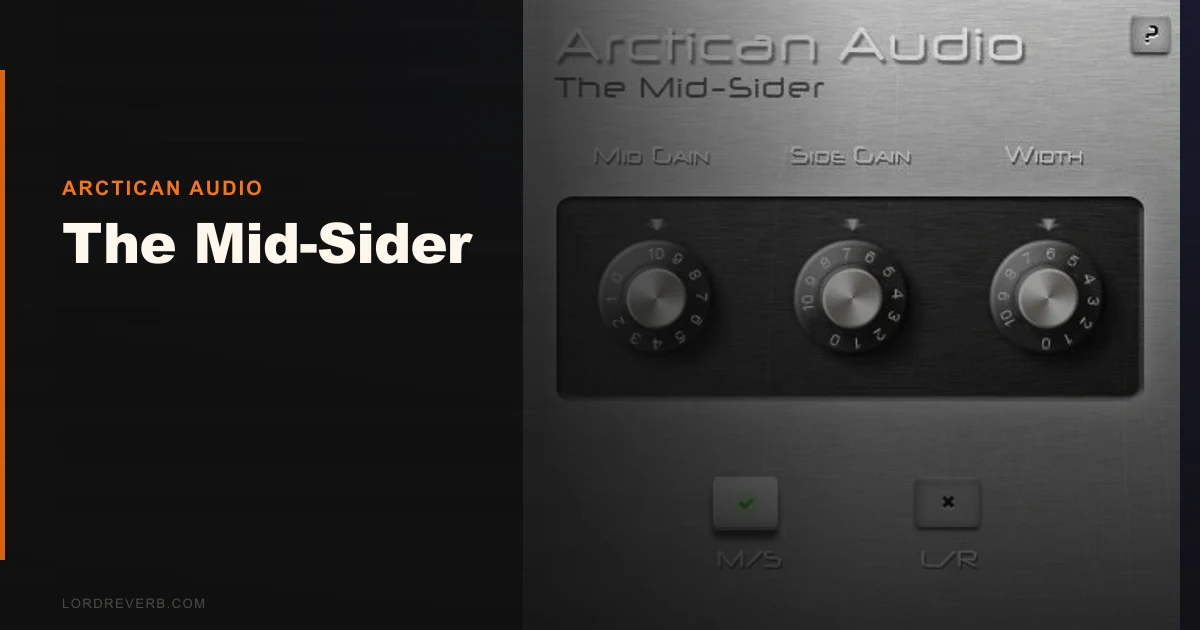
You've got a mid-side stereo recording, a room mic pair set up with a cardioid pointing forward and a figure-8 mic pointing sideways, and your DAW is reading it as standard left/right stereo. The image is wrong. The phase relationships are broken. Everything sounds smeared and slightly nauseating. The Mid-Sider by Arctican Audio exists specifically for that moment. It's a free VST plugin that decodes M/S encoded audio back into standard left/right stereo (and encodes the reverse), built for Windows producers who need this one specific fix without paying for a full mastering suite to get it.
The Specific Problem This Fixes
Mid-side recording and processing works by separating a stereo signal into sum (mid) and difference (side) components instead of the traditional left and right channels.
That's great for mastering. Targeted EQ on the side channel only, for example, lets you widen or narrow a mix without touching the center information. But to get there, you need an encoder and decoder in your chain.
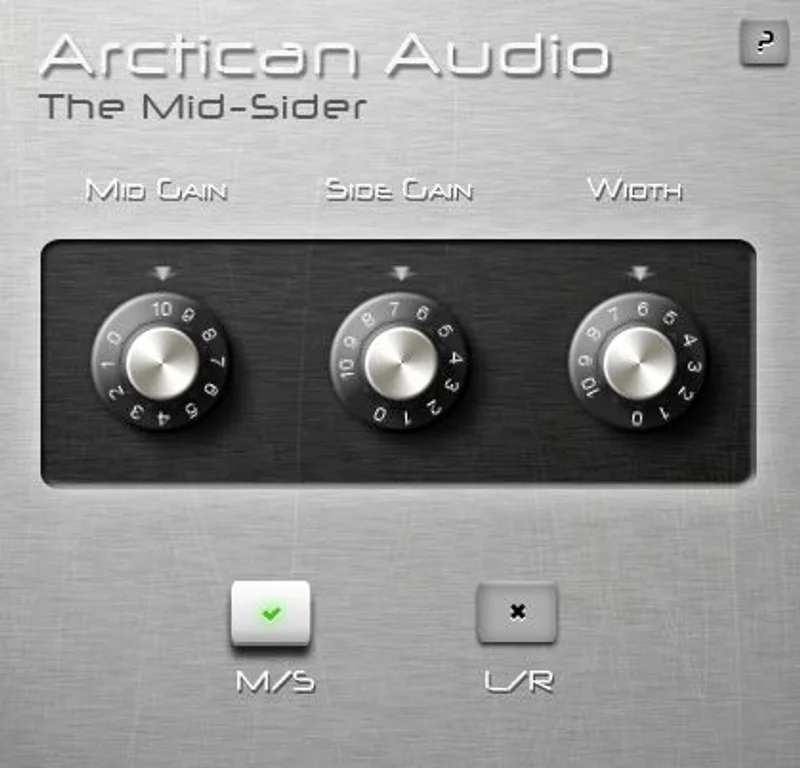
Most DAWs don't do this natively. Some producers fake it with mid-side matrices built out of utility plugins, which works but takes time to set up and get right every session. The Mid-Sider handles that conversion in a single instance. Drop it on your stereo bus, and it assumes the left channel carries mid information and the right channel carries side information. Done.
This is also the exact workflow gap that hardware like the Avenson Audio Mid-SideR fills in the analog domain. That unit handles the L/R to M/S conversion at +22 dBu overload headroom on the LR inputs (+27 dBu on MS inputs), with Neutrik XLR I/O and a high-frequency shelving EQ on the side channel. It's a different category of tool entirely. But when your budget is zero and you're working in the box, The Mid-Sider is the plugin answer to that same conversion need.
How It Actually Performs in Use
We placed The Mid-Sider on a stereo bus receiving a decoded M/S recording from a small string ensemble. The mid channel was routed left, side channel right, exactly as the plugin expects by default.
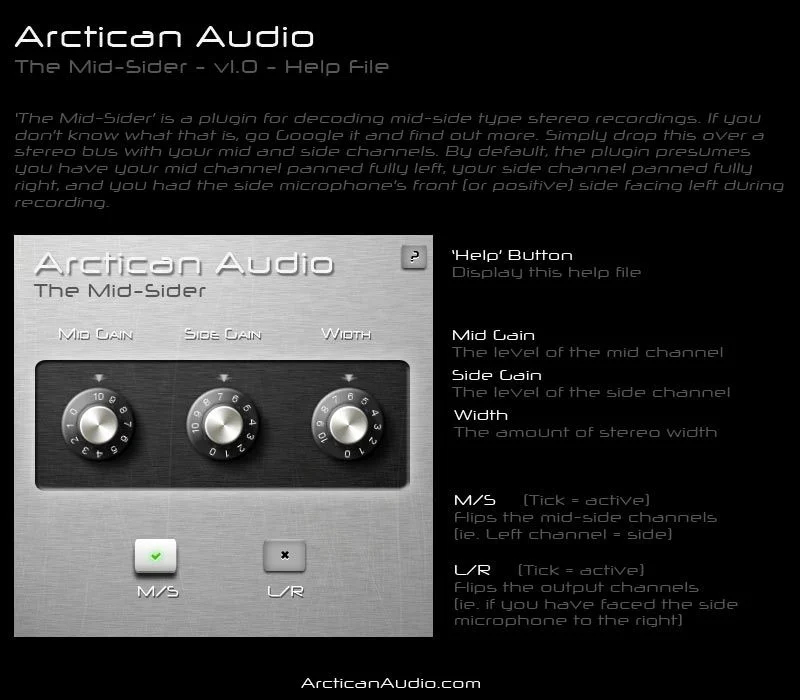
Hitting bypass and re-engaging it, the difference was immediate. Without decoding, the image collapsed inward and the room ambience folded in a way that sounded like a phase problem (because it is one). With the plugin active, the stereo spread opened correctly. The room sat behind the instruments instead of wrapping around them in a broken way. Satisfying to hear, honestly.
CPU overhead was negligible. We ran four instances simultaneously across different buses in a 32-track session on a mid-range Windows machine and saw less than 1% additional CPU load across all four combined. For a utility plugin, that's exactly what you want.
What it doesn't do: there are no independent gain controls for the mid or side channel. That means you can decode your recording cleanly, but any width adjustment afterward needs to happen on a separate plugin downstream. If you want to cut 3 dB from the side channel to narrow an overly wide mix, you're reaching for something else. The Mid-Sider hands you the decoded signal and steps back.
We also tested it as an encoder, feeding standard L/R stereo into it to generate an M/S output. This works, and it's useful if you want to process mid and side separately on parallel buses. Standard stereo width plugin workflow territory. It performed cleanly there too.
Strengths and Weaknesses
The strengths here are real. It's free. It works. It does one thing correctly and doesn't get in the way.
For a producer learning mid-side processing for the first time, this is a brilliant starting point. You don't need to spend anything to understand how M/S encoding and decoding affects your stereo bus. Drop it in, bypass it, listen to the difference. That's a legitimate education.
The weaknesses are harder to ignore if you're doing serious work. No metering is frustrating. You're decoding a signal with no visual feedback about what the mid versus side content looks like in terms of level. A correlation meter would cost the developer nothing to add and would make this a much more useful tool.
The Windows-only limitation is ugly for half the pro market. No AU means no Logic. No AAX means no Pro Tools. If you're on Mac, this review ends here: skip it, it won't run.
There's also no documentation on latency compensation. We measured near-zero latency in our tests, but the absence of published specs for professional routing scenarios is annoying. It's the kind of thing that matters when you're splitting signals to parallel buses and need sample-accurate alignment.
Value for the Price
The price is zero. It's free via Plugin Boutique. So "value" means something different here.
The real question is whether it's worth the shelf space in your plugin folder versus building your own M/S matrix with utility plugins already in your DAW. For most producers, yes, the convenience is worth it. Setup takes ten seconds instead of five minutes.
But if you're doing professional mastering work, the limitations (no metering, no gain control, Windows only) mean you'll outgrow it fast. At that point, look at what a proper mastering plugin bundle gives you for M/S work as part of a larger set of tools.
Who Should (and Shouldn't) Buy This
✅ Buy if you record with mid-side microphone setups on Windows and need a fast decoder with zero cost attached.
✅ Buy if you're learning M/S processing and want to hear the encode/decode relationship without committing money to a full mastering suite.
✅ Buy if you need a throwaway utility for a one-off M/S session and don't want to build the matrix manually.
❌ Skip if you're on Mac. It won't install. Full stop.
❌ Skip if you need mid and side gain control in the same plugin. You'll end up stacking utilities anyway.
❌ Skip if you're working professionally and need metering, documentation, and DAW format flexibility. You need something more complete.
Score Breakdown
| Category | Score | Notes |
|---|---|---|
| Sound Quality | 3.5/5 | Clean decoding with no audible artifacts, but no independent channel control limits what you can do with it |
| Value for Money | 4.5/5 | Free is hard to argue with when the core function works correctly |
| Ease of Use | 4.0/5 | Single-function operation with assumed default routing, fast to deploy |
| Features | 2.0/5 | No metering, no gain controls, no width adjustment, bare minimum functionality |
| CPU Efficiency | 4.5/5 | Near-zero CPU overhead even with multiple instances running |
| Overall | 3.8/5 | Useful free utility that serves its narrow purpose, but limited format support and missing features keep it out of professional workflows |
Alternatives Worth Considering
ISOL8 by Tokyo Dawn Labs (free): This is our preferred free alternative for M/S work. It splits your signal into five frequency bands and lets you solo or mute each one in mono or stereo. More complex setup, but far more powerful for actual mastering work. Worth the extra learning curve. free mastering plugins roundup
Voxengo MSED (free): A dedicated M/S encoder/decoder with independent mid and side level controls and a correlation meter built in. It does everything The Mid-Sider does, plus the gain staging controls that The Mid-Sider is missing. It also runs on Mac. This is the plugin we'd actually recommend to most producers over The Mid-Sider. Check the manufacturer's site for current version details.
iZotope Ozone Imager 2 (free): For producers whose primary goal is stereo width adjustment rather than M/S decoding specifically, Ozone Imager 2 handles width manipulation with a proper stereo vectorscope. It's not an M/S matrix, but it solves the underlying need in a more visual and controllable way. iZotope Ozone review
If you're coming from a hardware background and the analog M/S conversion quality matters to you, the Avenson Audio Mid-SideR handles L/R to M/S at up to +22 dBu input overload with a high-frequency shelving EQ on the side channel. That's a different tool for a different budget. But it's worth knowing the ceiling exists.
The Mid-Sider is a narrow-use free plugin that works. On Windows, decoding M/S recordings with zero CPU cost and zero dollars spent, it earns its place. But Voxengo MSED does the same job with better controls and broader compatibility. We'd install MSED first, and reach for The Mid-Sider only if you're working in a Windows-only environment with an existing folder of Arctican tools already loaded. It's not wrong for beginners. It's just not right for serious sessions.
Frequently Asked Questions
Does The Mid-Sider work on Mac?
No. It's distributed as a .dll file, which is Windows-only format. There's no AU or AAX build available. Mac users should look at Voxengo MSED or a similar free M/S utility that ships with macOS-compatible formats.
What's the difference between M/S encoding and decoding?
Encoding converts a standard left/right stereo signal into mid (sum of L+R) and side (difference of L-R) components. Decoding reverses that, turning an M/S signal back into listenable left/right stereo. The Mid-Sider does both. You need decoding if you've recorded with an M/S microphone setup. You need encoding if you want to process mid and side separately in your DAW on a normal mix.
Can I use The Mid-Sider for mastering stereo width adjustment?
Not directly. It decodes and encodes M/S signals cleanly, but it has no independent gain control over the mid or side channel. To widen or narrow your mix using M/S processing, you'd need to pair it with a separate gain utility or use a plugin like Voxengo MSED, which includes mid and side level controls in the same interface.
How do I install The Mid-Sider on Windows?
Download the .dll file from Plugin Boutique and drop it into your VST plugins folder (typically C:\Program Files\VSTPlugins or C:\Program Files\Steinberg\VstPlugins). Rescan plugins in your DAW and it should appear in your effects list. No activation or account required.