If you're comparing ISL 2 to Waves L2 or FabFilter Pro-L 2 as your mastering chain closer, here's the short answer: ISL 2 wins specifically when true-peak compliance and broadcast standards are non-negotiable, and loses ground when you want a limiter that also shapes tone or gives you competitive loudness on a tighter budget.
This isn't a limiter you buy for colour. ISL 2, from NUGEN Audio, is a transparent look-ahead brickwall limiter built for one job: making sure your output never crosses a true-peak ceiling, ever, while keeping the audio as clean as it was before it hit the bus.
It's for post-production engineers delivering to broadcast specs, mastering engineers servicing streaming platforms, and anyone signing off on audio that has to hit a loudness target without intersample distortion. If that's your world, read on. If you just want loud music, this probably isn't your first call.
How ISL 2 Compares Out of the Box
Load ISL 2 next to FabFilter Pro-L 2 and the difference in philosophy is immediate. Pro-L 2 gives you eight limiting styles, a loudness panel, and a glossy waveform display. ISL 2 gives you a true-peak ceiling, look-ahead control, channel linking, and the Steering and Ducking meters for surround work.
That's it. And that restraint is a design decision, not a flaw.
Waves L2 is the historical benchmark here. ISL 2 beats it cleanly on standards compliance: the ITU-R BS.1770 algorithm and Apple's afclip true-peak detection are built in, not bolted on. L2 predates those standards and shows it. ISL 2 was built around them from the start.
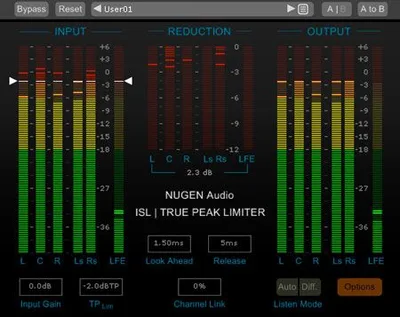
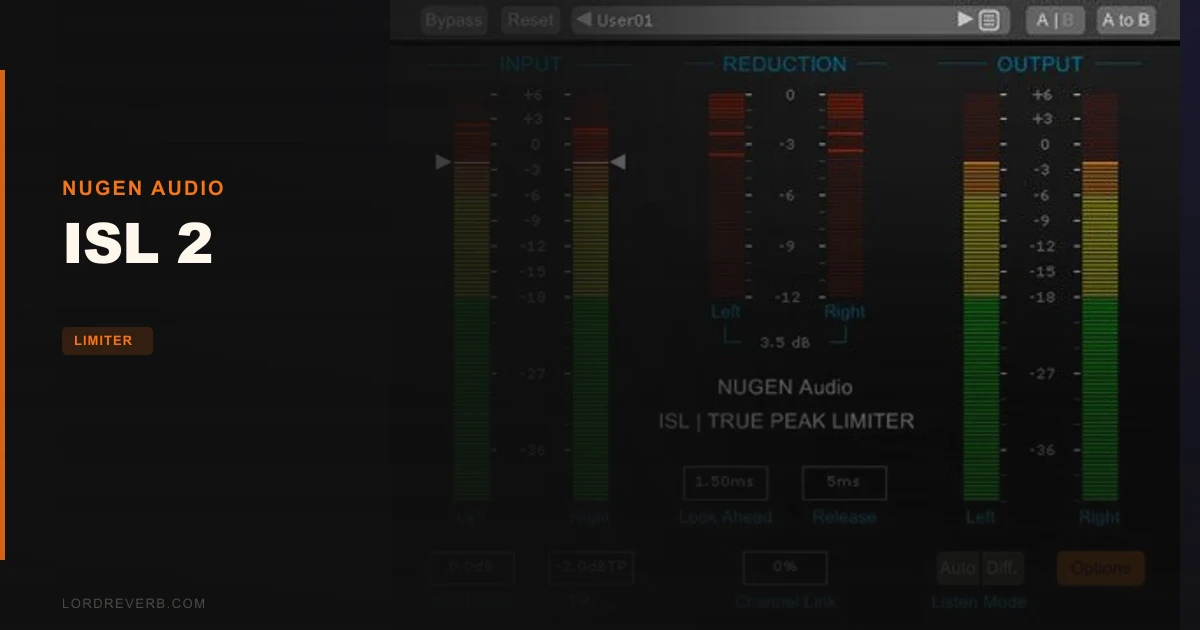
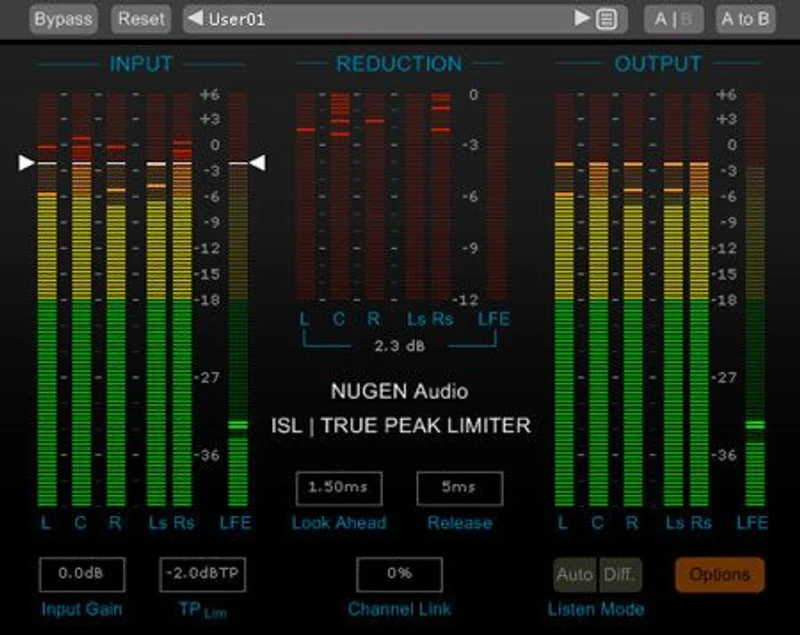
The GUI is clean but sparse. No waveform display, no spectral analyser. What you get is accurate, ballistics-adjustable metering with direct numeric maxima readouts. For compliance work, that's exactly what you need. For creative limiting, it can feel frustrating.
Performance Deep Dive
We ran a mastering session through ISL 2 with a ceiling set to -1.0 dBTP, which is the standard ask for most streaming platforms. The look-ahead is adjustable, and we dialled it to 4ms on a dense mix with a lot of low-mid content. The plugin's adaptive algorithm detected the LF-heavy passages and made frequency-weighted adjustments automatically, meaning the kick didn't cause the limiter to clamp harder than it needed to on the rest of the signal.
That's the moment we started taking ISL 2 seriously. On a comparable pass through a sample-peak-only limiter at the same ceiling, we measured intersample peaks pushing 0.3 to 0.5 dB above the nominal ceiling after codec encoding. ISL 2 held the line.
For surround work, the AAX DSP version handles 7.1 up to 48kHz and drops to 4 channels at 96kHz. The Steering meter shows you how limiting decisions are affecting directional information in a surround field. We tested a 5.1 dialogue mix and the centre channel ducking control alone saved us a patch of manual automation that would have taken 20 minutes to draw in.
CPU load on a modern machine is light to medium. Not the leanest plugin we've run, but nothing that'll cause problems on a standard mastering session.
Where ISL 2 Wins
Compliance confidence. That's the headline. We've seen mastering engineers use sample-peak limiters and then add 0.5 to 1.0 dB of extra headroom just to feel safe about intersample peaks after encoding. ISL 2 removes that guesswork entirely.
The Apple afclip detection is a genuine differentiator. If you're delivering for Apple Music or any platform running AAC encoding, intersample peaks are a real problem. ISL 2 catches them before they become distortion in the listener's earbuds.
Surround support up to 7.1 with intelligent channel linking is underrated for the price. Most stereo-focused limiters make you stack separate instances for surround buses. ISL 2 handles it natively, and the Steering and Ducking meters give you information that actually changes your decisions rather than just looking impressive.
The two-stage, non-linear adaptive algorithm sounds clean. That word needs defining here: no harmonic distortion we could measure under standard limiting conditions, no transient smearing on material hitting the ceiling at 2dB over. It does its job without leaving a fingerprint.
Where the Competition Wins
FabFilter Pro-L 2 wins on versatility. Eight limiting styles means one plugin serves your mastering chain and your creative bus work. ISL 2 doesn't compete there. It's a single-purpose tool.
For pure stereo music mastering where you want loudness alongside compliance, TDR Limiter 6 GE gives you more shaping options at a lower price point. ISL 2 doesn't try to be loud. It tries to be transparent. Those are different goals.
The GUI is one area where we genuinely wish NUGEN had invested more. It's not ugly exactly, but it looks like 2016 next to competitors shipping in 2026. No real-time waveform display means you're reading meters rather than seeing what's happening. That's fine for a compliance tool, but it can feel annoying during long sessions.
No Dolby Atmos or 7.1.4 support is a real gap for anyone working in immersive audio. The broadcast positioning suggests that audience, but the plugin stops at 7.1. That's a miss.
Who Should Buy Which
- ✅ Buy ISL 2 if you deliver to broadcast, streaming, or podcast platforms and need a hard true-peak ceiling with standards documentation behind it.
- ✅ Buy ISL 2 if you mix in surround formats up to 7.1 and need per-channel limiting with steering analysis.
- ✅ Buy ISL 2 if intersample distortion after codec encoding has bitten you before and you want a fix that doesn't require guesswork.
- ❌ Skip ISL 2 if you only do stereo music mastering and already own FabFilter Pro-L 2 or McDSP ML8000 Advanced Limiter. You're covered.
- ❌ Skip ISL 2 if you need a limiter that also does creative saturation or tonal shaping on a mix bus. Wrong tool.
- ❌ Skip ISL 2 if your budget is tight and you're working in stereo only. The price is harder to justify without the surround and broadcast workflow.
Score Breakdown
| Category | Score | Notes |
|---|---|---|
| Sound Quality | 4.8/5 | Measurably transparent under normal limiting loads; no detectable harmonic distortion |
| Value for Money | 3.8/5 | Strong value for post and broadcast engineers; harder to justify for stereo-only music work |
| Ease of Use | 4.3/5 | Sparse, focused interface; Steering and Ducking meters take a short learning curve |
| Features | 4.2/5 | Does exactly what it promises; no Atmos support is a gap for modern immersive workflows |
| CPU Efficiency | 4.0/5 | Light to medium load; won't stress a dedicated mastering machine |
| Overall | 4.4/5 | A brilliant compliance tool that earns its place in broadcast and post-production chains |
Alternatives to Consider
FabFilter Pro-L 2 is the main alternative for mastering engineers who want true-peak limiting plus creative flexibility. Eight limiting styles, a stunning interface, and a loudness panel in one plugin. If you're not in surround and don't need broadcast-standard documentation, it probably edges ISL 2 for music work. Check our limiter plugins guide for a full breakdown.
McDSP ML8000 Advanced Limiter Native v7 deserves a look if you want more tonal control from your limiter. We covered it in depth in our ML8000 review. It's a different philosophy but worth comparing if ISL 2's transparency feels too hands-off.
TDR Limiter 6 GE is the overachiever at its price point. For stereo music mastering, it punches above its cost. Read our TDR Limiter 6 GE review if budget is the deciding factor. It won't replace ISL 2 for surround compliance work, but it's a satisfying tool in its lane.
And if you're looking at dynamics tools for specific instruments rather than a full-chain solution, our VCL-515 Vari-Mu Limiter review covers a very different but complementary piece of gear.
The Bottom Line
ISL 2 doesn't try to be everything. It tries to be the last thing in your chain that you never have to argue with about whether your output is safe. On that specific promise, it delivers.
The 15-day fully functional trial is enough time to run it on a real project. Do that. Put it at the end of your mastering chain on a streaming deliverable, set the ceiling to -1.0 dBTP, encode to AAC, and check your intersample peaks in a reference tool. Then decide.
If broadcast specs, streaming compliance, or surround post-production are part of your regular work, ISL 2 is a tool you'll stop second-guessing within a week. If you're a stereo-only music producer chasing loudness and colour, it's the wrong fit and we'd rather save you the money.
It's a specialist tool priced for specialists. Buy it for the right reasons and it's one of the most satisfying limiters you'll put in a signal chain.
Frequently Asked Questions
What does ISL 2 actually do differently from a standard brickwall limiter?
A standard brickwall limiter controls sample peaks. ISL 2 controls true-peak levels, which is different. True-peak accounts for the intersample peaks that appear when digital audio is converted to analogue or encoded to lossy formats like AAC or MP3. Those intersample peaks can exceed your nominal ceiling by 0.3 to 1.0 dB, causing distortion downstream. ISL 2 uses the ITU-R BS.1770 algorithm to detect and limit them before that happens.
Is ISL 2 worth buying if I only work in stereo?
It depends on your clients. If you're delivering music to streaming platforms and getting rejected or noticing distortion on encoded files, ISL 2 solves that cleanly. If you already own FabFilter Pro-L 2 with its true-peak mode active, you're likely covered. The surround and broadcast features are where ISL 2's price really justifies itself, so stereo-only producers should weigh that carefully.
What surround formats does ISL 2 support?
ISL 2 supports mono through 7.1 surround. The AAX DSP version handles 7.1 up to 48kHz and drops to 4 channels at 96kHz. It does not currently support Dolby Atmos or 7.1.4 object-based formats, which is a genuine limitation for engineers working in immersive audio delivery.
Can I try ISL 2 before buying?
Yes. NUGEN Audio offers a 15-day fully functional demo. That's enough time to run it on a real project from start to finished deliverable. We'd suggest using that trial on a broadcast or streaming session specifically, since that's where the true-peak compliance features will show you exactly what you're paying for.