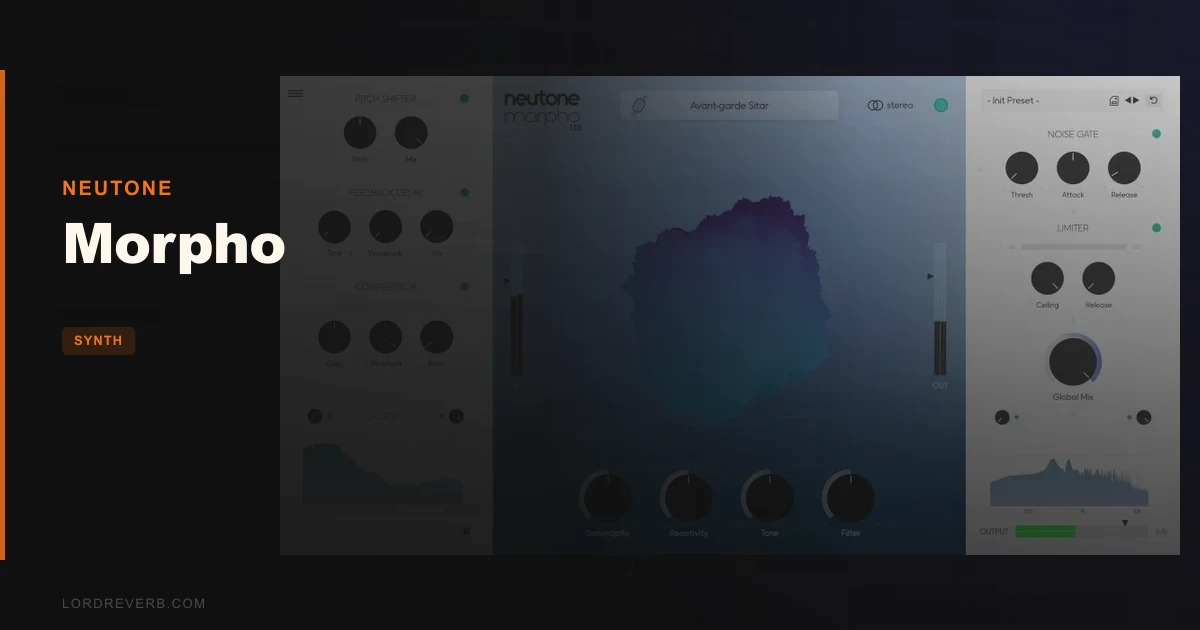
Morpho by Neutone sits closest to Combobulator in the real-time tone morphing lane, and this review is going to land clearly in Morpho's favour for one specific reason: custom model training you can do yourself, without writing a line of code. Combobulator morphs in real time. So does Morpho. But only Morpho lets you feed it your own audio and come out the other side with something nobody else has. At $99 for the full bundle, it's aimed at producers who think of sound design as composition, not preset-hunting. If that's not you, the free tier still gives you five models and a week with the full library to decide.
Quick verdict: Morpho is a genuinely clever tool that resynthesizes incoming audio through machine learning models rather than processing it with filters or convolution in the traditional sense. For textural, cinematic and experimental work, it's an easy yes. The score is 4.3 out of 5. The two real drawbacks are CPU load on older machines and a Macro Mode that takes real time to learn per model. Neither is a dealbreaker, but both are worth knowing before you buy.
How It Compares Out of the Box
Compared to Combobulator, Morpho's interface is more model-centric. You're not dialling in a morph amount with a single knob; you're choosing from 24 handcrafted models, each built from a specific sound source, and then shaping the output through Macro Mode's controls.
Compared to RAVE or Magenta, Morpho is simply accessible. Those are open-source tools that require Python environments and a level of technical comfort that most producers don't have and don't want. Morpho is a VST3/AU plugin you install and open in Ableton, Logic, or Bitwig. Done.
Suno isn't really a competitor here. Suno generates full songs from text prompts. Morpho takes your live audio signal and resynthesizes it in real time. These tools don't overlap in any meaningful workflow.
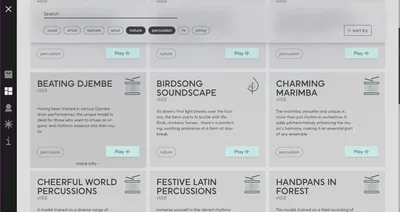
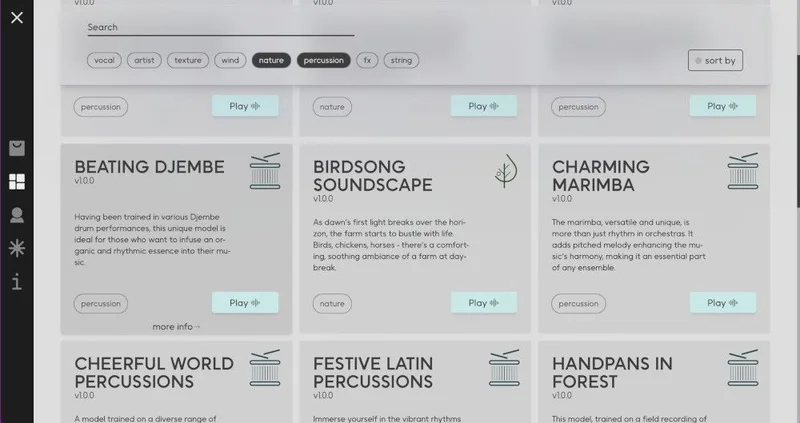
First impression of Morpho's model browser: the sourcing transparency is brilliant. Every model shows where the training audio came from, because Neutone only trains on audio they have rights to and cites all sources in the plugin. That's rare, and it matters.
Performance Deep Dive
Morpho runs as VST3 and AU on macOS 12.0 or later, and VST3 on Windows 10 and 11. Neutone recommends an Apple M1 or equivalent as a minimum. That's not marketing padding.
Real-time inference is CPU-hungry. On older Intel laptops running at low buffer sizes, owners report buffering. If you're on a 2018 MacBook Pro or a mid-tier Windows laptop, test the free tier before committing to anything. The one-week trial of the full library exists exactly for this check.
Standard convolution models can introduce lookahead latency. That's physics, not a bug. For sound design work and textural processing it's a non-issue. For tracking live instruments in real time with monitoring through the plugin, it could be frustrating depending on your buffer settings.
Morpho has been tested against Ableton Live 11 and 12, Logic Pro 10, Bitwig Studio 5, Studio One 6, Cubase 13, and Reaper 7. Current version is 1.1.4. Compatibility coverage is solid across the major DAWs.
Custom model training is a separate process. You purchase a Training Token, upload your audio files through the Training Dashboard's drag-and-drop interface, and Neutone's Cocoon service handles the compute. Owners report training taking approximately 3 days using an RTX 3080-equivalent setup. Plan for it to not be instant.
Where It Wins
The custom training capability is the real story here. Owners have described recording their own breath, feeding it into Cocoon, and getting back a playable instrument that sounds like nothing in any library. That's not a feature any other commercial real-time morphing VST offers right now.
The model variety in the standard library is genuinely broad. Drums, vocals, strings, percussion, synthesizers, environmental sounds. Twenty-four models is enough to cover very different project types without immediately needing custom training.
Ownership structure is clean. Custom models are private and fully owned by the user. Neutone doesn't retain rights to what you train. For producers doing commercial work, that matters.
The drag-and-drop training interface removes the barrier that keeps most producers away from machine learning tools. No coding. No GPU on your local machine. You're just uploading audio and waiting. That's a workflow most people can handle.
One owner reports plugging a kalimba into a soprano model and getting results they couldn't have written intentionally. That kind of happy accident is what this tool is designed to produce.
Where the Competition Wins
Macro Mode is the honest pain point. The knobs mean different things on every model. There's no consistent mental map across the library. Owners report spending about twenty minutes learning each new model before it feels intuitive. That's annoying if you switch models mid-session.
Combobulator doesn't have custom training, but its controls are more standardized. If you need to dial in a morphing effect quickly and move on, Combobulator's workflow is faster to learn in the short term.
CPU load on older machines is also an area where simpler alternatives win. If you're on constrained hardware and need a lightweight morphing option, Morpho isn't it. The ML inference cost is real.
Training requirements are steep if you want custom models. More than 1 hour of unique audio files is a real ask. If you only have a few samples you want to morph from, the Cocoon service won't produce results worth the Token cost.
Who Should Buy Which
- ✅ Buy Morpho if you do cinematic, ambient, or experimental sound design and want textures that don't exist anywhere else.
- ✅ Buy Morpho if you have a specific sound source, field recordings, voice, acoustic instruments, that you want to turn into a playable instrument.
- ✅ Buy Morpho if you're on an M1 or newer Mac, or a current-generation Windows machine with a solid CPU, and need real-time morphing with long-term expandability.
- ❌ Skip Morpho if you're on an older or lower-spec laptop and can't test the free tier first.
- ❌ Skip Morpho if you need standardized, fast-to-learn morphing controls for quick session work.
- ❌ Skip Morpho if your custom training source material is under an hour of unique audio. The Cocoon service needs material to work with.
Specs & Technical Details
| Developer | Neutone |
| Price | $99 |
| Plugin Format | VST3 (Mac & Windows), AU (Mac only) |
| OS Support | macOS 12.0 or later / Windows 10 & 11 |
| Activation | N/A |
| CPU Usage | Heavy (real-time ML inference; M1 or equivalent recommended) |
| Trial Available | Yes (free tier with 5 models + 1-week full library trial) |
| Version Reviewed | 1.1.4 |
Score Breakdown
| Category | Score | Notes |
|---|---|---|
| Sound Quality | 4.5/5 | Resynthesis quality is high; owners report results they couldn't have achieved by hand |
| Value for Money | 4.0/5 | One-time purchase for 27 additional models at $99 is fair; Training Tokens add cost |
| Ease of Use | 3.5/5 | Macro Mode knob meanings change per model, takes 20 minutes per model to learn |
| Features | 4.5/5 | 24 models, custom training via Cocoon, drag-and-drop interface, transparent sourcing |
| CPU Efficiency | 3.5/5 | Real-time ML inference is demanding; older hardware will struggle at low buffer sizes |
| Overall | 4.3/5 | A strong tool for sound designers; drawbacks are real but outweighed by unique capability |
The Model Browser and What's Inside
The free version gives you five models. They span enough sonic territory to tell you whether Morpho's approach works for your music. The full bundle adds 27 more, covering drums, vocals, strings, percussion, synthesizers, and environmental sounds. That's a broad palette without touching custom training at all.
Each model in the browser shows its source material. That transparency is something we wish more AI audio tools did. You know what was used to train what you're loading. That's both ethically correct and practically useful when you're trying to predict what a model will do to your signal.
Imagine you've got a dry guitar loop sitting on a track. Load the strings model, route your guitar through Morpho in your signal chain, and the output starts pulling the tonal character of the training source into your guitar's shape and rhythm. The original timing stays. The texture shifts. That's the core idea, and it's satisfying when it clicks.
The model variety means you're not just getting one flavour of weird. Environmental sounds behave differently from synthetic models. Vocal models respond to transient material in ways that percussion models don't. Exploring them takes time, which is both the joy of the plugin and the source of that 20-minute-per-model learning curve with Macro Mode.
Macro Mode: Powerful, But Inconsistent
Macro Mode is where you shape the output of whatever model you've loaded. Knobs affect the character of the resynthesis. Push them and the output changes. Pull back and you get something closer to the original texture.
Here's the frustrating part: the knobs don't mean the same thing from model to model. On one model a knob might affect brightness. On another it controls something closer to density. There's no legend that carries over. You learn each model almost as its own instrument.
That's not entirely a bad design philosophy. If each model is its own instrument, it makes sense that the controls are tuned to that instrument. But in practice, when you load a new model mid-session, you lose the intuitive muscle memory you built on the last one. Annoying.
Put it this way: if you're the kind of producer who commits to two or three sounds per project and digs deep, Macro Mode rewards you. If you switch models constantly looking for something quick, the learning overhead adds up fast.
Custom Training: The Feature Nobody Else Has
This is the part of Morpho that's hardest to evaluate without using it, and the part that justifies the $99 most clearly for a specific type of producer.
You buy a Training Token. You drag your audio files into the Training Dashboard. Neutone's Cocoon service handles the compute remotely, so you don't need a GPU. Your model comes back private, fully owned by you, ready to load in Morpho like any other model.
One owner built an instrument from breath recordings. Another turned an unconventional acoustic source into something playable across a keyboard range. That's the promise, and owners report it delivers.
The requirements are real, though. You need more than 1 hour of unique audio. If you've got a collection of field recordings, extended instrument sessions, or vocal material, that's achievable. If you have a handful of samples, it's not enough. Cocoon needs material to generalize from, not just a few clips to memorize.
Training time runs around 3 days at RTX 3080-level compute, based on owner reports. Plan for that. It's not a quick turnaround. For producers used to iterating fast, that patience requirement is a real shift in workflow mindset.
But the output is something nobody else has. Your model. Your sound. Not in any preset library anywhere. For composers working in sync licensing or sound designers building unique sonic identities, that's worth a lot more than the Token cost.
Alternatives to Consider
Combobulator is the closest direct alternative for real-time tone morphing in a VST3/AU plugin. It's more immediately learnable and lighter on CPU. The trade-off: no custom training. What you see in the library is what you get. Worth it if you don't need bespoke models.
RAVE / Magenta (open-source) covers similar ML-driven real-time morphing territory. The quality ceiling is high. The access barrier is also high: you need Python, command line comfort, and time. If you're a developer-producer hybrid, these tools go further. If you're not, they'll cost you days just getting set up.
Suno comes up in comparisons but doesn't belong here. It's a song generation tool. Different category entirely.
Is Morpho Worth It?
At $99 for the full bundle, Morpho earns its price if you're doing sound design work where originality matters more than speed.
It's not the plugin for producers who need fast results from standardized controls. The Macro Mode learning curve is real. The CPU ask is real. Custom training needs material you might not have.
But if you have an hour of your own recordings, an experimental mindset, and hardware that can handle real-time ML inference, Morpho gives you something no other commercial plugin in this category does: a tone morphing instrument built entirely from your own sound.
That's underrated. And the free tier with a one-week full library trial means you have no excuse not to check before you commit.
Try the free five models on your most unexpected source material first. A drum loop through a vocal model. A synth pad through an environmental sound model. That's where Morpho either wins you over or tells you it's not your tool. Give it that test before you decide.
Frequently Asked Questions
What is Morpho by Neutone?
Morpho is a VST3 and AU plugin that resynthesizes incoming audio in real time using machine learning models. It preserves the shape and timing of your original audio while transforming its tonal character through a selected model. It runs on Mac and Windows and has been tested with all major DAWs.
How is Morpho different from a standard audio effect plugin?
Standard effects like EQ, reverb, or distortion process audio with fixed mathematical operations. Morpho uses trained machine learning models to resynthesize audio into new textures. The output isn't filtered or convoluted in the traditional sense; it's regenerated through a learned model of a different sound source.
Can I train my own Morpho model without a GPU?
Yes. You purchase a Training Token, upload your audio through the Training Dashboard, and Neutone's Cocoon service handles the computation remotely. You don't need a GPU on your own machine. Training takes approximately 3 days based on owner reports, and requires more than 1 hour of unique audio files to work from.
Does Morpho work with Logic Pro and Ableton Live?
Yes. Neutone has tested Morpho with Ableton Live 11 and 12, Logic Pro 10, Bitwig Studio 5, Studio One 6, Cubase 13, and Reaper 7. On Mac it runs as both VST3 and AU. On Windows it runs as VST3 only.
Is there a free version of Morpho?
Yes. The free tier includes five models and a one-week trial of the full library, which covers 24 handcrafted models at launch. This is the best way to test CPU compatibility on your machine and evaluate whether the plugin's approach suits your workflow before buying the full bundle.
Who owns the models I train with Cocoon?
You do. Neutone's terms make custom models private and fully owned by the user who trained them. They're not shared with Neutone or added to the public library. For commercial producers building a distinctive sound identity, that ownership clarity is one of Morpho's stronger selling points.