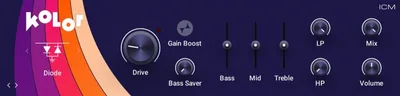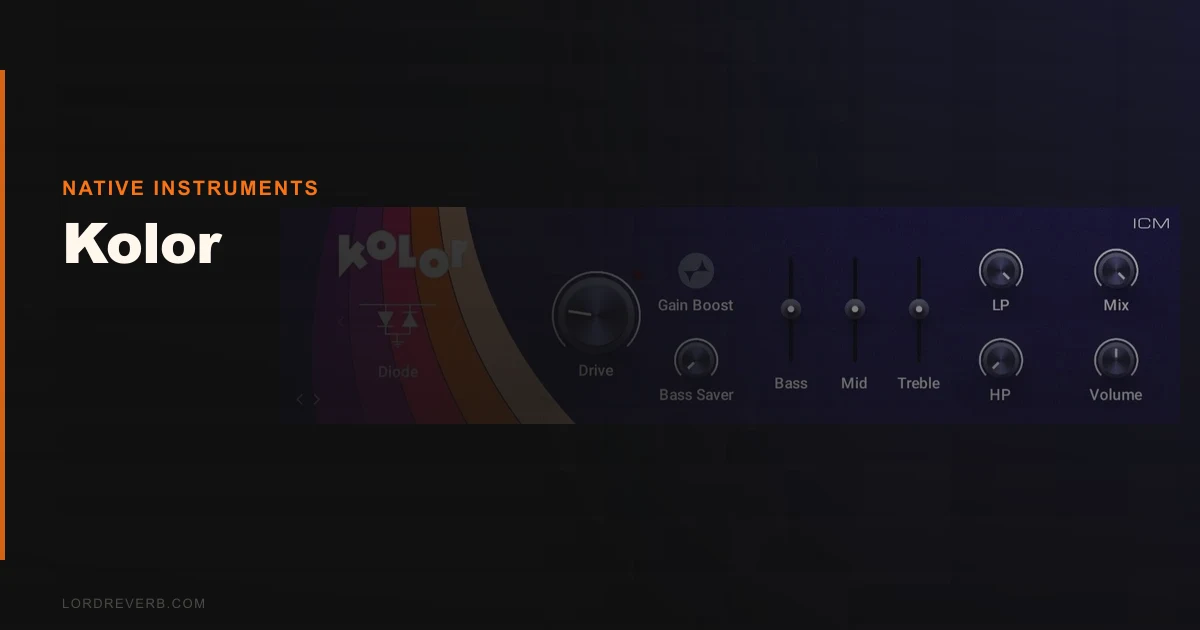
Kolor by Native Instruments is a distortion plugin with 10 algorithms and iZotope Trash 2 processing under the hood, starting at $5. It’s built for producers who want hardware-flavoured grit fast, without routing through a dozen controls to get there.
We loaded it on a dry synth bass during a session that was already running late. Picked the ICM algorithm, nudged the drive to about 60%, engaged the Bass Saver, and the low end held. That part worked. What took longer than it should have was figuring out how the other nine algorithms actually differ from each other, because the plugin doesn’t tell you much. We spent 20 minutes cycling through them by ear, no labels explaining the circuit model, no tooltip breaking down the character. Satisfying when you land on the right one. Annoying getting there.
This is for producers inside the NI world who want dirty sounds fast. If you’re after deep hardware emulation with documented circuit topology, look elsewhere.
Distortion Plugin or Saturation Swiss Army Knife?
Kolor isn’t a one-trick fuzz box. It covers ground from subtle tape-style saturation at the low end of the drive range through to full harmonic destruction when you push it hard. The iZotope Trash 2 algorithms sitting inside give it a processing backbone that’s genuinely capable, not just badge-borrowing.
What it’s not: a surgical colour tool. There’s no mid-side processing, no per-band distortion routing like you’d get in a dedicated multiband saturator. The EQ controls shape the signal going in and coming out, but they’re broad strokes. If you want to saturate only your 2-4kHz presence range while leaving the sub alone, this isn’t the right tool. The Bass Saver helps protect fundamentals globally, but it’s not a crossover.
It’s also not a guitar amp sim. Don’t confuse it with that category.
Living With Kolor Across Real Sessions
We ran Kolor across three weeks of sessions: electronic production, a hybrid rock mix, and some lo-fi beat work.
On synth leads, it delivered. We ran a clean Massive X supersaw through the ICM algorithm at around 45% drive, pulled the top EQ shelf down 2dB above 8kHz to keep the fizz from getting aggressive, and it sat in the mix without fighting the vocals. That took about four minutes to dial in. That’s a good result.
On drums, it got more complicated. We tried it on a parallel bus with a snare room sample underneath the main snare. At moderate drive, it added weight. But push the drive past 70% on anything transient-heavy and the clipping starts to sound ordinary. Not ugly-bad, just not distinctive. We kept reaching for it on sustained sounds and pulling back on percussive ones.
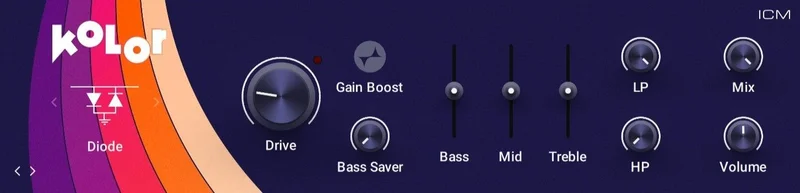
The Bass Saver is a genuinely clever control. We had a kick that was losing its fundamental every time we pushed drive up. Engaging Bass Saver and setting the threshold around 80Hz brought the sub back without turning the effect off. That’s the kind of specific, useful tool that makes a plugin worth keeping in the signal chain.
On guitar DI tracks in the rock mix, Kolor was fine but not exciting. Nothing wrong with it. Just not where it shines.
Where It Earns Its Keep and Where It Doesn't
The algorithm variety is the main argument for Kolor over a simpler one-character saturator. Ten options means you’re likely to find something that fits the source, whether it’s a clean sine wave needing warmth or a pad needing edge. That range is real.
The trade-off is depth of information. Native Instruments doesn’t document what each algorithm is modelling in any meaningful way. Is algorithm 5 a germanium circuit? A tape head? Transformer saturation? You’re guessing from the sound. For experienced engineers who know what they’re listening for, that’s fine. For producers still developing their ears, it’s a frustrating way to learn.
CPU usage is the other honest trade-off. At moderate settings on a single instance, it’s not a problem. Stack six instances in a session with heavy drive on each, and you’ll see your meter move more than you’d expect compared to plugins like Decapitator review or Fabfilter Saturn 2 at equivalent settings. On a modern CPU this is manageable. On older hardware, it’s worth monitoring.
The low starting price makes the value case easier. At that entry point, the CPU question matters less.
How It Sits Against the Competition
FabFilter Saturn 2 review is the direct upgrade path if you need per-band distortion routing and want to understand exactly what every knob does. It costs significantly more but gives you multiband control and genuinely educational parameter labelling.
Soundtoys Decapitator is the go-to for producers who want one great-sounding analo g character circuit done right. It doesn’t have ten algorithms, but the five it has are documented and distinct. It also tends to be kinder to your CPU on sustained use.
iZotope Trash 2 review is the parent technology here. If you want the full Trash 2 experience with multiband capability and spectral reshaping, buying Trash 2 outright rather than Kolor as an entry point makes sense. Kolor borrows the algorithms but doesn’t expose the full routing.
Kolor wins on price entry and NI ecosystem convenience. That’s a real win for some workflows.
The Real Verdict
Buy Kolor if you’re already inside the NI ecosystem and want affordable saturation that covers a wide range without a learning curve. The Bass Saver alone might justify the entry price on bass-heavy genres.
Skip it if you need to know what you’re using. The algorithm mystery is a real limitation for anyone who mixes professionally and needs to make fast, confident decisions about signal chain choices.
At $5 as an entry point, the risk is low. At full price without a sale, check best distortion plugins first. There’s real competition at that tier.
Score Breakdown
| Category | Score | Notes |
|---|---|---|
| Sound Quality | 3.8/5 | Covers a wide harmonic range; ordinary at extreme drive settings |
| Value for Money | 4.0/5 | $5 entry makes the algorithm count hard to argue with |
| Ease of Use | 3.3/5 | UI is clean but algorithm differences are undocumented |
| Features | 3.5/5 | Bass Saver is clever; no multiband routing limits advanced use |
| CPU Efficiency | 3.0/5 | Stacks of instances push your meter faster than rivals |
| Overall | 3.8/5 | Solid budget distortion tool; outclassed above its price point |
Alternatives to Consider
FabFilter Saturn 2: FabFilter Saturn 2 review, Multiband distortion with full parameter documentation and a lower CPU footprint per instance. More expensive, but worth every cent if distortion is central to your workflow rather than occasional.
Soundtoys Decapitator: Five analog-modelled algorithms, all documented, all distinctive. We'd choose it over Kolor for anything where character consistency across sessions matters. Watch for Soundtoys bundle sales, which regularly bring the price to a similar tier.
iZotope Trash 2: iZotope Trash 2 review, The full version of what's running inside Kolor. If you want the complete toolset with spectral shaping and multiband distortion routing, go to the source.
If you're still narrowing down your options, our full guide on best distortion plugins for music production covers this entire category with direct comparisons.
Kolor is a competent plugin at a low entry price. It'll serve you well on synths and pads. It won't replace a proper saturator collection. At $5, that's not a failure. It's just honest positioning.
Frequently Asked Questions
What distortion algorithms does Kolor include?
Kolor includes 10 distortion algorithms. These combine NI's own ICM circuit models with processing technology from iZotope Trash 2. Native Instruments doesn't publish detailed descriptions of each algorithm's circuit basis, so you'll need to evaluate them by ear. The range spans from soft saturation through to hard clipping.
Is Kolor worth it if I already own iZotope Trash 2?
Probably not. Trash 2 gives you the full processing engine with multiband capability and spectral reshaping. Kolor uses some of the same algorithms in a simpler, single-band wrapper. If Trash 2 is already in your signal chain, Kolor doesn't add much you don't already have access to.
What does the Bass Saver control actually do?
Bass Saver applies a frequency-dependent protection to your low end before the distortion stage. It lets you set a threshold frequency below which the drive effect is attenuated, preserving fundamental weight in kicks, basses, and synth subs. It's not a full crossover, but it's one of the most useful controls in the plugin for bass-heavy genres.
Does Kolor work with Native Access, and do I need an NI account?
Yes on both counts. Kolor activates through Native Access, which requires an NI account. There's no offline licence file option. If you're already using other NI products, this is seamless. If you're not in that ecosystem, factor in the account setup step before purchasing.