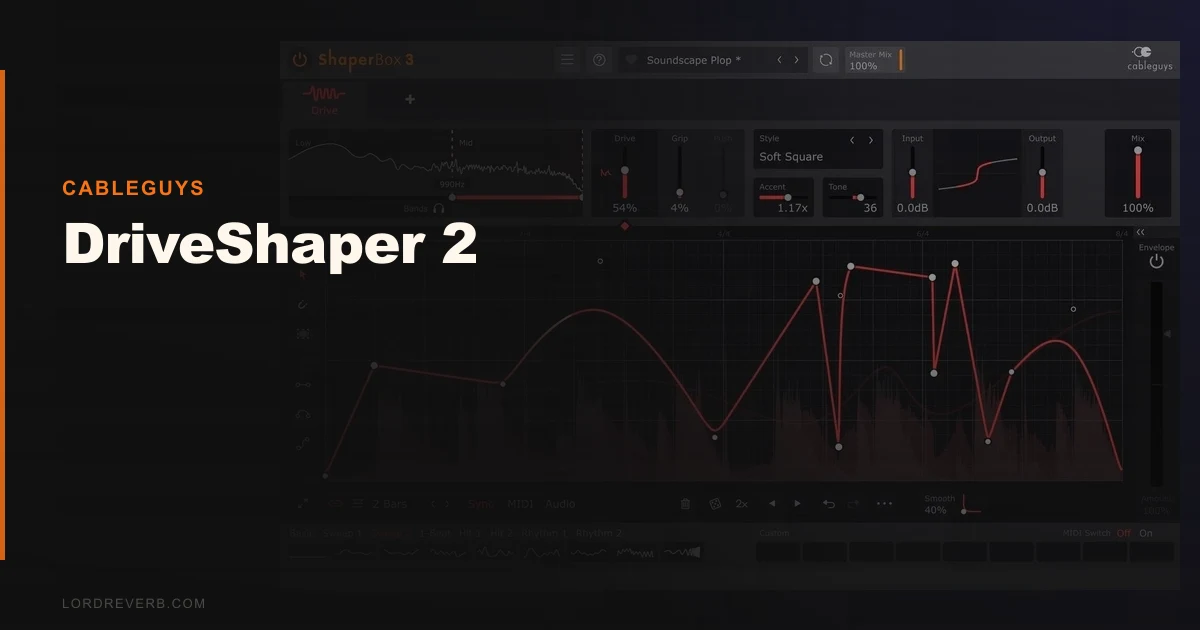
DriveShaper 2 is a multiband, LFO-driven waveshaping plugin from Cableguys that turns distortion from a static effect into a rhythmic, animated one. We spent three weeks running it across synth loops, drum buses, and individual synth layers, and the verdict isn't complicated: it does one specific thing better than anything else at this price, and it's almost useless if that thing isn't on your to-do list.
Here's the session that made it click. We had a mid-range lead synth sitting too politely in a tech-house track. Static saturation from a couple of the usual suspects gave us grit, but the synth still wasn't moving with the groove. We dropped DriveShaper 2 on the channel, drew a four-bar LFO curve that spiked on beats one and three, and set the algorithm to Wavefolding. The synth started breathing. It pushed forward on the downbeat and pulled back on the offbeat without a single automation clip written. That's the pitch.
Standalone it is $39 EUR. As part of the ShaperBox 3 bundle it drops into a package with the rest of the suite. If you're already in that ecosystem, version 2 is the obvious update. If you're not, read the "Who This Is Really For" section before you spend anything.
First Impressions: Smaller Than You Expect, Sharper Than You Fear
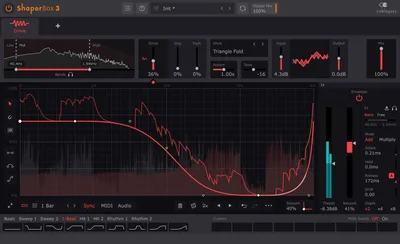
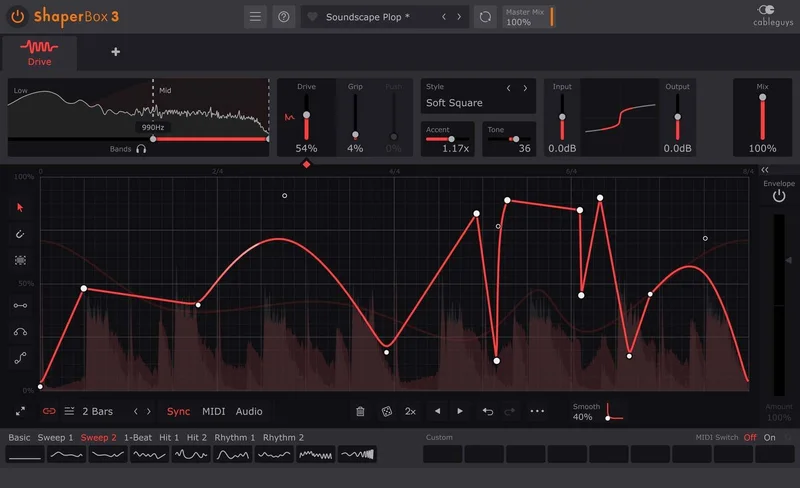
The UI opens at a size that would embarrass a 2009 iOS app. Cableguys keeps things deliberately compact. The waveform display for the LFO shaper takes up most of the real estate, flanked by the band controls and the algorithm selector on the right.
We had it installed and producing sound in under four minutes. The preset library loaded instantly, and the 72 built-in LFO curves meant we weren't staring at a blank canvas. The first thing we noticed: the visual LFO animation runs in real-time and syncs to your DAW's playhead the moment you hit play. No jitter. No latency that we could detect. It looks satisfying, and more importantly it sounds like it looks.
The jump from the original DriveShaper to version 2 brings all of ShaperBox 3's major new features: Audio Trigger mode, improved LFO editing, a new preset browser, an improved Envelope Follower, and more. The total algorithm count now sits at 12. Every one of them sounds distinct enough to justify the slot.
Getting It Into a Real Workflow
DriveShaper 2 runs inside the ShaperBox plugin and behaves as an insert in any AAX, VST, VST3, or AU compatible DAW on PC and Mac, including Apple Silicon Native. Whether you buy DriveShaper 2 on its own or as part of the full ShaperBox 3 bundle, you get the same ShaperBox plugin download in your account. Any Shapers you don't own run in demo mode. The multiband section lets you split your signal into up to three bands with adjustable crossover points. We set the low crossover at 200Hz and let the distortion hit only the mid and high band on a bass synth. The sub stayed clean. That alone saved us a routing headache.
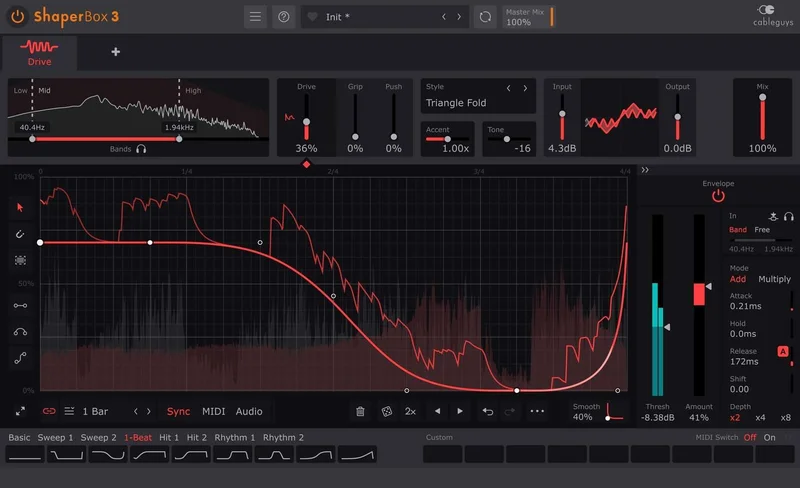
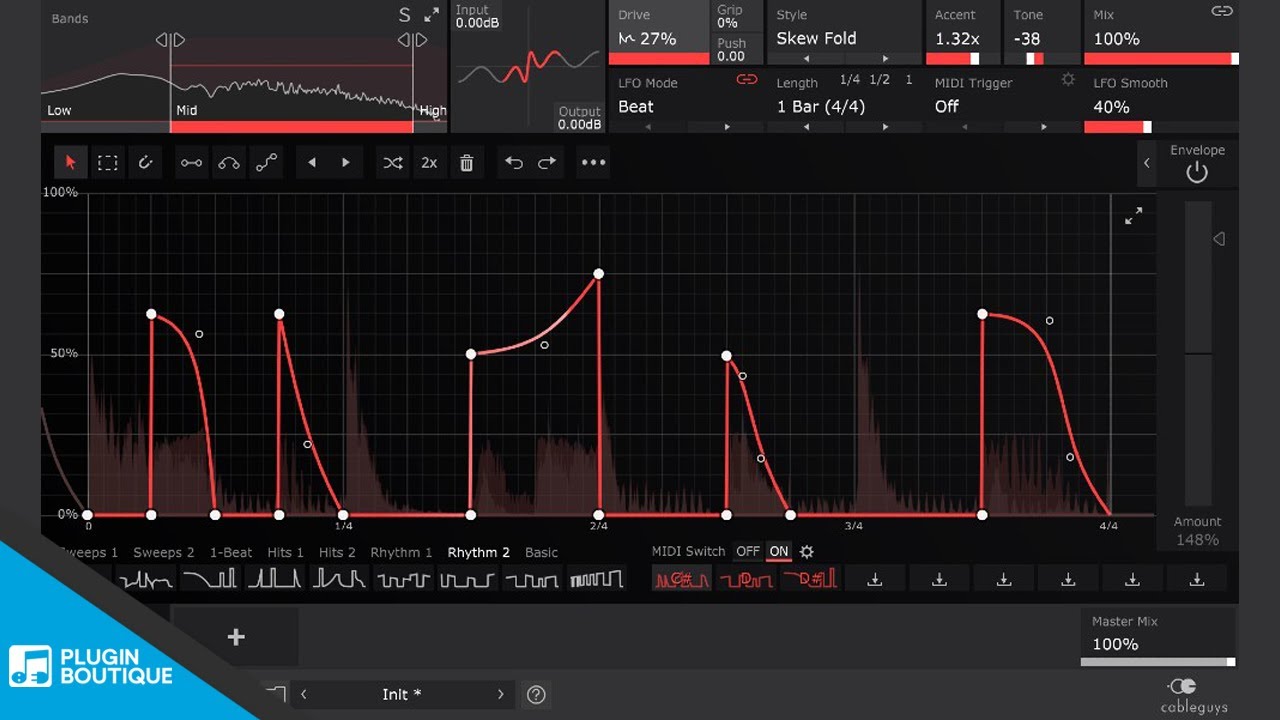
The LFO editor is where you'll spend most of your time. You draw curves by clicking nodes onto the grid, snap them to a beat grid, or pull from the preset shape library. Beat-sync mode locks the LFO to your DAW tempo. Hz mode runs it free. MIDI triggering restarts the LFO on note-on, which is clever for one-shot sounds and melodic work. Audio Trigger mode and the Envelope Follower round out the modulation options: Audio Trigger restarts the LFO from an incoming transient, and the Envelope Follower ties drive intensity directly to the amplitude of the input signal, giving you dynamics-responsive distortion without drawing a single curve.
Friction point: the drawable LFO is powerful but not immediately intuitive. We spent about 20 minutes before the curve shapes started clicking. Full undo and redo controls sit under the editor, so accidentally deleted nodes are easy to recover.
The other friction is ecosystem dependency. DriveShaper 2 inside ShaperBox 3 alongside VolumeShaper and FilterShaper is a different product than DriveShaper 2 alone. With the other Shapers stacked, you get a rhythmic modulation engine. The standalone price is fair. The bundle is where the value lives.
What It's Genuinely Good At
Animated, LFO-driven distortion is the headline. We haven't found another plugin at this price that does this as well. FabFilter Saturn 2 has more algorithms (16 to DriveShaper's 12) and more sophisticated modulation options, but it costs roughly four times as much and doesn't have the same beat-synced, drawable LFO system. For rhythmic distortion specifically, DriveShaper 2 wins on price-to-result ratio.
The 12 algorithms each have a real character. We ran a drum loop through Rectify and got an octave-up, aggressive grind that sat underneath the original without replacing it. We ran a pad through Soft Clip at 30% drive and got harmonic content that landed around 2-4kHz, exactly where a pad needs presence without tearing up the mix. Hard Clip above 60% drive predictably shreds. Wavefolding is the most complex of the set: it folds the waveform back on itself, and the harmonic density changes non-linearly with drive amount. Watch your output level.
Multiband separation is the other genuine strength. Distortion that leaves your low-end alone is worth a lot when you're working with bass-heavy electronic music. We split a synth pluck at 300Hz and 3kHz, hit the mid band hardest, and the low thump and top-end air stayed where we put them.
We also love the MIDI-triggered LFO reset for melodic work. Drop it on a MIDI-triggered synth pad, set a rising LFO shape, and every new note attack gets a fresh sweep of drive intensity. It sounds deliberate. It sounds like arrangement, not like a plugin doing something random. The Envelope Follower is equally useful for more organic results: it tracks the dynamics of the incoming signal and modulates drive accordingly, so the distortion swells with the performance rather than running on a fixed clock.
The Rough Edges
The plugin comes in AU, VST, VST3, and AAX formats for PC and Mac, so your DAW choice is well covered across the board.
CPU usage sits in the medium range. We ran 12 instances across a full project at 128-sample buffer without clicks on an M2 Mac. On an older Windows machine, we hit performance warnings around instance 8. Not a dealbreaker, but it's not light either. Running multiple ShaperBox instances stacked gets expensive fast.
The three-band limit is fine for most uses, but there are moments when
a fourth band would solve a problem faster. It’s a design choice, not a flaw, but you’ll bump into it occasionally on complex material.
And the UI is small. Not unworkably small, but you'll squint. A resize option is available through the Main Menu (the ☰ icon on the top bar), which is easy to miss on first use.
Who This Is Really For
- ✅ Buy if you make electronic music and want distortion that moves with your groove without writing automation.
- ✅ Buy if you already own ShaperBox 2 or 3 and want to expand the suite. The ecosystem value is real.
- ✅ Buy if you work with synth loops and want to add rhythmic texture and harmonic motion without layering extra MIDI.
- ❌ Skip if you record live instruments and need a versatile amp or tape saturation plugin. This isn't built for that.
- ❌ Skip if you want a set-and-forget static distortion plugin for your mix bus. There are simpler, cheaper tools for that job.
Score Breakdown
| Category | Score | Notes |
|---|---|---|
| Sound Quality | 4.0/5 | 12 algorithms all pull their weight; multiband separation is clean and effective |
| Value for Money | 4.5/5 | The standalone price is fair and the full ShaperBox bundle is a genuine deal. |
| Ease of Use | 3.5/5 | LFO editor has a learning curve; undo/redo controls are present but easy to miss |
| Features | 4.0/5 | Beat-synced drawable LFO, MIDI triggering, Audio Trigger mode, and Envelope Follower cover serious creative ground |
| CPU Efficiency | 3.5/5 | Medium load; stacking ShaperBox instances gets expensive on older hardware |
| Overall | 4.1/5 | Brilliant for rhythmic electronic work; too narrow for general-purpose use |
Alternatives to Consider
If you want more algorithms and don't mind spending more, FabFilter Saturn 2 is the benchmark. It has 16 distortion modes, per-band envelope followers, and a proper modulation matrix. It costs roughly four times DriveShaper 2. The LFO flexibility doesn't match DriveShaper's drawable beat-synced system, but the sound design ceiling is higher. It's a different tool.
For static multiband saturation on a budget, Native Instruments Kolor is worth checking. It sits at a lower price point, handles harmonic warmth on full mixes better than DriveShaper does, and is far simpler to dial in. It won't do rhythmic animation. But if that's not what you need, Kolor is the smarter buy.
For distortion within a modular signal chain, iZotope's Trash 2 covers more sonic territory and handles non-electronic material better. It also has multiband distortion options worth comparing. The workflow is more conventional. No drawable LFO. Different use case.
If you're deciding between a dedicated rhythmic distortion tool and a broader saturation plugin that you'll reach for on every track, the latter is probably the smarter first purchase. DriveShaper 2 is a second or third plugin for a specific creative need, not a foundation piece.
Final Call
DriveShaper 2 doesn't pretend to be a Swiss Army knife. It's a scalpel designed for one cut, and that cut is animated, rhythmic, multiband distortion on electronic material. We'd buy it again.
The standalone price is low enough that the specialization is easy to forgive. The full ShaperBox 3 bundle is one of the better value plays in the effects plugin world right now.
Skip it if you make live-instrument music or just need something to add a bit of grit to a mix bus. There are better tools for that, and they won't make you learn a new workflow to use them.
But if you're building electronic tracks and you've ever sat in front of a static distortion plugin wishing it could just move with the music: this is the plugin you've been waiting to find out exists.
Frequently Asked Questions
Does DriveShaper 2 work as a standalone plugin or only inside ShaperBox?
DriveShaper 2 runs only inside the ShaperBox plugin. Whether you buy DriveShaper 2 on its own or as part of the full ShaperBox 3 bundle, you get the same ShaperBox plugin download in your account. Any Shapers you don't own run in demo mode. The full creative value comes from stacking it with VolumeShaper and FilterShaper inside ShaperBox 3's multi-effect host. The single-Shaper price is a fair entry point. The bundle is a better one if you're serious about the workflow.
Is DriveShaper 2 compatible with Pro Tools?
Yes. DriveShaper 2 comes in AU, VST, VST3, and AAX formats for both PC and Mac, including Apple Silicon Native. Pro Tools users are fully supported.
What's the difference between DriveShaper and DriveShaper 2?
Version 2 brings all of ShaperBox 3's major new features: Audio Trigger mode, improved LFO editing, a new preset browser, an improved Envelope Follower, and more, bringing the total algorithm count from 10 to 12. DriveShaper has always been available only inside ShaperBox. For new buyers, there's no reason to seek out the original version.
How does DriveShaper 2 compare to FabFilter Saturn 2 for electronic production?
Saturn 2 has 16 distortion modes to DriveShaper's 12, a full modulation matrix, and per-band envelope followers. It costs roughly four times as much. For pure rhythmic, beat-synced distortion animation, DriveShaper 2's drawable LFO system and Audio Trigger mode are more immediate and more specifically designed for that use. DriveShaper 2 also has its own Envelope Follower for dynamics-responsive distortion. Saturn 2 has a higher ceiling for sound design complexity overall. If your budget allows it and you need advanced multiband saturation, Saturn 2 wins. For the specific rhythmic animation use case at a fraction of the price, DriveShaper 2 holds its own.