SquashIt is a three-band distortion and saturation plugin from Klevgrand, priced at $39.99, and it earns its place in a session when you need to add harmonic weight to individual frequency ranges without reaching for a full-featured, CPU-heavy multiband processor.
Picture this: you've got a bass track that sits fine in solo but disappears under a dense mid section. You don't want to EQ more low-end in. You want the bass to punch through on small speakers by pushing harmonic content up into the mids and highs. That's the exact moment SquashIt was built for.
It's compact. It's direct. And at $39.99, it doesn't pretend to be more than it is. Whether that's a strength or a limitation depends entirely on who's reaching for it.
What SquashIt Actually Is (And What It Isn't)
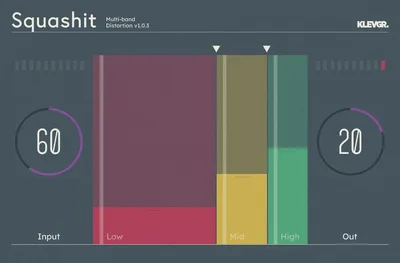
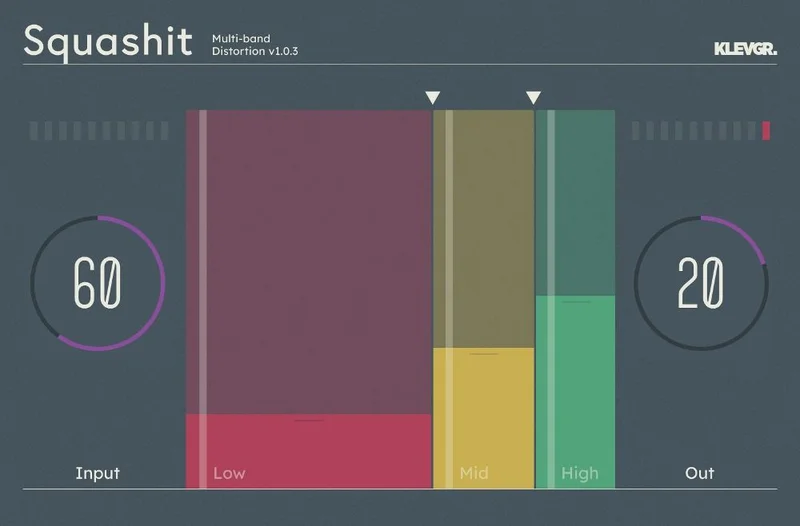
SquashIt splits your signal into three frequency bands and lets you push distortion independently into each one. A crossover frequency control sets where those bands divide. Input and Output controls sit at the top and bottom of the chain, so you can drive the effect hard and then pull the level back without clipping your next plugin.
What it isn't: a guitar amp emulator. Guitar distortion sound has been reported as unconvincing compared to classic pedal emulation. That's a real limit, not a knock. The algorithm is built for production use, not for convincing a guitarist it's a Tube Screamer.
It also isn't deep. There's no frequency display, no detailed band reference, no PDF manual. You dial by ear and trust the crossover control. Some producers love that. Others will find it frustrating when they want precision documentation to match a specific crossover point to their mix.
Where It Fits In Your Session
Put SquashIt directly on a bass bus and start with the Input low. Push the low-band distortion up gradually and you'll hear the bass add presence without getting harsh. Users report distortion retains warmth without harsh digital degradation, particularly on bass.
On vocals, the three-band approach pays off. You can leave the low band clean, push subtle saturation into the mids for edge, and keep the high band almost untouched. That adds the kind of forward texture that makes a dry vocal sit in a dense mix without you having to automate level for every phrase.
Sound design is where the Input control becomes satisfying to push hard. Drive it into the red and the signal starts to mangle. The developer says it can render a source unrecognizable, and owners confirm the range is real. For electronic production and sound design, that's a genuinely useful tool to have sitting in a template.
Keep it off your guitar direct tracks. That unconvincing character reviewers mention shows up fast on anything that needs to sound like a miked cab.
Who This Plugin Is Actually For
The Beginner
If you're early in building your plugin collection, SquashIt is a clever first multiband saturation tool. The interface won't confuse you. You'll learn what band-specific distortion does to a signal fast, because there's nothing in the way of that lesson.
The missing manual is annoying at this level. You'll need to experiment to find your crossover points because there's no frequency diagram to lean on. That's fine. You'll learn faster for it.
Verdict: Buy it. $39.99 is a reasonable price to pay for that education, and you'll keep using it once you're past the learning stage.
The Working Producer
Here's the honest position: Saturn 2 gives you more bands, more shaping, more visual feedback. SquashIt gives you a faster decision on simpler sessions and costs less CPU. If your template is already dense, that matters.
Use SquashIt on individual instrument buses where you need a quick saturation call. Keep Saturn 2 for the master bus or anything that needs surgical control.
Verdict: Buy it as a secondary tool. If you don't already have a multiband saturation option in your kit, start here and upgrade later.
The Mixing Engineer
You'll love the low CPU. You'll hate the missing documentation. When a client asks you what crossover frequency you're using, the answer shouldn't be "somewhere around there, sounds right."
The lack of a frequency display isn't a dealbreaker for a tool you use by ear. But the absence of a manual means troubleshooting edge cases takes longer than it should. That's a real workflow cost on a deadline.
Verdict: Wait. If you need to justify every processing decision, the missing specs will bite you. If you mix by ear and trust your ears, it works.
The Sound Designer
This is where SquashIt earns its keep. Push the Input hard on a synth pad, change the crossover to shift which band takes the most destruction, pull the Output back up. You'll get textures that don't sound like any standard distortion pedal emulation, which is exactly the point.
The iOS version is available, so you can use it on an iPad for mobile sound design sessions. Note: AudioBus FX compatibility issues have been reported, and iPad Pro users have flagged an issue where the plugin shows visual activity but produces no audible result. Check your iOS version and setup before relying on it for a session.
Verdict: Buy it. For distortion-as-texture work, the unique algorithm is a genuine asset.
The Trade-Offs Worth Knowing
The low CPU is a real advantage. Owners praise it consistently, and for a plugin doing multiband processing it's a meaningful win when your session is already running hot.
The flip side is feature depth. You get three bands, one crossover control, Input and Output. That's it. FabFilter Saturn 2 offers significantly more control density by comparison. SquashIt doesn't try to match it, and that's a reasonable design choice. But it means the plugin has a narrower useful range.
The GUI gets praised in reviews, and Klevgrand's design quality is a consistent strength across their catalog. That's not a small thing. A tool you enjoy opening gets used more. A cluttered UI gets avoided.
The missing PDF manual and minimal documentation are frustrating when you want to work fast and confidently. It's the one place the simplicity feels like an oversight rather than a decision.
Against the Field
FabFilter Saturn 2 is the obvious comparison. It offers more bands, more distortion types, more visual feedback, and more modulation options. If you need all of that, Saturn 2 wins clearly. SquashIt wins on CPU efficiency and speed of use on straightforward tasks.
Klevgrand also makes Svep, a sibling modulation plugin from the same developer. If you like SquashIt's design philosophy and GUI approach, Svep is worth looking at for movement and texture work in the same workflow lane.
For guitar-focused distortion, SquashIt is not the right choice. Look elsewhere for cab-and-amp emulation.
The Real Verdict
SquashIt is a clever, honest tool with a focused purpose. At $39.99, it delivers real multiband saturation with low CPU and a clean workflow for producers who need that result quickly on vocals, bass, and synths.
Skip it if you need detailed documentation, guitar amp character, or iPad Pro reliability. Skip it if you already own Saturn 2 and don't need a lighter-weight alternative.
But if your session runs hot and you want fast, controllable harmonic drive across specific frequency ranges, this is the kind of underrated plugin that earns a permanent spot in your template without asking much in return.
Specs & Technical Details
| Developer | Klevgrand |
| Price | $39.99 |
| Plugin Format | AU / VST / AAX |
| OS Support | macOS 10.10 or later (M1 optimized) / Windows 7 SP1 or later |
| Activation | N/A |
| CPU Usage | Light |
| Trial Available | N/A |
| Version Reviewed | 1.0.3 and later |
Score Breakdown
| Category | Score | Notes |
|---|---|---|
| Sound Quality | 3.5/5 | Warm and usable on bass and vocals; unconvincing on guitar sources |
| Value for Money | 3.5/5 | Fair price for the feature set; sparse documentation reduces the value |
| Ease of Use | 4.0/5 | Simple interface works fast; missing manual slows down edge cases |
| Features | 3.0/5 | Three-band distortion with crossover control; no frequency display or modulation |
| CPU Efficiency | 4.5/5 | Low CPU draw consistently praised by owners; a genuine advantage |
| Overall | 3.5/5 | Solid, focused multiband saturation tool that knows what it is |
Alternatives to Consider
FabFilter Saturn 2 is the step-up option when you need more bands, more distortion character types, visual frequency feedback, and modulation. It's heavier on CPU and costs more. It wins for complex, detailed multiband distortion work on a mix bus or master chain.
Klevgrand Svep is worth considering if you enjoy SquashIt's design philosophy and want a Klevgrand modulation tool in the same visual and workflow language. Different function, same developer DNA.
Frequently Asked Questions
Is SquashIt good for bass guitar?
Yes. Owners specifically call out bass as one of the strongest use cases. The distortion adds harmonic content without the harsh digital degradation that cheaper saturators introduce. Pushing the mid band lightly can add presence that translates on small speakers.
Does SquashIt work on iOS?
It's available for iOS, but check your setup before relying on it in a session. iPad Pro users have reported an issue where the plugin shows visual feedback but produces no audible result. AudioBus FX compatibility has also been flagged as a limitation on the iOS version.
How does SquashIt compare to FabFilter Saturn 2?
Saturn 2 offers more distortion types, more bands, and detailed visual feedback. SquashIt is lighter on CPU and simpler to operate quickly. If you need depth and control, Saturn 2 is the stronger tool. If you need speed and CPU headroom, SquashIt holds its own for straightforward multiband saturation tasks.
Is SquashIt suitable for guitar distortion?
Not really. At least one reviewer noted the guitar distortion sounds unconvincing compared to classic pedal emulations. The algorithm is built for production use on bass, vocals, and synths. For guitar, you'll want a dedicated amp or pedal emulation plugin.
Does SquashIt come with a manual?
Multiple owners have reported that SquashIt ships without a PDF manual, which is a genuine complaint for a plugin with no detailed frequency band documentation. You'll be working by ear and experimenting with the crossover control rather than following a spec sheet. It's not impossible, but it adds time when you're troubleshooting.