The Moogerfooger MF-105S MuRF is the plugin answer to one of the most annoying problems in modern production: you've got a static sound that needs movement, and every LFO-driven filter you try sounds mechanical, thin, or just plain wrong. At $79, this is Moog's software recreation of the original MF-105 hardware, built around an 8-band resonant filter array with an animated sequencer that breathes life into sounds in a way a regular modulated EQ simply doesn't. It's built for producers, sound designers, and guitarists who want rhythmic filter animation with genuine Moog character baked in.
Quick verdict: The MF-105S scores 4.2 out of 5. It does a specific thing brilliantly, and no competing plugin in this price range does it with the same personality. But go in clear-eyed: the bandwidth limitation is real, the MIDI routing situation is frustrating, and if your mix lives in the upper frequencies, you'll be fighting the voicing the whole time. Buy it for what it is. Don't try to make it something else.
What's the Actual Problem This Solves?
Static sounds kill energy. A synth pad that doesn't move, a guitar loop that sits flat, a vocal effect that just sits there. Standard solutions involve LFOs routed to filter cutoff, or maybe an auto-wah, or a tremolo on the volume. None of them produce the layered, harmonically specific movement you get from animating eight separate resonant bands independently.
That's the gap the original MF-105 hardware filled when Bob Moog and his team released it in 2004. Each of the 8 filter bands has its own envelope in the animation sequence. The result isn't just a filter opening and closing. It's a ripple across the frequency spectrum, band by band, like a wave rolling through the harmonic content of your sound.
No generic filter plugin replicates that animation engine. That's why this plugin exists.
How the MF-105S Actually Performs
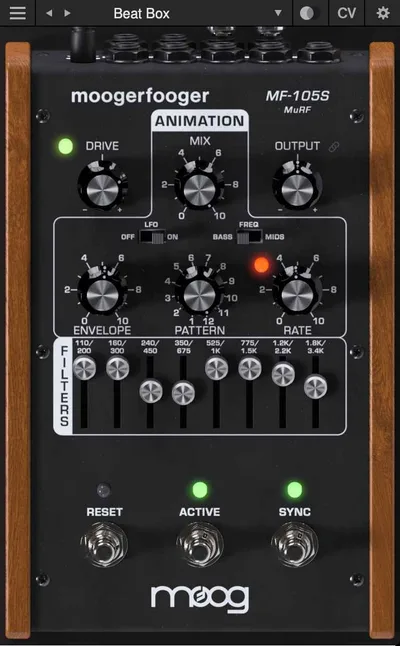
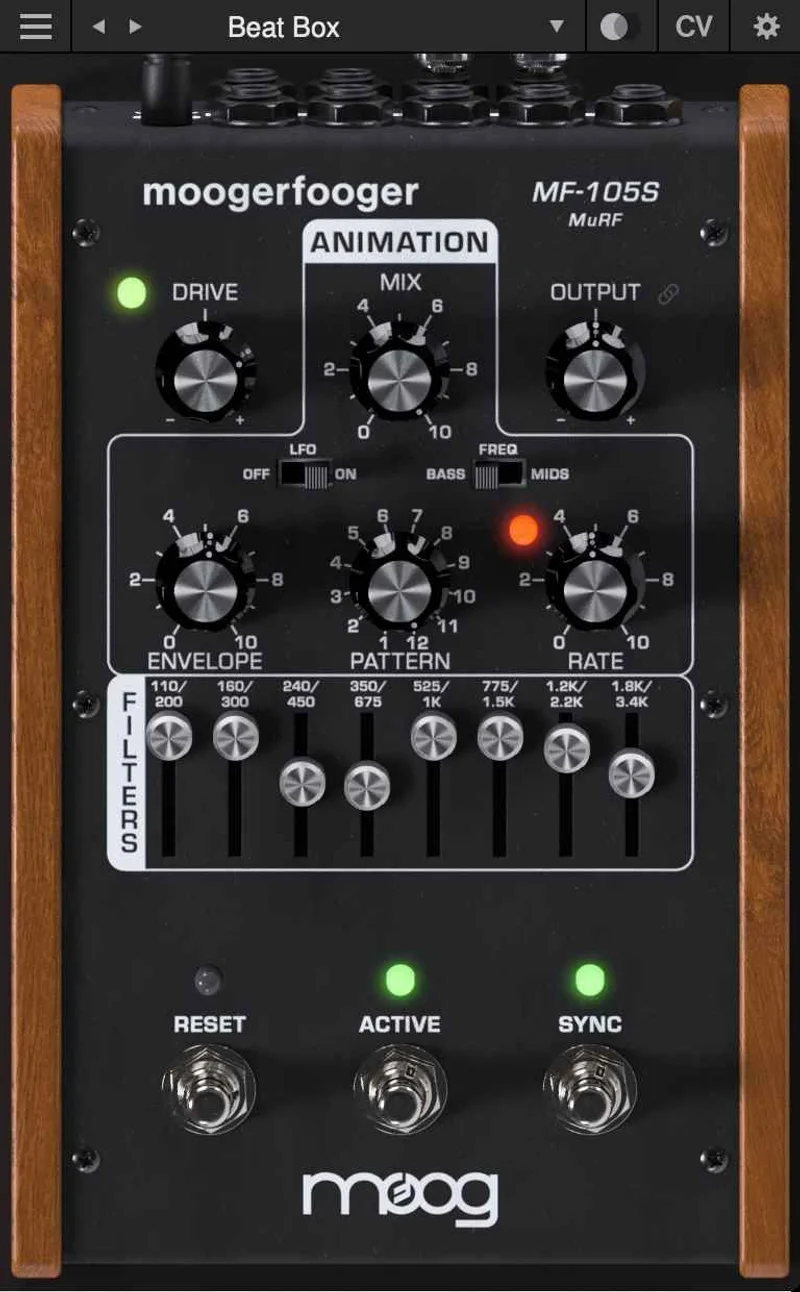
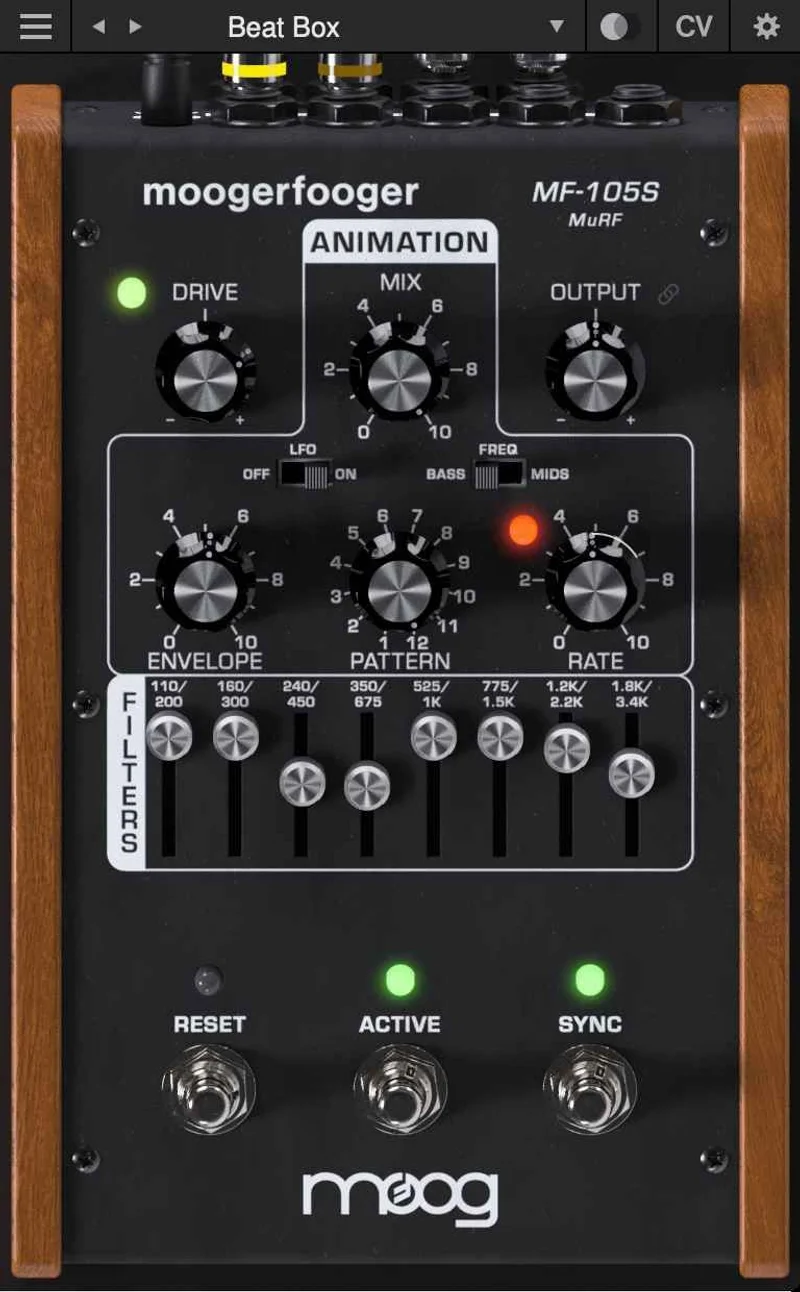
The core of the plugin is the 8-band resonant filter array. You choose between bass or mid frequency voicings, which sets where those 8 bands sit in the spectrum. Then the Animation module takes over: it generates sequences of envelopes that modulate the level of each individual filter band.
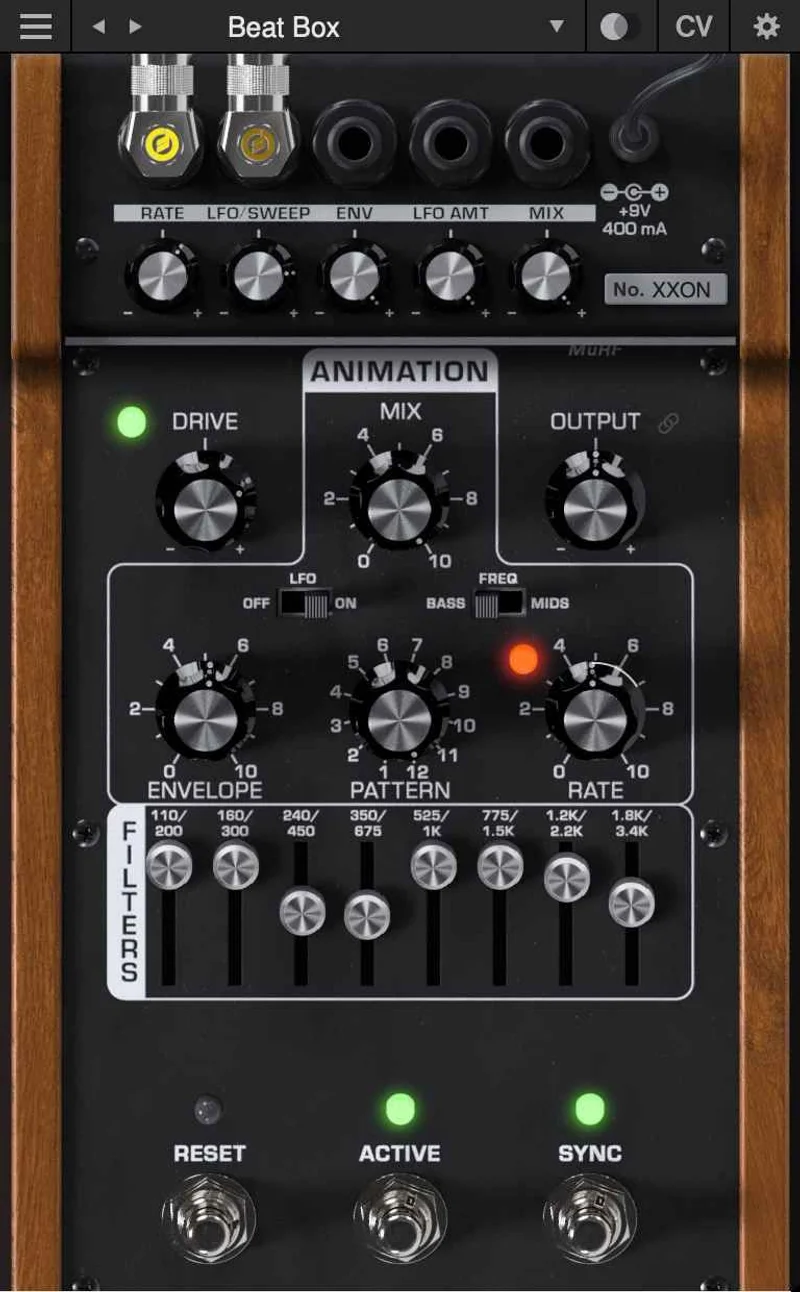
The plugin ships with 11 preset animation patterns per voicing. That's 22 starting points before you touch the 64-step pattern editor. Reviewers consistently report that this pattern editor is where the MF-105S separates itself from the hardware original. The hardware had pre-programmed patterns and that was it. Here, you draw your own sequences, adjust timing, and shape exactly how the animation moves across the bands.
The CV interconnectivity is a genuine differentiator. The developer says each Moogerfooger plugin instance can modulate parameters across any other instance in your project, in any DAW. Digital attenuverters sit on every CV input, so you control the depth and polarity of every modulation source. Load a second Moogerfooger on another track and route it as a modulation source for the MuRF. That's the kind of routing that used to require a hardware modular rig.
Stereo functionality is included, which the original hardware didn't offer. All parameters are automatable. Preset saving is there too. These aren't flashy additions; they're the practical things that make hardware classics usable in a modern session.
The MIDI situation is where things get annoying. Reviewers flag that the plugin doesn't publish itself as a MIDI destination to the host DAW. That limits live performance control and external hardware integration more than it should at this level.
Strengths and Weaknesses
The strengths are concentrated and real. The animation engine is unlike anything you'll find in a standard filter plugin. Reviewers describe the organic parameter interaction as one of the plugin's most satisfying qualities: the way the resonant bands breathe against each other feels more alive than a typical LFO sweep.
Load it on an electric guitar part. Set the bass voicing. Push a mid-tempo animation pattern and let the 8 bands ripple through the attack of each picked note. Reviewers specifically call out electric guitar as where this plugin shines hardest. That's not a coincidence given the hardware's origins.
The weaknesses are equally concentrated. The bandwidth limitation is the honest headline. The plugin covers bass or mid frequency ranges. Full-range audio sources, like a complete mix bus or a broadband drum loop, lose their upper-frequency content unless you blend significant dry signal back in. Reviewers note that everything takes on a bass- or mid-dominated tone without that dry compensation.
Try it on a drum loop: push the wet signal high and your hi-hats and cymbals disappear into the animation. That's not necessarily wrong for every creative context, but it's a constraint you need to know before you buy. The developer's own description of the original MF-105 as descended from Moog modular synthesizers adapted for guitar, voice, and synthesizer inputs tells you something about the intended material.
The interface is resizable. Preset management works. Those are small wins that matter over a long session.
Value for the Price
At $79, the MF-105S is priced like a specialist tool. And that's exactly what it is. If you want a precision multiband filter with surgical modulation control, look at FabFilter's filter options instead. The MF-105S isn't competing on precision.
What you're paying for is the Moog animation engine, the CV routing architecture, and the analog character the developer says has been faithfully recreated. Reviewers back that character claim consistently. If those things matter to your work, $79 is fair. If they don't, it isn't.
Who Should (and Shouldn't) Buy This
- ✅ Buy if you work with electric guitar, synth bass, or voice and want animated filter movement with genuine Moog character
- ✅ Buy if you run multiple Moogerfooger plugins and want to exploit the CV interconnectivity between instances
- ✅ Buy if you need a 64-step pattern editor to build custom filter animation sequences rather than generic LFO shapes
- ❌ Skip if your source material is full-range and broadband; the bandwidth limitation will frustrate you constantly
- ❌ Skip if MIDI-mapped external hardware control is central to your workflow
- ❌ Skip if you want subtle, transparent filter movement that sits quietly in a polished mix
Specs & Technical Details
| Developer | Moog |
| Price | $79 |
| Plugin Format | VST3 / AU / AAX |
| OS Support | Mac (macOS 11.7 or newer, Intel or Apple Silicon) / Windows (Windows 10 or newer, 64-bit Intel or newer) |
| Activation | N/A |
| CPU Usage | N/A |
| Trial Available | N/A |
| Version Reviewed | N/A |
Score Breakdown
| Category | Score | Notes |
|---|---|---|
| Sound Quality | 4.5/5 | Reviewers consistently confirm the animated resonant filter character is genuinely distinctive and musically alive |
| Value for Money | 4.0/5 | Fair for a specialist tool; poor value if the bandwidth limitation applies to everything you make |
| Ease of Use | 3.5/5 | The animation engine takes learning; MIDI limitations add friction for live performance workflows |
| Features | 4.5/5 | 64-step pattern editor, CV interconnectivity, stereo, attenuverters, full automation: the digital additions are clever and genuinely useful |
| CPU Efficiency | N/A | No published figures available to report |
| Overall | 4.2/5 | A brilliant specialist filter with a real personality problem: it only suits specific material, and it knows it |
Alternatives to Consider
If the bandwidth limitation puts you off but you still want deep filter modulation, MeldaProduction MFilter covers the full frequency spectrum with flexible modulation and costs less. It doesn't have the Moog animation engine, but it won't swallow your high end either.
For filter movement driven by complex pattern sequencing in a more effects-chain context, Sugar Bytes' Effectrix sits in similar creative territory. It's broader in scope but lacks the resonant Moog filter character.
FabFilter's filter options, including what filter plugins can actually do beyond standard EQ, offer precise modulation and clean sound design without the analog voicing constraints. If you want control over the MuRF's creative chaos, start there.
Native Instruments' The Finger takes a performance-effects angle that overlaps with some MuRF use cases, particularly rhythmic filtering on loops, though it's a different concept entirely.
Still exploring the broader filter plugin world? Our complete guide to filter plugins covers where these tools sit in a signal chain and what each type actually does differently from a standard EQ.
The Verdict
The MF-105S MuRF is a love-it-or-leave-it plugin. There's no middle ground with something this characterful. Put it on an electric guitar or a synth bass with the bass voicing, dial in a pattern from the 64-step editor, and let the 8 bands animate the note. That's where it's brilliant. Try to use it as a general-purpose filter on your drum bus and you'll hate it within ten minutes.
At $79, it's a fair price for a faithful recreation of one of the more unusual pieces of hardware Bob Moog's team ever built. The CV interconnectivity and the extended pattern editor make it more useful than the original hardware in a DAW context. The MIDI limitation is a real frustration that Moog should address.
Buy it if animated resonant filter movement is a sound you actually chase. Skip it if you're hoping it'll work on everything. It won't, and it was never designed to.
Related reviews: Does the OD DeEdger Solve 1 Problem Too Narrowly?
Frequently Asked Questions
What does the MF-105S MuRF actually do differently from a standard filter plugin?
The MuRF runs an 8-band array of resonant filters, each modulated by its own envelope sequence through the Animation module. Standard filter plugins sweep a single cutoff point up and down. The MuRF animates 8 separate bands independently, creating rhythmic, harmonically complex movement that a single-filter LFO can't replicate. That's the specific thing it does that nothing generic does the same way.
What are the bass and mid voicings, and when do I use each?
The bass and mid voicings set where the 8 filter bands are centered in the frequency spectrum. Bass voicing concentrates the animation in the lower frequencies. Mid voicing shifts the action into the midrange. Reviewers suggest bass voicing works well on guitar and low synth material; mid voicing suits vocals and melodic instruments sitting in the 500Hz to 3kHz range.
Can I use the MF-105S MuRF with external MIDI controllers?
This is the known frustration. The plugin doesn't publish itself as a MIDI destination to the host DAW, which limits direct MIDI mapping from external controllers in the usual way. All parameters are automatable within your DAW, so you can draw automation or use your host's MIDI-to-automation conversion if it offers that. But native MIDI control the way you'd expect from a modern plugin isn't there yet.
Does the CV interconnectivity work between different Moogerfooger plugins or only between MuRF instances?
The CV routing works between any Moogerfooger plugin instances across your project, not just between multiple MuRF instances. The developer says each Moogerfooger can modulate the parameters of any other across the full collection. Digital attenuverters on every CV input let you set depth and polarity for each modulation connection, so the routing is flexible rather than fixed.