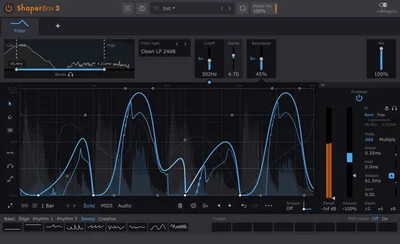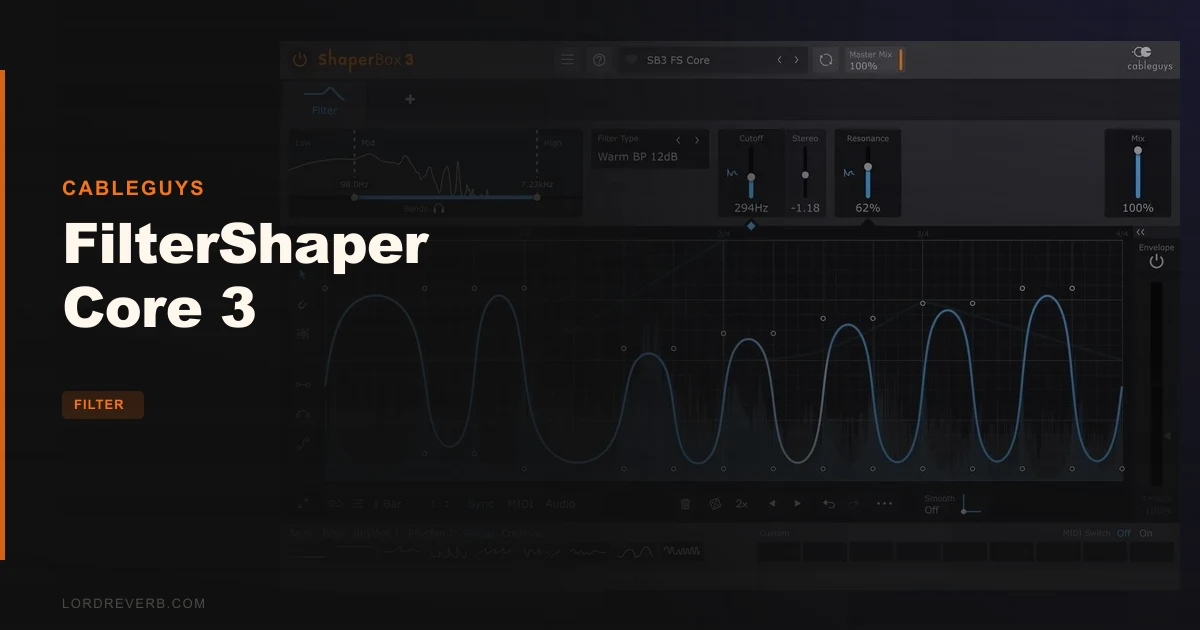
FilterShaper Core 3 is Cableguys' answer to a problem that's been annoying producers for years: filter plugins that either sound great but can't move, or modulate wildly but sound sterile the moment you push them past a gentle sweep. This one lives inside ShaperBox 3 and gives you 20 filter types, drawable LFO waveforms, audio-rate modulation up to 5.24kHz, and a multiband setup that runs three filters at the same time. At $39, it's aimed squarely at producers who need both the filter and the motion baked into a single, tight workflow. If you've ever found yourself chaining a static filter into a separate LFO tool and wondering why everything sounds slightly disconnected, this is the plugin those frustrations built.
The Exact Problem FilterShaper Core 3 Exists to Fix
Here's the situation that breaks a lot of mix sessions. You've got a synth pad or a looped drum break that needs to breathe. You want the filter to sweep in a very specific shape, not a sine wave, not a triangle, something that ramps hard for two beats then snaps back on the one. So you load a classic filter plugin and immediately start hunting for the LFO section. It either doesn't have one, or it hands you a triangle wave and a rate knob and calls it done.
The other failure mode is different but equally frustrating. You find a modulation-forward plugin with a flexible LFO, load it up, and then the filter itself sounds thin. No resonance character. The high-pass cleans up your bass but strips the life out of everything around it. You're trading sonic quality for motion control, and neither compromise is actually acceptable.
FilterShaper Core 3 was built to kill both problems in one shot. The LFO is drawable. The filters include Zero-Delay Feedback designs with resonance compensation and internal saturation. And the whole thing stays sample-accurate to the grid so your shapes land exactly where you need them.
That's the pitch. Whether it fully delivers is what the rest of this review is for.
Where FilterShaper Core 3 Sits in the Cableguys World
It's worth being clear about what you're actually buying, because the naming can confuse people. FilterShaper Core 3 is a Shaper module. It runs inside ShaperBox 3, Cableguys' host plugin that loads multiple Shapers in a single instance. You're not buying a standalone filter plugin with its own window in your DAW. You're buying a module that operates within that framework.
That's not a drawback. ShaperBox 3 is the environment where FilterShaper Core 3 does everything it does. The resizable interface, the oscilloscope display, the multiband routing, the spectrum view: all of that is part of the ShaperBox 3 system that FilterShaper Core 3 plugs into.
If you already own ShaperBox 3 and other Shaper modules, FilterShaper Core 3 slots straight in and shares the same interface logic. If you're coming in fresh, you're buying into that ecosystem, which means there's a bit of orientation time before the workflow clicks. It does click, according to owners who report that the redesigned UI makes intricate modulation feel simple and approachable once you've spent time with the layout.
Understand what you're getting structurally, and $39 looks completely reasonable. Misunderstand it, and you might feel short-changed before you've even started.
The Filter Types: What's in the Box and What They Sound Like
Twenty filter types is a real number. Not "modes" or "characters." Twenty distinct filter configurations across five categories.
Low-Pass covers 6dB, 12dB, and 24dB Clean variants, plus 12dB and 24dB Warm variants. High-Pass mirrors that same structure: 6dB, 12dB, and 24dB Clean, then 12dB and 24dB Warm. Band-Pass gives you 12dB and 24dB Clean alongside 12dB and 24dB Warm. Peak filters come in 12dB and 24dB Clean plus 12dB and 24dB Warm. Notch covers 12dB Clean and both 12dB and 24dB Warm.
That's the full count, and it tells you something important about how Cableguys structured this. Every category has a Clean line and a Warm line. The Clean versions are surgical. High transparency, minimal colouration, designed for cases where you want the shape of the filter without the filter adding its own personality. The Warm versions are the ones Cableguys describes as being based on a famous semimodular synth, with Zero-Delay Feedback circuits, resonance compensation, and internal saturation baked in.
The slope choices matter more than people give them credit for. A 6dB Low-Pass rolls off gently. You can use it on a full mix without it sounding like something died at the top end. A 24dB Low-Pass hits hard. Push the resonance on a Warm 24dB Low-Pass and the filter starts to self-resonate; Cableguys describes the Warm filters as sounding like high-quality analogue filters.
The caveat that reviewers raise is real, though. If you've spent time with dedicated hardware-modelled filter plugins, or plugins built around specific circuits with years of tuning behind them, FilterShaper Core 3's Warm filters are good but not exceptional in pure tonal character. They add colour. They don't disappear. But they're not going to replace a plugin built to nail one specific filter sound. That's a fair trade at this price point, and it matters depending on what you're building.
For most production tasks, the Warm variants have enough character to feel musical rather than clinical. Zero-delay feedback filter designs mean modulation stays stable when you sweep the cutoff fast. Resonance stays stable. Saturation stays musical rather than harsh. That stability under modulation is where these filters actually earn their keep.
The Drawable LFO: This Is the Real Feature
Everything else in FilterShaper Core 3 supports this one thing. The drawable LFO waveform editor is what separates it from every filter that just ships with a rate knob and a waveform selector.
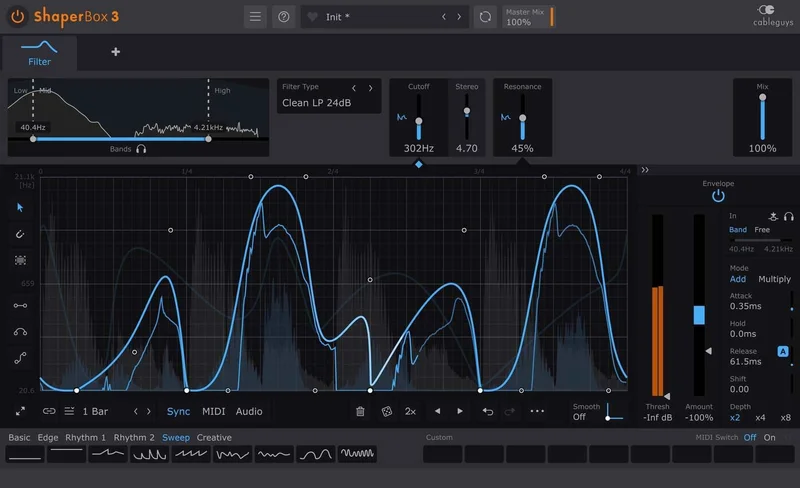
You draw the shape. Not from a preset. Not from a limited set of breakpoints. You draw it, point by point, across the waveform editor. The editing tools include draw, flip, resize, move, and randomize. There's also selection skewing, which lets you increase intensity over a selected portion of the waveform so the shape builds over time rather than repeating identically.
Nine slots store Custom Waves, and those saves travel with the patch. So if you spend ten minutes building a specific pumping shape that hits perfectly on your track, it's there every time you open that session.
Unlimited undo and redo for LFO wave edits. That matters because drawing waveforms is an iterative process. You'll get it wrong on the first pass. You'll overshoot. The freedom to step back without losing your previous state means you can experiment without committing to every change.
The copy-and-paste function works across any Shapers in the same ShaperBox 3 instance. If you've dialled in a rhythm on the LFO for your filter and want a volume shaper running the same shape for a tighter effect, you copy the wave over. That kind of workflow integration is genuinely useful.
Setting the LFO Rate and Sync
Loop length goes from 1/128 to 32 bars. That's an enormous range. At the short end, you're in stutter territory. At the long end, you can create filter sweeps that evolve over an entire verse or chorus without repeating.
Rate can be set in beats, bars, Hertz, or milliseconds. The beats and bars modes sync to your DAW's tempo with sample-accurate precision. The Hz and milliseconds modes detach from the grid, which opens up polyrhythmic options or free-running filter sweeps if that's your goal. Most producers will live in beats and bars, but having Hertz available means you can do things like set the LFO to modulate at musical intervals against the fundamental of a note, which is a different kind of creative territory.
The 2x/3x button doubles or triples the pattern. You've built a two-bar LFO shape and want to see how it sounds at one bar? One click. This is the kind of small feature that saves you from re-drawing or resizing manually, and it's satisfying to use.
Wave Presets as a Starting Point
Wave Presets cover common shapes: sine, triangle, sawtooth, reverse saw, random steps, and more. These aren't the destination. They're the starting point you modify. Pull up a sawtooth, flip it, resize it, skew the selection toward the end. You've made something custom in about 30 seconds.
The preset library covers common uses, according to owners. Not every possible use. The breadth of the library scales with how much you're willing to engage with the wave editor itself. If you want to browse and click without editing, your options are more limited. If you treat the presets as raw material, the possibilities open up fast.
Audio-Rate Modulation: Where It Gets Interesting
Most LFO-driven filters top out at audio rates that are technically in the audio spectrum but rarely pushed that high in practice. FilterShaper Core 3 goes to 5.24kHz in audio-rate modulation. That's not a typo.
Put the modulation rate in Hz mode and start pushing the rate up. At lower speeds, you get the rhythmic filter sweeps you'd expect. As the rate climbs into the hundreds of Hz and beyond, the character changes. The filter cutoff is moving so fast that the sound starts to take on overtone-like qualities. At these speeds, the sound takes on a kind of digital grit that comes from the modulation speed itself rather than from any distortion circuit.
This isn't a feature you'll use on everything. But it's a legitimate creative tool for sound design, for building textures that sit between filtering and synthesis, or for processing that creates new harmonic content rather than just shaping existing frequency content.
The ZDF filter designs stay stable at these speeds. That matters, because many digital filters produce artifacts or tonal anomalies when you push modulation this fast. The resonance compensation in FilterShaper Core 3's Warm filters keeps the high-resonance settings from blowing up even when the modulation rate is in the kHz range.
Triggering: Three Ways to Make the Filter Move
The LFO runs continuously by default, synced to the bar position in your DAW. But there are two additional triggering modes that change how the filter pattern fires.
MIDI Triggering
MIDI triggering fires the LFO pattern from a MIDI note. Each new note resets the waveform to the start of the cycle. If you're playing chords or melodic phrases into a synth with FilterShaper Core 3 on it, the filter pattern resets with each note. This creates a tighter relationship between the performance and the modulation.
User Waves can be switched via MIDI as well. That's a performance feature. You can map different LFO shapes to different MIDI notes or controllers and switch between them in real time. Live performance aside, this also works brilliantly in the DAW for building transitions where the filter pattern changes at a specific point in the arrangement.
Audio Triggering
Audio triggering uses the level of the incoming signal to fire the LFO. This is where FilterShaper Core 3 connects to drums, loops, and full mixes in a way that feels responsive rather than mechanical.
When a kick drum is routed to the sidechain input with audio triggering enabled, the filter pattern fires every time the kick hits. Your pattern becomes rhythmically tied to the drum without any MIDI programming. Change the drum pattern and the filter responds. This is the kind of feature that sounds simple to describe and is genuinely brilliant in practice, especially on full mixes where the rhythm is already embedded in the signal.
Envelope Followers
The Envelope Follower mode is different from audio triggering. Rather than firing the LFO on transients, it maps the filter cutoff (or another parameter) directly to the amplitude of the incoming signal. Loud signal, filter opens. Quiet signal, filter closes.
The Adaptive Release is Cableguys' specific approach here. Standard envelope followers can sound mechanical because the release time is fixed. Adaptive Release adjusts the release timing based on the behaviour of the input signal, which is what owners describe as analogue-like behaviour. It smooths out the mechanical quality of a fixed-release follower and makes the filter respond more like a dynamic circuit than a triggered gate.
For mixing work, this is where FilterShaper Core 3 moves beyond sound design and into signal processing territory. Running a full mix through an envelope follower-driven filter that gently opens on every transient and closes in the spaces is a subtle effect but one that adds movement to what would otherwise be a static element.
Multiband Control: Three Filters at Once
The multiband setup lets you run three filters simultaneously across different frequency bands. Each band has its own LFO shape, its own filter type, its own rate, its own dry/wet control.
That last point matters. Per-band dry/wet means you can push one band hard (100% wet, heavy 24dB resonant sweep) and keep another band subtle (30% wet, gentle 6dB movement). This kind of independent control over each band means the multiband feature isn't just about processing three things at once. It's about processing three things differently at once.
The Solo band function makes setup much less painful. With three bands running, hearing what any one of them is doing against the others requires muting the rest. Solo mode handles this. Dial in each band in isolation, then combine. It's a workflow feature that should be standard in any multiband plugin and it's satisfying to have it here.
The limit is three bands. Not four, not five. Three. For most use cases, three is fine: low, mid, high. But if you want to isolate a specific narrow frequency range while also moving two others in different directions, you might hit the ceiling. It's a real limit. It's worth naming before you buy.
The Spectrum View and Oscilloscope Display
Visual feedback in a filter plugin is either genuinely useful or just decorative. FilterShaper Core 3 offers both a spectrum view and an oscilloscope, and owners specifically call out the oscilloscope as a tool they actually use rather than just something that looks good.
The oscilloscope overlays the audio input waveform against the output waveform. When your filter pattern fires, you can see the effect on the source signal in real time. This is useful when you're building shapes, because you can watch how the filter movement translates to the actual audio rather than relying purely on your ears. Dial in a fast repeating pattern on a bass loop and the oscilloscope shows you exactly where the filter is cutting in relation to the waveform peaks.
Magnitude mode switches the display to show frequency magnitude over time. It's a different perspective on the same signal, more useful for checking broad frequency balance than for tracking specific transient behaviour. The Freeze option locks the display so you can analyse a specific moment without the screen updating. That's a thoughtful detail for a display that could easily just run continuously and be hard to read.
The spectrum view runs smooth and stays accurate. The developer describes it as "smooth, accurate display" and owners don't contradict that. It's not the main event, but it's there and it works.
Practical Workflow: Getting Sounds Out of FilterShaper Core 3
Here's where FilterShaper Core 3 either clicks or doesn't for you, depending on how you work.
The Sidechain Pump
The filter closes on the kick beat and opens through the rest of the bar. The pad breathes around the kick without the two signals ever needing to be on the same compressor sidechain. You get clean separation in the low end and a pumping feel that stays musical rather than obvious.
Adjust the LFO shape to control how quickly the filter opens after the initial close. A fast ramp back up sounds tight. A slow curve sounds more like a genuine dynamics response. The drawable LFO is what makes this precise. You're not approximating with a standard shape. You're building the exact curve you hear in your head.
The Filtered Drum Loop
Take a drum loop with a lot of hi-hat content that's cluttering the top end. You want a high-pass that sweeps through the transient range rhythmically, pulling the hats in and out of the mix without cutting them entirely. A static filter doesn't work here because the rhythm of the hi-hats matters.
Load a 12dB Warm High-Pass. Set audio triggering with the drum loop as the source. The filter now responds to the amplitude of the loop itself. Every snare hit triggers the LFO cycle. The high-pass sweeps in sync with the groove. The result is a filtered texture that feels locked to the performance rather than imposed on top of it.
Adjust the trigger smoothing to control whether the transitions click (low smoothing) or glide (higher smoothing). Trigger Smoothing is specifically there to reduce clicks when switching or triggering Waves. Getting this right is the difference between a creative effect and an artifact that distracts.
The Multiband Sound Design Moment
You've got a sustained chord stab that needs movement but you don't want to process the whole frequency range the same way. Use multiband. Set the low band to a 24dB Low-Pass Warm with a slow 4-bar LFO that gently opens and closes. Set the mid band to a Band-Pass 12dB Clean with a 1-bar LFO at medium depth. Set the high band to a Notch 12dB Warm with a quarter-note LFO that creates a rhythmic bite.
Each part of the chord stab is moving differently. The bass content breathes slowly. The midrange pumps in tempo. The high end has a notch that chops rhythmically. Run the Master Mix control to blend between the fully processed signal and the dry source. Pull it back to about 60% wet and the movement becomes texture rather than the dominant feature.
This is the scenario where three simultaneous filter bands actually earns its place. It's not just "three filters." It's three independent modulation channels applied to three parts of the same sound, tuned to behave differently from each other.
The Interface: Resizable, Readable, and Genuinely Improved
The interface scales from 75% to 200%. At 200% on a large monitor, the waveform editor is big enough to draw with real precision. At 75% on a smaller screen, the plugin remains usable without being cramped. Retina and HiDPI support means the graphics stay sharp regardless of your display settings.
Owners consistently mention that the redesigned interface made intricate modulation feel approachable. That's the word they use: approachable. Not simple, not dumbed down. Approachable. The complexity is still there. The layout just doesn't fight you while you're accessing it.
Built-in help with hover descriptions over controls means you can explore the plugin without reaching for documentation. Hover over something you don't recognise and get a plain-language description of what it does. This is the kind of feature that matters most when you're learning a new plugin at 2am in the middle of a session.
Smoothed Bypass handles transitions between wet and dry without clicks. That's a basic requirement that some plugins still get wrong. Getting it right is something you only notice when you A/B test your filter against the dry signal repeatedly during mixing. Click-free bypass is not a luxury.
Artifacts, Stability, and the ZDF Advantage
Zero-Delay Feedback filter design is specifically about avoiding the tonal errors that appear in naive digital filter implementations, especially under modulation. The core problem with many digital filters is that when you change the cutoff frequency, the filter takes a short time to "catch up" to the new setting. At slow modulation speeds, this is inaudible. At fast modulation speeds, it produces tonal glitches, pitch-like artifacts, or instability in the resonance.
ZDF designs process the feedback instantaneously. The filter responds to cutoff changes in the same sample. No delay, no glitch. This is why Cableguys can say the plugin "always sounds great no matter how fast you modulate it" without it being marketing fiction. The architecture supports that claim.
Resonance compensation keeps the overall level stable as you push the resonance up. On a filter without this, cranking resonance also cranks the level at the cutoff frequency to the point where it clips or overwhelms the mix. Compensation keeps that in check automatically.
Internal saturation is the last piece. As you push the filter hard, there's a soft saturation that keeps the character musical rather than harsh. This isn't a distortion effect sitting on top of the filter. It's part of the filter circuit design. The line between filtering and colouring gets blurry in a useful way.
The caveat, and it's an honest one: these Warm filters are good. They're not exceptional. Reviewers comparing them directly against plugins built around a single hardware filter circuit report that FilterShaper Core 3 lacks some of the specific character and warmth that those dedicated designs deliver. You're trading some tonal depth for flexibility. That's a fair trade for a plugin at this price doing this many things.
Strengths and Weaknesses
The strengths are real and they cluster around the core proposition. The drawable LFO with audio-rate modulation up to 5.24kHz gives you control over filter movement that most plugins can't approach. Twenty filter types across five categories with Clean and Warm variants means you're not compromising on the filter itself just to get the modulation. The ZDF designs stay stable at high modulation speeds. Multiband runs three independent filter channels with per-band dry/wet control. MIDI and audio triggering connect the filter to your performance and your rhythm without manual automation. Sample-accurate sync keeps everything locked to the grid.
The weaknesses are smaller but genuine. Three simultaneous bands is the ceiling on multiband, and some complex processing scenarios will hit that ceiling. The Warm filters have character but not the deep, specific character of a plugin built to model one hardware circuit precisely. Reviewers who came from dedicated hardware-modelled filter plugins noticed this. If that's what you need, FilterShaper Core 3 doesn't replace it.
Preset organisation is the third weak spot. Owners report the library is full of good presets. But the organisation doesn't scale particularly well across experience levels. Beginners will find it harder to identify which presets are appropriate starting points for their skill level. More refined categorisation would help.
Value for the Price
At $39, FilterShaper Core 3 is hard to argue against if the problem it solves is actually your problem. Most filter plugins at this price point give you a static filter with basic modulation. Most modulation plugins at this price point give you flexible LFOs with thin filters. Getting both the modulation depth and the filter quality in the same plugin, at this price, is not something the market hands you often.
The multiband control alone would justify the price for producers doing complex sound design or mix processing. Add audio triggering, MIDI switching of User Waves, and the drawable LFO with 5.24kHz audio-rate capability, and the feature density at $39 is strong.
Where the value gets thinner: if you already own a strong modulation environment and a high-quality filter plugin separately, and they work well together in your signal chain, FilterShaper Core 3 might not add enough to justify the purchase. It solves the problem of having to chain two things. If that problem isn't costing you anything, the solution is less compelling.
If the filter character question genuinely matters to you and you need something with the tonal depth of a dedicated hardware-modelled filter, spend more on that and route automation separately. FilterShaper Core 3 is not the answer to that question.
For everyone else: $39 is a clean buy.
Who Should (and Shouldn't) Buy This
- ✅ Buy if you want drawable, sample-accurate LFO filter modulation without chaining two separate plugins in your signal chain.
- ✅ Buy if you need multiband filter processing with independent modulation per band for sound design or complex mix textures.
- ✅ Buy if you do audio or MIDI-triggered filter effects and want the triggering and the filter living in the same plugin with tight sync.
- ❌ Skip if you need a filter that replicates a specific analogue hardware character with deep tonal colouration. FilterShaper Core 3 is capable but not a specialist.
- ❌ Skip if you already have a strong modulation system and a quality filter plugin that work smoothly together and you're not hitting workflow problems.
- ❌ Skip if you need more than 3 simultaneous filter bands for multiband processing on complex material.
Specs & Technical Details
| Spec | Detail |
|---|---|
| Developer | Cableguys |
| Price | $39 |
| Plugin Format | VST2 / VST3 / AU / AAX (Mac); VST2 / VST3 / AAX (Windows) |
| OS Support | Mac (OS X 10.13+, 64-bit, Intel or Apple Silicon) / Windows (7, 8, 10, 11, 64-bit) |
| Activation | N/A |
| CPU Usage | N/A |
| Trial Available | N/A |
| Version Reviewed | 3 |
Score Breakdown
| Category | Score | Notes |
|---|---|---|
| Sound Quality | 4.0/5 | ZDF Warm filters are musical under fast modulation; lack the deep character of dedicated hardware-modelled designs |
| Value for Money | 4.5/5 | Drawable LFO plus 20 filter types plus multiband at this price is a strong package |
| Ease of Use | 4.3/5 | Redesigned UI is approachable once oriented; hover help reduces the learning curve; preset organisation could be cleaner |
| Features | 4.5/5 | Audio-rate modulation to 5.24kHz, MIDI and audio triggering, multiband, oscilloscope: the feature set is genuinely deep |
| CPU Efficiency | N/A | No data available from notes |
| Overall | 4.3/5 | Deep filter modulation at a fair price, with only modest tonal character limitations holding it back from the top tier |
The Verdict on FilterShaper Core 3
The frustration that FilterShaper Core 3 was built to kill is a real one. Drawing filter automation by hand is slow. Chaining a filter into a separate LFO tool feels brittle. Finding a filter plugin with strong modulation that also sounds good under fast sweeping is harder than it should be at this price range.
FilterShaper Core 3 addresses all three. The drawable LFO with audio-rate modulation to 5.24kHz is a genuine creative tool, not just a quality-of-life upgrade. The ZDF Warm filters stay stable and musical at modulation speeds that would break cheaper designs. The multiband control gives you three independent filter channels with their own shapes, their own rates, their own dry/wet settings. MIDI and audio triggering pull the whole thing into your rhythm without manual automation.
The limits are honest: three bands, not five; Warm filters with character but not the deep specificity of a hardware-modelled specialist; a preset library that works but could be better organised. None of those are dealbreakers unless they directly conflict with what you were hoping to use this for.
For most producers doing modulation-forward work in the box, this is the kind of tool you keep loaded on every session and wonder how you lived without it. If you need your filter to sound like a specific piece of hardware, look elsewhere. But if you need your filter to move like it was built for the track, FilterShaper Core 3 at $39 is the answer you've been looking for.
Frequently Asked Questions
What is FilterShaper Core 3 and how does it work?
FilterShaper Core 3 is a filter modulation plugin that runs as a Shaper module inside Cableguys' ShaperBox 3 host plugin. It combines 20 filter types with a drawable LFO waveform editor, multiband control for up to 3 simultaneous filter bands, and triggering options including MIDI and audio input. The core idea is that the filter and its modulation are designed together rather than being separate tools chained in your signal chain.
Does FilterShaper Core 3 work as a standalone plugin?
No. FilterShaper Core 3 is a module within ShaperBox 3. It loads inside ShaperBox 3 as a VST2, VST3, AU, or AAX plugin on Mac (OS X 10.13 or later, 64-bit) or VST2, VST3, or AAX on Windows (Windows 7, 8, 10, or 11, 64-bit) and cannot run independently without that host plugin. If you're buying FilterShaper Core 3, you're working within the ShaperBox 3 environment, which also supports other Shaper modules in the same instance.
What are the Zero-Delay Feedback filters and why do they matter?
Zero-Delay Feedback is a filter design approach that eliminates the tiny processing delay that causes tonal glitches in standard digital filters when the cutoff frequency changes quickly. In practice, this means FilterShaper Core 3's Warm filter variants stay tonally stable even at high modulation speeds. They also include resonance compensation to prevent level spikes at high resonance settings and internal saturation for musical colouring under heavy use.
Can FilterShaper Core 3 handle sidechain-style pumping effects?
Yes. You can achieve sidechain-style pumping by drawing a specific LFO shape that drops the filter cutoff on the beat and recovers across the bar, without needing a compressor sidechain. Audio triggering also lets you fire the filter pattern from a drum signal so the pumping locks to an actual kick or snare rather than a fixed tempo position.
What does audio-rate modulation up to 5.24kHz actually sound like?
At low to mid speeds, it produces standard filter sweeps and rhythmic movement. As the rate climbs into the hundreds of Hz, the character shifts toward harmonic overtone effects because the filter cutoff is moving faster than the human ear can track individual sweeps. At the upper range near 5.24kHz, owners describe the result as almost bitcrushed in quality, a kind of digital grit produced by the modulation speed itself. It's a sound design tool more than a mixing tool at those extremes.
Is FilterShaper Core 3 compatible with Apple Silicon Macs?
Yes. FilterShaper Core 3 inside ShaperBox 3 supports both Intel and Apple Silicon processors on Mac. The Mac requirement is OS X 10.13 or later, 64-bit only, with VST2, VST3, AU, or AAX host compatibility. Windows support covers Windows 7, 8, 10, and 11 in 64-bit, with VST2, VST3, and AAX formats.
How does the multiband control in FilterShaper Core 3 work?
Multiband control lets you run up to 3 simultaneous filter bands on the same signal. Each band can have its own filter type, its own LFO waveform, its own modulation rate, and its own dry/wet mix. A Solo mode lets you hear each band independently while building your patch. The three bands can process different frequency ranges with completely different filter behaviour, which makes the multiband feature useful for complex sound design as well as creative mixing effects.