FabFilter Simplon is a dual multimode filter plugin built for producers who want fast, musical filter control without opening a full-featured modulation beast like Volcano 3. At $41, it sits in the "is this actually worth buying?" zone, and the honest answer depends entirely on what you need a filter plugin to do. If you live on utility high-pass and low-pass cuts with the occasional sweep, it's a genuinely satisfying tool. If you're chasing deep sound design with complex modulation routing, it's going to frustrate you inside twenty minutes.
What's In The Box
Simplon gives you two independent filters, each with low-pass, high-pass, and band-pass modes. You can run them serial or parallel. Each filter offers 12, 24, or 48 dB/octave slopes and 27 filter types spread across three distinct filter characteristics, covering a range from smooth and controlled to self-oscillating madness.
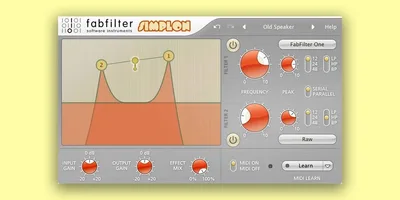
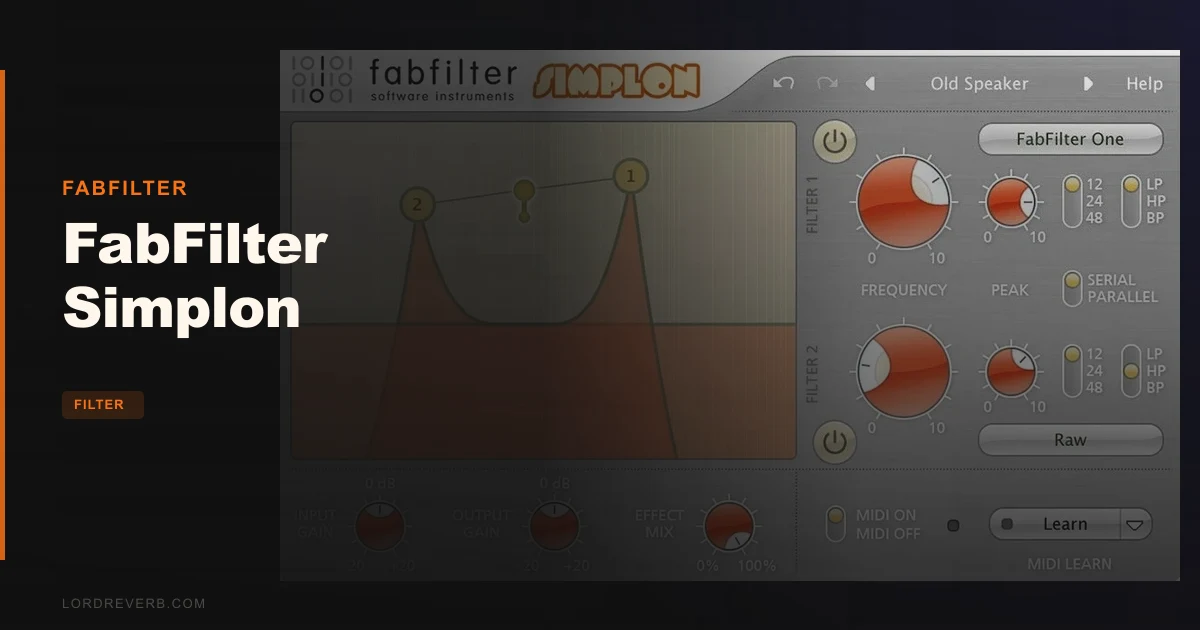
The interface centres on a large interactive display where you drag filter curves directly. Knobs respond to both vertical and circular drag modes. You get Smart Parameter Interpolation for smooth transitions, sample-accurate automation across every parameter, and interactive MIDI Learn. AltiVec and SSE optimisation are onboard.
On Mac, you get VST2, VST3, AU, and AAX Native. On Windows, VST2, VST3, and AAX Native. Mac requires macOS 10.12 or higher with an Intel or M1 processor, 64-bit only. Windows supports Vista through 11, both 32 and 64-bit.
Where It Fits In Your Workflow
Picture this: you've got a synth pad sitting too low in the mix, its low-mid content clashing with your bass. You need a clean high-pass, maybe a gentle band-pass riding underneath to let a little warmth breathe through. That's exactly where Simplon shows up and earns its keep.
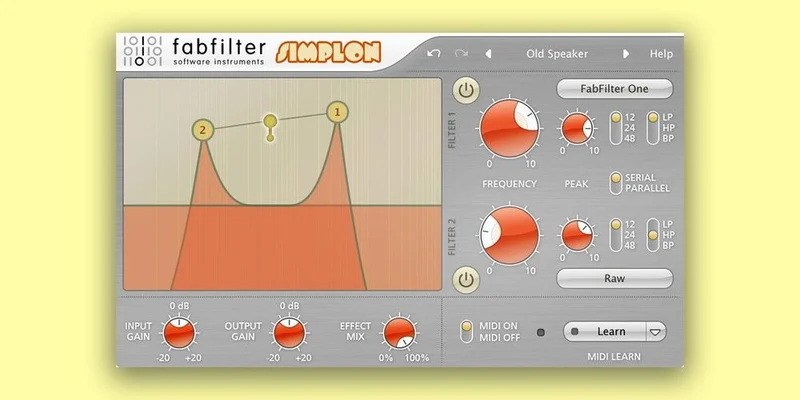
Drop it on a bus, dial in the first filter as a high-pass to clear below 80Hz, then set the second as a low-pass to roll off anything above 8kHz. Run them serial and you've got a tightly defined band in seconds. No menus to dig through. No modulation matrix to ignore. Just two draggable filter curves and a simple routing toggle.
It sits anywhere in a signal chain without drama. Use it on individual tracks for surgical tonal shaping, on effect sends to narrow a reverb tail's frequency content, or on a master bus for broad tonal control. MIDI Learn means you can map filter frequency to a hardware knob and automate live sweeps without touching the mouse. Sample-accurate automation keeps those sweeps tight.
Where it doesn't fit: complex, modulation-heavy sound design sessions where you need LFOs, envelopes, or step sequencers built into the filter itself. That's Volcano territory, not Simplon's.
The Two Filters, Actually Explained
The serial/parallel routing distinction matters more than it sounds. Serial means audio passes through filter one, then filter two. Each filter's effect stacks on the last. Parallel splits the signal, runs both filters independently, then sums the output. You get very different sonic results from the same settings just by flipping that switch.
The 27 filter types sound like a lot until you understand they come from three filter characteristics. Think of the characteristics as the personality of the filter: one is smooth with moderate overdrive, one is rawer and more aggressive, and one goes into self-oscillating territory. The 12/24/48 dB slope options within each type are where you dial between gentle roll-off and steep, surgical cuts.
Push the resonance on the more aggressive characteristic types and the filter starts to sing. That self-oscillating quality is what FabFilter means when they talk about "fat and smooth" filters. It doesn't go cold or digital under pressure. High resonance on a low-pass set to 48 dB sounds weighty and characterful, not clinical. Owners consistently report that raw character as the main reason they reach for Simplon over a stock DAW filter.
That said: push too hard into the high frequencies and the harshness becomes a real issue. Owners flag it. It's not constant, but it's there, and it's worth knowing before you buy.
The Interactive Display and Controls
The large filter display is the best part of Simplon's UI. You see both filter curves rendered in real time, and you drag them directly. No hunting for a frequency knob to adjust. Just grab the curve and move it. That immediate, visual feedback speeds up workflow significantly, especially when you're adjusting filters on the fly during a session.
You can adjust filters separately or both at the same time, which is a satisfying workflow feature. Lock them together and sweep the whole filtering window up or down the spectrum as a unit. Split them apart when you need independent adjustment. It's clever design that earns its place.
Knobs in both vertical and circular drag modes cater to different working styles. Some producers love circular drag for precision; others find vertical faster. Having both is a small thing that shows real thought about workflow. Smart Parameter Interpolation means parameter changes don't zipper or click, which matters when you're automating filter sweeps in a mix.
The Undo/Redo buttons, standard across FabFilter plugins, get real love from owners. It sounds basic. But in practice, being able to quickly undo a filter move without touching your DAW's undo history is genuinely useful.
What It's Genuinely Good At
Speed. That's the core argument for Simplon. You load it, grab a filter curve, and you're working immediately. For utility tasks like removing low-end rumble, shaping a vocal's high end, or setting up a simple filter sweep in an arrangement, it's faster than most alternatives in a producer's toolkit.
The filter character is real and distinguishes it from stock DAW filters. That self-oscillating quality at high resonance gives Simplon a sound that sits somewhere between a traditional digital filter and something with actual movement and life. It doesn't fake analogue warmth with generic saturation. The character comes from the filter design itself.
The dual-filter architecture with serial and parallel modes punches above what you'd expect from a "simple" filter plugin. Running a 48 dB/octave low-pass in series with a band-pass to accent a narrow frequency window is a genuinely musical technique, and Simplon makes that setup quick to achieve.
MIDI Learn and sample-accurate automation open up live performance use. Map the first filter's frequency to a hardware controller, the second's resonance to another, and you've got a playable filter instrument for live sets.
The Rough Edges
The preset library is weak. Annoying, given the price. You get a selection of presets but owners report they lack creative variety, and they don't use the updated preset system from FabFilter Twin 3. If you're buying Simplon hoping for an inspiring preset browser to spark ideas, you'll be disappointed within the first session.
High frequency harshness is a legitimate complaint. At high resonance with the filter frequency pushed into the upper range, things can get scratchy in a way that doesn't always serve the music. It's not constant, but it's unpredictable enough to be frustrating when you're trying to dial in a precise sound quickly.
Simplon is also genuinely limited compared to Volcano 3. It's a simplified design by intention, but that simplification comes at the cost of anything complex. No built-in modulation. No dedicated envelope follower. What you see is what you get, and "what you see" is two filters and a routing switch.
One reviewer put it plainly: pretty basic, with not too much to be fascinated by beyond the interface and color scheme. That's honest, and worth sitting with before you spend $41.
Who This Is Really For
- ✅ Buy if you need a fast, clean dual-filter for utility tasks: high-pass, low-pass, band-pass cuts in everyday session work.
- ✅ Buy if you want filter sweeps you can MIDI map to hardware and automate with sample-accurate precision.
- ✅ Buy if you like FabFilter's UI approach and want that filter character without paying for Volcano's full feature set.
- ❌ Skip if you need built-in modulation: LFOs, envelopes, or step sequencers belong to other tools.
- ❌ Skip if preset browsing is part of your creative process. The library won't give you much to work with.
- ❌ Skip if you're already deep into Volcano 3. There's nothing here you don't already have, and more that you don't.
Specs & Technical Details
| Developer | FabFilter |
| Price | $41 |
| Plugin Format | Mac: VST2, VST3, AU, AAX Native / Windows: VST2, VST3, AAX Native |
| OS Support | Mac (macOS 10.12+, Intel or M1, 64-bit only) / Windows (Vista, 7, 8, 10, 11, 32 or 64-bit) |
| Activation | N/A |
| CPU Usage | N/A |
| Trial Available | N/A |
| Version Reviewed | N/A |
Score Breakdown
| Category | Score | Notes |
|---|---|---|
| Sound Quality | 4.0/5 | Fat, self-oscillating character that holds up at high resonance, with one caveat about high-frequency harshness |
| Value for Money | 3.0/5 | Useful tool at $41 but limited feature set makes the case for Volcano 3 harder to dismiss |
| Ease of Use | 4.5/5 | Draggable filter curves and dual-drag knobs make this one of the fastest filters to dial in |
| Features | 3.0/5 | 27 filter types and serial/parallel routing are good; no modulation, weak presets hold it back |
| CPU Efficiency | N/A | Not confirmed by available data |
| Overall | 3.5/5 | A fast, characterful utility filter that knows what it is and doesn't pretend to be more |
Alternatives to Consider
FabFilter Volcano 3 is the obvious next step. It carries the full expanded feature set that Simplon deliberately leaves out. If you find yourself wishing Simplon had modulation, Volcano 3 is the answer, not a workaround.
FabFilter Micro Filter is worth a look if you only need a single filter. Owners note that Simplon may be close to two Micros combined in terms of functionality. If your workflow rarely calls for dual filtering, Micro might be the leaner, more appropriate choice.
Sonalksis TBK1 offers a different sonic character for producers who want something outside the FabFilter family. It's a valid alternative if Simplon's character doesn't suit your material or you want a different flavour of filter processing.
PhiltaXL comes up in comparisons around live performance. Users have noted it introduces latency in precise automation contexts, which is worth checking against your setup if live filter automation is a priority.
The Verdict
Simplon is a one-trick pony that does its trick well. The dual-filter architecture with serial and parallel routing, draggable curves, and self-oscillating character makes it a genuinely fast and musical tool for the specific tasks it's built for.
But at $41, you have to be clear-eyed about what you're buying. This is a utility filter with character, not a sound design engine. The preset library won't inspire you. There's no modulation. And if you need Simplon to be more than a fast high/low-pass with occasionally interesting resonance, it will leave you cold.
If those limits don't describe your use case, it's worth every cent. If they do, spend a little more and get Volcano 3.
Simple tools deserve simple verdicts. Simplon is exactly what it says it is. Whether that's enough depends entirely on what you're asking it to do.
Frequently Asked Questions
Is FabFilter Simplon worth buying if I already have stock DAW filters?
It depends on whether you find your stock filters satisfying. Simplon's self-oscillating filter character and draggable interface offer something most stock DAW filters don't. If you're happy with what your DAW provides for utility cuts, Simplon's upgrade may not feel worth the price. If you want faster editing and more filter character in your everyday workflow, it earns its keep.
What's the difference between FabFilter Simplon and FabFilter Volcano 3?
Simplon is a streamlined dual-filter with no built-in modulation and a simpler feature set. Volcano 3 carries the full expanded feature set, including more modulation options and deeper sound design tools. Simplon is built for speed and simplicity; Volcano 3 is built for complexity and character. If you need modulation built into the filter itself, Simplon isn't the right choice.
Can FabFilter Simplon be used in live performance settings?
Yes. MIDI Learn lets you map filter parameters to hardware controllers, and sample-accurate automation keeps transitions tight. Owners use it as a go-to live filter tool for sweeps and tonal shaping. If you're comparing it to other options for live use, check whether your preferred DAW or hardware setup has any latency concerns.