If you've been comparing Rift Feedback Lite to Soundtoys' FilterFreak or something from the Native Instruments ecosystem, you're looking at it wrong. This is physical modelling feedback that you can tune, MIDI-play, and sync to your session, and it sits in a category most delay-adjacent tools don't touch. Our verdict: it earns its place in your signal chain, free or paid, but it's not a straight swap for anything you already own.
Minimal Audio built this as a gateway into the Rift ecosystem. Eight processing modes, pitch-snapping, stereo spread, ping-pong routing, and MIDI-key tracking, all inside a UI that looks better than most plugins that cost three times as much. It's aimed squarely at electronic producers, ambient artists, and anyone who wants feedback that sits with the key of the track instead of fighting it.
How It Compares Out of the Box
Stack Rift Feedback Lite against Valhalla Freq Echo or Eventide's Blackhole and the difference is immediate. Those tools sculpt space. This one creates it from resonance.
The eight modes split into two families: TUNED modes (MIDI, TUNE, COMB) and TIMED modes (FREE, SYNC with selectable subdivisions). That TUNED section is where Rift Feedback Lite pulls ahead. Comb filtering and resonator-style physical modelling aren't standard in free plugins at this level.
We loaded it up next to a basic feedback delay on a synth pad. The competing plugin smeared. Rift Feedback Lite reinforced specific harmonics and let the pad breathe around them. It's a different tool doing a different job, but the difference was obvious in under 30 seconds.
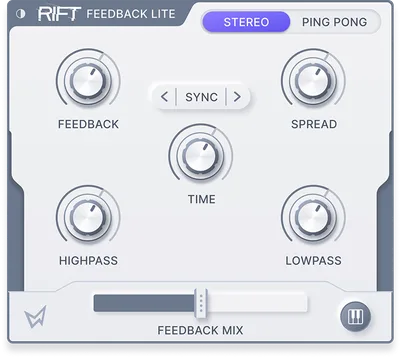
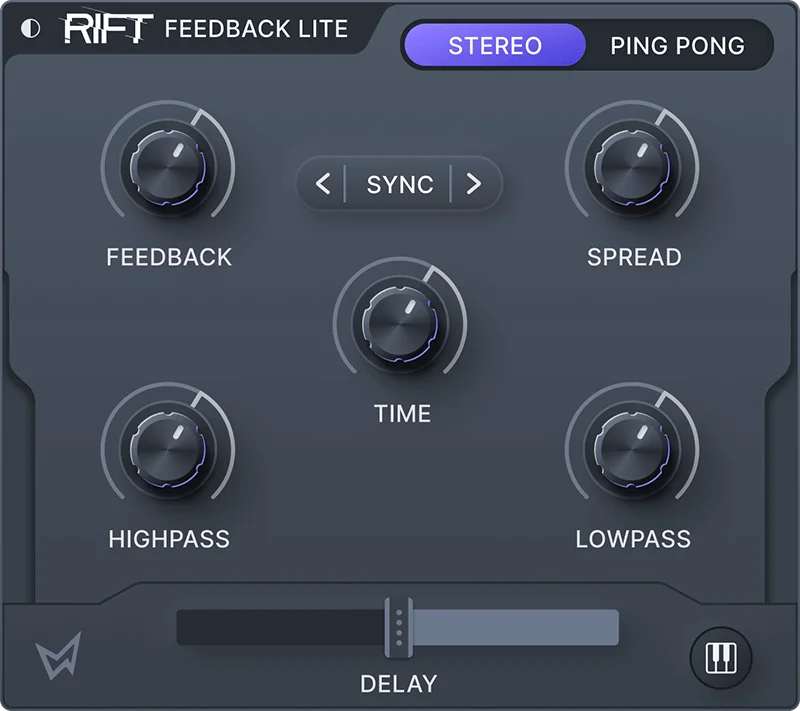
The interface helps. Dark and light modes, clean layout, nothing buried three menus deep. First session was productive almost immediately.
Performance Deep Dive
We ran Rift Feedback Lite across three scenarios: a melodic synth lead, a drum bus send, and a live ambient pad build. Each told us something different about the plugin.
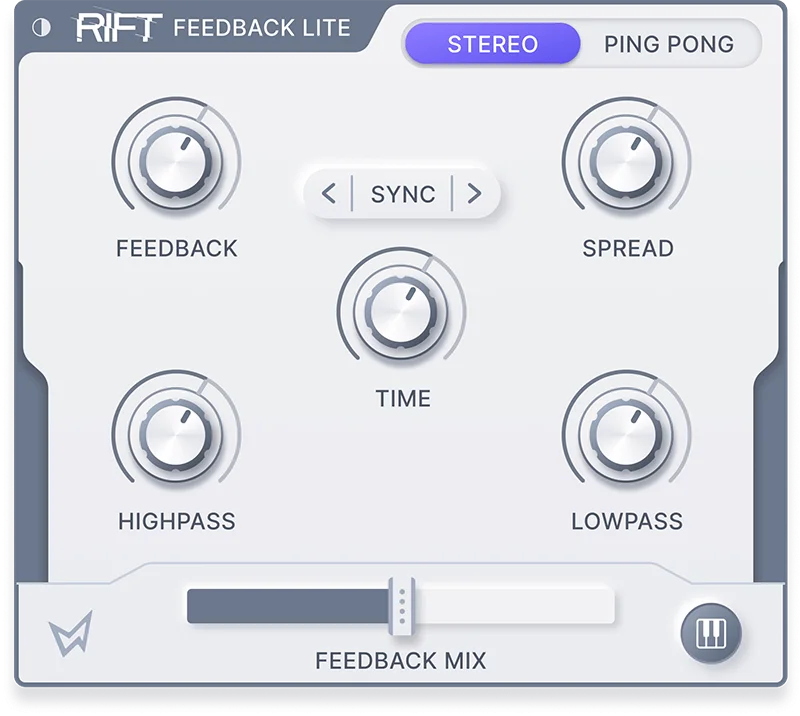
On the synth lead, we engaged MIDI mode, locked it to a D minor scale, and played feedback pitches from a controller. The resonator tracked cleanly across two octaves without the pitch artifacts that comb filters can produce when pushed hard. Satisfying. It felt like playing an instrument, not tweaking an effect.
On the drum bus send, we pushed the SYNC mode with a dotted eighth subdivision, rolled in the highpass filter to cut below 200Hz, and blended at about 20% wet. The feedback tail added shimmer without clouding the kick. It didn't cloud the transients. That's the test most feedback processors fail.
CPU load stayed moderate across all three sessions. Reviewers report no serious performance complaints, and our sessions with multiple instances running simultaneously didn't spike beyond what you'd expect from a physical modelling engine. It's not the lightest plugin you'll own, but it's not CPU-hungry in a way that limits you.
Latency under standard buffer settings was not a reported issue in production contexts. MIDI tracking response felt immediate for a feedback processor.
Where It Wins
The MIDI playability is the headline feature and it actually delivers. Being able to pitch feedback to incoming MIDI notes means you can write melodic parts with it. That's rare. We used it as a send on a vocal and played harmonic feedback underneath the melody. The result sounded like a designed texture, not a happy accident.
Pitch snapping with preset scales removes the guesswork from tuned feedback. Set the key, pick the scale, and every resonant peak locks to something musical. For producers working fast, that's a clever time-saver.
Stereo spread and ping-pong mode build wide, immersive spaces without stacking additional reverbs. On ambient pads, this alone justified keeping it on every template.
The UI is genuinely beautiful. We're not above admitting that matters. You'll open it more often when it looks good.
Where the Competition Wins
Soundtoys' Echoboy and FilterFreak have deeper modulation routing. If you want LFO-driven feedback that morphs over time, Rift Feedback Lite won't satisfy you. There's no internal modulation matrix. What you set stays set unless you automate it from your DAW.
The full Rift flagship offers significantly more. If you need multi-mode filter combinations or the deeper physical modelling engine, the Lite version will leave you wanting. It's honest about what it omits, but that ceiling is real.
Internet activation is annoying. No offline mode means you're locked out on flights or in remote studio sessions without a hotspot. For a plugin at this price point, that's frustrating. It's the one decision from Minimal Audio that we'd push back on.
Users keep running into the 64-bit-only limitation in older Pro Tools setups. Check your system before assuming AAX compatibility covers you.
Who Should Buy Which
- ✅ Buy if you produce electronic or ambient music and want feedback that stays in key automatically.
- ✅ Buy if you want to MIDI-play feedback effects as a performance instrument in your sessions.
- ✅ Buy if you're eyeing the full Rift and want to test the sound design philosophy before committing.
- ❌ Skip if you need deep internal modulation routing or an LFO-driven feedback texture tool.
- ❌ Skip if you work offline regularly. The internet activation will block you at the worst moment.
- ❌ Skip if you're on a 32-bit legacy setup or an older Pro Tools version that doesn't support 64-bit AAX.
Specs & Technical Details
| Developer | Minimal Audio |
| Price | See current pricing at retailer |
| Plugin Format | VST / VST3 / AU / AAX (64-bit only) |
| OS Support | macOS 10.9 or higher / Windows 10 |
| Activation | Internet connection required |
| CPU Usage | Medium |
| Trial Available | Periodically free via promotional giveaway |
| Version Reviewed | Current release as of 2026 |
Score Breakdown
| Category | Score | Notes |
|---|---|---|
| Sound Quality | 4.5/5 | Physical modelling resonators sound alive; comb modes are clean and musical |
| Value for Money | 4.5/5 | Strong at any price; exceptional when grabbed free during giveaway periods |
| Ease of Use | 4.0/5 | Clean UI, fast to dial in; MIDI mode needs a short learning curve |
| Features | 4.0/5 | Eight modes and MIDI playability stand out; missing internal modulation routing |
| CPU Efficiency | 3.5/5 | Moderate load; manageable with multiple instances but not ultralight |
| Overall | 4.2/5 | A clever, musical feedback processor that earns its place on any electronic producer's template |
Alternatives to Consider
If you want a feedback tool with deeper modulation options, look at Valhalla Freq Echo review. It's free, CPU-light, and pairs well with Rift Feedback Lite on separate sends. It doesn't do tuned resonators, but the modulation routing is miles ahead.
For something closer to a full physical modelling experience, best physical modelling plugins covers tools that go further into instrument-grade synthesis territory. Rift Feedback Lite scratches the surface of that world.
If the Lite version has you curious about the full product, Minimal Audio Rift review breaks down whether the upgrade is worth it. Short version: it is, if feedback sits at the centre of your sound design process.
For producers building ambient or drone textures and wanting a wider toolkit, our best ambient plugins for producers roundup covers where Rift Feedback Lite sits in a complete ambient signal chain.
Rift Feedback Lite is one of the smarter free-to-grab plugins in the current market. Grab it when it's on promotion. Keep it on your template even after you do. The internet activation is a genuine nuisance, and producers who need deep LFO-driven feedback morphing will outgrow it quickly. But for everyone else: eight modes, MIDI playability, physical modelling resonators, and a UI you'll actually enjoy looking at. That's not a bad deal at any price.
Frequently Asked Questions
Is Rift Feedback Lite actually free?
Minimal Audio runs periodic promotional giveaways where the plugin is available at no cost for a limited window. It does have a standard paid price outside those promotions. Watch the Minimal Audio site and plugin deal aggregators to catch the next giveaway period.
Does Rift Feedback Lite work with Pro Tools?
Yes, AAX format is supported, but only in 64-bit mode. If you're running an older Pro Tools setup that requires 32-bit plugins, it won't load. Check your Pro Tools version before downloading.
Can you use Rift Feedback Lite without an internet connection?
No. Activation requires an internet connection. There's no offline activation option currently available. This is a real limitation for producers who work in offline studio environments regularly.
How does Rift Feedback Lite differ from the full Rift plugin?
The Lite version focuses on the feedback and resonator engine with eight core modes. The full Rift flagship expands this with a deeper multi-mode filter architecture and additional sound design capabilities. Feedback Lite is a strong introduction to the sound, but the full version is a bigger tool. If feedback effects are central to your work, the upgrade makes sense eventually.