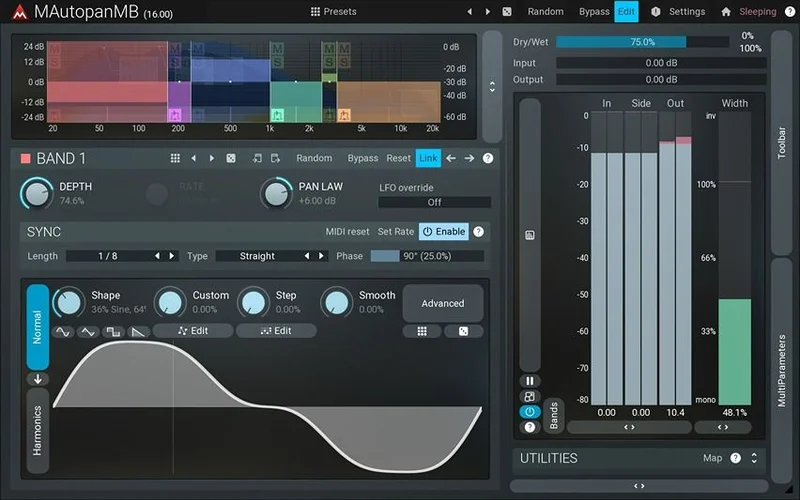
MAutopanMB is the multi-band version of MeldaProduction's well-known auto-panner, and it earns its price tag by doing something no basic auto-panner can: it splits your signal into up to six independent frequency bands and pans each one separately.
We were tracking a dense keyboard pad last spring, the kind that fills 80Hz to 12kHz like a fog machine fills a room. A standard auto-panner moved the whole thing, and it just felt like the low end was seasick. We loaded MAutopanMB, split the band below 250Hz to stay nearly centered, let the mids sweep slowly at a quarter-note rate, and gave the highs a faster, wider arc. The pad went from a blurry problem to something alive and dimensional. That's the plugin's pitch in one session.
At $43, it sits in a specific bracket. It's not a casual purchase, but it's not boutique pricing either. It's built for producers working on keyboards, guitars, synths, or any mono source that needs spatial character without losing low-end control.
What This Plugin Actually Does (and Doesn't Do)
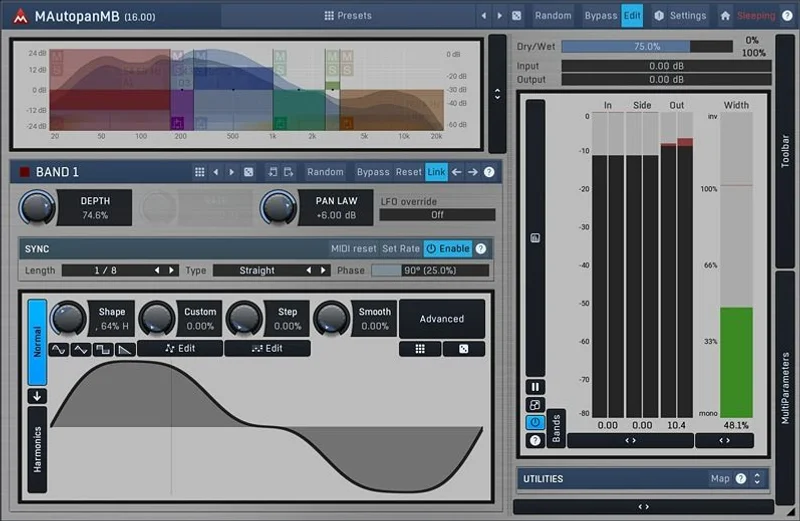
MAutopanMB is an auto-panner with a crossover section bolted on. That crossover lets you divide your signal into one to six bands, each with its own oscillator, rate, depth, and phase.
What it's not: a stereo imager. It won't widen a bus the way stereo width plugins do. It moves signals through the stereo field rhythmically. Static width expansion is a different tool.
It also isn't built for drum buses or full mixes. Panning individual frequency bands of a full mix introduces comb filtering and phase problems that are ugly in the wrong way. This is an instrument-level insert, not a mastering play.
Surround support up to 8 channels is listed in the specs. For most ITB producers, that's unused. But it makes the plugin relevant for post-production and game audio work, which broadens the argument for buying it.
Living With MAutopanMB Day to Day
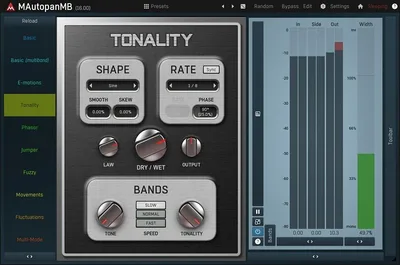
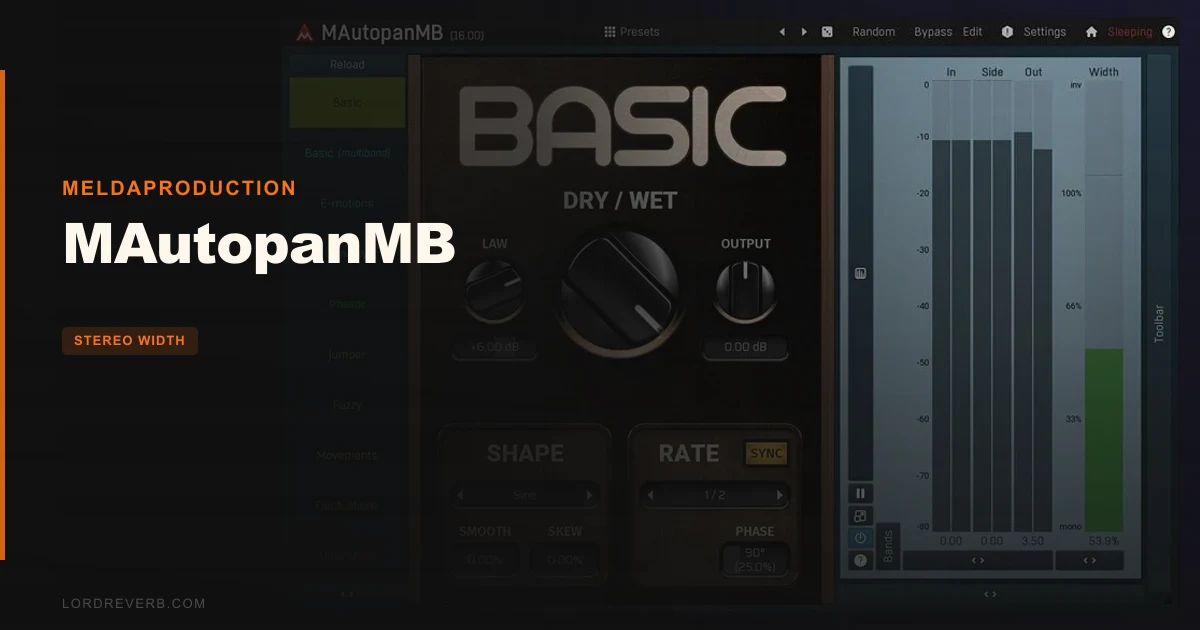
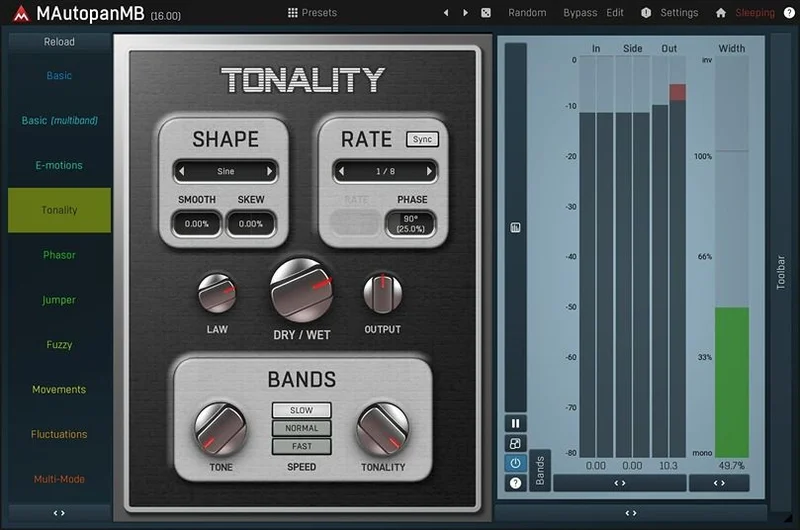
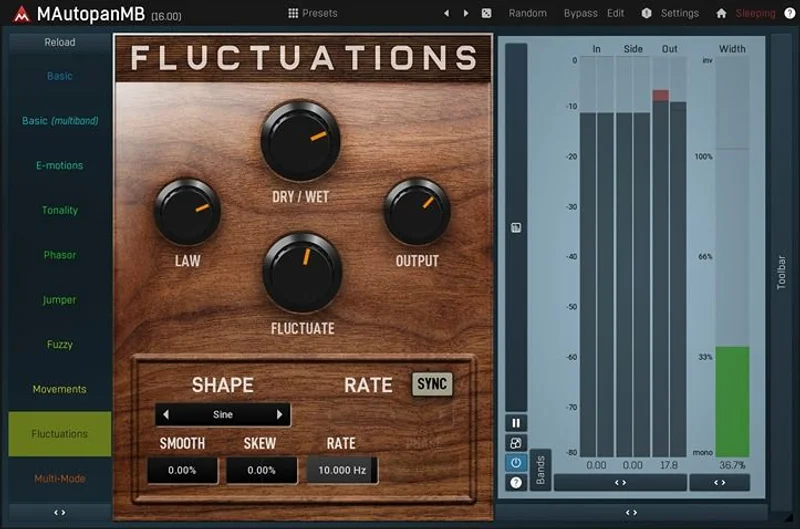
The dual UI is genuinely clever. Simple mode loads with predefined shapes, a rate knob, depth control, and not much else. You're up and running in thirty seconds.
We spent the first session entirely in simple mode. It felt almost too easy. Then we hit a limitation: no control over individual band depth. Everything moved at the same relative intensity. That's fine for one use case, frustrating the moment you want the lows sitting tighter than the highs.
Advanced mode fixed that, but it took a half hour of orientation to feel comfortable. The interface is dense. MeldaProduction's standardized GUI is consistent across their catalogue, which helps if you already own their plugins, but it's a wall of information if you don't.
The oscillator system is where the real character lives. Every band's oscillator shape is built from a mix of sine, square, triangle, and custom waveforms drawn through their MES envelope editor, plus step-sequencer patterns and algorithmic post-processing. That's not hyperbole. You can draw a waveform that's asymmetrical, curved, stepped, and modulated by a tempo-synced LFO simultaneously. Reviewers report spending hours just building oscillator shapes.
The three crossover algorithms need a word here. Analog mode sounds natural but introduces phase shift between bands. Linear-phase mode is transparent and avoids that phase shift but adds latency and heavier CPU load. Hybrid sits between them. For live monitoring, analog. For a final mix bounce, linear-phase. We'd set hybrid as the default for tracking and switch at mixdown.
The 4 global modulators per instance are the sleeper feature. Each modulator can act as an LFO, envelope follower, MIDI-triggered ADSR, or pitch detector, and they can modulate each other. We set one modulator to follow an audio sidechain and trigger wider sweeps on the mid-band during loud moments. That took fifteen minutes to set up and added a layer of movement that felt satisfying in a way that static panning never does.
MIDI learn works as advertised. MIDI controller setups for live performance pair well here if you want to automate rate or depth in real time.
The Trade-Offs Worth Knowing
The multi-band crossover is the plugin's best feature and its most expensive one in terms of CPU. With all 6 bands active and linear-phase crossovers selected, we saw load increase meaningfully compared to the free MAutopan. Users who run dense sessions with lots of instances will feel that.
The free MAutopan handles full-signal panning beautifully and costs nothing. If your tracks don't need frequency-specific panning, MAutopan is the smarter choice. MAutopanMB only earns its keep when the multi-band architecture is actually solving a problem.
Randomization is satisfying and occasionally brilliant. One click generates a completely new preset from billions of possible combinations. Ctrl-click nudges existing settings gently. We found three genuinely useful presets this way. We also generated a lot of unusable chaos. It's a creative tool, not a workflow shortcut.
The learning curve on advanced mode is real. MeldaProduction offers solid documentation, and their plugin tutorial resources are worth bookmarking. But if you're the kind of producer who buys a plugin expecting to open it cold and be productive immediately, the advanced mode will annoy you.
Against the Field
PanMan by Soundtoys is the most direct comparison. PanMan is brilliant for rhythmic panning with great-sounding presets and a dead-simple interface. It processes the full signal. No bands, no crossovers. If you love dialling in panning patterns quickly and don't need frequency separation, PanMan wins on workflow speed.
MAutopanMB wins when your source material has wide frequency content and you need different movement at different registers. A keyboard patch with a heavy bass component. A guitar with both body warmth and pick attack. Those instruments need per-band control, and PanMan can't do that.
The free MAutopan free panning plugins covers producers who need auto-panning without the multi-band complexity. Honest answer: start there. If you hit its ceiling, then buy this.
iZotope Ozone's Imager does stereo width, not rhythmic panning. Different category, different shelf.
The Real Verdict
MAutopanMB is a focused, well-built tool that solves a specific problem better than anything else we've tested at this price point. If you regularly work with keys, synths, or guitars that have broad frequency content, the multi-band architecture will change how those instruments sit in your mix.
Skip it if you're still learning the basics of panning or if your sessions run CPU-heavy. The free MAutopan is a smarter starting point. But if you've already hit that ceiling, this is the upgrade that pays for itself the first time a pad stops being a problem.
Specs & Technical Details
| Developer | MeldaProduction |
| Price | $43 |
| Plugin Format | VST / VST3 / AU / AAX |
| OS Support | macOS 10.14+ / Windows 8, 10, 11 (64-bit) |
| Activation | MeldaProduction license manager |
| CPU Usage | Medium to heavy (scales with active bands and crossover algorithm) |
| Trial Available | Yes (MeldaProduction offers a free trial period) |
| Version Reviewed | Current release as of 2026 |
Score Breakdown
| Category | Score | Notes |
|---|---|---|
| Sound Quality | 4.5/5 | Linear-phase crossover keeps band transitions clean; oscillator shapes are genuinely musical |
| Value for Money | 4.0/5 | Strong feature set at this price, but the free version handles most basic cases |
| Ease of Use | 3.5/5 | Simple mode is accessible; advanced mode requires real time investment |
| Features | 4.5/5 | Six bands, three crossover algorithms, 4 global modulators, surround support: hard to match |
| CPU Efficiency | 3.5/5 | All 6 bands with linear-phase crossovers will cost you; stay on analog crossovers for tracking |
| Overall | 4.2/5 | A specialist tool that delivers when the problem matches its design |
Alternatives to Consider
MAutopan (Free) MAutopan review is the obvious first stop. If full-signal auto-panning is all you need, don't spend the money. MAutopanMB is an upgrade, not a replacement for everyone.
PanMan by Soundtoys is the more workflow-friendly option for producers who want rhythmic panning dialled in fast. Its sound is warm in the sense that it adds gentle harmonic character to the movement. No multi-band capability, but the preset library is excellent and session speed is faster.
Wider by Polyverse stereo width plugins roundup handles static stereo width rather than rhythmic panning, but it's worth knowing about if your goal is width rather than movement. Different tools, different jobs.
MAutopanMB at $43 is the right call if your sessions regularly include instruments that need frequency-specific spatial treatment. It's the wrong call if you're still figuring out where auto-panning fits in your signal chain. Buy the free version first. You'll know within a week if you've hit its ceiling.
Frequently Asked Questions
What's the difference between MAutopan and MAutopanMB?
MAutopan processes your full signal as a single band. MAutopanMB splits the signal into up to six independent frequency bands and pans each one separately. The free MAutopan is excellent for most uses. MAutopanMB earns its price only when per-band control is solving a specific problem in your mix.
Is MAutopanMB suitable for mastering?
We'd steer away from using it on a full mix bus for mastering. Panning individual frequency bands of a full mix introduces phase interactions that are difficult to control. It's built for instrument-level inserts. For mastering-grade stereo width work, look at a dedicated mastering stereo width tools instead.
Which crossover algorithm should I use?
Use analog crossovers during tracking and composition. They're lighter on CPU and sound natural. Switch to linear-phase at mixdown if phase coherence between bands matters for your source material, accepting the added latency. Hybrid is a reasonable middle ground for sessions where you want better phase behaviour without the full latency hit of linear-phase.
Does MAutopanMB work in surround sound sessions?
Yes. MeldaProduction built in support for up to 8 channels of surround processing. It works in Pro Tools, Logic, and other DAWs that support surround formats. For film, TV, and game audio producers working in surround, that's a meaningful advantage over most auto-panners at this price point.