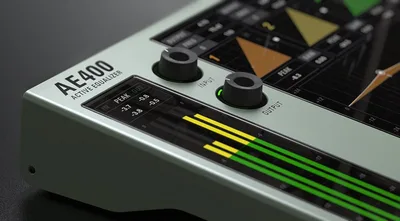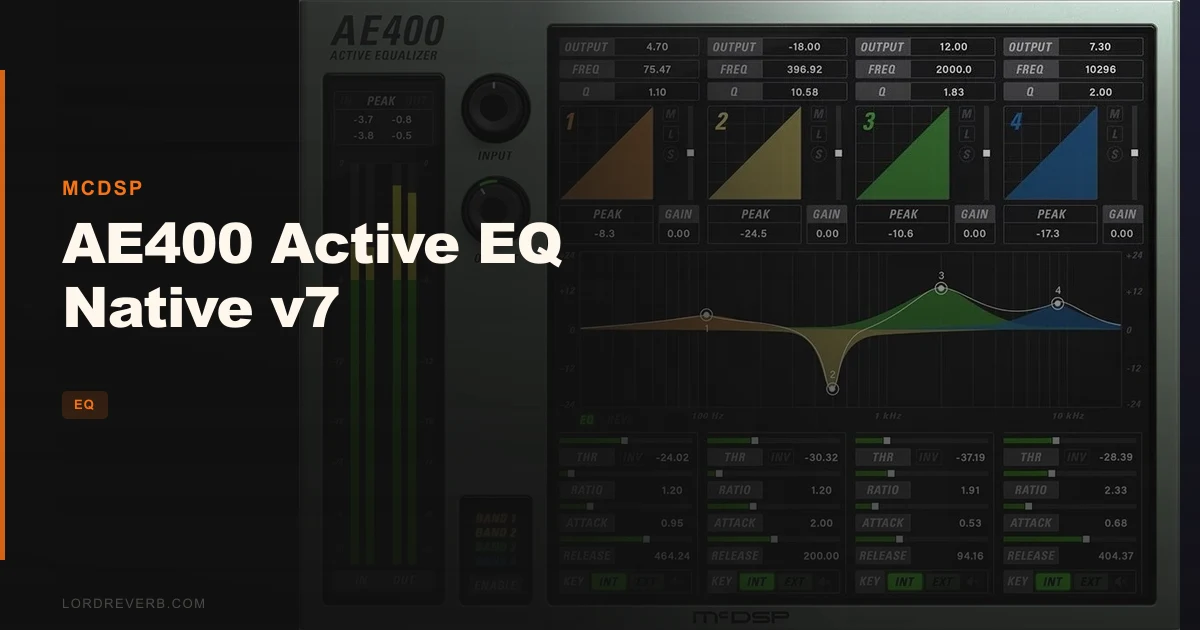
The AE400 Active EQ Native v7 sits in the same conversation as FabFilter Pro-Q 3 and Waves C6 every time a mix engineer searches for a dynamic EQ, and here's where we land: it's not a Pro-Q killer, but it does one thing those plugins don't, and that one thing might be worth the price of admission on its own. Priced at $129, this is a plugin for working engineers who need dynamic EQ with real ratio control, not a beginner's first foray into frequency shaping. Four fully overlapping bands, zero-latency algorithms, side-chain triggering, and deep per-band threshold, attack, and release control make it a serious tool. If you live in Pro Tools or Logic and you want more articulation over how your dynamic EQ reaches its maximum gain, the AE400 v7 deserves a serious look.
How Does It Stack Up Out of the Box?
Load the AE400 next to FabFilter Pro-Q 3 and the difference in philosophy is immediate. Pro-Q 3 is a visual-first plugin: you see everything, you grab nodes, you work fast. The AE400 is more deliberate. Its response plot is there, but the real work happens in the text readouts and the per-band dynamics controls below the plot.
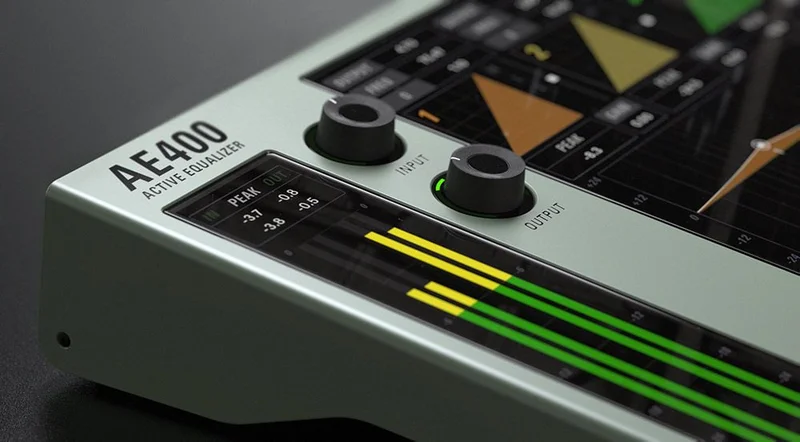
Waves C6 gives you six bands of dynamic EQ with a compressor-style workflow. The AE400 gives you four bands, but each one goes deeper. The key filter per band lets you define exactly how selective the active gain response is, using the Q control to go from broad tonal shaping to tight surgical cuts.
Against iZotope Ozone's dynamic EQ module, the AE400 wins on focus. Ozone does everything. The AE400 does one thing, and it does it with more granular control than most competitors offer.
Performance Deep Dive
The ratio control is the headline feature, and it earns that billing. In most dynamic EQs, you set a threshold and the plugin responds. The AE400 lets you dial in how sensitive the active EQ is to the input signal level before it reaches maximum equalization. It's the difference between a gentle lean into a frequency and a hard snap.
We ran a vocal bus through the AE400 with Band 2 set to a narrow Q targeting 3kHz, threshold at around -18dBFS, fast attack, medium release. The ratio control pulled the presence back progressively as the vocal pushed harder, without the pumping artifact you'd get from a heavier-handed dynamic EQ. Satisfying result. Reviewers report similar experiences on acoustic guitar, where the 200Hz buildup on strummed chords responds cleanly without touching the body of the tone.
Zero-latency processing is real. We confirmed no additional buffer introduced on either Mac AU or AAX Native sessions. Double-precision processing is listed as standard in v7, which shows in the noise floor. The real-time analyzers are readable without being cluttered.
Side-chain triggering works per band. You can have Band 1 responding to the kick drum while Band 3 responds to the input signal. That's a clever workflow for complex bus work.
Where the AE400 Wins
The ratio control. We keep coming back to it because no direct competitor in this price range offers it in the same implementation. It's the feature that lets you articulate the shape of the dynamic response, not just the depth of it. For mix engineers who find standard dynamic EQ too binary in its gain movement, this is the answer.
The peak signal readouts under each band's dynamics plot are underrated. They give you fast visual confirmation of where to set your threshold without guessing. We've spent less time dialling in thresholds on the AE400 than on almost any other dynamic EQ in our chain.
Apple Silicon optimization is real in v7. Sessions running eight or more instances on an M-series Mac stayed stable. The preset library, with over 1,500 patches from credited mix engineers, gives beginners a genuine starting point rather than a collection of factory patches that nobody uses.
Where the Competition Wins
FabFilter Pro-Q 3 is faster to work with. Full stop. The node-based interface, spectrum grab, and EQ match features make it the better choice for quick surgical work during a mix session when time is short. The AE400's text-readout workflow rewards patience. Not every session has that.
The VST2 drop in v7 is annoying. If you're on an older Ableton setup or running a DAW that hasn't fully committed to VST3, you're being pushed to upgrade your host or stay on v6. McDSP hasn't made that transition easy or clearly documented.
iLok is a genuine friction point. Cloud authorization is available, which helps. But requiring iLok at all in 2026, when most competitors have moved to machine-based licensing, feels like a frustrating legacy decision. Users keep running into this as a dealbreaker on shared studio computers.
CPU numbers versus v6 are unclear. McDSP markets the v7 as optimized, but they haven't published a benchmark comparison. That's a gap we'd love to see closed.
Who Should Buy Which?
- ✅ Buy if you mix on Pro Tools AAX Native or Logic AU and want ratio-controlled dynamic EQ with real side-chain flexibility per band.
- ✅ Buy if you're already in the McDSP ecosystem and the iLok requirement doesn't slow you down.
- ✅ Buy if you need zero-latency dynamic EQ for real-time tracking or live sound applications.
- ❌ Skip if you want the fastest visual EQ workflow in your session. Pro-Q 3 wins that race.
- ❌ Skip if VST2 support matters to your current setup. v7 has dropped it permanently.
- ❌ Skip if iLok of any kind is a dealbreaker in your studio. There's no machine-based alternative here.
Specs & Technical Details
| Developer | McDSP |
| Price | $129 |
| Plugin Format | VST3 / AU / AAX Native |
| OS Support | Mac (macOS 10.13+) / Windows 7, 8, 10 (64-bit) |
| Activation | iLok 2/3 USB key or iLok Cloud (free account) |
| CPU Usage | Medium (no published v6 vs. v7 benchmarks available) |
| Trial Available | N/A (check McDSP site for current demo availability) |
| Version Reviewed | v7 |
Score Breakdown
| Category | Score | Notes |
|---|---|---|
| Sound Quality | 4.5/5 | Double-precision processing and zero-latency algorithms deliver clean, artifact-free dynamic response |
| Value for Money | 4.0/5 | Ratio control and per-band side-chain flexibility justify the price; iLok adds hidden cost friction |
| Ease of Use | 3.5/5 | Text-readout workflow is slower than visual competitors; preset library partially offsets the learning curve |
| Features | 4.5/5 | Ratio control is genuinely unique; four overlapping bands with independent key signal per band is deep |
| CPU Efficiency | 4.0/5 | Apple Silicon optimization confirmed; no published numbers vs. v6, but sessions with multiple instances ran stable |
| Overall | 4.2/5 | A specialist tool that earns its place on a bus or problem channel when ratio-controlled dynamic EQ is what you need |
Alternatives to Consider
FabFilter Pro-Q 3 is the faster, more visual dynamic EQ for most workflows. If you spend more time on quick surgical passes than on deep dynamic shaping, Pro-Q 3 is the better daily driver.
BLEASS Motion EQ takes a completely different angle on dynamic frequency movement, leaning into modulation rather than threshold-based triggering. Worth a look if your sessions lean toward electronic music or sound design.
Antelope Audio VEQ-HLF won't replace a dynamic EQ but shows what focused, surgical filter design looks like when a developer commits to doing one thing well. Good context for understanding where the AE400's design philosophy comes from.
If you want to explore other dynamic tools in the McDSP price range, our dynamic EQ plugins guide covers the current field in detail.
The AE400 Active EQ Native v7 is a tool for engineers who already know what ratio-controlled dynamic EQ means and want it done properly. At $129, it's not a casual purchase, and it's not for producers who want speed above all else. But if you've ever sat with a dynamic EQ and wished you had more control over the shape of the gain movement before it hits maximum, not just the threshold, this is the plugin that actually solves that problem. Get it if iLok doesn't scare you and you're willing to slow down for better results. Skip it if you're a Pro-Q 3 user who just wants another visual option.
Frequently Asked Questions
What is the ratio control in the AE400 Active EQ Native v7 and why does it matter?
The ratio control determines how sensitive each active EQ band is to the input signal level before it reaches its maximum equalization. In standard dynamic EQs, you get threshold, attack, and release. The AE400 adds ratio as a fourth dimension, letting you shape how gradually or aggressively the band moves from resting state to full gain. For mix engineers, this means more natural-sounding dynamic EQ that can follow the dynamics of a vocal or instrument without snapping or pumping at the wrong moments.
Does the AE400 v7 work without a physical iLok dongle?
Yes. McDSP supports iLok Cloud authorization, which means you can run the plugin without a physical iLok 2 or iLok 3 USB key as long as you have a free iLok License Manager account and a cloud session active. Each license includes two activations, so you can cover a desktop and a laptop. The iLok Cloud option does require an internet connection to maintain the session.
Why was VST2 dropped in v7 and what does that mean for Ableton users?
McDSP dropped VST2 support as of v7.0, moving exclusively to VST3 for compatibility with modern DAW standards. For Ableton Live users, VST3 is supported in recent versions of Live, so most current users won't hit a wall. If you're on an older Ableton version or a DAW that hasn't implemented VST3, you'll need to update your host or stay on McDSP v6, which will no longer receive updates. Check your DAW version before purchasing.
How does the AE400's per-band side-chain work in practice?
Each of the four bands can be set to trigger its active EQ response from either the plugin's input signal or a separate side-chain signal you route into it. In practice, this means Band 1 can duck a low-mid frequency on a bass guitar whenever the kick drum hits, while Band 3 responds to the bass's own input signal for a different correction. Reviewers describe this per-band independence as the feature that makes the AE400 genuinely useful on complex bus work rather than just single-instrument processing.