SynthMaster One is a strong, genuinely affordable wavetable synth that earns its place in your plugin folder, but it's not a Serum killer and it's not trying to be.
We were knee-deep in a dark synth-pop session, two in the morning, hunting for a pad that sat in the low-mids without eating the bass guitar. We loaded SynthMaster One, scrolled maybe thirty seconds into the BT-designed presets, and found something close enough to finish the track. That's the pitch. That's what it actually delivers.
It's not magic. It's a well-stocked, single-screen wavetable synth from KV331 Audio that cuts most of the complexity from its bigger sibling, SynthMaster 2, and hands you a streamlined instrument that sounds warmer than its price tag suggests.
It's built for producers who want usable results fast. If you're deep into designing sounds from scratch with wavetable-level control, read the trade-offs section carefully before buying.
What It Is (and What It's Not)
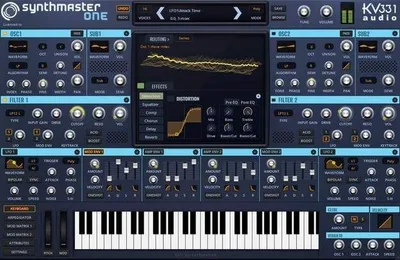
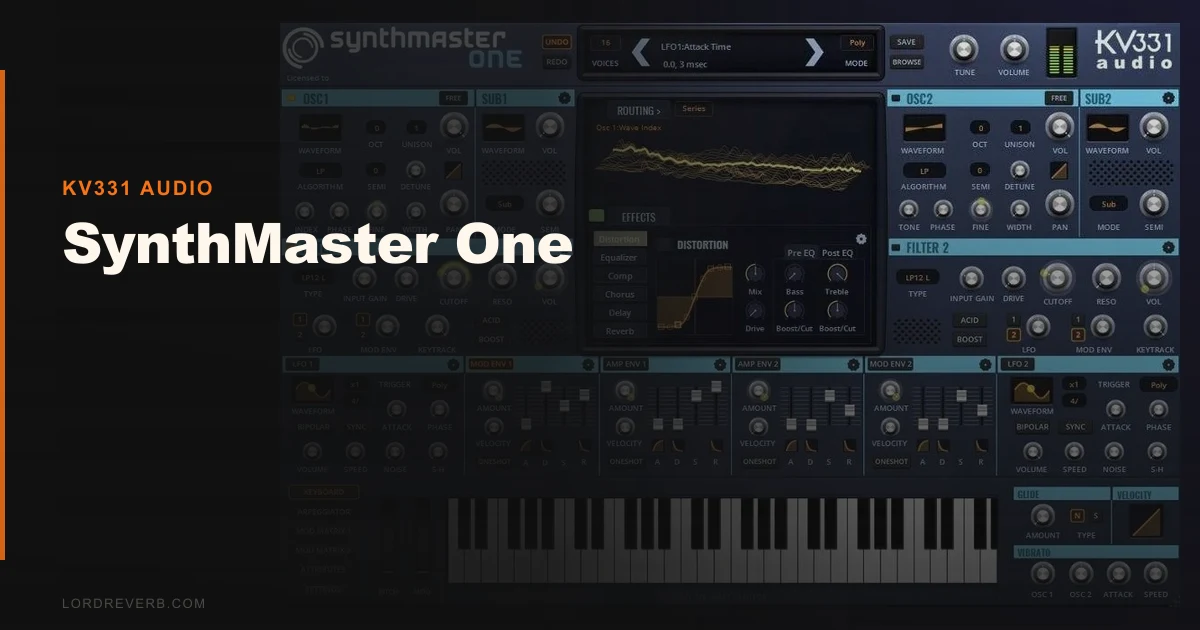
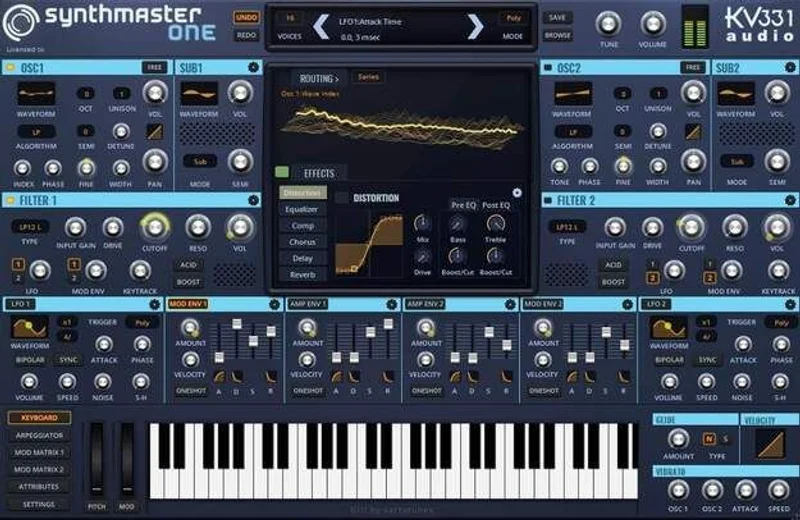
SynthMaster One runs on two oscillators, two sub-oscillators, and two zero-delay feedback filters. Add four ADSR envelopes, two LFOs, a 16-step arpeggiator/sequencer, and 11 onboard effects. That's a serious signal chain for a plugin at this price point.
The 150 wavetables were captured directly from hardware: Moog, Roland, Korg. They sound like it. Pull up a Moog-sourced wave and run it through the filters at low resonance. You'll hear why people say it sounds warm. The low-frequency harmonics sit thicker than most ITB wavetable synths at twice the price.
What it's not: a sound design workstation. There's no wavetable editor built in. You can import custom wavetables, but you can't draw or sculpt them inside the plugin. If that's your workflow, Serum or a wavetable editor will serve you better.
It's also not SynthMaster 2. One intentionally strips the multi-layer architecture down to a single layer, single screen. That's a feature, not a cut.
Living With It
Setup is fast. Download, authorise through KV331's system, drop it into your session. It runs VST2, VST3, AU, and AAX on both Mac and Windows. No iLok. No annoying dongle.
We ran it in Logic Pro and Ableton Live across three separate sessions. In Logic, the AU version sat cleanly in our template with no conflicts. In Ableton, the VST3 version had one odd moment where preset loading briefly stalled on a large BT pad. It didn't crash. It just thought about it for two seconds.
Day-to-day, the single-screen layout is the best thing about it. You dial in oscillator sources, hit the filter section, tweak the envelope, and you're done. No page-switching. No hidden modulation matrix buried three menus deep. Everything you need to touch in a normal session is visible at once.
The 16-step arpeggiator is clever. You can program pitch and gate length per step, which opens up rhythmic variations that go beyond standard up/down patterns. We built an arpeggiated bass sequence in about four minutes that would've taken fifteen in a MIDI editor.
Version 1.3 added a scale library that runs from 5-tone equal-tempered to 12-tone alternate tunings. It's underrated. For producers working in non-Western scales or microtonal territory, this is a real tool, not a gimmick.
CPU usage is medium at light preset loads. Start stacking the onboard effects, especially reverb and chorus simultaneously, and you'll notice the meter climbing. Three instances with heavy effects chained pushed our M2 MacBook Pro to around 14% CPU. Not terrible. Not light.
The Trade-Offs
Here's where we get honest with you.
The wavetable selection is genuinely good. 150 hardware-sourced tables cover most ground. But the moment you want to sculpt something that doesn't exist in those 150, you're hitting a wall. You can import a custom wavetable as a .wav file, but SynthMaster One has no editor to shape it once it's in. Serum lets you draw, morph, and mangle. SynthMaster One does not.
That's not a dealbreaker for preset users or producers who work from libraries. It's a hard stop for sound designers who live in the wavetable editor.
The modulation routing works, but it feels dated. Dragging sources to targets is functional. It's not satisfying. Serum's mod matrix is faster to read and modify. SynthMaster One's equivalent requires more clicks to get the same result.
The presets, though. 1,250 of them, with 200 from BT. That's a legitimate library. The quality is consistent. We didn't find many that needed trashing.
On sale, the trade-offs barely matter. At full price, Serum or Vital becomes a real conversation.
Against the Field
Serum: Wins on wavetable editing, modulation clarity, and community preset sharing. We'd choose Serum if sound design is your primary activity. It's more CPU-hungry and costs significantly more. The current price is shown in the buy box on this page.
Vital: Free tier is surprisingly capable. It has a wavetable editor and a cleaner visual interface. If you are budget-limited and want editor access, Vital free beats SynthMaster One at full price. On sale, SynthMaster One's preset library gives it the edge.
Massive X: Different beast. More complex, more expensive. The modular-style routing is brilliant for experimental sound design and frustrating for quick sessions. SynthMaster One is faster to use daily.
For the full breakdown of wavetable synth types, we've compared these more exhaustively elsewhere.
The Real Verdict
On sale, buy it. Stop reading and buy it. The preset library alone is worth ten times that, and the hardware-sampled wavetables give it a character you won't get from a fully digital stack.
At full price, the decision sharpens. If you're a preset user who wants a fat, warm synth that's easy to navigate, it still earns its keep. If you build sounds from a blank oscillator and live in wavetable editors, skip it and put that money toward Serum or Vital Pro.
It's wrong for: sound designers who need to sculpt wavetables ITB. It's right for: anyone who works fast, loves presets, and wants analogue-adjacent warmth without the headache of a complex interface.
Score Breakdown
| Category | Score | Notes |
|---|---|---|
| Sound Quality | 4.0/5 | Hardware-sampled wavetables deliver genuine warmth; filters punch above the price |
| Value for Money | 4.5/5 | At $49 it sits in the middle ground, competitive but not a runaway winner. |
| Ease of Use | 3.5/5 | Single-screen layout is fast, but modulation routing feels clunky compared to Serum |
| Features | 4.0/5 | 1,250 presets, 150 wavetables, scale library, 11 effects, serious depth for the format |
| CPU Efficiency | 3.5/5 | Reasonable at light loads; three heavy instances pushed 14% on M2 MacBook Pro |
| Overall | 4.1/5 | Excellent value synth with real character, held back by the absent wavetable editor |
Alternatives to Consider
Serum by Xfer Records is the benchmark for wavetable editing and modulation workflow. If you want to draw and sculpt wavetables, it's the right tool. Read our Serum overview
Vital by Matt Tytel offers a free tier with a wavetable editor and a cleaner modern interface. It's a credible free alternative for producers who need that editor access. Compare wavetable synths head to head
Zero 1 Synth by Loot Audio takes a different approach entirely, leaning into sampled engine territory. If you're cross-shopping hybrid instruments, read our Zero 1 review before deciding.
SynthMaster One sits at a crossroads between depth and speed. It chose speed. That's the right call for most producers, most of the time, and at the sale price it's the easiest recommendation we've made this year. Just don't expect it to replace your wavetable editor. It doesn't have one.
Frequently Asked Questions
Is SynthMaster One good for beginners?
Yes, more than most wavetable synths at this level. The single-screen layout means you're not hunting through tabbed menus to find basic controls. The 1,250 presets give you a working library immediately. The modulation routing takes some learning, but a beginner can get usable sounds in under an hour.
Does SynthMaster One have a wavetable editor?
No. This is its biggest limitation. You can import custom wavetables as .wav files, but there's no tool inside the plugin to draw, sculpt, or morph them. If wavetable editing is part of your workflow, look at Serum or Vital instead.
How does SynthMaster One compare to SynthMaster 2?
SynthMaster 2 is a multi-layer instrument with a more complex interface and broader synthesis architecture. SynthMaster One strips it down to a single layer and single screen, which makes it faster to work with in a session but less powerful for layered sound design. One is not a lite version. It's a different tool for a different workflow.
What DAWs does SynthMaster One work with?
It runs in any DAW that supports VST2, VST3, AU, or AAX formats. That covers Logic Pro, Ableton Live, Pro Tools, FL Studio, Cubase, Reaper, and most major hosts on both Mac and Windows. We tested it in Logic and Ableton with no serious issues in version 1.3.