
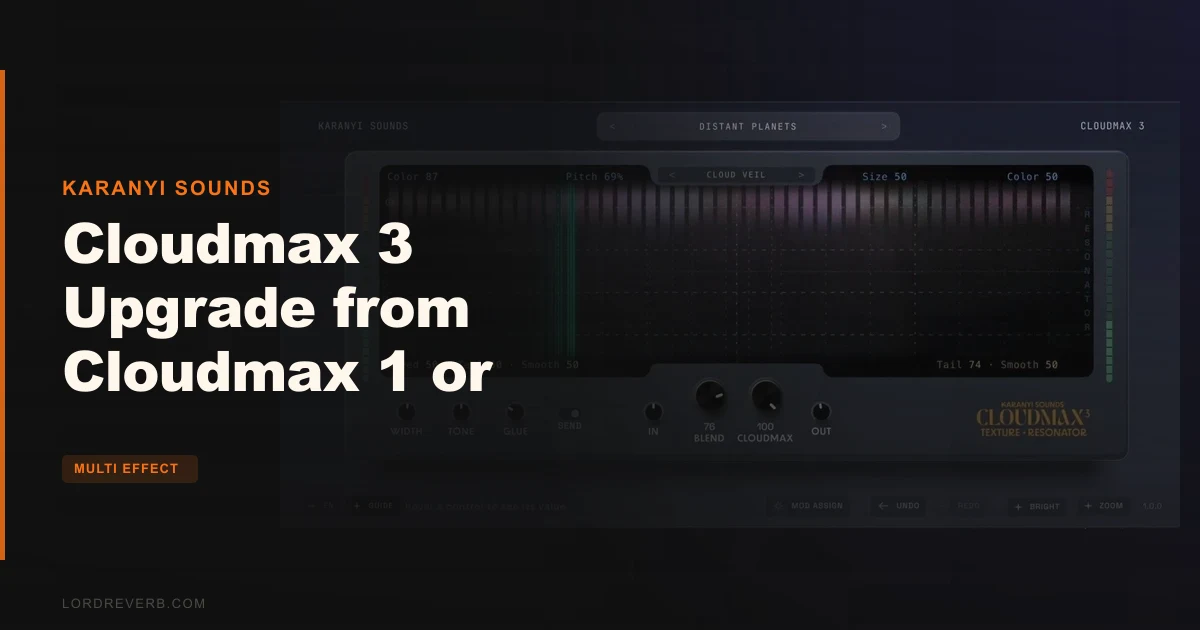
If you own Cloudmax 1 or Cloudmax 2, yes, the Cloudmax 3 upgrade is worth it, and the rebuilt reverb section alone makes a credible case at $59. This isn't a cosmetic version bump. Karanyi Sounds rebuilt the grain engine, replaced the reverb DSP, added a smarter browser with AI tagging, and shipped a macro system that controls texture, motion, and space in a single gesture. If you're doing cinematic sound design, ambient production, or anything that lives in the grain-and-space territory, this is an upgrade with real substance.
That said, it's not for everyone. If you barely used Cloudmax 1 or 2, spending anything on version 3 won't fix that. And if your workflow is already locked around a different granular tool, the upgrade logic here is specific: it rewards the people who already liked what Cloudmax did and want it done better.
What You Are Actually Upgrading To
Cloudmax 3 is a granular texture instrument and multi-effect built around four parallel grain engines, a redesigned reverb section, eight Cloud Models, and a macro-driven interface that collapses what used to be a multi-plugin signal chain into one window.
The core architecture centres on the four grain engines. Each runs independently. You can layer them, detune them against each other, and modulate each one separately. Grain length runs from 1/64 to infinite. Pitch works in semitones or continuous. That's a wide range, and the independence per engine matters more than the raw count.
The reverb section is where the developer is making the biggest claim. CIRRUS is built for cinematic tails, long and precise. STRATOS is a plate character, tighter and more musical. Both are switchable per patch, not globally. Reviewers describe the atmospheric results as "beautifully atmospheric," though that's their phrase, not a spec.
The three texture pitch modes are DUAL, SNAP, and FREE. DUAL stacks 2x2 grains for thick octave-pair textures. SNAP locks to musical intervals, which keeps things in key without thinking about it. FREE opens up continuous detune and microtonal territory. These aren't just flavours. They're different compositional tools, and you'll likely park on one depending on what you're building.
Eight Cloud Models sit at the centre of the preset architecture. Each model reaches across grains, resonator, modulation, and space parameters simultaneously. Cloud-type models drift into long soundscapes. Drift-type models snap into rhythmic patterns, which works for drums, vocals, and keys. The developer says the library will grow with future updates.
The LFO is designable. Quick drags set rate, depth, and shape. It syncs to tempo or drifts free. You can assign it to grain length, filter, resonator pitch, or anything modulatable in the plugin. That's a lot of modulation destinations from one source.
Who Qualifies for This Upgrade
This upgrade is for Cloudmax 1 and Cloudmax 2 owners only. The standard version of Cloudmax 3 is a separate product. If you don't already own version 1 or 2, this page isn't your entry point.
Existing owners also get all 1.x updates included in the upgrade. Future 2.0 and higher updates will be offered at a discount, which is a reasonable long-term commitment from the developer.
The plugin ships in VST3 and AU formats for macOS and Windows. That covers most modern DAWs. Pro Tools users should check compatibility before buying since AAX isn't listed on the product page.
The Upgrade Value Case
At $59 during the promotional window, this is a tight decision to argue against for existing owners. The rebuilt reverb engines alone represent a meaningful workflow change if you relied on Cloudmax for atmospheric tails. The CIRRUS and STRATOS split gives you two genuinely different reverb characters, switchable per patch, which replaces the need for a second reverb plugin in many sound design contexts.
The macro system is the other real win. One gesture controlling texture, motion, and space simultaneously is not a gimmick. If you've ever spent time automating three separate tracks to animate a granular bed, you understand why consolidating that into a single macro matters. Reviewers describe it as consolidating multi-plugin chains while maintaining detailed control, which is an honest summary of what the interface is designed to do.
The AI tagging in the browser is the kind of feature that sounds like marketing until the third time you find the preset you wanted in under ten seconds. It automatically tags every preset for mood, character, and motion. Combined with instant auditioning and tag-combination filtering, it makes the preset browser actually useful. That's satisfying in a way that most plugin browsers aren't.
Unlimited undo and redo across the entire session is something we'd love to see in every plugin and almost never do. The developer flags it as rare. They're right. It's the kind of feature that sounds minor until you accidentally destroy a sound you can't recreate.
The 4.58 out of 5 rating from 19 reviews, with 79% at five stars, is a small but clean sample. One owner, Greg G, called it "a wonderfully crafted suite of creative effects" that has "become one of my favorite plugins." That's one data point. But zero reported technical problems across the available search results is its own signal.
Check the alternative pricing at $59 standard versus the upgrade price during promotion. If you're on the fence, the promotional window is the time to decide.
Where Cloudmax 3 Falls Short
Eight Cloud Models is a thin starting library. The developer promises growth with future updates, and that might be satisfying eventually, but it's a valid frustration right now if you want variety out of the box.
There are no independent third-party editorial reviews comparing Cloudmax 1 or 2 directly to version 3. We'd love to see controlled A/B reports from producers who ran the same session through both. Without that, the upgrade case rests on the developer's claims about the DSP rebuild and on reviewers' general impressions. The claims are specific enough to be plausible, but you're taking some of it on faith.
The Landscape Mode is clever on a large monitor. On a laptop screen, having every parameter visible at once could feel cramped. That's worth thinking about if you're working on a 13-inch machine.
No AAX support. Hard stop for Pro Tools users.
Who Should Skip This Upgrade
Skip it if you barely opened Cloudmax 1 or 2. Upgrading a plugin you didn't use solves nothing.
Skip it if you're a Pro Tools-only house. VST3 and AU don't help you there.
Skip it if your granular work is already handled well by something else and you're not specifically drawn to the reverb quality or the Cloud Models system. Cloudmax 3 does a specific thing very well. If that thing isn't your priority, the upgrade has less to offer.
And skip it if you need a massive preset library immediately. Eight Cloud Models with future growth is a promise, not a delivery.
How It Compares to the Alternatives
Silo and Fragments EFX are the names that come up most often next to Cloudmax 3 when people look at granular reverb and texture tools. Here is how they line up.
| Plugin | Strongest Point | Weakest Point | Best For |
|---|---|---|---|
| Cloudmax 3 Upgrade | Dual reverb engines plus four independent grain engines in one macro-driven interface | Small Cloud Models library at launch; no AAX | Cloudmax 1/2 owners doing cinematic or ambient sound design |
| Silo (Output) | Deep modulation routing and a large factory library | Steeper learning curve; heavier CPU footprint | Producers who want maximum modulation complexity |
| Fragments EFX (iZotope) | Strong integration with iZotope ecosystem; spectral processing | Less granular texture control per engine | Producers already invested in the iZotope suite |
Cloudmax 3 wins on the reverb-plus-grain combination in a single unified workflow. Silo wins if you want deeper modulation routing and can handle the CPU cost. Fragments EFX wins if you're already in the iZotope world and want ecosystem cohesion.
For Cloudmax owners specifically, neither alternative addresses the upgrade question. You'd be buying a full new plugin rather than stepping forward with preserved presets and discounted future updates. That context matters. See also our look at the Cloudmax Breeze crossgrade option if you're deciding between branching sideways or moving forward.
Workflow Details Worth Knowing
Load it on a vocal bus and assign the LFO to grain length. Let it drift free rather than sync. Push the length toward longer values and watch the vocal stop being a vocal. That's where Cloudmax 3's grain engine either suits your session or doesn't.
The Landscape Mode is the view you'll want for dialling in from scratch. Every parameter in reach, no diving into sub-menus. Useful when you're building a texture from zero and need to see what's moving what.
For rhythmic work, the Drift-type Cloud Models are the obvious starting point. Point Cloudmax 3 at a drum bus, pull up a Drift model, and push the resonator pitch until it stops sounding like processing and starts sounding like an instrument. That's a legitimately different result than what a standard reverb gives you.
The in-app guide explains every parameter in plain language. That's not glamorous, but it's practical. On a plugin this deep, it matters. Combined with the 18-language support, the developer has clearly put effort into making this accessible without flattening it for beginners.
If you're comparing this to your version 1 or 2 workflow, the macro control is the biggest practical shift. One gesture moving texture, motion, and space simultaneously replaces what used to take multiple parameter adjustments. If you do a lot of real-time performance or live sound design, that's a genuine improvement in how fast you can move.
Check the trial options if available, and specifically test the tail length on CIRRUS at your session's tempo. Long tails interact with rhythmic content differently depending on BPM, and that's the place most cinematic plugins either earn their keep or become a problem to work around.
See the Cloudmax Breeze Black Edition review if you're wondering whether the vocal-focused branch of the Cloudmax line might suit you better. And if you're looking at the broader Karanyi catalogue, the Karanyi Sounds Complete Kontakt Suite review covers where the brand sits across formats.
The Verdict
Cloudmax 3 is a clear yes for owners of version 1 or 2 who use the plugin seriously. The rebuilt reverb engines, the four independent grain engines, the macro system, and the AI-powered browser are real improvements, not a feature list padded to justify a price tag.
At $59 during the promotional window, the decision is easy. After the promotion, the value case is still solid if the reverb quality and grain architecture are things you actually need.
The one honest caveat: if you want a deep library on day one, eight Cloud Models is a thin start. The developer promises growth. Trust that or don't, but go in knowing what you're getting.
Buy it. Unless you're in Pro Tools, in which case hold off until AAX arrives, if it does.
Specs & Technical Details
| Developer | Karanyi Sounds |
| Price | $59 |
| Plugin Format | VST3 / AU |
| OS Support | macOS / Windows |
| Activation | N/A |
| CPU Usage | N/A |
| Trial Available | N/A |
| Version Reviewed | 3 |
Score Breakdown
| Category | Score | Notes |
|---|---|---|
| Sound Quality | 4.5/5 | Rebuilt DSP reverb engines and independent grain modulation are the headline; reviewers consistently flag the atmospheric quality |
| Value for Money | 4.5/5 | At promotional upgrade pricing for existing owners, hard to argue against |
| Ease of Use | 4.0/5 | Macro and Landscape Mode help a lot; four grain engines with full independent control still has a learning curve |
| Features | 4.5/5 | Dual reverb engines, three pitch modes, designable LFO, AI tagging, unlimited undo: this is a genuinely full feature set |
| CPU Efficiency | 3.5/5 | No published figures; four parallel grain engines with reverb and modulation running simultaneously warrants caution on older hardware |
| Overall | 4.4/5 | A meaningful upgrade with real DSP improvements and smarter workflow, held back only by a thin launch library and no AAX |
Alternatives to Consider
If you want to compare before committing, Karanyi Sounds Wavesurfer review covers another Karanyi tool worth knowing about before you decide how deep into their catalogue you want to go.
Output Silo is the natural comparison for producers who want granular textures with deeper modulation routing. It's a bigger, heavier plugin with a larger factory library, and it suits producers who want to spend time inside the modulation matrix rather than work quickly with a macro.
iZotope Fragments EFX is the alternative if spectral processing and iZotope ecosystem integration are priorities. It's less focused on the grain-plus-reverb combination that defines Cloudmax 3's character.
For Cloudmax owners specifically, none of these alternatives preserve your existing presets or offer discounted future updates the way the version 3 upgrade does. That's a real structural advantage the alternatives can't match.
If you're still deciding between upgrading Cloudmax or branching to the vocal-focused line, the Cloudmax Breeze crossgrade review answers that question directly.
Related reviews: Sprite · Rekraft Review
Frequently Asked Questions
Do I need to own Cloudmax 1 or 2 to buy this upgrade?
Yes. This product is an upgrade path for existing Cloudmax 1 or Cloudmax 2 owners only. If you don't already own either version, you'll need to purchase the standard Cloudmax 3 instead. The two products are sold separately on the plugin page.
What formats does Cloudmax 3 support?
Cloudmax 3 ships in VST3 and AU formats for macOS and Windows. AAX is not listed on the product page, which means Pro Tools users should confirm compatibility before purchasing. If Pro Tools is your only DAW, hold off until AAX is confirmed.
What are the eight Cloud Models and how do they work?
Cloud Models are macro presets that control grains, resonator, modulation, and space parameters simultaneously. Cloud-type models drift into long soundscapes, while Drift-type models snap into rhythmic patterns suited to drums, vocals, and keys. The developer says the library will grow with future updates.
What is the difference between CIRRUS and STRATOS?
CIRRUS is built for long cinematic tails, designed for atmospheric and ambient applications. STRATOS is a plate-style reverb, tighter and more musical, suited to instruments and vocals where you want reflections without long decay. Both are switchable per patch, so you're not locked to one character globally.
Is the AI tagging feature automatic or do I have to set it up?
According to the developer, one click activates the AI and it tags every preset for mood, character, and motion automatically. You don't need to manually organise presets for the tag-based browser to work. The browser then lets you filter by combinations of tags, such as dark plus percussive or bright plus drone, to find sounds by feel rather than filename.