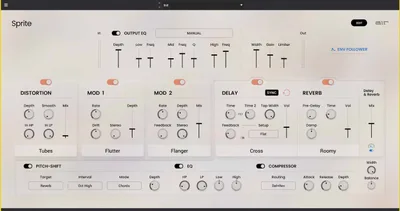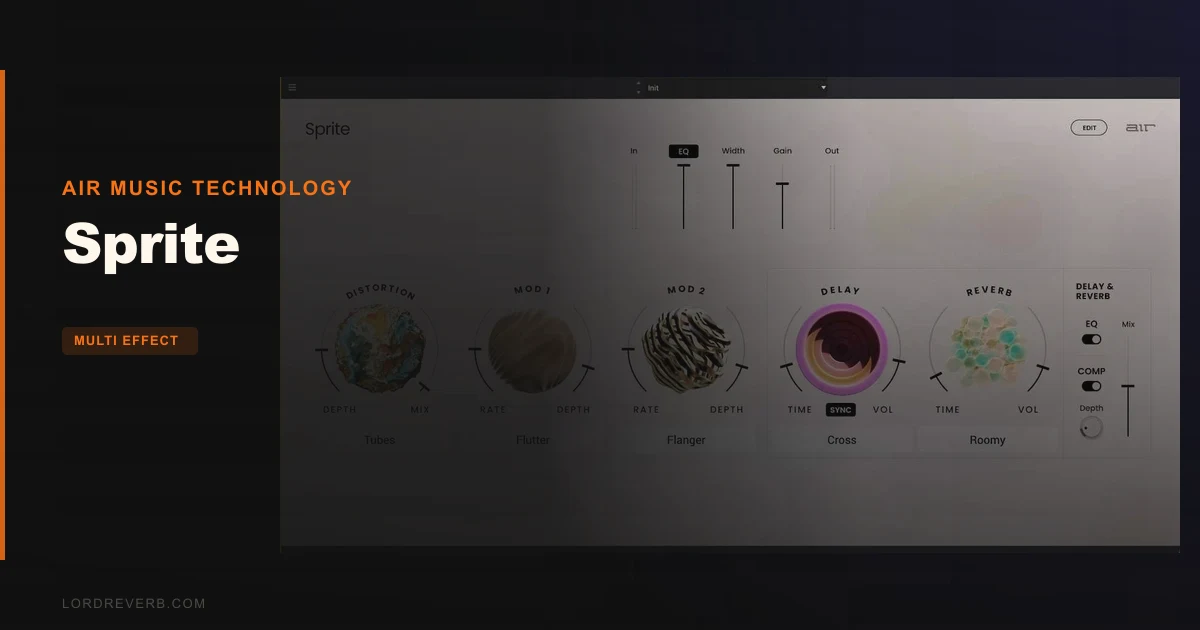
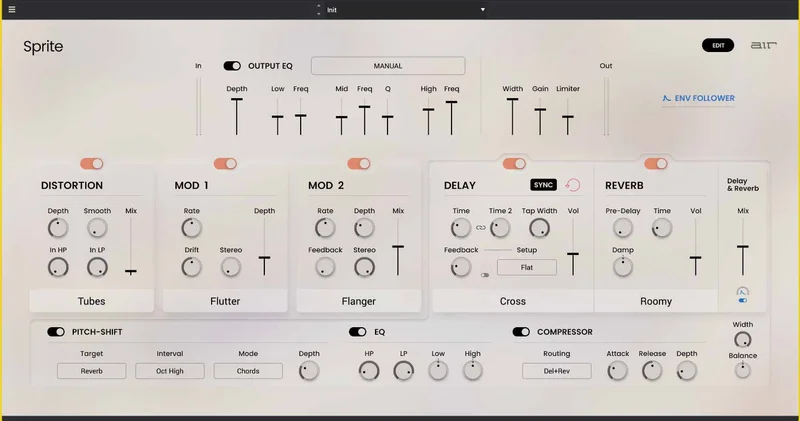
AIR Music Technology's Sprite is a modern multi-effects processor that layers distortion, modulation, delay, reverb, pitch shift, EQ, and compression into a single plugin built for fast decisions and deep editing when you want it.
We opened Sprite for the first time on a session with a mid-range polysynth pad that was sitting flat and lifeless around 2kHz. Loaded a preset from the "Modulation" category, heard a slow chorus sweep come in, and thought: fine, standard stuff. Then we hit edit mode. The second modulation slot opened up a flanger with independent feedback and depth. We stacked that under the chorus, pushed the flanger feedback to about 70%, and the pad suddenly had movement across the stereo field that would have taken three separate plugins to build from scratch. That's the moment Sprite earned its keep in our session.
It's priced at $99. It's built for producers who want one plugin to handle an entire effects chain, not six.
What Sprite Actually Is (And Where It Falls Short)
Sprite is a spiritual descendant of the rack multi-effects units that littered 80s and 90s studios. Think the Lexicon MPX or Alesis Quadraverb, but rebuilt ITB with controls you'd actually want.
It's not a mastering tool. It's not a dedicated reverb you'd reach for on your main drum bus if you already own Valhalla or FabFilter Pro-R. The reverb section is capable but it's one piece of a larger machine, not the headline act.
It's also not a "set and forget" mix glue plugin. The macros surface is fast, but Sprite rewards producers who want to build sounds, not just apply them. If you want transparent and invisible processing, this isn't it. Sprite has a character and it's not shy about showing it.
Where it earns its place: synths, guitars, and vocals that need texture, movement, and space dialled in from a single instance.
Living With Sprite Across Real Sessions
Setup is clean. Authorisation requires an internet connection, which is annoying if you're working offline at a remote studio. No iLok hardware needed, at least, but the online-only requirement is a constraint worth knowing before you buy.
The macros page is the daily driver. Key parameters sit up front, and you can reshape the sound without ever opening the edit view. We used it this way for two days straight on a vocal chain: distortion into chorus into a short reverb. Fast. Comfortable.
Then we went deeper. The distortion section has nine models with smoothing and hi/lo pass filtering built in. We ran a direct guitar through the "breakup" end of the distortion, trimmed the low pass to around where you'd expect 4-5kHz, mixed in about 40% wet, and got a texture that sat behind a lead vocal without fighting it. Satisfying result with almost no fuss.
The delay engine is a highlight we didn't expect to love this much. Single, Dual, and Cross modes with independent left and right time controls. We set a cross-delay at a dotted eighth on the left and a quarter on the right, BPM-synced at 124bpm. The 24 feedback configurations let us dial in exactly how the repeats degraded. We pushed one setting toward the "gnarly tape" end and got a lo-fi echo that would have taken a dedicated tape delay plugin to replicate otherwise.
The envelope follower is clever. It auto-controls delay feedback and delay/reverb mix based on incoming audio. On a vocal, that meant the reverb tail swelled in the spaces between phrases without us drawing a single automation line. We wish more multi-effects plugins thought this way.
One honest quirk: the output EQ's 31 character presets are a rabbit hole. They're useful but not labelled with enough context to know quickly which one is doing what tonally. Some trial-and-error required.
The Trade-Offs Worth Thinking About
The macro surface gets you there fast. The edit mode gets you there exactly. The frustrating part is that moving between those two states isn't always fluid. You're either on the simple page or the deep page. A middle ground, some partial view, would make live tweaking less binary.
The reverb's eight room characters cover the range from small room to stadium. They're not going to replace a dedicated algorithmic reverb for critical mixing decisions, but they're more than good enough for sound design and tracking effects. The pre-delay control earns its keep on vocals specifically.
CPU load is reasonable across our test sessions on an M2 MacBook Pro running Logic Pro. Not light, not heavy. Medium is an accurate call. Run twelve instances on a dense mix and you'll feel it, but that's not really what Sprite is for anyway.
The pitch-shifter is functional. Interval and algorithm controls give you options, and the assignable mix target is a clever touch. It's not Melodyne. Don't use it for correction. Use it for texture and you'll be happy.
Against the Field
The obvious comparison is iZotope Ozone Elements. Ozone is a mastering chain. Sprite is a sound design and tracking effects chain. They don't actually compete.
A closer fight is with FabFilter Saturn 2. Saturn wins on distortion depth and modulation routing transparency. Sprite wins on breadth: you're getting delay, reverb, EQ, compression, and modulation in one place where Saturn focuses on saturation and multiband processing.
Soundtoys Effect Rack is the most direct competitor in spirit. Effect Rack bundles individual Soundtoys plugins into a chain. Those individual plugins are best-in-class. But Effect Rack costs significantly more and requires you to own the underlying plugins. Sprite is a self-contained unit at a single price. For producers who don't already own a full Soundtoys suite, Sprite is the smarter entry point.
For guitar players specifically, Line 6 Helix Native has more amp-specific routing. Sprite isn't trying to win that fight.
The Real Verdict
Sprite is underrated. Not because it does one thing brilliantly, but because it does many things well enough to replace a chain of plugins you'd otherwise manage separately.
The envelope follower, the dual modulation slots, and the BPM-synced delay engine with 24 feedback options are the features we'd actually use on every session. The reverb and distortion sections are solid supporting cast.
Skip it if you already own dedicated best-in-class tools for each category. Buy it if you want one plugin that handles a complete effects chain for synths and vocals at $99 without a dozen separate instances eating your session alive.
Specs & Technical Details
| Developer | AIR Music Technology |
| Price | $99 |
| Plugin Format | VST2 / VST3 / AU / AAX |
| OS Support | macOS 12-15 (Intel & Apple Silicon) / Windows 10-11 |
| Activation | Online authorisation required (no iLok hardware needed) |
| CPU Usage | Medium |
| Trial Available | N/A |
| Version Reviewed | N/A |
Score Breakdown
| Category | Score | Notes |
|---|---|---|
| Sound Quality | 4.0/5 | Distortion and delay stand out; reverb is solid but not class-leading |
| Value for Money | 4.2/5 | Replaces multiple plugins at one price point |
| Ease of Use | 4.0/5 | Macro page is fast; the jump to edit mode is abrupt |
| Features | 4.5/5 | Envelope follower, dual modulation slots, and 24 feedback configs are genuinely useful |
| CPU Efficiency | 3.8/5 | Medium draw; manageable for primary use, stacks up under heavy load |
| Overall | 4.1/5 | A smart, self-contained multi-effects chain that punches above its complexity |
Alternatives to Consider
If you want the absolute best distortion and saturation routing in a single plugin, FabFilter Saturn 2 is where to look. It's a narrower tool but deeper in its lane.
For modulation specifically, Soundtoys Microshift is hard to beat on width and movement. It won't give you a full chain, but on pads and guitars it's brilliant.
If you're building a guitar pedalboard ITB and want amp simulation alongside effects, Line 6 Helix Native is the better fit than Sprite for that specific workflow.
Sprite is worth it when you want a complete signal chain in one window. When you need best-in-class at each individual stage, you'll need to build that chain yourself from dedicated plugins.
The envelope follower alone would make us keep Sprite in the toolkit even if we owned everything above.
Related reviews: Dawesome LOVE 2 · Rift Feedback Lite Review
Frequently Asked Questions
Does Sprite work on Apple Silicon Macs?
Yes. Sprite supports macOS 12 through 15 on both Intel and Apple Silicon hardware. We tested it on an M2 MacBook Pro without issues. No Rosetta translation layer required.
Can you use Sprite without an internet connection after activation?
The initial authorisation requires an internet connection. Once authorised, check with AIR Music Technology directly for the specific offline use terms, as this can vary by version. The online-only activation requirement is worth factoring in if you regularly work in offline studio environments.
Is Sprite good for guitar processing, or is it mainly built for synths and vocals?
It works on guitar. The nine distortion models with hi/lo pass filtering and mix control give you enough to build useful guitar tones. That said, it doesn't model amps, and if dedicated amp simulation is what you need, Helix Native or similar will serve you better. For adding texture, modulation, and space to a DI guitar track, Sprite handles it well.
How does the dual modulation system work in Sprite?
Sprite gives you two independent modulation slots. The first handles Flutter, Wow, Tremolo, and Auto-pan with rate, drift, stereo, and depth controls. The second handles Chorus, Multi-chorus, Phaser, and Flanger with its own rate, depth, feedback, and mix settings. You can stack both slots simultaneously, which is where things get interesting for sound design work.