Lo-fi processing has a pricing problem. RC-20 Retro Color costs more than Rekraft. Vinyl by iZotope is bundled inside a suite you don't need. And most "budget" lo-fi plugins feel exactly like what they are: presets wrapped around a crackle sample and one half-baked bitcrusher. Rekraft by BeatSkillz landed in March 2024 at an intro price, pitching itself as the modular answer to all of that. We ran it hard for several months across hip-hop beats, sample-based lo-fi, and ambient sessions to find out whether it actually delivers or just looks the part.
This review is for producers who want serious lo-fi texture without a serious invoice. It's also for anyone who's opened RC-20 and thought: "I wish I could rearrange these effects."
The Problem This Plugin Exists to Solve
Most lo-fi plugins give you a fixed chain. Noise goes here. Bitcrusher goes there. Reverb is last. That order is baked in, and you work around it or you don't use it.
That matters because lo-fi processing is order-dependent. Running a bitcrusher before reverb sounds completely different from running it after. Crushing after reverb smears the tail in a way that reads as a specific era of degraded cassette. Crushing before means the reverb smooths the artifacts. Both are valid. Neither is available in a fixed-chain plugin.
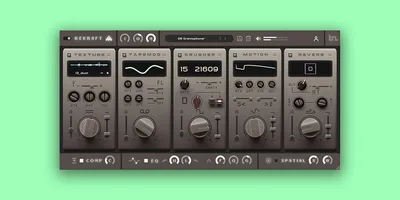
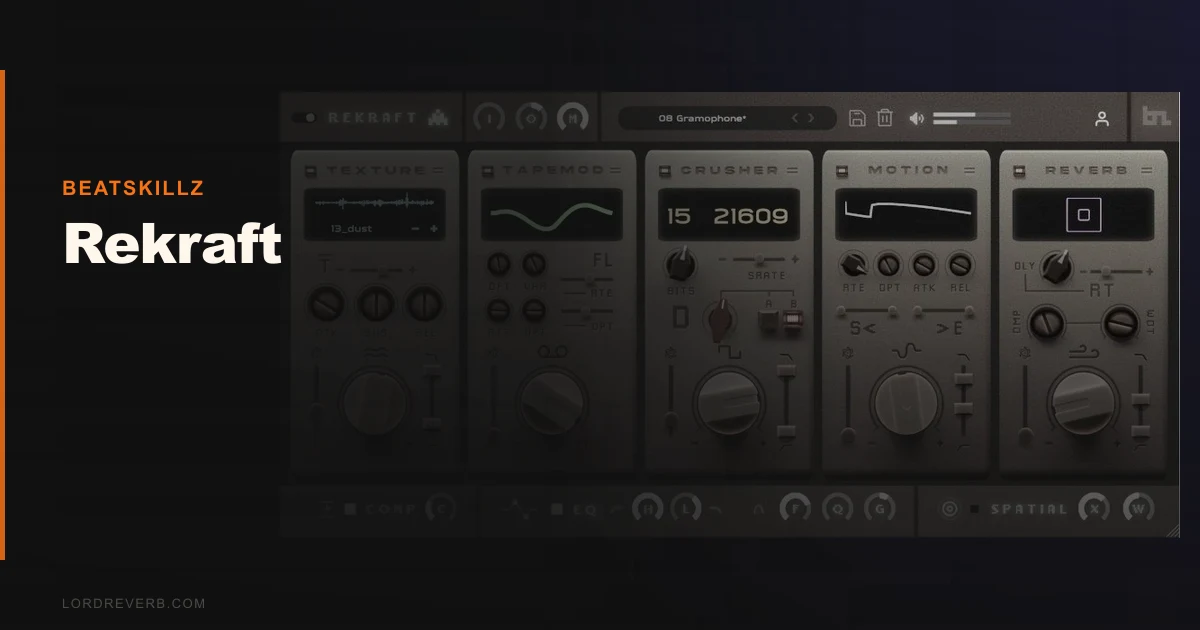
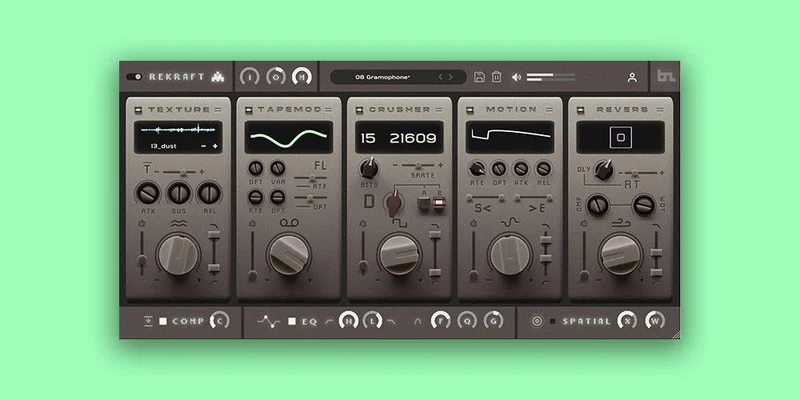
Rekraft's five modules are rearrangeable by drag. That's the entire pitch, and it's a real one. The modules are: Texture (sample playback for noise and vinyl crackle), Crusher (bit reduction and sample rate reduction), Motion (tempo-synced LFO modulation), Reverb, and Wow and Flutter for tape wobble. You reorder them freely. That changes what this plugin can do relative to almost everything else in this price bracket.
How It Performs in a Real Session
We dropped Rekraft on a sampled jazz loop running at 90 BPM in Ableton Live 12. First test: Texture before Crusher, then Reverb last. The vinyl noise got crushed alongside the sample, which gave the whole thing a unified grit. It didn't sound like a clean loop with degradation added on top. It sounded like a found recording. That's the right result.
We flipped Crusher to the end of the chain. Now the reverb tail got bit-reduced. Completely different character. More digital, more lo-fi-as-aesthetic than lo-fi-as-authenticity. Both useful. The point is: you can make that call in real time without bouncing anything.
The Reverb module is the strongest individual component. We tested it on a dry snare at a 1.4-second decay with the vintage character dialed up. The tail spread without clouding the transient. It held up against a plate reverb we had on a separate send, sitting in the mix without fighting for space. For a reverb inside a multi-effect lo-fi plugin at this price, that's satisfying.
Wow and Flutter is functional but not subtle. Below 30% it sounds like natural tape movement. Past 50% it starts reading as an obvious effect. That's fine for some genres. For anything where you want texture without the listener noticing, keep it conservative.
The Motion module syncs to your DAW tempo. At 1/4 note and 1/8 note settings, it added rhythmic movement that worked well on pads and atmospheric textures. On drums it got chaotic fast. Not necessarily bad. Just worth knowing before you commit.
CPU usage sat at around 2-3% per instance on an Apple M2 in Logic Pro. Light. You can run five or six instances without a conversation about bouncing to audio.
Strengths and Weaknesses, Honestly
The modular architecture is the best thing here. It's not a gimmick. Reordering the chain produces genuinely different results, and the drag interface is quick enough that you'll actually do it during a session rather than committing to one order and forgetting the option exists.
The 200+ factory presets are a useful starting point. We found ourselves treating them as reference points more than final destinations. Load a preset, adjust two knobs, done. That workflow is fast.
Now the frustrating part. The knobs use three-letter abbreviations. "WRP" is not immediately obvious. "FRQ" is fine. Some of the others require you to hover and wait for the tooltip. In a fast session, that's annoying. It's not a dealbreaker, but it's the kind of UI decision that makes you wish the developer had tested it with producers who don't read manuals.
The Texture module ships with a limited sample library. It's enough to get started, but you'll want to load your own noise samples quickly. The good news: it accepts custom imports. The less good news: the import process isn't as smooth as it could be. We had to drag files in rather than use a browser, which slowed things down.
There's no per-module dry/wet control. If you want to run the Reverb at 30% wet and the Crusher at 80%, you can't do it inside Rekraft. You'd need to use the plugin's master mix knob, which controls everything together. For parallel processing on individual modules, you're routing externally. That's a real limitation for complex sound design work.
Value for the Price
At intro pricing, Rekraft is a straightforward buy for lo-fi producers. At a lower street price on some retailers, it's a no-argument purchase. At the regular price of $19, it sits closer to RC-20 territory and the value case gets thinner.
The lifetime license with free upda tes matters. Version 1.1 dropped in October 2024 with a chaos slider fix, which tells us BeatSkillz is actively maintaining it. For a one-time payment plugin, that's the right approach.
We'd buy this at the intro price. We'd think harder at $19. Check current pricing before you commit, because it fluctuates between BeatSkillz direct and Plugin Boutique.
Who Should (and Shouldn't) Buy This
- ✅ Buy if you produce lo-fi hip-hop, boom bap, or sample-based music and want a flexible chain that doesn't lock you into one processing order.
- ✅ Buy if you're coming from RC-20 and frustrated that you can't reorder its effects.
- ✅ Buy if you want a low-CPU vintage texturing plugin that you can run on multiple tracks without managing a buffer size crisis.
- ❌ Skip if you need precise per-module wet/dry control for complex parallel processing. You'll hit the wall fast.
- ❌ Skip if you want deep modulation options beyond the Motion module. Rekraft isn't a sound design tool. It's a texture tool.
- ❌ Skip if you're working primarily in mastering contexts. The master mix knob makes it too coarse for that level of precision.
Score Breakdown
| Category | Score | Notes |
|---|---|---|
| Sound Quality | 4.0/5 | Reverb is excellent; Wow and Flutter gets obvious at higher settings |
| Value for Money | 4.0/5 | Strong at intro price; weaker at full $19 |
| Ease of Use | 3.5/5 | Drag-reorder is clever; cryptic knob labels are frustrating |
| Features | 4.0/5 | Five useful modules; missing per-module wet/dry is a real gap |
| CPU Efficiency | 4.5/5 | One of the lightest lo-fi multi-effects we've tested |
| Overall | 4.1/5 | Solid lo-fi workhorse with one critical design gap |
Alternatives to Consider
RC-20 Retro Color by XLN Audio is the obvious comparison. It costs roughly twice as much at full price and the effects chain is fixed. The individual module sound quality is arguably more polished, and the noise engine has more character. But you can't reorder anything. If chain flexibility is your priority, Rekraft wins. If you want the most convincing tape noise without customisation, RC-20 is worth the extra spend. RC-20 Retro Color review
Vinyl by iZotope covers similar ground but ships inside the broader iZotope ecosystem. If you're already a subscriber, it's already yours. If you're not, buying the suite for one lo-fi plugin makes no sense. best lo-fi plugins for producers
Decimort 2 by D16 Group focuses specifically on sample rate and bit depth reduction with considerably more surgical control than Rekraft's Crusher module. It's not a full lo-fi chain, but if the bitcrushing is the part you're serious about, Decimort goes deeper. best bitcrusher plugins
For a broader look at where Rekraft fits in the current lo-fi toolkit, see our multi-effects plugin roundup covering this year's field.
The Bottom Line
Rekraft is a clever plugin with one annoying design gap and one genuinely brilliant feature. The modular chain reordering isn't a marketing hook. It changes what the plugin can do. The reverb is better than it has any right to be at this price. The missing per-module wet/dry control will frustrate anyone who processes with precision. The knob labels will frustrate everyone else for the first week.
Buy it at the intro price or below. Enjoy it. Don't expect it to replace a dedicated reverb or a serious bitcrusher. Expect it to handle your lo-fi texturing fast, light on CPU, and without locking you into someone else's processing order.
At $19 full price, look at RC-20 first and decide which limitation bothers you less: fixed chain order or higher cost.
Frequently Asked Questions
Is Rekraft compatible with Apple Silicon Macs?
Yes. Rekraft runs natively on Apple Silicon via the AU and VST3 formats. We tested it on an M2 MacBook Pro in Logic Pro without any issues. CPU draw was around 2-3% per instance, which is light enough to run across multiple tracks simultaneously.
How does Rekraft compare to RC-20 Retro Color?
Rekraft's main advantage over RC-20 is the rearrangeable module order. RC-20 has a fixed processing chain. Rekraft lets you drag modules into any sequence, which produces different sonic results and gives you more creative control. RC-20's noise engine has more depth and variety, but costs significantly more at full price. If you're on a budget and modularity matters, Rekraft is the stronger pick.
Can I load my own samples into Rekraft's Texture module?
Yes, Rekraft accepts custom sample imports into the Texture module. The import method is drag-and-drop rather than a built-in browser, which works but isn't the most elegant workflow. Your own vinyl crackle recordings, tape hiss samples, or room noise files all load cleanly.
Does Rekraft work in Pro Tools on Windows?
Yes. Rekraft ships in AAX format alongside VST3, so it's compatible with Pro Tools on both Mac and Windows. BeatSkillz confirmed this in the v1.1 release notes. Standard AAX installation applies via the Avid plugin folder.