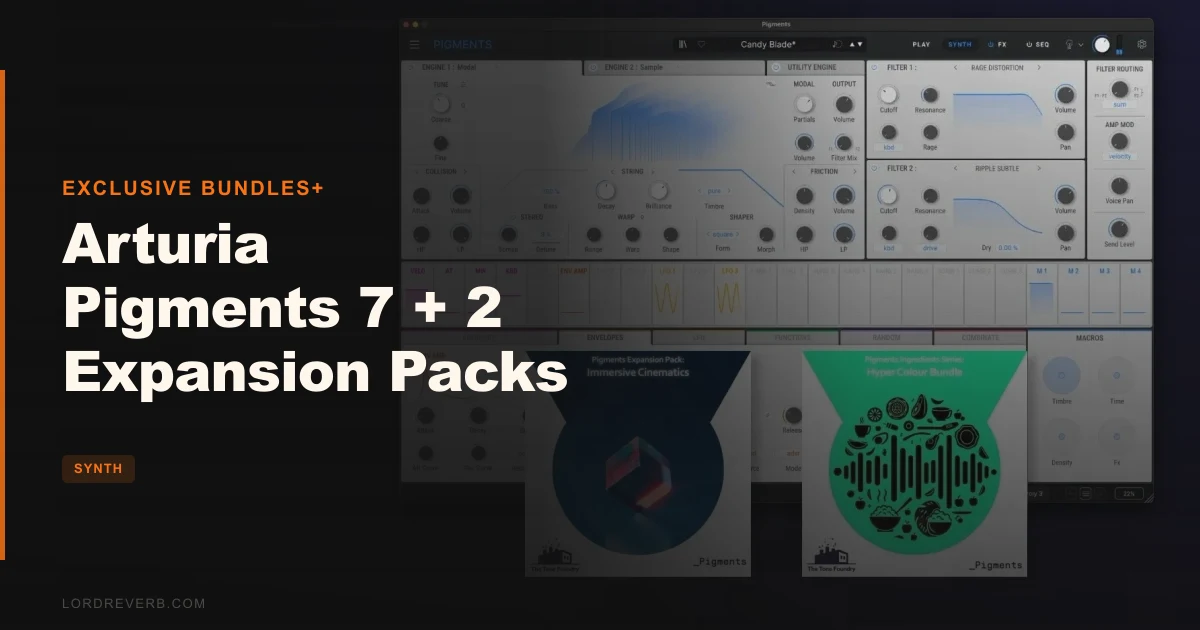
You've got a synthesizer that can do everything, and it's doing nothing you actually want. You spend forty minutes patch browsing, land on something close, try to edit it, and suddenly you're three menus deep into a modulation matrix that looks like a circuit diagram. The sound disappears. The idea goes with it. That's the problem Arturia Pigments was built to fix, and Pigments 7 is the sharpest version of that answer yet. Paired with the Hyper Colour Bundle and Immersive Cinematics expansion packs, it arrives at $284 as a complete toolkit aimed at producers who want serious synthesis power without the two-week learning curve. It's for the bedroom producer who's outgrown presets but hasn't committed to patching modular hardware at 2am.
The Problem Every Deep Synth Eventually Creates
Most powerful synthesizers share the same flaw. The more they can do, the harder they are to navigate when you just need a sound that works right now.
Serum gives you a wavetable engine that sounds brilliant, but its modulation system is a blank canvas that demands you already know what you're building. Falcon is an incredible instrument platform that can swallow a year of your life before you ship a track. Even Pigments 6, for all its strength, had a UI that felt like it was designed for people who already knew Pigments.
Pigments 7 takes a different run at this. The redesigned Play View, the visual modulation feedback, the new content, the S-shaped envelopes that kill click artifacts before they reach your mix. None of these features exist in isolation. They all point at the same goal: get you to a usable sound faster, then let you go deeper if you want to.
That's the pitch. We put it to work across hip-hop, trap, and cinematic scoring sessions to see how much of it holds up.
What the Redesigned Play View Actually Changes
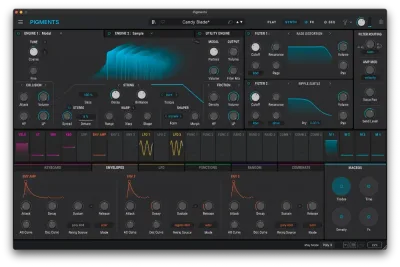
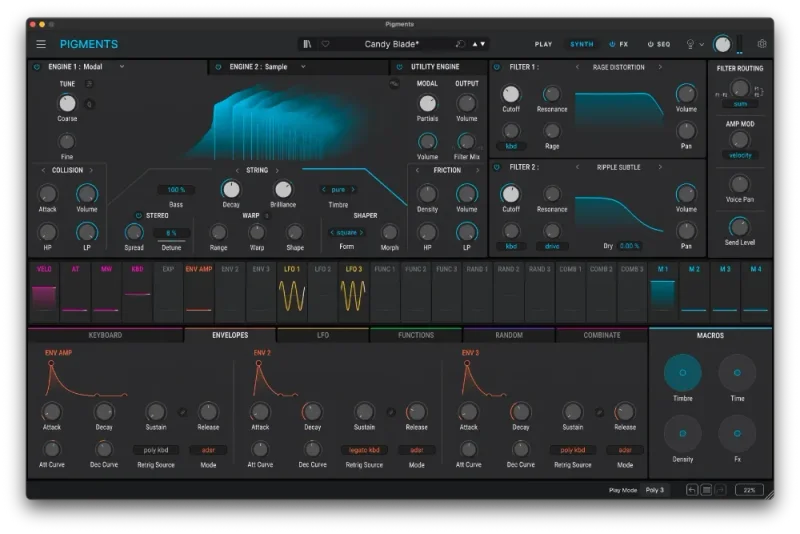
The first thing you notice in Pigments 7 isn't a new engine or a new filter. It's the Play View, and it's a legitimately clever piece of interface design.

In previous versions, patch browsing meant selecting a preset, hitting a key, and then guessing what you were about to hear. The new Play View animates waveforms, envelopes, filters, and modulation in real time, before and during playback. You can see whether a patch is a slow-attack pad or a punchy pluck before you commit a note to tape.
Here's a specific moment where this saved us time. We were building a trailer cue and needed a braam that sat low without eating the whole low-mid range. In older Pigments, we'd have auditioned twelve presets, bounced a rough stem each time, A/B'd them in the mix, and eventually picked one that was "close enough." In Pigments 7, the waveform animation in Play View showed us the spectral weight of each braam candidate before we played a note. We narrowed twelve candidates to three in under two minutes, then dialled in the one we wanted with the macro controls.
That's not magic. It's just better information at the right moment in your workflow.
The audio-reactive elements also respond during performance, which makes Pigments 7 more useful as a live instrument than its predecessors were. The 4K resizeable interface holds up on modern displays. The dark and light themes are genuinely readable, not just cosmetically different.
Six Engines and What Each One Actually Does
Pigments 7 runs six synthesis engines in parallel, and you can layer any combination of them. That's not marketing language. That's the actual architecture, and it's where the instrument earns its reputation.
The Virtual Analog triple-oscillator engine covers the classic subtractive territory. It sounds clean and tracks well across the keyboard. Pair it with the 5-shape sub oscillator and the two noise engines and you've got a complete traditional subtractive signal chain inside one engine slot.
The Complex Wavetable engine is where most contemporary producers will spend their time. It handles the animated, evolving textures that sit behind modern electronic music. Fifty new wavetables ship with v7, and the quality is high. We ran several of them through the new Corroder FX module and got harmonic movement that felt organic rather than algorithmic.
The Sample and Granular engine is underrated. Thirty new samples ship with v7, and the granular controls let you stretch, scatter, and reposition grains with enough precision to turn a single recorded note into a two-bar atmospheric texture. We loaded a piano sample, set grain size to around 80ms, pushed the spray parameter wide, and had an evolving cloud that would have taken a dedicated granular app to build from scratch anywhere else.
The Modal physical modelling engine covers resonant, acoustic-style timbres. It's not the most versatile of the six, but it adds a dimension of realism that wavetable and analog engines can't replicate. Useful for hybrid cinematic sounds where you want something that suggests a physical instrument without being one.
The Harmonic Oscillator additive engine lets you draw or modulate individual harmonic partials. Slow, deliberate sound design territory. Not something you'll reach for on a deadline, but brilliant for building sounds with a very specific harmonic signature.
The Utility Engine handles routing, cross-modulation between engines, and the external audio input path. Engine cross-modulation is where Pigments gets genuinely interesting. Feeding the output of the wavetable engine into the FM input of the virtual analog engine produces textures you can't predict and can't easily replicate elsewhere.
The New Filters: Rage, Ripple, and Reverb
Pigments already had sixteen filter types across fifty-nine modes before v7. That wasn't a problem that needed solving. What v7 adds are three new creative filters that sit outside the traditional lowpass/highpass/bandpass taxonomy, and they're more useful than the names suggest.
Filter Rage runs a feedback loop through the filter circuit to generate distortion that tracks with the resonance setting. Push resonance past 70% and it starts to self-oscillate in a useful, musical way rather than just clipping. We used it on a 808-style bass in a trap track. At a Q of around 0.9 and the feedback loop at roughly 60%, the sub hit first and the distortion character arrived in the upper harmonics. It sat in the mix without fighting the kick.
Filter Ripple generates intense phase shifts that work best on pad and texture material. It's not a chorus effect and it's not a phaser in the traditional sense. It creates movement in the harmonic content without moving the pitch. On a slow-attack wavetable pad, it added enough animation that we didn't need a separate modulation source on the filter cutoff.
Reverb Filter adds a spatial dimension directly inside the filter stage. It's brilliant for bass design specifically. We ran a mid-range bass through it, applied the Reverb Filter at a short decay setting, and the bass acquired a sense of space and fatness without actually getting louder or wider in the stereo field. Annoying that it's not available as a standalone FX slot, but what it does inside the filter stage justifies its placement.
The dual filter architecture with continuous series and parallel routing gives you full control over how these new modes interact with the classic filter types inherited from the V Collection instruments. That's sixteen modern types plus the classic modes. Most complex patches you'd want to build are achievable without leaving the filter section.
Corroder: The New FX Module That Earns Its Name
Corroder is the headline addition to the FX section, and it's one of the few new FX modules in any synth this year that does something genuinely distinct.
It's a modulation-driven erosion effect. Not just distortion. The character of the distortion changes based on the modulation signal you route into it. At low settings it adds FM-tinged harmonic edges. Push it harder and you get filtered grain, like the signal is being physically worn down. At maximum drive with a wide distortion character, it's aggressive enough to use as a sound design tool in its own right, not just a finishing effect.
The critical detail is that it preserves the dry signal character underneath the processed layer. We ran a clean virtual analog lead through Corroder, pushed the drive to around 65%, set the character to wide distortion, and then automated the modulation depth over sixteen bars. The automation created a sweep from clean to gritty that felt like something was being degraded in real time. The original tone of the lead was still audible underneath. That's harder to achieve than it sounds.
Corroder sits inside the existing FX architecture: two insert buses, one send/return bus, three FX slots per bus. The twenty FX algorithms include shimmer reverb, multiband compression, vocoder, and distortion types. Corroder adds to that list rather than replacing anything.
S-Shaped Envelopes and Why They Matter More Than the Spec Sheet Suggests
This is the improvement that reviewers mention last but producers notice first.
Previous Pigments versions used linear amplitude envelopes. Clicks at the start and end of notes, especially in bass-heavy patches at high volumes, were a known issue. Arturia addressed it with S-shaped ADSR envelopes in v7 that smooth the transition at the attack and release points.
We tested this on a stab patch with a very fast attack setting. In Pigments 6, the same patch at 0ms attack produced an audible transient click on every note, particularly at lower MIDI velocities where the gain staging was less predictable. In Pigments 7, that click is gone. The transient is cleaner and harder at the same time, because the energy that was going into the click artifact is now going into the initial hit of the note.
For club-focused production specifically, this matters. Stabs and bass hits that click on the attack sit wrong against a kick drum. You end up low-cutting them to hide the artifact, and you lose low-end body in the process. The S-shaped envelopes remove that compromise.
The 162 new factory presets that ship with v7 take full advantage of this. The bass and stab presets in particular feel harder-hitting than the equivalent patches in v6, and it's this envelope change, not just preset selection, that makes the difference.
Modulation System: The Part That Makes Pigments Worth Learning
Pigments' modulation system has always been the instrument's strongest argument. V7 makes it more readable without making it less powerful.
Drag-and-drop modulation assignment has been the workflow since Pigments launched. You grab a source, drag it to any parameter, and the connection is made. Hover over any modulated parameter and you see the amount and source immediately. In v7, the modulation ranges are now displayed visually as coloured overlays on the parameter knobs, so you can see at a glance how far each source is pushing each destination and in which direction.
The modulation sources are extensive. Envelopes, morphing LFOs, function generators, random generators, and combinators are all available. The combinator is where things get interesting: you can combine two modulation sources with mathematical operations (add, multiply, min, max, etc.) to create compound modulation signals that no single LFO or envelope could generate. This is where Pigments crosses from "deep synth" into "modular-adjacent instrument."
Modulation side-chain routing lets you use one modulation signal to control the depth of another. An envelope controlling the amount of LFO modulation on a filter, for example, gives you a filter that opens with a slower LFO sweep on long notes and a tighter, faster sweep on short ones. That kind of expressiveness is what makes a patch feel alive rather than static.
The four assignable macro controls tie into all of this. Map your most-used modulation amounts to the four macros, and you've got a performance instrument that responds expressively without requiring you to touch the modulation matrix during a session.
Generative Sequencer: Building Evolving Parts Without Drawing Every Note
The generative sequencer and arpeggiator in Pigments 7 are genuinely useful for sketch-to-finish workflows, not just demonstration patches.
The sequencer supports polymetric sequences: you can set different lengths for different parameters and let them drift out of phase with each other. Set the pitch sequence to 7 steps and the filter cutoff automation to 5 steps and they'll re-align every 35 steps, creating evolving patterns that never feel static.
The advanced random sequence generator adds controlled randomness. You set the probability of deviation and the range of random values, and the sequencer generates variations within those boundaries. It's controlled enough to stay musical and random enough to surprise you.
Sequencer lock lets you freeze one parameter's sequence while randomising others. If you've found a pitch pattern you love but want to randomise the velocity or filter automation, lock the pitch sequence and regenerate everything else. This is a genuinely satisfying workflow feature. We spent about twenty minutes in a session doing exactly this with a granular pad patch and ended up with four distinct variations from a single starting point.
Immersive Cinematics: 50 Presets That Know Their Purpose
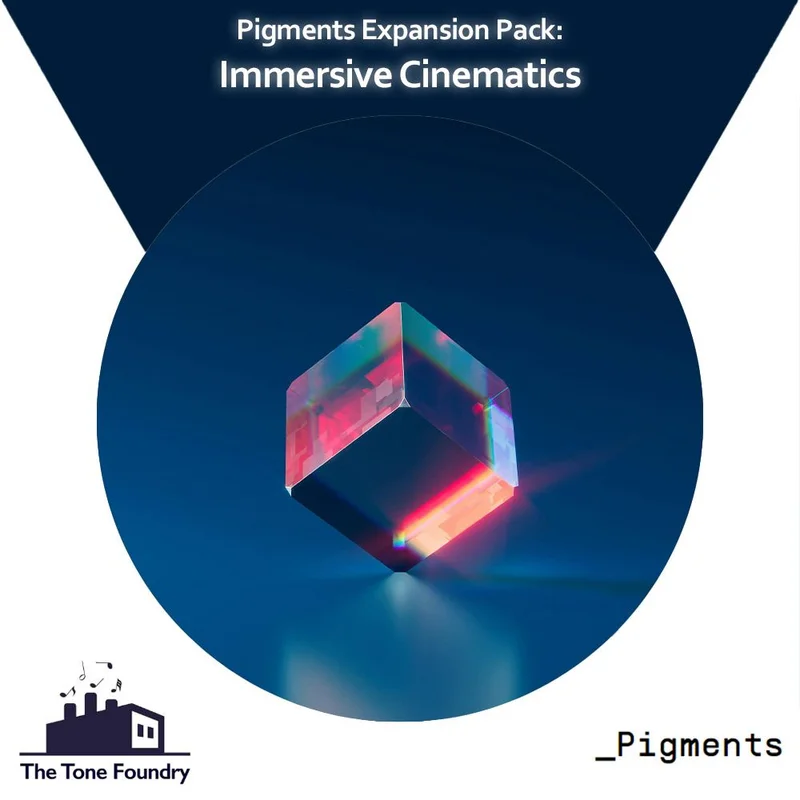
The Immersive Cinematics expansion from The Tone Foundry ships 50 presets across seven categories: 7 atmospheres, 10 braams, 5 hits, 6 pads, 5 plucks, 7 sequences, and 10 synth textures.
The braams are the standout category. Ten patches that cover everything from a subsonic low-end rumble to a mid-forward, forward-pushing braam that you'd hear in a Marvel trailer. Each one has macro controls mapped to the most useful parameters for customisation. Macro 1 typically controls the overall harmonic density. Macro 2 usually handles the brightness or filter cutoff position. Macros 3 and 4 vary by patch, but the mapping is always logical and the labels tell you what each one does.
The atmospheres are slow, evolving, and spacious. They use the granular and wavetable engines together in ways that create textural movement without obvious periodic cycling. These are the patches that sound like they're breathing. Load one behind a piano or string section and it fills the upper-mid space without cluttering it.
The honest gap: 50 presets is thin for a dedicated cinematic expansion. You get a solid representation of each category, but a scoring session that runs for a few weeks will exhaust the palette. The synth texture category in particular could have been twice as deep. That said, the quality-per-preset ratio is high. Every patch is usable. None of them are fillers.
Hyper Colour Bundle: Club Tools With a Specific Identity
The Hyper Colour Bundle is a different proposition. Where Immersive Cinematics is built for linear scoring work, Hyper Colour is built for loop-based production. It ships 60 presets across three equal categories: 20 pads, 20 FX, and 20 stabs, plus 60 WAV samples.
The stabs are the strongest section. Hard, punchy, single-hit sounds with fast attack envelopes that benefit directly from the S-shaped envelope improvement in v7. We loaded six of the stab presets into a four-bar trap loop. All six cut through a dense mix without needing additional transient processing. That's unusual for stock preset content.
The FX category is the most interesting conceptually and the most variable in execution. These are textural, one-shot, and evolving sound design elements: sweeps, impacts, risers, and transition sounds built from Pigments' more extreme synthesis combinations. About fourteen of the twenty are directly usable in a production context. Six of them are more experimental, the kind of thing that's useful for processing rather than triggering directly.
The pads lean heavily into the 90s rave reference the product description mentions. Lush, slightly detuned, wide in the stereo field. They're good, but they occupy a specific stylistic lane. If you're making house, techno, or UK garage, these will feel familiar and immediately useful. If you're making lo-fi or indie electronic, you'll find the vintage rave character too strong to repurpose easily.
The 60 WAV samples are a bonus worth acknowledging. They're not just rendered preset outputs. They include processed drum elements and percussive textures that complement the synth presets. Useful for producers who want to layer acoustic and synthetic material.
The gap between the two packs is real, though. Hyper Colour and Immersive Cinematics don't share a sonic language, which is fine if you work across genres. If you bought this bundle expecting the packs to complement each other within a single project, you'll likely use one pack per session rather than both together.
CPU Reality Check
Arturia lists 4GB RAM as the system requirement. Reviewers consistently report that 16GB is where complex patches with multiple engines, heavy FX chains, and active modulation run without buffer issues. That's not a small gap.
We ran a test patch using the wavetable and granular engines in parallel, with both filter types active, Corroder on the first insert bus, shimmer reverb on the send bus, and a twelve-voice polyphony setting. On a modern machine with 16GB RAM, the CPU meter in Ableton showed approximately 18-22% single-core load per instance. That's manageable for one or two instances but becomes a real constraint if you're building a dense arrangement with four or five Pigments tracks.
The v7 optimization improvements are real. Reviewers who tested directly against v6 confirm the improvement, though they don't quantify it beyond "noticeable." The ceiling is higher. The floor hasn't moved much. If you're running an older machine or fewer than 16GB RAM, you'll hit limits before you exhaust the instrument's capability.
Buffer size management and freezing tracks are necessary disciplines with complex Pigments patches. That's not a dealbreaker, but it's a realistic workflow consideration.
Strengths and Weaknesses
The strengths are real and specific. Six parallel synthesis engines with cross-modulation capability cover more sonic territory than any single-engine instrument at this price point. The new Corroder FX module fills a gap in the existing FX chain. The S-shaped envelopes solve a genuine problem that affected bass and stab patches in v6. The Play View redesign is a workflow improvement that you feel immediately.
The weaknesses are also real. CPU demands are heavier than the spec sheet admits, and Arturia's minimum RAM figure undersells what you actually need. The two expansion packs are quality work, but they're thin in quantity. Fifty presets for a cinematic expansion and sixty presets for a club bundle feel like introductory packs rather than definitive collections. The Hyper Colour pads occupy a specific stylistic era that limits their versatility.
We'd also flag that the depth of the modulation system, while genuinely powerful, creates a learning curve that the Play View and macro controls don't fully resolve. New users will get a lot from the preset library quickly. Getting deep into the combinator-driven modulation takes time. That's not a flaw, it's just the honest truth about what kind of instrument this is.
Value for the Price
At $284 for Pigments 7 plus two expansion packs, you're buying the synth and the content together. Pigments 7 alone is worth serious consideration as a primary instrument. The expansion packs are competent but not deep enough to be the deciding factor.
The value argument is strongest for producers who don't already own Pigments. The six-engine architecture, 1,700+ preset library, and generative sequencer represent more creative range than instruments that cost significantly more. If you already own Pigments 6, the free upgrade to v7 is straightforward, and the bundle price is essentially the cost of the two expansion packs alone.
The value is weaker if you're primarily buying this for the expansion content. Fifty and sixty preset packs at any price feel thin as standalone creative resources.
Who Should (and Shouldn't) Buy This
- ✅ Buy if you produce contemporary electronic music across multiple genres and want a single synth that covers wavetable, granular, analog, and physical modelling without switching instruments.
- ✅ Buy if you score for film, trailers, or games and want Pigments' cinematic capabilities plus a ready-made patch library that skips the blank-canvas problem.
- ✅ Buy if you already own Pigments 6 and want the free v7 upgrade with the expansion content added for a reasonable additional cost.
- ❌ Skip if you already own a deep expansion library for Pigments and don't need more presets. The synth upgrade alone is free from v6.
- ❌ Skip if your machine is running fewer than 16GB RAM and you plan to run multiple Pigments instances in dense arrangements.
- ❌ Skip if you want a single-genre deep expansion pack. Both included packs cover their categories adequately but not exhaustively.
Specs & Technical Details
| Developer | Arturia (synth) / The Tone Foundry (expansions) via Exclusive Bundles+ |
| Price | $284 |
| Plugin Format | VST3 / AU / AAX |
| OS Support | Mac / Windows |
| Activation | Arturia Software Center (Arturia account required) |
| CPU Usage | Medium to heavy (16GB RAM recommended; 4GB listed minimum) |
| File Size | 1.9 GB |
| Preset Count | 1,700+ factory presets (162 new in v7); 50 Immersive Cinematics presets; 60 Hyper Colour Bundle presets; 60 WAV samples |
| Trial Available | Yes (Arturia offers a 30-day free trial of Pigments) |
| Version Reviewed | Pigments 7 |
Score Breakdown
| Category | Score | Notes |
|---|---|---|
| Sound Quality | 4.5/5 | Six-engine architecture with cross-modulation produces textures genuinely difficult to match elsewhere |
| Value for Money | 4.0/5 | Strong for the synth alone; expansion packs are quality but lean in preset count |
| Ease of Use | 4.0/5 | Play View and macros lower the barrier; deep modulation still demands time investment |
| Features | 4.5/5 | Corroder FX, three new filter modes, generative sequencer, and S-shaped envelopes all land |
| CPU Efficiency | 3.5/5 | Claimed optimization is real but 16GB RAM is the honest minimum for complex patches |
| Overall | 4.3/5 | One of the most complete software synthesizers available; expansion content is good but not the main draw |
What Else Is Worth Considering?
If Pigments 7 feels like more synth than you need right now, Arturia MiniFreak V is worth a look. It covers the subtractive and digital territory without the full multi-engine architecture, and it's a lighter CPU footprint by a significant margin. Good for producers who want one strong voice rather than six parallel ones.
If physical modelling is the engine you're most excited about, Synth City Chromaphone 3 goes deeper into resonant body modelling than Pigments' modal engine can. It's a more focused instrument, which is either a strength or a weakness depending on your workflow.
For the cinematic scoring angle specifically, Arturia SEM V is an interesting comparison point: a focused single-oscillator analog emulation that prioritises character over range. Different philosophy, different result.
If you're after something more experimental and texture-led with a strong lo-fi DNA, AudioThing SX1000 approaches sound design from a completely different angle and costs considerably less.
Serum 2 remains the wavetable benchmark that most producers are comparing against. Pigments 7 doesn't beat it at pure wavetable synthesis, but it does things Serum can't: the granular engine, the physical modelling, the engine cross-modulation. They're tools for different moments in a session rather than direct substitutes.
Pigments 7 with the two expansion packs at $284 is the right answer for a specific kind of producer: someone who wants a primary instrument they can grow into over years, with enough preset content to be immediately useful, and enough depth to still be discovering new sounds in two years' time. If that's you, this is a genuinely satisfying purchase. If you want a focused single-engine specialist or you're chasing a deeper expansion library in one specific genre, spend your money differently.
Related reviews: Blocks Primes
Frequently Asked Questions
Is Pigments 7 a free upgrade from Pigments 6?
Yes. If you own Pigments 6, the upgrade to Pigments 7 is free through the Arturia Software Center. The expansion packs in this bundle are not included in the free upgrade and need to be purchased separately or as part of a bundle like this one.
How many presets does the full Arturia Pigments 7 + 2 Expansion Packs bundle include?
Pigments 7 ships with over 1,700 factory presets, including 162 new patches added specifically for v7. The Immersive Cinematics expansion adds 50 presets, and the Hyper Colour Bundle adds 60 presets plus 60 WAV samples. Total usable content runs well past 1,800 patches when you count both expansion packs.
What are the actual system requirements for running Pigments 7 without performance issues?
Arturia's listed minimum is 4GB RAM. Reviewers and users consistently report that 16GB RAM is where complex patches with multiple engines and heavy FX chains run comfortably. If you're planning to run multiple Pigments instances in a dense arrangement, 16GB should be considered the realistic starting point, not a recommendation for power users.
What's the difference between the Immersive Cinematics and Hyper Colour Bundle expansion packs?
Immersive Cinematics is built for linear scoring work: braams, atmospheres, stingers, pads, and evolving textures designed for film, trailer, and game audio contexts. Hyper Colour Bundle is built for loop-based electronic production: stabs, FX, and pads with a 90s rave and contemporary club music identity. They don't share a sonic language and work best in separate project contexts rather than layered together.
Can I use Pigments 7 as a live performance instrument?
Yes, and v7 makes this more practical than previous versions. The audio-reactive Play View, four assignable macro controls, and the arpeggiator and generative sequencer all support live use. The presets are designed to be expressive and playable, with macro mappings that give you immediate control over the most performance-relevant parameters. CPU demands are the main constraint in a live context, particularly if you're running dense patches at low buffer sizes.
Does Pigments 7 work with external audio input for processing external sounds?
Yes. Pigments 7 includes an external audio input path through the Utility Engine, which lets you route external signals through the instrument's filter section, FX chain, and modulation system. This makes it usable as an effects processor and vocoder host as well as a synthesizer. The vocoder is one of the twenty FX algorithms included in the FX section.