
If you're comparing Spacelab to something like Native Instruments' Kontakt or a general-purpose synth for UI sound design work, here's where we land: Spacelab is a purpose-built standalone tool from Digital Brain Instruments, and that specificity is both its biggest strength and its hardest sell.
Most producers approaching UI/UX audio come from a DAW-first workflow. They reach for whatever synth is already loaded and try to coax button clicks and notification tones out of it. Spacelab asks you to work differently: open it standalone, design the sound, record it out, and drop the WAV into your project.
That's a workflow shift. Whether it's worth making depends entirely on how much UI audio you're actually producing. We tested it against that specific question.
This review is for sound designers working on games, apps, films, and interactive media who want a dedicated environment for crafting interaction sounds. If you're a music producer who occasionally needs a UI beep, this probably isn't your tool.
How It Compares Out of the Box
The closest comparisons to Spacelab are tools like Bfxr (the old browser-based chiptune SFX generator) and more serious contenders like AudioKinetic Wwise or FMOD's built-in synthesisers. Against Bfxr, Spacelab isn't close: it's a different class of tool entirely. Against Wwise's synth capabilities, the comparison gets more honest.
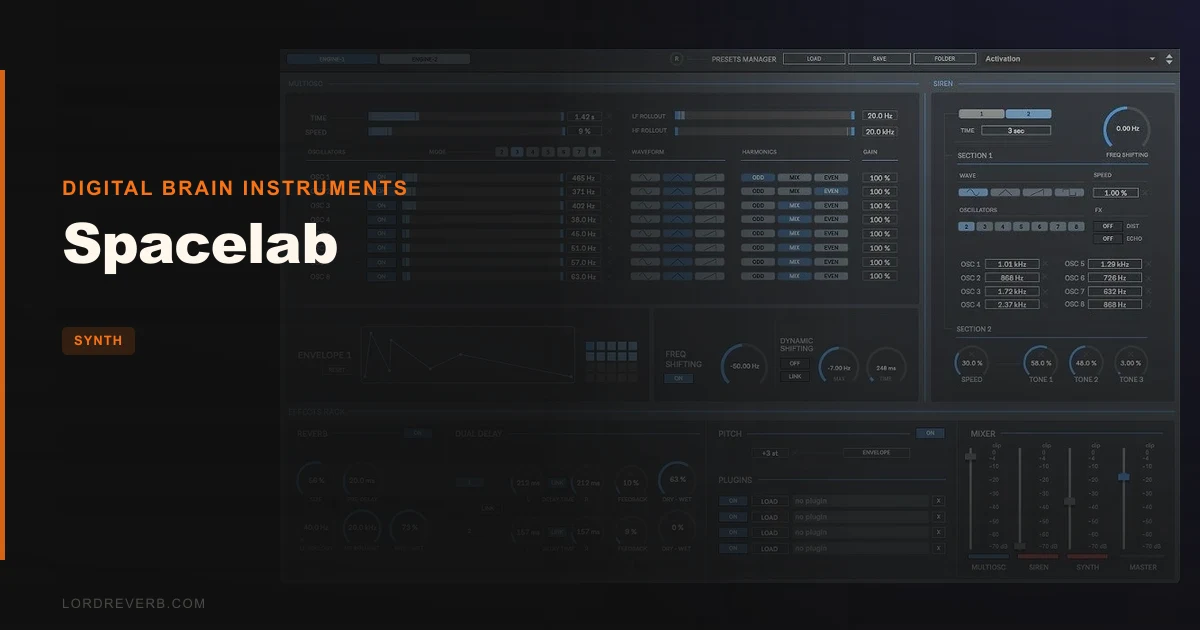
Where Spacelab separates itself immediately is the dedicated Siren-Alarm engine. That section sits alongside the main Synth section rather than being bolted onto it as an afterthought. You get up to 8 oscillators in both the Multi-Oscillator and Siren sections, plus distortion and echo baked into the Siren path.
First impression: the UI is clean and the routing logic is obvious. You're not spending 20 minutes figuring out where the envelope lives. That matters when your job is to produce 40 button-click variations before lunch.
Performance Deep Dive
The Synth section gives you 3 oscillators, 2 FM synthesis generators, and a sub-bass generator. That's a legitimate signal chain for building layered interaction sounds. The XY Pad lets you sweep parameters in real time, and the 2 envelopes cover the attack-decay shaping you need for sharp UI transients.
We loaded the Siren section and built a police-style alert from scratch. Eight oscillators running with frequency shifting and distortion applied. The sound sat in the 800Hz-2.4kHz range with the frequency shift sweeping between two target pitches. It took about 4 minutes from blank preset to a usable two-tone siren. That's satisfying.
The Random Playback feature is where we lost the most time, in a good way. Set a min and max value for any parameter, hit loop, and it generates continuous variations. We locked the envelope attack between 2ms and 15ms and let it cycle through notification-style sounds. Got three keepers in about 90 seconds.
Recording outputs at up to 192 kHz / 32-bit WAV or AIFF. For sound design destined for games or apps, that headroom is appreciated. You can deliver files at any sample rate the client needs without re-rendering.
No CPU benchmark data is published. Running it standalone means it's not competing with your DAW's buffer, but we can't give you a hard number here. Check the manufacturer's site for current system requirements beyond the 4GB RAM minimum listed.
Where It Wins
The workflow separation is actually clever. Keeping UI sound design out of your DAW means your session template stays clean. No orphaned tracks. No accidental renders that include a half-built notification beep. You design in Spacelab, export the WAV, and that asset is done.
The dedicated Siren-Alarm section is something we don't see in general-purpose synths. Building emergency audio, alert tones, and alarm sounds inside a standard soft synth means fighting the tool. Here it's what the tool is built for.
The included 125MB SFX library (100+ sounds, all made with Spacelab) doubles as a tutorial set. Load any preset, pull it apart, and you understand immediately how that sound was built. That's a genuinely useful way to learn the engine.
MIDI control is supported. Hook up a controller and you can perform and record UI sounds with real-time expression. For broadcast and film work where you're scoring interactions live, that's a workflow advantage.
Where the Competition Wins
The oscillator palette is narrow. Sine, Triangle, and Saw covers the basics, but in 2026, most producers expect at least a wavetable option or some user-importable content. There's no wavetable engine here. Complex timbres have to be built from FM layering and the effects rack, which takes longer.
The standalone-only format is a real constraint. There's no VST3, AU, or AAX version. You cannot drop Spacelab into a DAW plugin chain, automate it from your sequencer, or route it through your session's master bus. Everything has to bounce out as audio first.
Nuendo, which many post-production engineers already own, has built-in spatial audio tools and access to third-party synths via its plugin chain. If you're already in that environment, Spacelab doesn't plug in. That's frustrating if your existing workflow is DAW-centric.
We'd also love to see a demo version. Without one, you're buying blind. No trial listed on Plugin Boutique at time of writing. That's a hard ask for a niche tool.
Who Should Buy Which
- ✅ Buy if you produce UI/UX audio professionally and want a dedicated standalone environment that keeps sound design assets separate from your music sessions.
- ✅ Buy if siren, alarm, and alert sound design is a regular part of your work. Nothing else in this price range has a dedicated section for it.
- ✅ Buy if you deliver high-sample-rate audio assets to game studios or broadcast clients and need 32-bit / 192kHz export without a separate converter step.
- ❌ Skip if your UI sound design needs are occasional. A general-purpose synth you already own will cover the rare notification sound.
- ❌ Skip if you need DAW integration. Standalone-only is a hard limit, not a preference setting.
- ❌ Skip if you need a wavetable or sample-based engine for complex, evolving UI textures. The oscillator set won't get you there without significant workaround.
Score Breakdown
| Category | Score | Notes |
|---|---|---|
| Sound Quality | 3.5/5 | FM layering and Siren engine produce usable, clean results; wavetable absence limits ceiling |
| Value for Money | 3.5/5 | 100+ free SFX and 100+ presets add value; no trial makes it a risk |
| Ease of Use | 4.0/5 | Intuitive layout, XY Pad is accessible, Random Playback reduces design time noticeably |
| Features | 3.5/5 | Dedicated Siren-Alarm section is genuinely unique; no DAW integration is a real gap |
| CPU Efficiency | 3.0/5 | No published data; standalone operation avoids DAW buffer conflicts but we can't benchmark it |
| Overall | 3.5/5 | A focused, honest tool for UI audio professionals, not a general-purpose synth replacement |
Alternatives to Consider
If you want a synth that lives inside your DAW and handles sound design across categories including UI audio, the BLEASS Analog FM Synth Bundle is worth looking at. It won't give you Spacelab's dedicated siren section, but the FM engine is more flexible and it runs as a plugin.
For producers who want to build UI sounds from physical modelling rather than traditional oscillators, Applied Acoustics Systems Chromaphone 3 generates transient-rich percussive and metallic tones that work well for interaction audio. Different approach, broader sound palette.
If your UI work leans toward lo-fi, retro, or gritty interactive audio for indie games, the Tape Synths Expansion delivers character-driven textures that Spacelab's clean oscillator set won't match. Worth it for that specific aesthetic.
And if bass-heavy UI sounds or subterranean alert tones are part of your brief, check the BeatSurfing LOW synth for sub-bass generation that rivals Spacelab's built-in Sub-Bass Generator with more sculpting control.
Spacelab sits in a real niche. If that niche is yours, it earns its place in the toolkit. If you're hoping it covers broader territory, it'll frustrate you inside a week.
The Siren-Alarm engine alone is worth the price of entry if emergency and alert audio is billable work for you. If it isn't, this is the wrong tool. Skip it and put the money toward something that lives in your DAW.
Related reviews: Still Worth It · Multiphonics CV-3 + Packs Review 2026
Frequently Asked Questions
Does Spacelab work as a DAW plugin (VST3, AU, or AAX)?
No. Spacelab is a standalone application only. It doesn't run as a VST3, AU, or AAX plugin inside a DAW. You design your sounds in the standalone app, record or export them as WAV or AIFF files, then import those assets into your DAW session. If DAW plugin integration is a requirement for your workflow, this isn't the right tool.
What's the maximum audio export quality in Spacelab?
Spacelab records at up to 192 kHz sample rate and 32-bit bit depth in WAV and AIFF formats. That's a high-quality output ceiling, suitable for game audio deliverables, broadcast, and post-production work where clients specify exact sample rate requirements. You won't need a separate conversion step for most professional delivery specs.
Is Spacelab suitable for music production or just sound design?
It's built for UI/UX sound design: buttons, alerts, notifications, sirens, and interaction feedback. The Synth section includes FM synthesis and a sub-bass generator, so you can build musical tones, but the standalone format and specialised engine layout make it a poor fit for general music production. If music production is your primary use case, look at something like the BLEASS Analog FM Synth Bundle instead.
Does Spacelab support Apple Silicon Macs?
Yes. The system requirements list Apple Silicon as supported alongside Intel Macs, running macOS 10.11.6 or later in 64-bit mode. Windows support starts at Windows 8. Both platforms require a minimum of 4GB RAM, though more is recommended for smooth performance with multiple oscillators running simultaneously.