CHOW Tape Model is the best free tape saturation plugin available in 2026. That's not a caveat-heavy opinion. It's a conclusion we reached after loading it on a drum bus where a paid plugin was adding the wrong kind of grit, swapping it out, and watching the mix breathe in a way it hadn't before.
The track was a live-recorded jazz trio. The overhead mics had that slightly stiff, over-compressed digital quality you get when you track clean and then wonder what's missing. We pulled the paid plugin off the drum bus, loaded CHOW Tape Model, set the Drive to around 30%, Bias just into the positive range, and ran it at 4x oversampling. The cymbals got their shimmer back without bloating. The kick got weight without losing definition. It sounded like the session belonged on tape.
This plugin is for engineers and producers who want analog-accurate saturation without the price tag. It's for people willing to learn a deeper parameter set than "Drive and Tone." And it's for anyone who suspects most tape plugins are just distortion with marketing.
First Impressions: Open Source, Not Rough Draft
Download from the GitHub releases page, install, open in your DAW. No iLok. No account. No serial. It's just there.
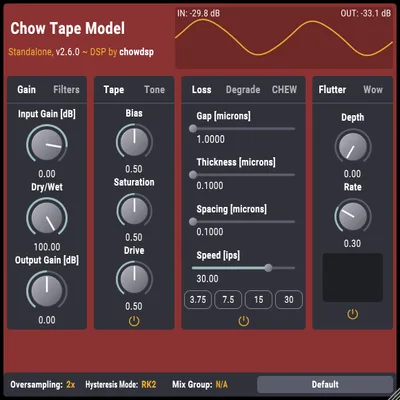
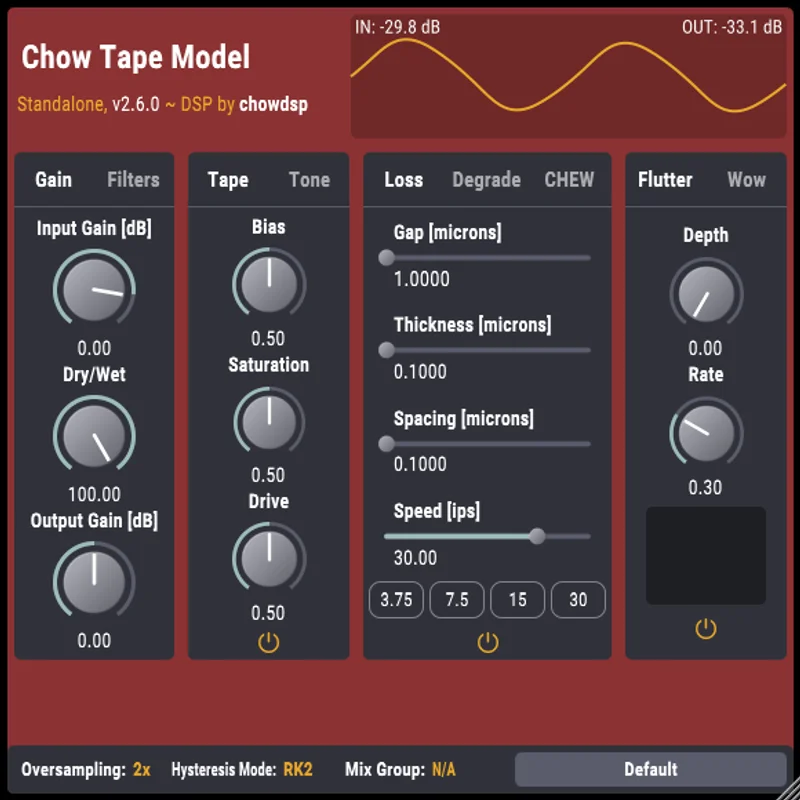
The interface loads as a dark-panel unit with the main controls across the top: Drive, Saturation, Bias, and a Tone section with separate pre/post-emphasis filters. Below that, you get the tape speed controls and the playback section covering wow, flutter, and the drift controls. There's also a gear icon that opens oversampling and hysteresis mode settings.
It's not pretty. The layout looks like it was designed by someone whose priority was function over aesthetics, which is accurate. The knobs are readable. The signal flow makes sense once you spend ten minutes with the manual. First impression is "this was made by someone who cared about the physics more than the skin." That's a fair summary.
Getting It Into a Real Workflow
We tested CHOW Tape Model across three contexts: as an insert on individual tracks, on a mix bus, and in a mastering chain running offline at 16x oversampling.
On individual tracks, the 4x oversampling setting is the sweet spot for CPU versus quality. At 4x, it adds around 3-4% CPU per instance on an Apple M2 Max in Logic Pro. On a session with 12 instances running simultaneously, that adds up. You'll want to print saturated tracks or use it sparingly on a send rather than strapping it on everything.
The friction point is the parameter depth. Drive controls the input gain into the tape model. Saturation adjusts the nonlinearity of the hysteresis curve. Bias shifts the operating point of the model. These aren't arbitrary knobs, they map to actual physical tape machine behavior, but if you're used to a one-knob saturation plugin, there's a learning curve here that's genuinely steep. We spent about 40 minutes with the documentation before we felt confident the changes we were hearing matched what we expected.
Tempo-synced wow and flutter work exactly as advertised. Set the wow rate to sync to your project tempo, and pitch drift follows the grid. On a lo-fi beat session, this was satisfying to dial in. On a mastering job, we kept wow and flutter at zero.
What It's Genuinely Good At
The hysteresis engine is the real story here. Most tape plugins apply harmonic distortion and some frequency shaping and call it tape. CHOW Tape Model implements an actual mathematical model of magnetic hysteresis published in a 2019 DAFx conference paper, originally developed as a Stanford University Music 420 class project by Jatin Chowdhury.
What that means in practice: the saturation behavior changes with signal level in a way that sounds right, not just warm. Push hard transients through it and you hear the soft-knee compression that tape produces naturally. Reduce the input and the saturation backs off cleanly without artifacts.
We ran a vocal take through it with Drive at 45%, Bias at +0.2, and Saturation at 0.8. The second and third harmonics lifted without the harsh upper-harmonic content you get from clippers. The vocal thickened. It sat further back in the mix without needing a fader pull.
The playhead geometry and speed-dependent loss modeling is a feature most competitors skip entirely. At 15 IPS versus 30 IPS, you hear genuine high-frequency rolloff differences consistent with real tape machine behavior. At 7.5 IPS, the low-end build-up is audible and controllable. These aren't approximations. The model traces back to published research.
Linear phase mode at 16x oversampling is a legitimate mastering tool. We used it on a full mix bus on an offline bounce. No aliasing, no phase smearing. The only cost is render time and CPU during playback, which is prohibitive for real-time use on that setting.
The Rough Edges
The UI is the most common complaint and it's a fair one. The knob layout doesn't follow a clear signal-flow path. Pre-emphasis filter controls are tucked in the Tone section but their relationship to the Bias control isn't obvious from looking at the interface. You need to read documentation before you understand what you're doing. That's annoying in 2026.
The preset library is thin. There are a handful of starting points: IPS speeds, a couple of machine types. None of them are built around musical contexts like "vocals," "drum bus," or "mastering." You're building patches from scratch every time, which is fine once you know the plugin but frustrating when you're on a deadline and need a quick reference point.
CPU at 16x oversampling is genuinely heavy. We measured roughly 18-22% CPU on a single instance at 16x on an Intel i7 at 44.1kHz. That setting is for offline rendering only. Not practical for real-time session work on most machines.
There's also no auto-gain matching. Engage more saturation and the output gets louder. You'll need a gain plugin downstream or to trim the output manually every time you adjust Drive.
Who This Is Really For
- ✅ Buy if you want the most technically accurate free tape saturation plugin available and you're willing to spend time learning the parameters
- ✅ Buy if you're doing lo-fi, analog-adjacent, or jazz production where tape physics matter more than visual polish
- ✅ Buy if you run a mastering chain ITB and want oversampled, linear-phase tape coloration for offline bounces
- ❌ Skip if you need a quick one-knob saturation insert and don't want to think about hysteresis curves
- ❌ Skip if your machine is older and you're already CPU-limited, at 4x and above, this costs real processing power
- ❌ Skip if you're mixing in a style where pristine, uncolored transients matter, heavy metal, modern pop production, clinical EDM
Score Breakdown
| Category | Score | Notes |
|---|---|---|
| Sound Quality | 4.8/5 | Hysteresis model produces saturation behavior that many paid plugins don't match |
| Value for Money | 5.0/5 | Free. Open-source. No strings. |
| Ease of Use | 3.3/5 | Parameter depth is a feature and a friction point, the UI doesn't help enough |
| Features | 4.5/5 | Speed-dependent loss modeling, playhead geometry, 8 hysteresis modes, tempo-synced wow/flutter |
| CPU Efficiency | 3.5/5 | Reasonable at 4x; prohibitive at 16x for real-time use on most systems |
| Overall | 4.6/5 | The best free tape saturation plugin. Not perfect but nothing close competes at this price. |
Alternatives to Consider
If the learning curve on CHOW Tape Model feels steep, Tape Vibe by Venn Audio is a simpler, one-panel tape emulator that gets you analog warmth without the parameter depth. Less accurate physically. More accessible on a deadline. The current price is shown in the buy box on this page.
For a broader look at how tape saturation compares to clip-based and transformer-based saturation, our saturation plugins guide breaks down 5 types every producer should know, with specific use cases for each.
IK Multimedia TASCAM Tape Collection gives you specific machine emulations, the 388, the 234, the 122 MkIII, if you want the sound of a specific machine rather than a generalized tape physics engine. It costs real money. Whether that specificity justifies the price depends on how often you're chasing a particular machine's character. The current price is shown in the buy box on this page.
For producers working in lo-fi specifically, our lo-fi saturation techniques guide covers how to combine tape and vinyl-style coloration for genre-specific results, including recommended settings for CHOW Tape Model's wow and flutter section.
If you're A/B-ing against free options, TAL-Dub-3 by TAL Software includes basic tape saturation as part of its delay/echo unit. It's not a dedicated tape emulator and the saturation isn't as deep, but it's worth knowing it exists in your best free saturation plugins roundup.
Final Verdict
CHOW Tape Model is free. It's built on published research. It's available in every format on every platform. It outperforms plugins that cost money. The interface is ugly and the preset library is thin, and none of that changes what it does to a signal.
We'd install it on every system we run. We'd spend the 40 minutes learning the Bias control. We'd keep it off anything where we need pristine transients and strap it on everything else.
Download it. The worst case is that it costs you an afternoon to learn. The best case is that you stop paying for tape plugins altogether.
Frequently Asked Questions
Is CHOW Tape Model actually free, or is there a paid version?
Fully free. No paid tier, no premium version, no optional license. It's open-source under the MIT license, available directly from the ChowDSP GitHub repository. You download it, install it, and use it. No account required.
What oversampling setting should I use on CHOW Tape Model?
4x is the practical setting for real-time session work. It balances sound quality against CPU cost well enough for most systems. Use 16x with linear phase mode only when rendering offline, the CPU cost at that setting makes real-time playback impractical on anything but a very powerful machine. At 1x you'll hear aliasing artifacts on heavy saturation settings; we don't recommend it for anything except quick auditioning.
How is CHOW Tape Model different from other free tape plugins?
Most free tape plugins apply harmonic distortion and a high-frequency shelf and call it tape. CHOW Tape Model implements a mathematical model of magnetic hysteresis from a peer-reviewed 2019 DAFx conference paper. That means the saturation behavior responds to signal level and frequency content the way real tape does, including speed-dependent high-frequency loss and playhead geometry effects. No other free plugin in this category does this.
Can I use CHOW Tape Model on iOS or Linux?
Yes. It ships as AUv3 for iOS, which means it works in GarageBand, AUM, Cubasis, and other AUv3-compatible apps on iPhone and iPad. On Linux it's available as LV2 and CLAP, which covers most major Linux DAWs including Ardour and Bitwig. It's one of the few serious audio plugins with genuine cross-platform parity across all four operating systems.