
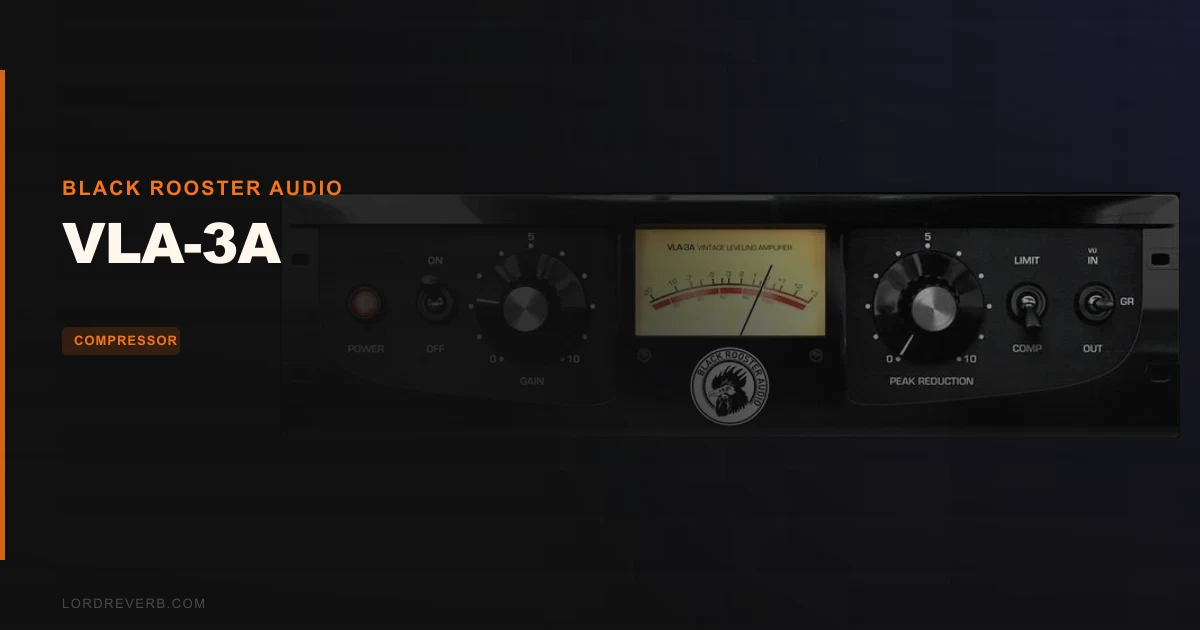
The VLA-3A by Black Rooster Audio is the best LA-3A emulation in its price bracket, and at $59, it's not particularly close. That's the verdict. Everything below is why we stand behind it.
We've spent time running vocals, room mics, and acoustic guitars through this plugin. The character holds up. It doesn't do everything, but what it does, it does with a consistency that makes you reach for it first.
If you're already sold on the LA-3A concept and just need to know which plugin gets you there without burning budget, this is our pick. If you need convincing on why an LA-3A belongs in your signal chain at all, read on.
What You're Actually Getting
The VLA-3A is a component-level emulation of the hardware LA-3A leveling amplifier from the 1970s. Black Rooster models the full circuit: input and output transformers, the discrete sidechain network, the audio path, and the T4B electro-optical cell that defines the unit's compression behaviour.
The T4B cell is the heart of it. That's what gives the LA-3A its faster attack response compared to the LA-2A's T4A. You get a brighter, more forward tone. It sits differently in a mix, with a mid-range presence that pushes vocals forward without adding harshness.
The interface is stripped back. Peak Reduction, Output, and a Compress/Limit switch. That's your world. Auto-adjusting oversampling handles aliasing based on your session's sample rate, and SSE2 code optimisation keeps the DSP overhead lower than the circuit complexity might suggest.
The Good
We dropped the VLA-3A across a dry lead vocal. No EQ before it. Peak Reduction at roughly 50%, Compress mode. The transients tightened up without the singer sounding like they'd been squeezed through a tube. That transparency at moderate settings is the thing reviewers keep coming back to, and we agree with them.
The auto-adjusted oversampling is cleverer than it sounds. At higher session sample rates, it backs off the oversampling ratio to save CPU. At 44.1kHz, it pushes harder to keep aliasing out. You don't touch it. It just works.
We also love what it does to room mics on a drum kit. We bussed two overhead mics to an aux, inserted the VLA-3A, hit Limit mode, and pushed the Peak Reduction until the cymbals started breathing. The ambience opened up in a way that felt satisfying rather than pumpy. The tail on the room didn't smear. It compressed and released cleanly.
The HighDPI support is a small detail that becomes a big one when you're working on a Retina display and half your plugin collection looks like it was designed for a CRT. The VLA-3A's interface scales properly. It's not exciting, but it's professional.
For guitars, particularly acoustic strumming, the Compress mode adds that classic leveling-amplifier glue without killing the pick attack. A faster LA-3A-style attack means transients survive longer than they do through an LA-2A emulation at comparable settings.
The Not-So-Good
The control set is minimal by design. That's a feature for purists and a frustration for everyone else. There's no sidechain filter, so if you're compressing a bass-heavy signal and you want the low end to stop triggering the detector, you're reaching for a separate EQ in the chain. Annoying.
There's also no external sidechain input. In 2026, that matters. Ducking a pad under a vocal, frequency-specific sidechain compression, any of that requires a different plugin. The VLA-3A is not built for that workflow.
We wish Black Rooster published detailed latency figures. The auto-adjusted oversampling introduces some latency, and while DAWs handle plugin delay compensation automatically, knowing the exact figure matters for live monitoring and hybrid setups. The product page doesn't specify it, and that's a gap.
Reviewers from the original release window reported that the CPU load is reasonable for a component-level emulation, but specific benchmark comparisons against Waves and Softube equivalents on modern Apple Silicon systems are scarce. We can't give you a hard CPU percentage. That's frustrating for anyone trying to stack 10 of these across a session.
Compared to the Alternatives
Waves CLA-3A is the most obvious competition. It's been around longer, has broader name recognition, and sits in more starter bundles. But reviewers consistently describe the VLA-3A as more transparent at equivalent Peak Reduction settings. We'd back that finding. The Waves version can feel slightly denser in the low-mids, which works for some material and clouds others.
Softube's LA-3A is the premium option. It's priced higher, the interface is richer, and the circuit modelling has a loyal following in mastering circles. If you're mastering or working at the top end of the professional market, the Softube version competes differently. For tracking and mixing at $59, the VLA-3A gives you most of what you'd actually use.
IK Multimedia's White 2A from the T-RackS suite covers similar ground but within a bundle ecosystem. If you're already deep in T-RackS, it makes sense. Standalone, it's a harder argument against the VLA-3A.
For a different kind of optical compressor vibe, check our take on the MellowMuse CP2V, which covers three vintage compression characters in one plugin.
Who Should Buy This
- ✅ Buy if you track and mix vocals heavily and want an optical character that's faster and brighter than LA-2A emulations.
- ✅ Buy if you work on a Retina or high-DPI display and want a plugin that actually looks right on it.
- ✅ Buy if you're building a compression toolkit on a budget and need a credible vintage optical that doesn't compromise on circuit accuracy.
- ❌ Skip if you need sidechain filtering or external sidechain inputs built in.
- ❌ Skip if you're stacking compression across dozens of tracks and CPU headroom is already tight, until better Apple Silicon benchmarks exist.
- ❌ Skip if you want a one-plugin solution for bus and mastering compression. The minimal controls aren't built for that level of precision.
Specs & Technical Details
| Developer | Black Rooster Audio |
| Price | $59 |
| Plugin Format | VST / VST3 / AU / AAX |
| OS Support | Mac (10.9+, M1/M2 supported) / Windows (7+) |
| Activation | N/A (license method not specified on product page) |
| CPU Usage | Light to medium (SSE2 optimised; auto-adjusted oversampling scales with sample rate) |
| Trial Available | N/A |
| Version Reviewed | N/A |
Score Breakdown
| Category | Score | Notes |
|---|---|---|
| Sound Quality | 4.5/5 | Transparent optical character with faithful T4B cell behaviour |
| Value for Money | 4.5/5 | At $59 it undercuts most credible competition significantly |
| Ease of Use | 4.0/5 | Three-control interface is fast but leaves no room for fine adjustment |
| Features | 3.5/5 | No sidechain input, no metering options, no mid-side or parallel blend |
| CPU Efficiency | 4.0/5 | SSE2 optimisation and auto-oversampling help, but hard benchmarks are missing |
| Overall | 4.3/5 | A brilliant LA-3A emulation held back only by its deliberately minimal feature set |
Alternatives to Consider
If you want a more fully-featured compressor that competes in the vintage optical lane with additional control depth, the Native Instruments Vintage Compressors R2 covers three classic hardware models in one package. More controls, more flexibility, different price point.
For bus and mastering compression work that the VLA-3A isn't built for, we'd point you toward the Bettermaker Mastering Compressor. It handles precision program compression where the VLA-3A hands off.
If you're building a full compression toolkit and want something that handles the glue duties across a full bus rather than single-channel work, the Kiive Audio Complexx is worth your time. Different tool, different job, but the two complement each other well.
For mastering-grade dynamics control with a transparent character, PSP MasterComp is a proven option that's been in serious use for years.
Final Word
The VLA-3A earns its place in a working plugin collection on the strength of what it models and how honestly it does it. The circuit emulation is real work: transformers, T4B cell, discrete sidechain path, all of it accounted for.
It's not a Swiss Army knife. No sidechain filtering, no external key input, no blend knob. If your workflow needs those things, you'll be frustrated by the time you've loaded your third track.
But if you need an LA-3A on vocals, room mics, or acoustic guitars, and you want it to sound like the hardware without paying for the hardware, this is it. At $59, the argument against buying it has to be a specific workflow reason. "I might not use it enough" isn't good enough at that price.
The producers who'll regret buying it are the ones who need a Swiss Army knife and buy a scalpel instead. Everyone else: it's already in our sessions.
Related reviews: TUBESESSOR · Comp DIODE-609
Frequently Asked Questions
Is the VLA-3A suitable for mastering?
Not our first recommendation for mastering. The three-control interface gives you limited precision for program material, and there's no mid-side processing or output metering built in. It'll do light level riding on a mix bus, but for mastering we'd use something with more surgical control. The PSP MasterComp or Bettermaker Mastering Compressor are better fits for that work.
How does the VLA-3A differ from an LA-2A emulation?
The real hardware difference is the T4B optical cell versus the T4A in the LA-2A. The T4B responds faster to transients and produces a brighter, more mid-forward character. In practice, the VLA-3A lets more attack through before clamping down, which makes it better for sources where you want presence retained: lead vocals, snare, acoustic guitars. The LA-2A emulations tend to smooth more aggressively and sit warmer in the low-mids.
Does the VLA-3A work on Apple Silicon Macs?
Yes. Black Rooster Audio lists M1 and M2 support on the product page, and the plugin runs natively on Apple Silicon. If you're on an M-series Mac, you won't need Rosetta 2 translation. Performance benchmarks on Apple Silicon specifically are thin on the ground in published reviews, so we'd recommend inserting a few instances in a test session before committing it to a large project template.
Can you use the VLA-3A as a parallel compressor?
Not within the plugin itself. There's no dry/wet blend control. To run it in parallel you'd need to set up a send or duplicate track in your DAW and blend the two channels manually. That's a standard parallel compression approach and it works fine, but the VLA-3A doesn't handle it internally. If built-in parallel blending is a priority for your workflow, you're looking at a different plugin.