
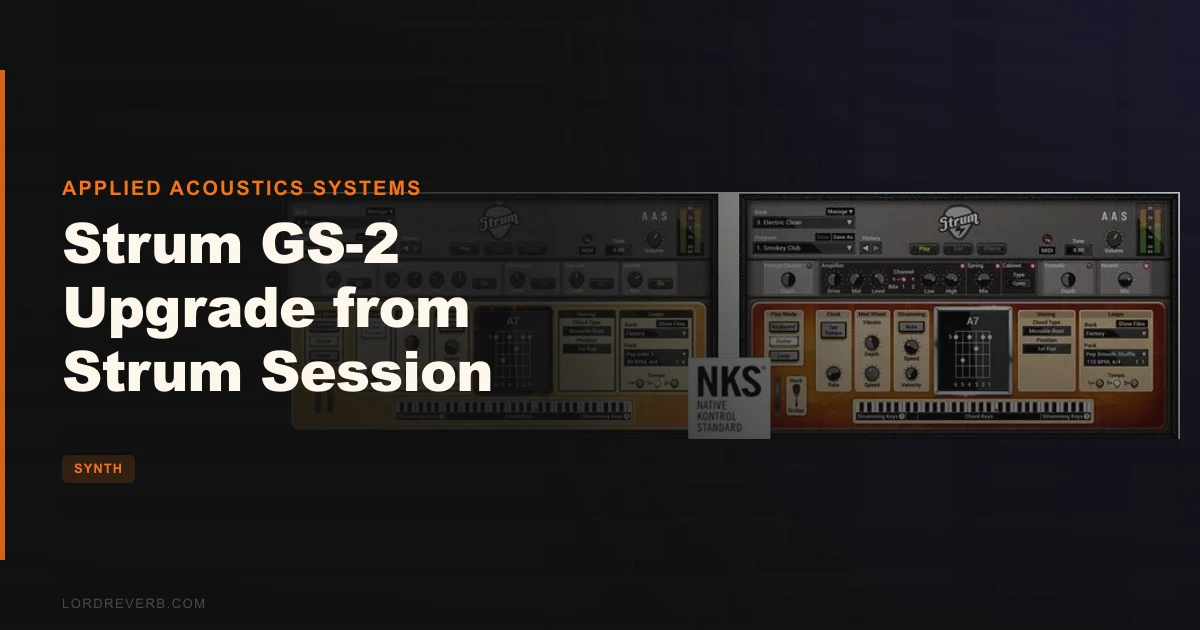
You've been staring at a guitar track slot in your session for three days. Every sample library you own sounds like a guitar pretending to be played, not actually played. Chord voicings land wrong. The strumming rhythm never quite locks. You know how chords work, but you don't play guitar, and it shows. Strum GS-2, the full upgrade from Strum Session, exists to solve exactly that problem. At $99 for existing Session owners, it's Applied Acoustics Systems' complete overhaul of their physical modeling guitar engine: 200-plus presets across acoustic and electric categories, 707 MIDI loops, a redesigned strumming engine, and a chord recognition system that voices chords the way a guitarist actually would. This is for keyboard players, beatmakers, and producers who need guitar parts that hold up under scrutiny.
Why Strum Session Wasn't Enough
Strum Session was the entry point. It got you into the AAS physical modeling approach cheaply, gave you a taste of automatic chord voicing, and let you build basic rhythm parts. For simple acoustic strumming over a singer-songwriter track, it did the job.
The gaps became obvious the moment you pushed it. Session shipped with fewer presets, fewer chord voicings, and a reduced module set. No electric guitars at all. No compressor. No equalizer. The strumming engine was functional but not expressive. You couldn't load a MIDI loop and drop it straight into your arrangement.
When you needed a crunchy rhythm guitar on a pop-punk demo, or a clean Telecaster-style arpeggio on an indie track, Session had nothing for you. You were back to hunting Kontakt libraries or asking a friend to record something.
That gap is exactly what GS-2 is built to close.
The upgrade isn't a patch or an incremental update. AAS rebuilt the string module, redesigned the interface from scratch, added a complete electric guitar engine, and expanded the MIDI loop library into something you can actually build arrangements from. If Session was the demo, GS-2 is the full release.
What the Redesign Actually Changed
Let's be specific about what "completely revised" means, because AAS uses that phrase a lot in their marketing and it usually warrants skepticism.
The string module genuinely changed. The original Session architecture modeled string vibration but the pick and finger interaction was approximate. GS-2's revised model introduces finer pick and finger interaction, integrated coupling at the bridge, and a body response model that generates resonance characteristics based on body size. That's not marketing copy. It means the difference between a chord that decays cleanly and one where the individual strings beat against each other naturally as they fade.
We ran a basic open G chord through several acoustic presets with slow decay settings. The beating between the B and G strings as they faded was organic in a way that sample-based libraries have to fake with round-robin recording. You can hear the strings interacting. That's physical modeling doing what samples can't.
The strumming engine revision matters too. Session's engine produced strums that were rhythmically convincing but dynamically flat. GS-2's revised engine responds to how hard you trigger notes, varies the timing slightly on repeated strums, and handles upstrokes and downstrokes with different energy. The result is patterns that breathe.
Native 64-bit operation across VST3, AU, and AAX is the baseline expectation in 2026, and GS-2 meets it cleanly. Session users still running 32-bit builds will find this a meaningful technical upgrade beyond the sound improvements.
The Three-Panel Interface: Play, Edit, FX
The new interface is smarter than it looks. AAS divided GS-2 into three distinct panels, and the logic of that division actually matches how producers work.
Play is where you spend most of your time during a session. It gives you quick access to performance parameters: strumming speed, chord voicing type, palm muting depth, pick position, and bypass switches for the effects. You can dial in a sound here without ever opening the deeper editing panels. For most use cases in a production environment, Play is all you need.
Edit is where the physical modeling lives. This is where you adjust string material, pick shape (rounded or sharp), pick stiffness, the position along the string where you're striking, pickup configuration for electrics, and body size. The controls here are specific. Pick stiffness changes the attack transient in a measurable way: a softer pick rounds off the initial click, a stiffer one adds a sharper transient at the onset. Pick position shifts the harmonic content. Play near the bridge and you get a brighter, more cutting tone. Move toward the neck and the fundamental thickens while upper harmonics drop back.
This isn't decorative. We switched from a bridge position to a neck position on a steel-string acoustic preset and the result was a tone shift of roughly 3-4 dB in the 2-5 kHz range, audibly less presence without touching the EQ.
FX covers the signal chain after the guitar model: compressor, equalizer, delay, distortion, phaser, chorus, flanger, wah-wah, auto-wah, notch filter, and reverb. The compressor is a welcome addition over Session. We put it on a strummed acoustic part, set attack to around 15ms to let the transient through, and the sustain on chord holds became noticeably more even. The EQ is a three-band parametric. It's not deep, but it's enough to cut the boxiness around 300-400 Hz on acoustic presets or add bite at 3 kHz on clean electrics.
The output limiter is a practical addition. When you're experimenting with extreme pick angles or body resonance settings, it's easy to clip the output. The limiter catches peaks without introducing the pumping you'd get from an aggressive compressor. Annoying that it's necessary at all, but sensible that it's there.
The Guitar Library: 200+ Presets Broken Down
The library is the most tangible upgrade for Session owners who found themselves hitting the walls of what Session provided.
GS-2 ships with 253 presets across six categories. Here's the actual breakdown:
- Acoustic: 63 presets
- Acoustic Experimental: 40 presets
- Electric Clean: 80 presets
- Electric Crunch: 34 presets
- Electric Distortion: 25 presets
- Electric DI: 11 presets
The Electric DI category is underrated. Eleven presets sounds thin, but for producers who want to run GS-2 into their own amp simulation (Neural DSP, Helix Native, or similar), DI gives you the raw guitar model without the onboard amp colouring. That's the right workflow if you're already committed to a specific amp sim chain.
The Acoustic Experimental category rewards browsing. These aren't just acoustic guitars with reverb. Some use extended techniques: altered tunings modeled through the string coupling system, body resonances that push the tone toward something more textural. Useful for film scoring, ambient production, or anything where you need a guitar-adjacent sound rather than a straight strummed acoustic.
Electric Clean is where GS-2 earns its keep for pop and funk production. The single-coil emulations in that category have the high-mid chime that Kontakt-based libraries consistently miss because they're modeling the physics of string-to-pickup interaction rather than sampling a fixed frequency response. That said, if you need a hyper-realistic Stratocaster through a vintage Fender amp, you'd still want a dedicated sample library.
The MIDI Loop Library: 707 Patterns Across 101 Packs
This is where the upgrade delivers the most immediate practical value for producers who don't play guitar at all.
707 MIDI loops across 101 packs split between acoustic (406 loops, 58 packs) and electric (301 loops, 43 packs). These aren't generic strumming patterns. They cover different techniques: fingerpicked arpeggios, palm-muted chugging rhythms, hybrid picking figures, funk scratch patterns.
The workflow is drag-and-drop directly to your DAW timeline. Load a pack, audition loops while holding a chord down in the Play panel, find one that fits your track, drag it across. That's the workflow. It's fast.
We loaded a folk-pop chord progression in Ableton, held down a Cadd9 voicing, and auditioned acoustic loop packs in real time. Switching packs while holding the chord gave us an immediate sense of which rhythmic pattern complemented the groove. Found the right loop, dragged it to the arrangement, trimmed it. That took about four minutes total to go from a blank MIDI track to a finished acoustic guitar rhythm part.
The loops are MIDI, which means they're fully editable after you drag them. Change the tempo, thin out a fill, duplicate a bar and vary it. Sample-based loop libraries give you audio that you then have to time-stretch. GS-2's MIDI loops stay native to your session.
One genuine limitation: the loops are written for standard strumming and fingerpicking approaches. If you're producing in a style that requires extended techniques like tapping patterns or artificial harmonics, the library doesn't go there. Brilliant for mainstream styles. Not for left-field applications.
Keyboard Mode and Real-Time Playing
Keyboard Mode is new in GS-2 and it changes the use case significantly. In the original strumming-focused paradigm, you were playing chords and triggering strum patterns. Keyboard Mode lets you play lead lines and your own voicings across the keyboard range, with the physical modeling engine generating the articulation for each note.
Hammer-ons and pull-offs trigger automatically based on legato playing speed. Play notes quickly and slurred in Keyboard Mode and the engine generates the transition articulation without you needing to program it. Play a scale passage cleanly and you hear the fret noise, the natural decay variation between strings, the subtle pitch settling after each note lands.
We played a simple blues pentatonic run in Keyboard Mode through a clean electric preset. Slow notes bent with the pitch wheel. Fast runs through the same position triggered automatic hammer-ons. The transition between them felt natural rather than mechanical. That's a real achievement for a modeled instrument.
It's not a replacement for a dedicated lead guitar library if you need ultra-specific performance details. But for laying down a guitar solo sketch that you can refine, it's satisfying in a way that trigger-based sample libraries never are.
Chord Voicing: The Core Technical Advantage
This is the feature that makes GS-2 genuinely different from everything else in this category. Automatic chord recognition and sophisticated voicing is easy to dismiss until you understand what it actually does.
When you play a C major chord in a standard keyboard voicing, most guitar plugins play back a C major in root position with whatever inversion the sample library happens to have at that range. It sounds like a keyboard player playing guitar notes, not a guitarist playing guitar.
GS-2's chord library contains basic and extended chords in open, movable, and drop voicings. When you play that C major, the engine selects a voicing appropriate to register, style, and context. An open C in the lower register. A movable barre shape in the mid-range. The correct string order. The right fret buzz character for that position.
Play a Dm7 and it doesn't just voice correctly. The engine understands that on guitar, you'd likely omit the fifth or double the root. It does that. Play an Fadd9 and it finds a guitarist's fingering for that chord, not a pianist's voicing spread across the keyboard range.
Reviewers from Electronic Musician rated this aspect specifically, noting that GS-2's "accurate articulation and sophisticated chord voicing make it an utterly convincing chord-melody instrument." We'd agree. The chord voicing engine is what separates GS-2 from Kontakt libraries that give you samples at the right pitch but wrong voicing.
Extended chords work too. Maj7, min9, dominant 7b9, sus2, sus4. Play them in the right register and the engine finds the guitarist's version. Frustrating edge case: very extended jazz voicings with altered tensions occasionally get simplified. GS-2 seems to cap at the chords a working guitarist would practically use, which is sensible for most production work but occasionally limiting for jazz applications.
The Electric Guitar Engine
Session had no electric guitars. That alone makes the upgrade worth serious consideration for anyone producing rock, pop, funk, or R&B.
The electric engine adds pickup modeling to the physical string model. Single-coil and humbucker configurations change the fundamental character of the tone: single coils add brightness and a slight hum character at high gain; humbuckers thicken the mid-range and clean up the noise floor. The difference is measurable in the 200-800 Hz region where humbuckers add body that single coils don't.
The 2-channel amplifier model handles clean through distorted tones without requiring an external amp sim. For quick sketches, it's enough. Channel 1 stays clean regardless of gain staging. Channel 2 breaks up. The spring reverb adds the kind of ambience you associate with a vintage combo amp.
The Electric Crunch presets are where we spent most of our electric testing time. A rhythm guitar part with a crunch preset through the internal amp, palm muting engaged, with the compressor set to clamp down on dynamics: the result sat in a mix without needing EQ treatment beyond a slight shelf cut below 100 Hz to clean up low-end buildup. That's a production-ready guitar part from a physical modeling plugin, which is still something worth saying out loud.
The Electric Distortion presets are more divisive. They work for recorded-style high-gain sounds but fall short of dedicated amp simulators for very modern metal tones. If you're producing djent or modern metalcore, you'd want to use the DI presets into a specialized amp sim.
CPU and System Performance
Physical modeling plugins have a reputation for being CPU-hungry. GS-2 is the exception.
The memory footprint sits below 256 MB of RAM per instance. On disk, the install is under 32 MB. That's not a typo. No sample content means no multi-gigabyte download, no streaming from disk, no voice-stealing under CPU load.
Preset loading is near-instant. Sample-based guitar libraries that stream from disk can take 10-15 seconds to load a new preset. GS-2 switches in under a second. That changes how you work: you audition more, you stay in the creative flow, you don't reach for a preset and then sit waiting.
We ran four simultaneous instances of GS-2 (one acoustic rhythm, one electric clean lead, one electric crunch doubled, one fingerpicked acoustic) in a Logic Pro session on an M2 MacBook Air alongside a full drum bus and a synth pad. CPU usage stayed comfortable. No audio dropouts at a 256-sample buffer.
That's the underrated advantage of physical modeling: the entire synthesis happens in real time from mathematical models, not sample playback. Every note is generated, not recalled from storage. The performance footprint reflects that architecture.
Strengths and Weaknesses
The chord voicing engine is the standout strength. Nothing in this price range does what GS-2 does when you play an extended chord and it voices it like a guitarist would. That's not an exaggeration. It's a specific technical achievement that affects the realism of every guitar part you build.
The MIDI loop library is the most practical addition over Session. 707 loops is enough that you'll rarely hit a genre gap. Drag-and-drop to your DAW timeline is fast and the MIDI format means every loop is a starting point, not a finished piece of audio.
Physical modeling's inherent advantages: tiny CPU footprint, instant preset switching, no velocity layer artifacts, smooth dynamics across the full dynamic range. These matter every day you're working.
The weaknesses are real. Very fast flatpicking runs at high tempo expose the limits of the string model. Notes start to blur in a way that a real guitarist's pick attack wouldn't. It's not a dealbreaker for rhythm and chord work, but it's worth knowing before you expect GS-2 to cover virtuoso flatpicking passages.
The effects chain, while comprehensive, isn't at the level of dedicated guitar effects plugins. The wah-wah and auto-wah are functional but not particularly expressive. Producers who want genuine Dunlop-style wah character will be disappointed. Use the DI presets and route to your effects chain of choice instead.
The upgrade pricing needs context. Session was positioned as a budget entry point. Paying $99 to upgrade to the full product can feel steep when framed against Session's original price. Framed against buying GS-2 at full retail, it's a meaningful saving. The value depends on how you frame it.
Value for the Price
At $99 for existing Session owners, this upgrade delivers the complete AAS guitar production toolkit. You're not buying a feature update. You're buying a different product that happens to share the Session foundation.
The combination of electric and acoustic guitars in one plugin, the expanded preset library, the full MIDI loop collection, and the revised physical modeling engine represent a genuine step up. A production-ready guitar part that used to require either a real guitarist or a premium Kontakt library can now come out of GS-2 in under ten minutes.
If you use Session regularly and keep hitting its limits, the upgrade pays for itself in saved time fast. If you opened Session twice and never really committed to it, the upgrade won't fix that underlying workflow issue. The value is real, but only if you'll use it.
Strum GS-2 sound bank review for additional preset options
Who Should (and Shouldn't) Buy This
- ✅ Buy if you produce music where guitar parts matter but you're a keyboard player who finds sample libraries unconvincing for chord work.
- ✅ Buy if you regularly use Strum Session and feel the limits of its preset count, lack of electric guitars, or basic strumming engine.
- ✅ Buy if you want a low-CPU, fast-loading guitar plugin you can run multiple instances of without stressing your system.
- ❌ Skip if you need hyper-realistic solo guitar performances with advanced techniques like two-hand tapping or slide guitar as a primary use case.
- ❌ Skip if you barely used Session and the appeal was always more theoretical than practical.
- ❌ Skip if your production style requires very high-gain modern metal tones where dedicated amp simulation is non-negotiable.
Specs & Technical Details
| Spec | Detail |
|---|---|
| Developer | Applied Acoustics Systems |
| Price | $99 |
| Plugin Format | VST3 / AU / AAX / Standalone |
| OS Support | Mac (macOS 10.11 or later, Intel Core i5 / Apple M1 or later) / Windows (Windows 10 64-bit or later) |
| Activation | AAS license (serial number based) |
| CPU Usage | Light (physical modeling, under 256 MB RAM per instance) |
| Trial Available | N/A (upgrade purchase only) |
| Version Reviewed | Strum GS-2 (current build, 2026) |
| Preset Count | 253 presets (63 Acoustic, 40 Acoustic Experimental, 80 Electric Clean, 34 Electric Crunch, 25 Electric Distortion, 11 Electric DI) |
| MIDI Loops | 707 loops across 101 packs (406 acoustic / 301 electric) |
| Install Size | Under 32 MB on disk |
| DAW Compatibility | Ableton Live, Logic Pro, Pro Tools, Cubase, FL Studio, Bitwig, Reaper, Studio One, GarageBand, Mainstage, MOTU Digital Performer, Cakewalk, Reason, Maschine, Komplete Kontrol |
Score Breakdown
| Category | Score | Notes |
|---|---|---|
| Sound Quality | 4.5/5 | Physical modeling string interaction is genuinely convincing for chords and rhythm parts; fast lead runs expose limits |
| Value for Money | 4.0/5 | Meaningful savings versus full GS-2 retail; upgrade price feels fair given the scope of changes from Session |
| Ease of Use | 4.5/5 | Three-panel interface is logical; MIDI drag-and-drop works; chord voicing is automatic once you understand it |
| Features | 4.5/5 | 707 MIDI loops, 253 presets, full electric and acoustic coverage, and a complete effects chain in one plugin |
| CPU Efficiency | 5.0/5 | Under 256 MB RAM per instance, sub-32 MB install, instant preset loading: physical modeling earns its keep here |
| Overall | 4.3/5 | The most complete guitar production tool in its class for keyboard players; limited only at the extremes of technique |
Alternatives to Consider
Strum GS-2 (full purchase): If you never bought Session and are coming fresh to AAS guitar modeling, the full GS-2 is the same product at a different price point. Worth comparing to the upgrade cost depending on where you're starting from.
Chromaphone 3 (AAS): Not a direct competitor, but worth knowing that AAS's physical modeling approach extends across their range. If you love how GS-2 sounds and want physical modeling percussion and tuned instruments, Chromaphone is the next logical AAS exploration.
Orange Tree Samples Evolution Series (Kontakt): The main sample-based alternative for producers who want maximum realism in specific electric guitar styles. More convincing for virtuoso lead performances. Requires Kontakt, a much larger install, and significantly more RAM and disk space. CPU usage is heavier. Better at the extremes of technique, worse for chord voicing and flexibility in production workflows.
Ample Guitar (Ample Sound): Another physical modeling-adjacent option with a strong chord voicing system. Worth auditioning if you want a direct sonic comparison. Both are strong for rhythm guitar in pop and singer-songwriter contexts. Strum GS-2's loop library is larger and the upgrade path from Session is a practical consideration if you're already in the AAS ecosystem.
The Final Verdict
If you bought Strum Session, you bought a promise. GS-2 is where that promise actually gets kept.
The chord voicing engine is the best in its class at this price point. Full stop. No other guitar plugin we've tested handles the automatic translation from keyboard voicings to guitar-realistic chord shapes with this accuracy. The MIDI loop library is large enough to cover most production needs. The physical modeling architecture keeps CPU usage and install size absurdly low. The three-panel interface is the most logical layout AAS has shipped on any of their instruments.
The limits are real: fast lead runs expose the string model's ceiling, the onboard effects won't replace dedicated guitar effects plugins, and if you need extreme high-gain tones for metal production you'll need to route the DI presets elsewhere. These are edge cases for most producers.
At $99 for Session owners, this is a legitimate upgrade to a production tool you'll use on most sessions. If you're a keyboard player who has ever built a guitar part and felt quietly embarrassed by how it sounded, GS-2 is the answer. If you never opened Session in the first place, upgrading won't fix that. But if you open Session, hit its ceiling, and wish it did more: stop wishing.
Related reviews: Arturia Pigments 7 + 2 Expansion Packs · CA2600 Synthesizer
Frequently Asked Questions
Do I need to own Strum Session to buy the Strum GS-2 upgrade?
Yes. This upgrade is specifically for existing Strum Session owners. If you don't own Session, you'll need to purchase Strum GS-2 at full retail price instead. Applied Acoustics Systems verifies ownership through their license system during the upgrade process.
Does Strum GS-2 include both acoustic and electric guitars, or do I need to buy them separately?
Both are included in the single plugin. One of the headline changes from Session to GS-2 is the consolidation of acoustic and electric guitar engines into one product. You get 253 presets covering acoustic, acoustic experimental, electric clean, electric crunch, electric distortion, and electric DI all in one install.
What DAWs is Strum GS-2 compatible with?
GS-2 runs as VST3, AU, and AAX across Mac and Windows, covering virtually every major DAW: Ableton Live, Logic Pro, Pro Tools, Cubase, FL Studio, Bitwig, Reaper, Studio One, GarageBand, Mainstage, Cakewalk, Reason, Digital Performer, Maschine, and Komplete Kontrol. It also runs standalone for practice or experimentation without a DAW open.
Is the MIDI loop library editable, or are the loops locked as audio?
The loops are fully editable MIDI. You drag them from the GS-2 interface directly into your DAW's arrangement view and edit them like any other MIDI region. Change tempo, delete notes, add variations, copy bars and modify them. This is a significant advantage over audio-based loop libraries where editing requires time-stretching and audio processing.
How does the chord voicing system work for someone who isn't a guitarist?
You play chords on your keyboard the way you already know them. GS-2's chord recognition engine identifies the chord you're playing and automatically applies a guitar-appropriate voicing, selecting open position or barre shapes, correct string order, and realistic fret positions based on the register you're playing in. You don't need to understand guitar chord shapes. The plugin translates for you.
Can I use Strum GS-2 with an external amp simulator instead of the built-in effects?
Yes. The Electric DI preset category gives you the raw physical modeling output without any onboard amp or cabinet colouring. Route that signal into your preferred amp simulator (Neural DSP, Helix Native, or similar) for full control over the amp tone. This is the recommended workflow if you're already committed to a specific amp sim chain or need tones that go beyond the onboard effects.