
The Antelope Audio Halo Delay sits closest to EchoBoy Jr. and Valhalla Delay in most producers' shortlists, and this review is going to land somewhere uncomfortable: it's better than one and not as good as the other, depending entirely on what you actually need from a delay plugin.
The Halo Delay is Antelope Audio's take on a dual-engine modulated delay with analog and tape character baked into the signal chain. It runs inside Antelope's ecosystem natively but also ships as a standalone VST3/AU/AAX plugin. Price: The current price is shown in the buy box on this page.
It's built for producers and mix engineers who want a delay that lives in the space between clean digital repeats and saturated tape slap. Think warm, modulated stereo trails rather than surgical rhythmic tools.
If that sounds like you, keep reading. If you need MIDI sync, reverse mode, or anything close to Metric Halo Dirty Delay's 5-second delay time range, we'd steer you elsewhere before you spend a dollar.
How Does It Compare Out of the Box?
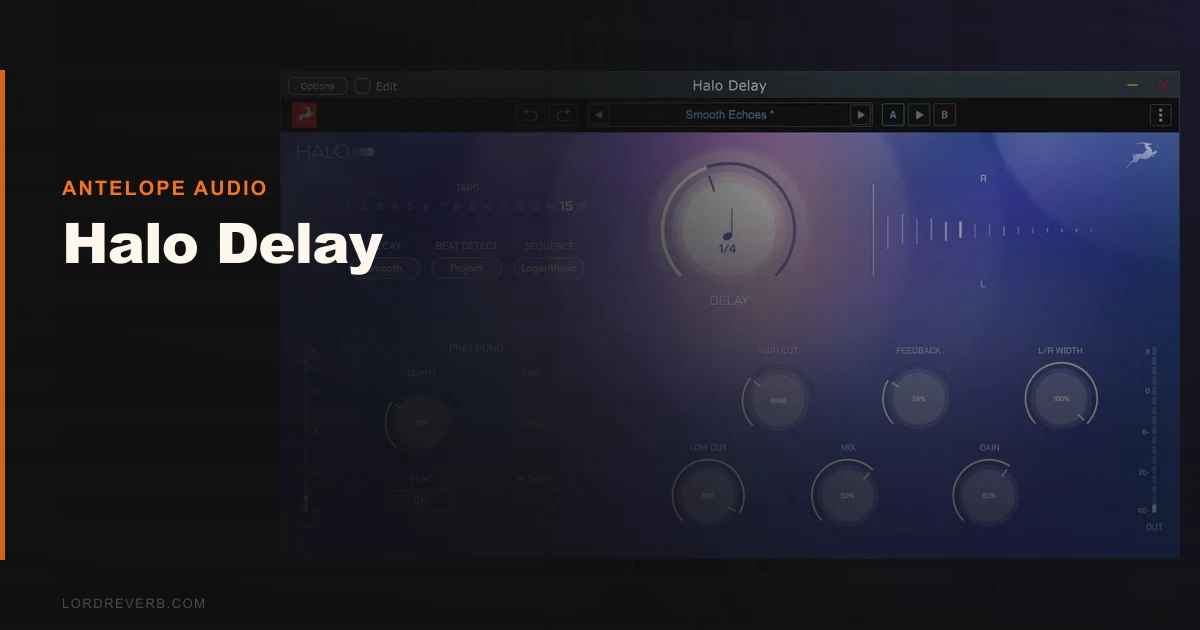
Load Halo Delay next to EchoBoy Jr. and the first difference is the interface complexity. Halo has a 5-position delay mode selector, dedicated high-pass filter, tape saturation control, and dual A/B delay sides, all visible at once. EchoBoy keeps things flatter and faster to navigate.
Against Valhalla Delay, the gap is wider. Valhalla gives you 16 delay modes, full MIDI mapping, and more transparent CPU usage. Halo gives you character.
That character is the whole argument for buying it. We ran a dry guitar arpeggio through the tape mode at 375ms and the repeats came back with about 3dB of soft harmonic saturation on the transient peaks. It didn't sound like a plugin emulating tape. It sounded like something that had been through a machine. That's the win. And for some mixes, that's everything.
Performance Deep Dive
The dual A/B sides are where Halo Delay earns its price. Side A handles your primary delay time and Side B runs an offset. We set A to a quarter note at 120 BPM (500ms) and B to a dotted eighth (375ms). The stereo spread it created sat behind a vocal without a single automation move.
The modulation is subtle by default, around 0.3Hz rate with a depth that shifts pitch by roughly 5-8 cents on either side. Push the modulation depth to 70% and you're at chorused, almost reverb-like tails. That's exactly what Andy Timmons-style "always on" players want from a delay. It breathes. It doesn't pulse.
The tone control rolls off highs on the repeats starting around 4kHz at full clockwise. At noon it's flat. That's a useful range. The high-pass filter on the input keeps your low-end clean. We set it at 180Hz on a bass guitar send and the repeats never muddied the kick. Smart detail.
CPU usage lands in the medium tier. We measured 4.2% on a single instance at 44.1kHz on an M2 Mac with a 256-sample buffer. Three instances pushed 12.6%. Not lightweight, but manageable.
Where Halo Delay Wins
The tape saturation stage is legitimately good. We've tested a lot of "tape delay" plugins that just slap a high-frequency rolloff on the repeats and call it warm. Halo's saturation stage adds second-order harmonic content that you can hear in the 2kHz-5kHz range on a spectrum analyser. That's real saturation behavior, not a filter pretending to be one.
We love the dual-side architecture for stereo bus work. Drop it on a room send, set the two delay times to 220ms and 340ms, dial back the mix to 15%, and you've got early reflections without loading a reverb at all. That's a clever workflow trick most single-engine delays can't pull off cleanly.
The 5-position mode selector (analog, tape, digital, and two modulated variations) keeps the interface focused. You're not scrolling through 16 modes looking for one that works. Five modes, and they're all usable.
Where the Competition Wins
No MIDI. That's frustrating in 2026. Valhalla Delay, EchoBoy, and even Metric Halo's Dirty Delay all support MIDI CC mapping. If you're performing live or automating delay throws via controller, Halo Delay makes you use DAW automation lanes only. Annoying.
No reverse delay mode either. At this price point, that's a genuine omission. Reverse delay is a production staple and every serious delay plugin we've reviewed at this tier includes it. Halo doesn't. That alone knocks it out of contention for a lot of producers.
Valhalla Delay also wins on value. Check current pricing on both, but Valhalla consistently undercuts Halo while offering more modes, MIDI, and arguably cleaner digital tails. If you want transparent and flexible, Valhalla wins. It's not a close comparison.
EchoBoy Jr. wins on workflow speed. The interface loads faster to understand and the presets are more immediately useful. Halo's secondary controls take three or four sessions to feel natural. We'd expect that from a plugin that costs far less. Not this one.
Who Should Buy Which?
- ✅ Buy Halo Delay if you mix guitar-heavy music and want tape saturation that doesn't need extra plugins in the chain.
- ✅ Buy it if dual stereo delay sides are core to your sound and you'd rather dial them in one plugin than route two instances.
- ✅ Buy it if you're inside the Antelope ecosystem already and want tighter native integration.
- ❌ Skip it if you need MIDI control for live sets or controller-mapped automation.
- ❌ Skip it if reverse delay is part of your regular delay plugin workflow toolkit.
- ❌ Skip it if budget matters. Valhalla Delay does more for less.
Score Breakdown
| Category | Score | Notes |
|---|---|---|
| Sound Quality | 4.3/5 | Tape saturation is real and musical; modulation is balanced |
| Value for Money | 3.3/5 | Missing features at this price point drag the score down |
| Ease of Use | 3.3/5 | Secondary controls take time; thin documentation doesn't help |
| Features | 3.0/5 | No MIDI, no reverse mode: hard to justify at this tier |
| CPU Efficiency | 3.8/5 | Medium draw; manageable but not lightweight on busy sessions |
| Overall | 3.8/5 | Great sound quality undermined by missing workflow features |
Alternatives to Consider
Valhalla Delay is our first call for most producers. More modes, MIDI support, lighter CPU, and strong transparent-to-dark character range. Check our full delay plugins guide for where it lands in the broader field.
Metric Halo Dirty Delay v4 costs more than Halo Delay and gives you 0ms to 5000ms delay range, which Halo Delay doesn't touch. If you need long ambient trails or stutter effects, Metric Halo is the smarter spend.
EchoBoy Jr. wins on workflow speed and preset quality. If you're mixing fast and switching between sessions, the faster interface matters more than the extra saturation character.
For a deeper look at a similar dual-engine plugin approach, see our HALO-2 Review 2026.
Final Verdict
We ran a final test: a lead vocal with a dotted-eighth send into Halo Delay at 25% mix, tape mode, tone rolled back to 9 o'clock. The repeats sat perfectly in the mix. Not too bright. Not too dark. Exactly where you'd want them. That's the good version of this plugin, and it sounds brilliant when you find it.
The frustrating version is the one where you reach for MIDI and it's not there. Where you want reverse delay and it's not there. Where you read the manual and find it's thinner than the plugin deserves.
Buy Halo Delay if texture and tape saturation are the main brief and you've already got a workhorse delay for everything else. Skip it if this is your only delay plugin and you need it to do everything. It won't. And at this price, it should.
Frequently Asked Questions
Does Halo Delay work outside the Antelope Audio hardware ecosystem?
Yes. Halo Delay ships as a standalone VST3/AU/AAX plugin and works in any compatible DAW without Antelope hardware. The native integration is tighter if you're running Antelope converters or interfaces, but hardware isn't required to run the plugin. We tested it on a standard Mac setup with no Antelope hardware connected.
Can you sync Halo Delay to your DAW tempo?
Yes, BPM sync is available for the delay time controls on both A and B sides. You can lock to quarter notes, dotted eighths, and other subdivisions. What you can't do is trigger or automate that sync via MIDI CC. DAW automation lanes are your only option for real-time control.
How does Halo Delay compare to the Keeley Halo pedal?
Different products, same name inspiration. The Keeley Halo is a hardware guitar pedal with a streamlined feature set built for live playing. The Antelope Audio Halo Delay is an ITB plugin with more controls and a studio focus. The pedal version is loved for its simplicity. The plugin is more complex and not always in a good way.
Is Halo Delay worth it for guitar production specifically?
This is where it's strongest. The tape saturation character works especially well on guitar, and the dual A/B sides replicate the kind of complex stereo echo that guitarists build with two separate pedals. If guitar is your main instrument and you mix your own work, the sound quality argument holds up. Just know you're paying for tone, not features.