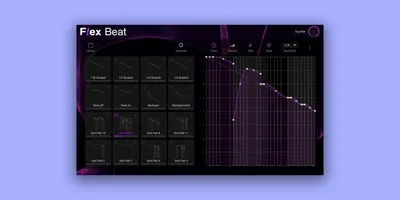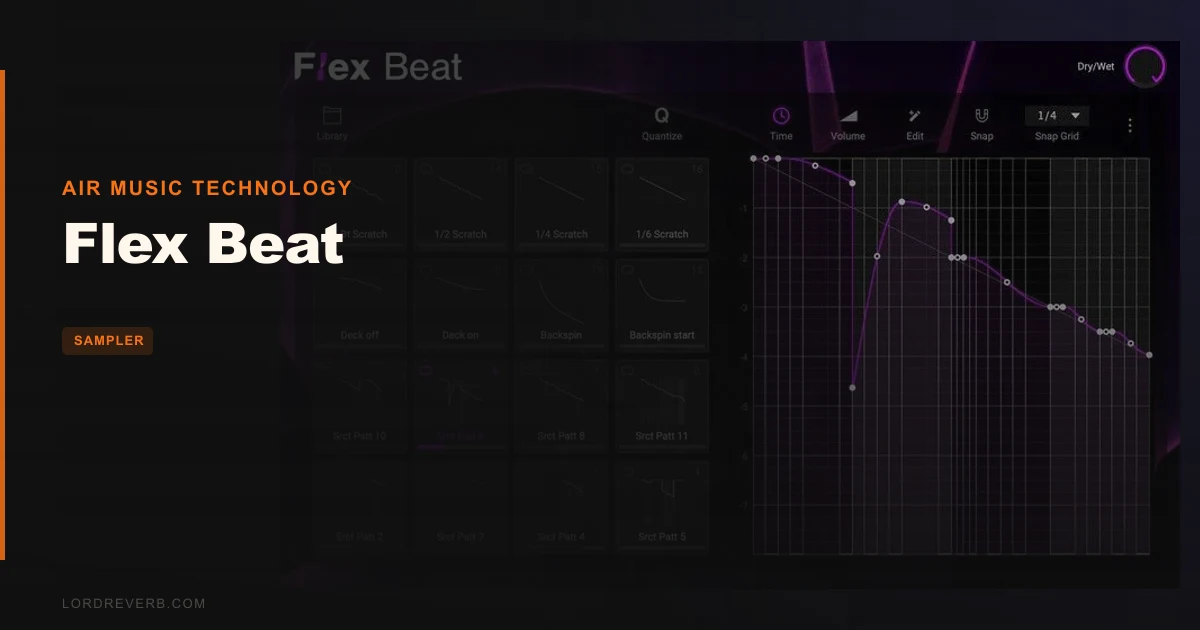
If you're building trance gates, chopping amen breaks, or scratching hip-hop samples without living inside FL Studio, Flex Beat by AIR Music Technology is the plugin you've been waiting for. It's a 16-pad pattern-based rhythm effect plugin, and it does exactly what Gross Beat does for FL users, except it follows you into any VST3, AU, or VST2 host you choose. It suits producers who work in Ableton, Logic, Bitwig, or any DAW that isn't FL, and who want to throw rhythmic gating, pitch stutter, and DJ-style chops at anything in the signal chain without switching applications. It's also for MPC users who want their hardware to talk to their plugin. Not everyone needs it. But if you do need it, you'll love what it costs.
Where Flex Beat Lives and Breathes
Flex Beat earns its keep on anything with a repeating rhythmic element: chopped vocal loops, synth plucks, drum busses, and sampled breaks all respond brilliantly to what its pattern editor can do.
Trance producers will get the most immediate payoff. Drop it on a sustained pad, dial in a gate pattern, and the whole track starts pumping without touching the sidechain compressor. It's a different kind of movement, more surgical, more controllable.
Hip-hop and lo-fi producers working with samples will find the beat-chop tools genuinely satisfying. Pitch step editing lets you create melodic variations from a single one-shot, turning a flat sample into something that actually feels composed. Velocity control per step means your chops breathe rather than hammer.
Live DJ-set producers need to pay attention to the quantize function. When you trigger a pattern from a pad, it doesn't fire immediately mid-bar and wreck your groove. It waits for the next bar. That one feature makes Flex Beat usable in a real performance context in a way a lot of rivals are not.
Electronic producers doing half-time drops or reverse builds also have specific tools here. The developer names half-time and reverse audio as core use cases, and the pattern editor supports those approaches through step and envelope control rather than audio processing. You're working on the playback behaviour of whatever audio passes through it, not destructively editing the file.
The MPC integration is a genuine differentiator. If you have an MPC One, Live, Live II, X, Key 37, Key 61, One+, or X SE running firmware 2.12.2 or later, Flex Beat can receive MIDI from the hardware in a way that's specifically designed for those machines. That unlocks a tactile performance workflow most ITB tools don't support at all.
Where It Falls Flat
Flex Beat is not the right tool for producers who want true polyrhythmic complexity. There are no individual time signature settings per pad. Every pad runs in the same metric framework. If you want a 7-step pattern on pad 1 running against a 5-step pattern on pad 4, you'll be fighting the tool rather than working with it.
It's also a frustrating fit for producers who like to work visually in the sequencer. The missing playhead is a real problem. When you're editing a long pattern and you want to know exactly where the playback cursor is, it's not there. You're editing semi-blind. That's annoying in the studio and a serious confidence drain before a live set.
Acoustic and orchestral mixing engineers have no reason to look at this. The whole plugin is built around rhythmic manipulation. There's no saturation, no spatial processing, nothing that helps a string section. Hard pass for that use case.
Singer-songwriter producers and anyone prioritising melodic or harmonic work should skip it entirely.
How To Use It Well
Start with the preset browser before you touch the pattern editor. Flex Beat includes hundreds of presets with a preview function, and that preview is where you'll find your creative entry point. Drop a loop through the plugin, scroll presets while it plays, and find a pattern that gives you a strong starting point. That's faster than building from scratch and keeps you in a creative headspace rather than a technical one. Owners specifically report this workflow as the reason they keep reaching for it.
When you build patterns from scratch, use the snap setting in the pattern editor to control how tight your step grid is. Tighter snap on a breakbeat chop gives you cleaner stutters. Looser snap on a gate pattern gives you a more organic, slightly swung feel. Experiment with the curve types on the envelope tools to control whether transitions between steps are hard digital cuts or smoother ramps.
If you're working with complex time-shifting patterns, mind your audio buffer. Owners report that clicks and pops come from buffer management issues under that kind of load, not from CPU overload. Increase your buffer size before building dense patterns rather than after you hear the problem.
For live use: trigger your pads from your MPC hardware or controller, set the quantize mode on, and build a bank of patterns before the set. When you hit a pad, Flex Beat waits for the downbeat. You can be messy with your timing and still sound locked.
Use the randomize function when you're stuck. It won't always give you something usable, but it breaks the mental loop of staring at the same four-step pattern and opens up combinations you wouldn't reach manually.
The Pattern Editor: What It Actually Gives You
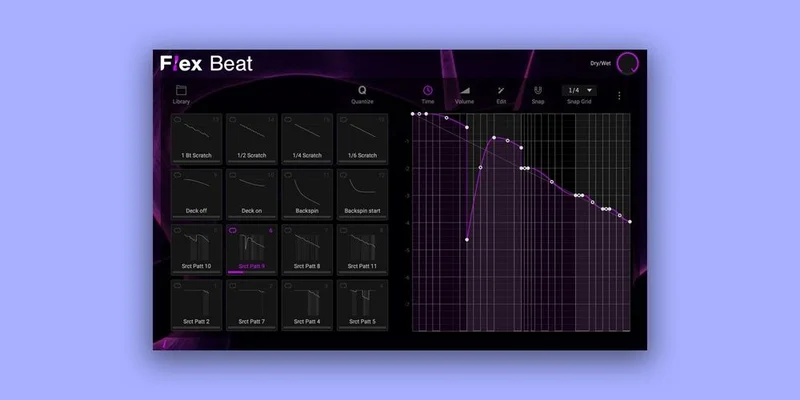
The pattern editor is the core of Flex Beat. This is where you spend most of your time, and it's worth understanding exactly what it controls and where it stops.
You get control over three primary parameters per step: pitch, velocity, and step length. Pitch editing per step is the feature that separates Flex Beat from a basic gate plugin. You can take a flat drum loop and impose melodic pitch movement on it, or take a single synth note and create something resembling an arpeggio without touching your DAW's MIDI. The range of pitch movement you can impose depends on the source material and what your ears will accept, but the tool itself doesn't limit you artificially.
Velocity per step controls the dynamic shape of your pattern. Full velocity on every step sounds mechanical. Pull step 2 down to 60%, step 4 to 45%, and the whole rhythm starts to feel human. It's a small thing. It makes a large difference in the mix.
Curve types on the envelope tool let you choose how the plugin transitions between step values. Linear curves give you sharp, punchy transitions. Smooth curves give you a more flowing, legato feel between steps. This matters most on pitch patterns, where a sharp transition sounds like a glitch and a smooth transition sounds like a portamento. Neither is wrong. They suit different genres.
Snap control governs the minimum step resolution. Get this wrong for your tempo and your patterns feel slightly off. Get it right and the groove locks with the rest of your arrangement.
The .fnv export format is a clever bridge. Pattern presets export in .fnv format, which is compatible with Gross Beat, so if you collaborate with FL Studio producers you can share rhythmic ideas without rebuilding them. It's a small feature. For anyone in that position, it's a satisfying one.
The missing playhead is where the editor breaks down. When you're making small adjustments mid-pattern during playback, you need to see where the read position is. Without it, you're guessing which step is currently active based on audio feedback alone. That works for simple patterns. For anything with sixteen steps and varied velocities and pitch curves, it's genuinely frustrating.
The 16 Pads and Performance Setup
The 16 pads are the performance layer above the pattern editor. Each pad stores a complete pattern preset, and each pad supports three play modes: Loop, One Shot, and Hold.
Loop mode runs the pattern continuously until you stop it or switch to another pad. That's your trance gate or your sustained beat-chop mode. One Shot fires the pattern once and stops. That's useful for a breakdown hit or a transitional effect. Hold mode runs the pattern only while the pad is held down and stops when you release. That's the most expressive mode for live work, giving you direct physical control over when the effect is active.
MIDI control over the pads works through MIDI sidechain input, which most modern hosts support cleanly. You assign MIDI notes or CC messages to pads, and triggering the right note fires the pattern. That's the expected workflow and it functions as advertised.
Here's the issue that owners have flagged about live performance: the on-screen pad shapes don't light up or respond visually when you trigger from actual MIDI pads. If you're performing and looking at the screen for confirmation that your pad fired correctly, you're not getting it. The visual feedback loop is broken. That's a real usability problem for anyone using Flex Beat as a centrepiece of a live rig rather than just a DAW insert.
The MPC integration goes deeper than generic MIDI mapping. With compatible MPC hardware and firmware 2.12.2 or higher, you get a more direct connection that takes advantage of the MPC's pad sensitivity and workflow. The list of supported devices is long enough to cover most current MPC hardware. If you're already in the MPC ecosystem, this integration is the most compelling reason to choose Flex Beat over rivals.
Preset Library: Hundreds of Patterns Ready to Go
The library ships with hundreds of presets, and the preview function is what makes them actually useful rather than decorative.
Without preview, a preset browser in a rhythm plugin is nearly worthless. You'd have to load each pattern, play back audio through it, decide it's wrong, and load the next one. With preview running, you scroll while audio plays through and you hear each pattern immediately on your actual material. Owners report this keeps them in a creative headspace, and that tracks. It's the difference between auditioning sounds and doing admin.
The preset banks cover beat chops, DJ-style scratch patterns, trance gates, reverse effects, half-time patterns, and stutter effects. That's a reasonably broad spread. Whether the quality across hundreds of presets is consistent is something individual users will form their own opinions on, but the starting inventory is substantial rather than token.
Pattern presets can be imported as well as exported. If you build a library of personal presets over time, they travel with you across projects and machines. The .fnv format compatibility with Gross Beat is a bonus for collaborative workflows.
The 16 pads each hold a preset, so in a single instance of Flex Beat you have 16 patterns available for instant triggering. That's enough for a full live set without loading new banks, if you plan your set beforehand.
Dry/Wet and the Randomize Function
Two controls sit outside the main pattern and pad workflow but matter more than their size suggests.
Dry/wet mix gives you a blend between the processed and unprocessed signal. Full wet means only the pattern-affected audio comes through. Back the knob down and you start blending in the original, unprocessed signal underneath. This is most useful on bus inserts where you want the rhythm effect to add movement without completely overwriting the source. Push it to taste. There's no single right setting.
The randomize function generates a new pattern based on your current step count and settings. Owners report it as a workflow optimizer rather than a magic button, and that's the right expectation to set. You won't hit gold every time. But when you've been staring at the same pattern for twenty minutes and nothing is clicking, a randomize hit breaks the loop. Accept it as a creative shake rather than a solution generator.
Used together, dry/wet and randomize turn Flex Beat from a precise editing tool into something looser and more generative. Random a pattern, blend it 40% wet with your source, listen to what it adds. That's a genuine production technique for finding accidents worth keeping.
CPU and System Performance
Owners report that Flex Beat is light on CPU, and the system requirements support that. The minimum spec is a dual-core 2.5GHz CPU with 4GB RAM. The recommended spec bumps RAM to 8GB. Disk space is 1GB.
For a plugin with a library of hundreds of presets and real-time pattern processing, those are modest requirements. You can run multiple instances across a session without the plugin becoming a bottleneck. That matters in dense productions where a single CPU-hungry insert is the difference between a clean bounce and an interrupted one.
The caveat on CPU performance comes from complex time-shifting patterns specifically. Owners report that clicks and pops appear when buffer management isn't set up correctly for those patterns, not from straight CPU overload. If you're building layered, rhythmically complex patches, run a higher buffer size. The plugin itself doesn't warn you about this proactively. Learn it once and you won't hit the problem again.
The system compatibility is broad. Mac support runs from macOS 12 Monterey through macOS 14 Sonoma, with Apple Silicon native support. Windows support covers Windows 10 and Windows 11. The formats are VST2, VST3, and AU, which covers the vast majority of DAW hosts.
The Trial Experience and First Impressions
Flex Beat has a trial version, which is good. Free trials are how you should evaluate any plugin before spending money.
The trial includes noise limiting, which is a standard trial strategy. At least one user found the noise distracting enough that it coloured their evaluation negatively. That's a legitimate complaint. Trial noise at the wrong frequency can genuinely obscure whether the plugin's own processing sounds good. If you're in the trial and something sounds odd, check whether the noise is masking the actual output.
The internet connection requirement for authorization is worth knowing about before purchase. Authorization happens once, but if your studio machine runs offline, plan the activation step while you have a connection. It's standard practice in 2026 and not a dealbreaker, but it's something to factor in for air-gapped studio setups.
Against the Field: Flex Beat vs. Its Rivals
Three products come up consistently when producers are deciding whether to buy Flex Beat.
Gross Beat is the obvious comparison. Gross Beat has legendary status with good reason. Its pattern manipulation tools are deep, its community has built thousands of presets, and it's been a standard FL Studio tool for years. But it's DAW-locked. If you don't live in FL Studio, Gross Beat isn't an option. Flex Beat exists precisely to fill that gap. It also adds MPC hardware integration that Gross Beat doesn't have. If you're in FL Studio already, stay with Gross Beat. If you're not, Flex Beat is the answer.
MRhythmizer offers more rhythm effect pads than Flex Beat's 16 and some users prefer its UI. If pad count is your primary concern and MPC integration isn't on your list, MRhythmizer deserves a look. The UI preference is subjective. Test both trials and see which layout makes the work feel faster.
The SP404 hardware comparison comes up for the tactile scatter effects. The SP404 gives you physical knobs and a hands-on feel that no plugin matches. For live performance purists who want tactile scatter with similar pattern presets, the hardware route makes sense. The tradeoff is precision: Flex Beat gives you more granular step control than the SP404's scatter effects allow. If you're studio-first, Flex Beat wins. If you're hardware-first and already own an SP404, the plugin case is weaker.
Flex Beat
Best DAW-agnostic Gross Beat alternative with MPC hardware integration at $31
Gross Beat
Still deeper and more mature for FL Studio users specifically
Value at $31: What You're Actually Buying
At $31, Flex Beat sits in a part of the market where the competition is either free, locked to a specific DAW, or significantly more expensive.
Gross Beat comes with FL Studio, so its cost depends on your DAW investment. MRhythmizer has its own pricing. Free alternatives exist at the bottom of the market, but none of them combine pattern editing depth, a preset library this size, three pad play modes, MPC hardware integration, and Gross Beat preset compatibility in a single package.
What you're paying for is DAW freedom plus MPC integration plus a workflow that owners describe as genuinely fast once you know it. That combination doesn't have a free equivalent.
What you're not paying for and not getting: polyrhythmic pad-level time signatures, a visible sequencer playhead, or visual feedback when MIDI pads are triggered. Those are real gaps. At $31 they're forgivable gaps. At double the price they'd matter more.
If you're in FL Studio and happy there, the value case evaporates. Gross Beat is already on your machine. If you're anywhere else, the case is strong.
The Verdict
Flex Beat is a clever, light, affordable tool that solves a specific problem well: it brings Gross Beat-style pattern manipulation to producers who don't live in FL Studio.
The pattern editor is genuinely useful. The preset library is large. The quantize function is the right tool for live use. The MPC integration is rare at this price point. The CPU footprint is small enough to run multiple instances without stress.
The missing playhead is the most annoying omission. The lack of per-pad time signatures limits producers who want polyrhythmic complexity. The on-screen pads not responding to physical MIDI pads is a real live-performance headache that hasn't been fixed.
Skip it if you're an FL Studio regular. Skip it if you need polyrhythmic freedom or a visual sequencer you can trust in the dark.
Buy it if you work outside FL Studio, want Gross Beat-style tools in your host, own MPC hardware, or just need an affordable, lightweight rhythm effect that doesn't require a new DAW subscription to run. At $31, it earns its place on a working producer's hard drive.
Specs & Technical Details
| Developer | AIR Music Technology |
| Price | $31 |
| Plugin Format | VST2 / VST3 / AU |
| OS Support | Mac (macOS 12–14, Apple Silicon compatible) / Windows 10–11 |
| Activation | Internet connection required for authorization |
| CPU Usage | Light |
| Trial Available | Yes (with noise limiting) |
| Version Reviewed | N/A |
Score Breakdown
| Category | Score | Notes |
|---|---|---|
| Sound Quality | 4.0/5 | Pattern-based processing sounds clean; output depends heavily on source and pattern design |
| Value for Money | 4.5/5 | Strong feature set at this price with no close free equivalent outside FL Studio |
| Ease of Use | 3.5/5 | Preset preview and drag-and-drop workflow are fast; missing playhead adds friction in the editor |
| Features | 3.5/5 | Solid core feature set; no per-pad time signatures and no visual playhead are real omissions |
| CPU Efficiency | 4.5/5 | Owners report light load; modest system requirements confirmed by minimum spec |
| Overall | 4.0/5 | A focused, well-priced rhythm effect tool with specific gaps that matter only to specific workflows |
Alternatives to Consider
Gross Beat (Image-Line) is the benchmark for pattern-based rhythm effects. It has deeper community support, a larger preset ecosystem, and years of refinement. But it runs inside FL Studio only. If your workflow is DAW-agnostic, it's not available to you. If you're already an FL user, it's the better tool by a meaningful margin.
MRhythmizer offers a higher pad count and a UI that some users find more intuitive. If you want more simultaneous pattern slots and don't need MPC hardware integration, it's worth running the trial. Some producers end up preferring its layout over Flex Beat's after a week of use.
SP404 (Roland hardware) covers similar ground for live scatter and performance use with a tactile physical interface that no plugin matches. The tradeoff is precision: the SP404's scatter effects are less granular than Flex Beat's step editor. For studio-first producers, the plugin wins on control. For hardware-first performers, the physical machine wins on feel.
There's no single wrong answer in that list. The right choice depends on your DAW, your hardware, and whether you perform live or stay in the box.
If you sit outside FL Studio and want a rhythm effect plugin that earns its $31 on the first session, Flex Beat is the one to try first.
Frequently Asked Questions
Is Flex Beat a good alternative to Gross Beat outside FL Studio?
Yes, and that's its clearest use case. Gross Beat is locked to FL Studio and unavailable in other hosts. Flex Beat runs as VST2, VST3, and AU, which means it works in Ableton, Logic, Bitwig, and most other modern DAWs. It also exports and imports patterns in the .fnv format compatible with Gross Beat, so you can share presets across compatible tools. The core feature set is comparable, though Gross Beat has a larger community preset library built up over more years.
Does Flex Beat work with Apple Silicon Macs?
Yes. AIR Music Technology has confirmed Apple Silicon compatibility. The Mac version requires macOS 12 Monterey as the minimum and has been tested through macOS 14 Sonoma. If you're on a newer M-series Mac, the plugin runs natively without Rosetta translation.
What is the quantize function and why does it matter for live use?
When you trigger a pad in Flex Beat, quantize mode holds the pattern trigger until the next bar rather than firing immediately mid-bar. Without that, switching patterns live causes timing drift that sounds sloppy in front of an audience. With it, your pad presses are forgiven as long as they land somewhere in the current bar. Owners describe it as critical for live performance, and it's the kind of feature you only miss when it's absent in competing tools.
Can I use Flex Beat with my MPC hardware?
Yes, with specific models and firmware. Compatible hardware includes MPC One, Live, Live II, X, Key 37, Key 61, One+, and X SE running firmware 2.12.2 or later. The integration is deeper than generic MIDI mapping. If you're on an older MPC or an older firmware version, check for a firmware update before assuming the integration is unavailable.
What are the main limitations I should know about before buying?
Three things come up consistently. First, there are no individual time signature settings per pad, so building true polyrhythmic patterns across multiple pads isn't supported. Second, the sequencer has no visible playhead, making it harder to track where playback is during editing. Third, the on-screen pads don't light up or respond visually when you trigger them from physical MIDI pads, which reduces live feedback. None of these are dealbreakers for straightforward trance gate or beat-chop use, but they limit more advanced workflows.
Is the trial version worth downloading before buying?
Yes, and you should try it. The trial version includes noise that some users find distracting enough to affect their evaluation. Keep that in mind: if the output sounds off, the noise may be masking the plugin's actual quality rather than revealing it. Test with simple patterns at first to hear the core processing clearly before building more complex patches. You'll need an internet connection for authorization when you move to the paid version.