
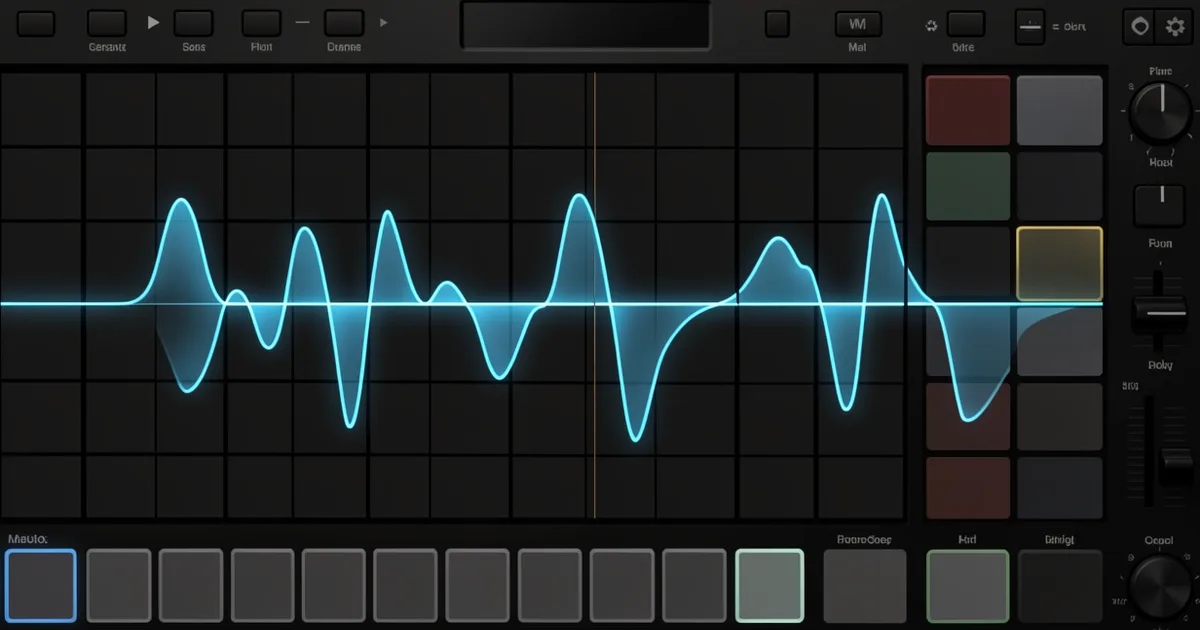
A sampler plugin records, imports, or streams audio samples and lets you play them back at any pitch, tempo, or sequence inside your DAW. The best ones in 2025 are Native Instruments Kontakt 8 (for library depth), Decent Sampler (for free, no-compromise quality), and XLN Audio XO (for drum-centric workflow).
What Is a Sampler Plugin and Why Do You Need One?
Every producer hits the same wall eventually. Your synths sound great in isolation, but nothing in your session breathes like a real instrument. That's the sampler's job.
A sampler plugin sits in your signal chain and plays back recorded audio, called samples, triggered by MIDI notes. You press C3 on your keyboard and hear a Steinway grand. You press D3 and hear that same Steinway, except the plugin has pitch-shifted the sample up two semitones in real time.
The good ones do that invisibly. The cheap ones introduce artifacts that make a piano sound like it's being played underwater.
Beyond playback, modern samplers handle time-stretching, loop creation, sample chopping, granular processing, and library management. Some are built for live performance. Some are built for digging through crates. Some do both badly and one thing brilliantly.
We've tested dozens across different workflows. This guide covers what separates a sampler worth keeping from one worth removing from your plugins folder.
What Are the Main Types of Sampler Plugin?
Not all samplers work the same way. Buying the wrong type wastes money and, worse, workflow hours.
Instrument Samplers
These are built to replicate real instruments with multi-velocity, multi-round-robin sample libraries. Native Instruments Kontakt is the reference here. Load a Spitfire Audio strings library and you're triggering recordings of the London Symphony Orchestra, mapped across eight velocity layers with alternating bow strokes so no two notes sound identical.
Kontakt 8's Player (the free version) opens most third-party libraries. The full license unlocks the scripting engine and the ability to build your own instruments. For producers buying sample libraries, the Player is usually enough.
Creative / Chopper Samplers
These are built for hip-hop, lo-fi, and electronic producers who want to slice, pitch, and mangle existing audio. Serato Sample is the clearest example. Drop a vinyl riff into it, and it maps the detected pitches across your keyboard in seconds. Its pitch-shifting algorithm handles melodic material without the "chipmunk" artifacts that plague cheaper alternatives.
XLN Audio XO takes a different approach. It analyses your entire sample library and maps every kick, snare, and hi-hat onto a visual scatter plot. Similar sounds cluster together. You find drum combinations in seconds instead of hours.
Vintage Hardware Emulators
Some producers want specific sonic imperfections: tape saturation, bit reduction, pitch instability. Arturia CMI V recreates the Fairlight CMI, the 1979 sampling workstation that defined the sound of '80s pop and film scores. Its 8-bit sound engine sounds ugly in a specific way that producers love.
TAL Sampler emulates the SP-1200 and early Akai machines. We loaded a clean kick into it, engaged the bit-crusher and the pitch randomiser, and got exactly the gritty, unstable sound that took hardware producers years to dial in. Satisfying.
DAW-Native Samplers
Logic's EXS24 (now Quick Sampler and Sampler), Ableton's Simpler and Sampler, and Bitwig's Sampler are built into their respective DAWs. They're underrated. Ableton Simpler lets you drag any clip directly from the session into the sampler, slice it to a MIDI rack, and play the slices chromatically. That's a workflow nobody replicates cleanly with third-party plugins.
If your DAW has a built-in sampler, learn it before buying anything else.
What Makes Time-Stretching Quality the Real Differentiator?
Pitch-shifting and time-stretching are where samplers reveal their true quality. Every plugin claims transparency. Most lie.
We ran a 130 BPM breakbeat through six different samplers, slowed to 90 BPM. The test: could we still hear the transient snap on the snare, or did the algorithm smear it into a pre-echo?
Kontakt's built-in time machine pro algorithm held the transient shape down to about 70% of original tempo before smearing. Ableton's Complex Pro mode handled the same material cleanly to around 65%. A cheaper plugin we tested (we won't name it, but it rhymes with "AudioWarper") turned the snare into mush at 100 BPM. Annoying, especially at its price.
The best algorithms in 2025 are Zplane's élastique engine (used by Cubase, Studio One, and others), Ableton's Complex Pro, and iZotope's Radius (found inside Logic's Sampler). If a plugin doesn't tell you which algorithm it uses, assume it's using a generic one.
For melodic material like vocals or guitar, formant preservation matters too. Shift a vocal up a major third without formant correction and it sounds like a cartoon character. Serato Sample and Kontakt both preserve formants by default. Check that setting before you wonder why your flipped sample sounds wrong.
Best Plugins for Sampling Vinyl
Free Sampler Plugins: Are They Actually Good Enough?
Honest answer: yes, in specific situations.
Decent Sampler
Decent Sampler is free and runs the DSF format, which has spawned thousands of free instrument libraries at Pianobook.co.uk. We loaded a prepared piano library, a broken upright recorded in a Norwegian church, and it sounded brilliant. Eight velocity layers, round-robin alternation, a built-in reverb with a 2.3-second tail. Zero cost.
The limitation: Decent Sampler only runs DSF libraries. You can't import arbitrary WAV files and build instruments without writing XML by hand. For playback of free instrument libraries, it's unbeatable. For creative sampling, it's the wrong tool.
Sforzando
Sforzando from Plogue runs the SFZ open format. SFZ is the cleaner, more widely supported alternative to the older SF2 format. If you want to run free orchestral libraries, vintage keyboard patches, or academic instrument samples, Sforzando reads them all. The interface is ugly. The audio quality is not.
Your DAW's Built-In Sampler
We said it above and we'll say it again. Logic's Sampler, Ableton's Simpler, Bitwig's Sampler: these are not compromises. They're deeply integrated tools that paid third-party plugins can't match for in-session workflow. Use them.
How Do You Manage a Sample Library Without Losing Your Mind?
This is the gap every sampler guide skips. The plugin is only half the problem. Finding the right sample inside a 500GB library is the other half.
We've spent actual production sessions unable to find a specific snare because it was buried in a folder called "Misc Hits 3". That's not a workflow. That's a filing cabinet tipped over in a dark room.
Format Compatibility: What You Need to Know
Kontakt's NKI format is proprietary. Files built for Kontakt 7 full won't open in the free Player. That's a real cost consideration when buying third-party libraries: check if they're Kontakt Player compatible or require the full license.
SFZ is the open standard worth learning. Most major free libraries come in SFZ format. It's readable by Sforzando, Bitwig's Sampler, and a growing list of plugins. If you're building your own instrument patches, SFZ is the format with the longest shelf life.
Sample Discovery Tools
Algonaut Atlas 2 analyses your sample library by audio content and maps everything visually. Kick drums cluster in one region, metallic percussion in another. You find what you're hearing in your head without knowing its filename. It integrates with most major DAWs as a plugin browser.
Looperman.com and Splice both offer tagged, searchable loop libraries. Splice's integration with Ableton and other DAWs lets you preview samples in context at your session tempo. For producers without deep libraries, that's worth the subscription alone.
Worth Bookmarking
- Pianobook, Free instrument libraries for Decent Sampler and Kontakt, contributed by producers worldwide
- Sforzando by Plogue, Free SFZ player with clean audio quality and broad format support
- Looperman, Free, royalty-free loops and samples, searchable by genre, BPM, and key
- Algonaut Atlas 2, Visual sample library manager that maps your sounds by audio content
- NI Komplete Start, Free plugin bundle including Kontakt Player with a starter library
Which Sampler Should You Actually Buy?
Depends entirely on what you're making. We hate vague answers, so here's our actual breakdown.
You produce hip-hop, lo-fi, or sample-based music: Get Serato Sample for live flipping, or XLN Audio XO for drum-centric sessions. Both earn their price.
You want orchestral or acoustic instrument libraries: Kontakt 8 Player is free and opens most professional libraries. Start there. Buy the full license only if you need to build your own instruments or use older libraries that require it.
You want vintage hardware character: TAL Sampler for SP-1200 grit. Arturia CMI V for Fairlight weirdness. Both are clever recreations, not just cosmetic nostalgia.
You're on a tight budget or just starting: Decent Sampler plus the Pianobook library collection. It's free and it's genuinely good. No compromises that matter at that stage.
You use Ableton: Learn Simpler first. Seriously. Most producers who buy a third-party sampler before mastering Simpler regret it.
Big Fish Audio Momentum is worth a mention for producers who want deep slice manipulation. Its 18 per-slice effects include pitch-shifting, reverse, stutter, and delay per individual slice, not just the overall loop. That level of granular control is unusual at its price point.
CPU load varies significantly by design. Kontakt running a large orchestral template with 60+ loaded instruments is expensive. Decent Sampler and Sforzando are light. Serato Sample idles low but spikes during pitch analysis on long audio files. Check your session's available headroom before committing to a Kontakt-heavy template.
How to Build a Sample Library from Scratch
Summary
A sampler plugin's real value is in three things: the quality of its pitch-shifting algorithm, its format compatibility, and how fast it lets you find and trigger the right sound. Kontakt 8 Player covers professional instrument libraries for free. Serato Sample and XLN Audio XO handle creative sampling and drum work. Decent Sampler and Sforzando give you genuine quality at zero cost. Learn your DAW's built-in sampler before buying anything. And sort your sample library before your next session, because no plugin fixes a disorganised drive.
Part of our complete Music Production Plugins Guide: Complete Beginner's Overview series.
Frequently Asked Questions
What's the difference between a sampler and a sample player?
A sample player only plays back pre-built instrument patches. A sampler lets you import any audio file, map it across a keyboard, and design your own patches from scratch. Kontakt Player is technically a sample player. Kontakt full version is a sampler. The distinction matters when you're buying libraries: always check which one you need.
Can I use sampler plugins without knowing music theory?
Yes. Tools like XLN Audio XO and Serato Sample are built around audio recognition, not music theory. XO finds drums that sound similar to a reference. Serato Sample detects pitched notes automatically. You can build tracks purely by ear. Theory helps you understand why certain combinations work, but it's not a requirement to start.
Do sampler plugins work with all DAWs?
Most work across any DAW supporting VST3, AU, or AAX formats. Kontakt, Serato Sample, and TAL Sampler all meet that standard. The exception is DAW-native samplers: Ableton Simpler only exists inside Ableton, and Logic's Sampler only runs in Logic. Format compatibility also matters for libraries: NKI files only open in Kontakt, SFZ files work across multiple players.
Is the free Kontakt Player good enough, or do I need the full version?
The free Kontakt Player opens any library labelled "Kontakt Player compatible," which covers the majority of commercial libraries from Spitfire, Heavyocity, and most other major publishers. You only need the full license if you want to build instruments from scratch, edit existing patches, or open older libraries that haven't been updated for Player compatibility. Start with the Player.
What sample format should I use when building my own patches?
SFZ is the most future-proof open standard. It's readable by Sforzando, Bitwig's Sampler, and several other players, and it's a plain text format you can edit in any text editor. If you're building for Kontakt distribution, NKI gives you more scripting power but locks users into the Kontakt ecosystem. For personal use and flexibility, SFZ wins.
How much RAM do sampler plugins use?
It depends heavily on the library and the streaming settings. A small piano library might use 200MB of RAM. A large orchestral template with full articulation sets loaded can exceed 32GB. Most modern samplers, including Kontakt and Decent Sampler, use disk streaming to reduce RAM load by only keeping active samples in memory. Set your disk streaming buffer higher if you're getting dropouts on complex patches.