Loopmix is a six-track loop remixer that earns its price tag for anyone who performs live or needs to break a creative block fast, but it has real workflow gaps that stop it from being a must-have for everyone.
We spent several weeks loading our own stems, hammering the randomisation engine, and running it through a live set to see whether Audiomodern built something genuinely useful or just a very entertaining toy. The verdict sits somewhere in the middle, and that middle is worth understanding before you buy.
It's built for producers who are bored of their loops, live performers who want to remix on the fly, and anyone who has stared at a session at 2am with nothing new to say. It is not built for sound designers chasing precise control over every parameter.
What You're Actually Getting
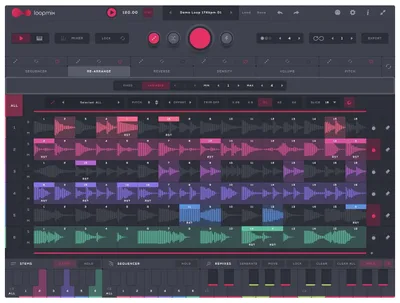
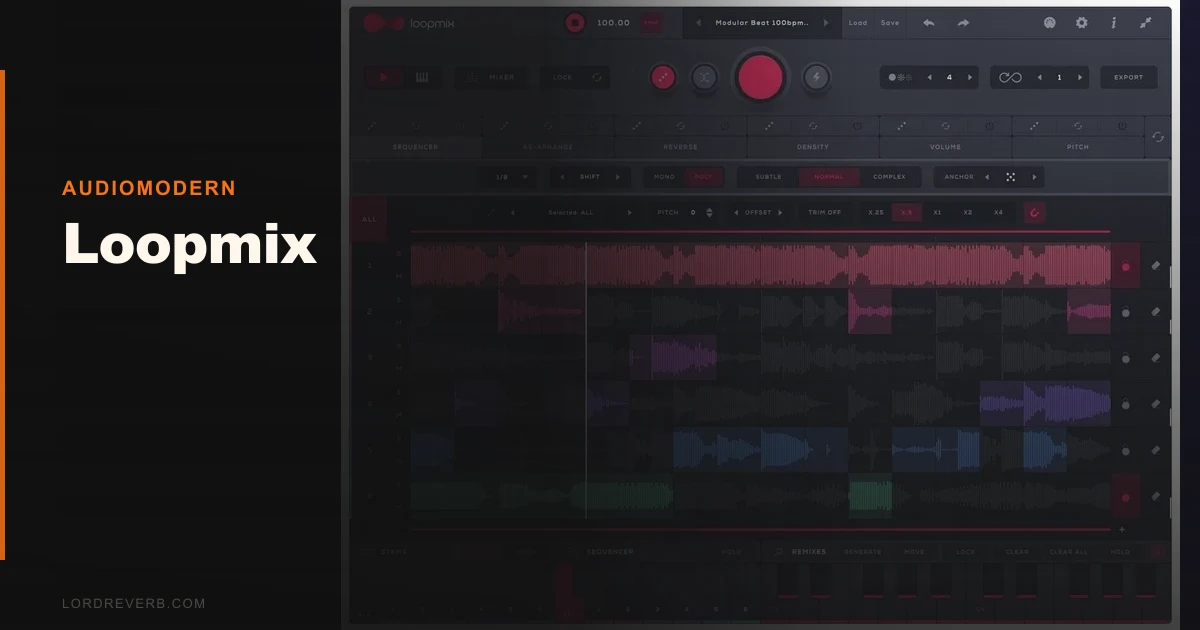
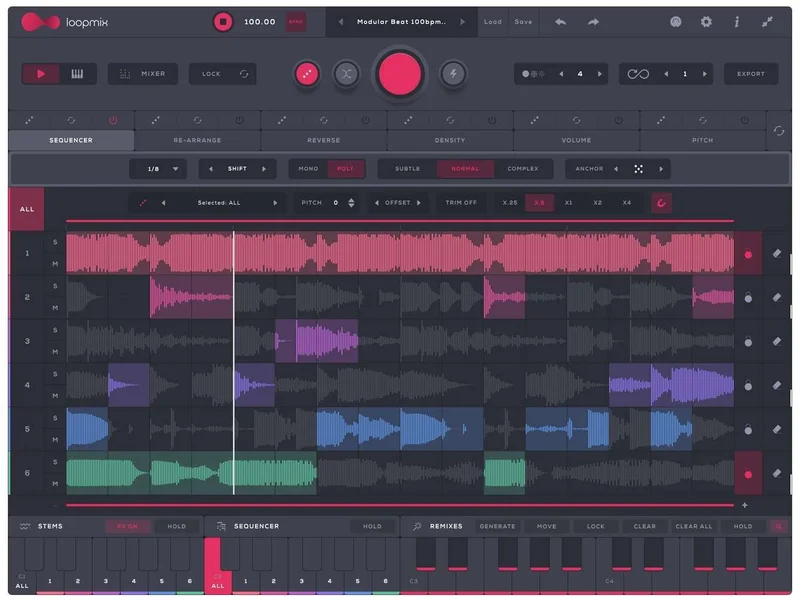
Loopmix loads up to six audio loops simultaneously across six independent tracks. Each track gives you controls for volume, pitch, density, reverse, and step sequencing. You can rearrange, mute, or trigger any of those tracks live.
The randomisation engine is the headline feature. Hit the randomise button and Loopmix generates up to 24 different remix variations at once. You can also spread across up to two octaves of keyboard range, with each key triggering a different remix variation of the same loop set.
The factory library sits at 1.6GB and ships with dynamic presets that swap the underlying audio as well as the processing settings. There's also an Advanced Samples and Presets Manager so you can build and share your own packs. Format support covers VST, VST3, AU, AAX on Mac and Windows, plus AUv3 on iPad.
The Good
The randomisation workflow is where Loopmix earns its keep. We loaded a four-bar drum loop, a bass stem, and a pad, hit randomise, and had 24 usable variations in about eight seconds. That's not a figure we're rounding up. Eight seconds from one loop set to 24 remix candidates is a real time saving.
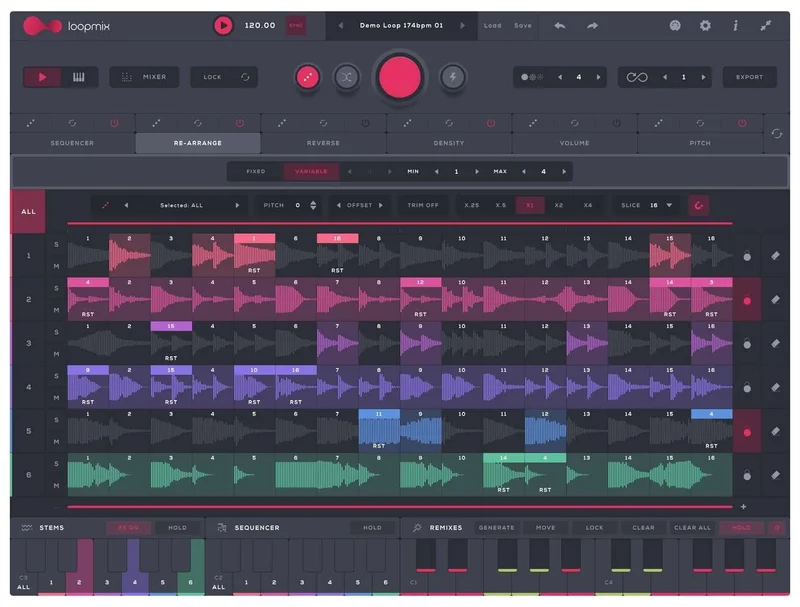
We love the keyboard performance mode. Mapping each key across two octaves to a different variation means you can play a live remix as if it were an instrument. We ran this into Ableton with a 25-key controller and it held up cleanly under pressure. No dropped triggers, no latency spikes we could attribute to the plugin specifically.
The density control per track is clever. Pull it down on a hi-hat loop and it drops hits progressively, thinning the pattern rather than cutting it wholesale. We used this to build tension in a transition and it worked on the first pass without any automation drawn in.
The 1.6GB library is genuinely varied. We expected filler. We found loops we actually kept. The dynamic presets swap audio and settings together, which is satisfying in a way that static preset lists never are.
The Not-So-Good
The default presets lean hard into glitch territory. That aesthetic works for some. For anyone making house, pop, or anything where the groove needs to breathe, the factory presets feel like showing up to a restaurant and getting the weirdest dish on the menu before you've seen the rest of the menu.
No per-track EQ, filtering, or compression. This is annoying. When a bass stem and a drum loop are fighting in the low end, you have to jump out of Loopmix and handle it in your DAW. That breaks the creative flow the plugin is trying to build.
There's no way to nudge the timing of individual stems. If two loops were recorded at slightly different feels, you can't push one track forward or backward in time to align them. You either live with the phase relationship or fix it before you load anything in.
Pattern transposition is also missing. You can pitch individual tracks up or down, but you can't transpose a whole remix pattern by a semitone without manually adjusting every track. Frustrating when you're playing in a different key.
Compared to the Alternatives
Looperator by Sugar Bytes is the closest direct competitor. It processes audio through six effect slots per step rather than slicing and rearranging discrete loops, so the workflow is fundamentally different. Looperator wins for sound design and mangling a single source. Loopmix wins for juggling multiple stems and performing remixes live.
Ableton's Clip launching and Session View can achieve similar results, but it takes significant setup time and doesn't give you the one-click randomisation that Loopmix does. If you're already deep in Ableton and comfortable with it, Loopmix adds speed, not new capability.
For sampling depth, HALion 7 operates in a different category entirely. It's a full sampler workstation versus a loop performance tool. The two don't really compete.
Loopmix is cheaper than Looperator and faster to get results from. If your goal is live remix performance with stems, it wins the comparison.
Who Should Buy This
- ✅ Buy if you perform live with loops and want real-time remix control from a keyboard controller.
- ✅ Buy if you hit creative blocks regularly and need fast variation generation to restart your sessions.
- ✅ Buy if you already prep your own stems and want a faster way to build arrangement ideas from them.
- ❌ Skip if you need per-track dynamics or EQ inside the plugin. You'll fight the workflow constantly.
- ❌ Skip if you work in one fixed key and need pattern transposition. It's not there.
- ❌ Skip if you want a traditional sampler with deep editing. Check drum machine sampler plugins instead.
Score Breakdown
| Category | Score | Notes |
|---|---|---|
| Sound Quality | 3.8/5 | Clean playback, but no onboard processing means your loops sound exactly as you bring them in. |
| Value for Money | 4.3/5 | $69 is fair. At a promotional price it's a no-brainer. |
| Ease of Use | 4.0/5 | UI is intuitive for the core workflow. Some features need a manual pass to discover. |
| Features | 3.5/5 | Randomisation and live performance are excellent. Missing per-track processing and timing nudge. |
| CPU Efficiency | 4.0/5 | Light footprint in our tests. No measurable spikes with six active tracks. |
| Overall | 4.1/5 | A brilliant inspiration tool with real workflow gaps that matter in serious production sessions. |
Alternatives to Consider
Looperator by Sugar Bytes suits producers who want to mangle a single loop through step-sequenced effects. It's more surgical and more complex. The current price is shown in the buy box on this page.
Ableton Session View with Clip Launch replicates some of this live remix functionality but takes significantly longer to set up and skips the one-click variation generation entirely.
If you want a proper sampler with layering, mapping, and deep editing, HALion 7 is the benchmark in that category. It's a different tool, a different price, and a different creative purpose.
For producers building out a sampler toolkit from scratch, drum machine sampler plugins guide covers the broader field and helps you figure out where Loopmix fits relative to rhythm-focused options. Worth reading before you commit.
If you're interested in how preset-based sample tools stack up in practice, our Portatron Preset Pack SonalSampler review shows what a well-executed preset-led sampler looks like at a similar price point.
We'd buy Loopmix. At the promotional price, skip the deliberation entirely. The missing features are real, and if per-track dynamics and timing control are non-negotiable for your workflow, this isn't the plugin. But if you perform loops live or you're stuck in a session going nowhere, Loopmix will unstick you faster than anything else in this price bracket. That's not a small thing.
Frequently Asked Questions
Does Loopmix work with your own samples or only the factory library?
It works with your own samples. You load audio files directly into any of the six tracks and build custom loop sets from your own material. The 1.6GB factory library is a starting point, not a limitation. The Advanced Samples and Presets Manager lets you build and share your own packs.
Can Loopmix be used for live performance with a hardware controller?
Yes. The keyboard performance mode maps remix variations across up to two octaves, so you can trigger 24 different variations from a standard MIDI keyboard. We tested this with a 25-key controller inside Ableton and it performed reliably. It's one of the plugin's strongest features.
Is the iPad version the same as the desktop version?
The iPad version runs as an AUv3 plugin and is significantly cheaper than the desktop version. Core functionality carries over, but check Audiomodern's site for any feature differences between the iOS and desktop releases before assuming full parity.
How does Loopmix handle loops with different tempos?
Loopmix syncs to your DAW's tempo, so loops stretch and warp to match. The quality of that time-stretching depends on the source material, as always. Loops with extreme tempo differences from your session BPM will show artifacts. Pre-editing your stems to be close to your session tempo before loading gives you the cleanest results.