
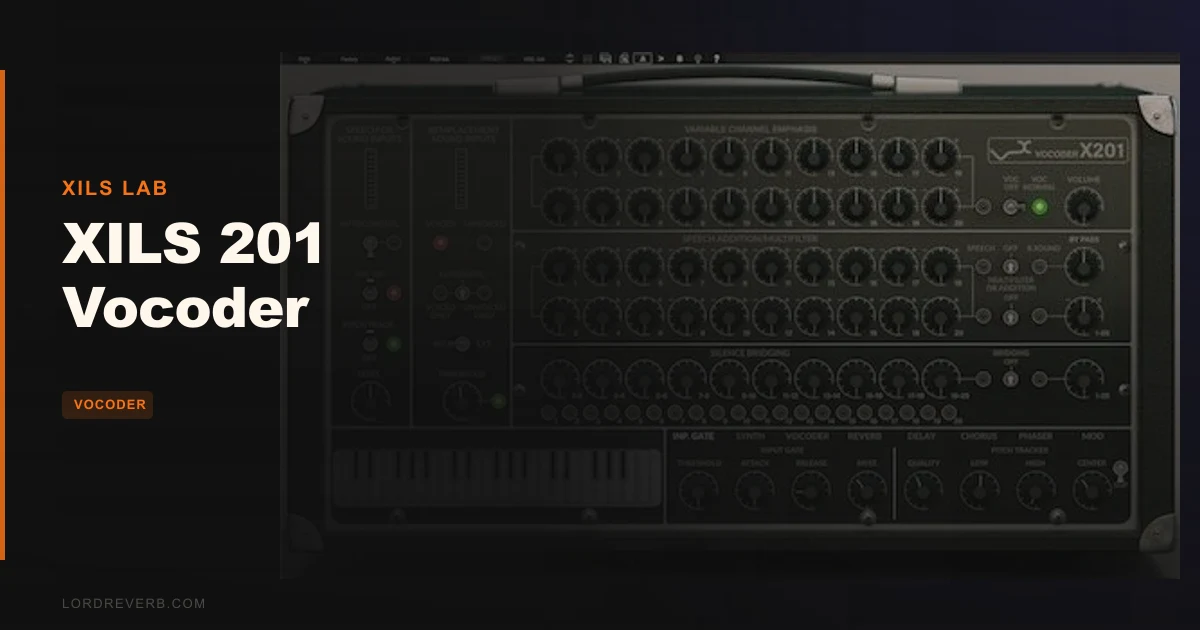
You're building a Daft Punk-style vocoder line and every "modern" plugin sounds too clean, too corrected, too now. That's the exact moment the XILS 201 Vocoder exists for.
This is a software emulation of the Sennheiser VSM-201, a piece of hardware so rare it barely shows up on eBay and so expensive it never made financial sense to track down. The VSM-201 was the vocoder behind Boney M, Battlestar Galactica's Cylon voice, and elements of Daft Punk's RAM album. That lineage matters. It's not marketing copy. It's the actual reason to look at the XILS 201 over cheaper alternatives.
At $199, this sits in "committed purchase" territory. We'd recommend it to producers who know specifically what the VSM-201 sounds like and need it. Everyone else should read the alternatives section first.
What It Actually Is (and What It Isn't)
The XILS 201 is a 20-band dual filter bank vocoder, covering 100 Hz to 8 kHz, with a built-in analogue-modelled synth carrier, four vintage effects and a multiband envelope follower engine XILS Lab calls "Silence Bridging." It's a full production tool in one plugin.
What it isn't: a general-purpose creative vocoder for producers who just want something fun to throw on a pad or a drum bus for texture. It's not a beginner tool. The interface punishes explorers. And it's not a modern-sounding vocoder. The whole point is that it sounds old, in exactly the right way.
If you need pitch-correction-style clean vocoding or lo-fi robot presets that take 30 seconds to dial in, this is the wrong tool. Look elsewhere. But if the VSM-201's specific spectral fingerprint is what you're after, nothing else gets you there.
Where It Fits in Your Session
Load it on a vocal track and route your synth as an external carrier. Point some MIDI at it. That tells you quickly whether this is your thing: the 20 bands resolve speech harmonics with a clarity that 10-band vocoders like the Roland VP-330-inspired plugins simply can't match. The Roland sounds musical. The XILS 201 sounds intelligible. Different goals.
The per-band bypass is where things get interesting. Disable a handful of bands and you're not running a vocoder anymore. You're running a multiband comb filter that sits in the mix in genuinely strange and satisfying ways. Try it on a Clavinet patch or a string machine. Bypass bands 3 through 7 and push the Phaser. That's a sound you won't find in your preset browser.
The Silence Bridging engine is worth spending time with on percussive material. It shapes gain according to harmonic content across bands, so rhythmic sources come through with contour rather than smear. Run a drum loop through it. Adjust the carrier. Give it ten minutes before you judge it.
The built-in effects, Chorus, Phaser, Delay and an early-digital-style Reverb, have their own input routing and configurable order. That's a real workflow advantage. You're not running four sends. It's all contained.
The Trade-Offs Worth Knowing
The interface is frustrating. Not broken, but frustrating. The 20 frequency bands have no labels on the display itself. You hover for tooltips or you check the manual. That's annoying when you're trying to cut a specific frequency and you're clicking around guessing. Reviewers flag this consistently, and it is a genuine design miss.
Knob control is horizontal-drag only. No double-click to type a value, no right-click reset on some controls. That's a workflow tax that adds up over a session.
The manual has grammatical errors and skips over several functions. For a plugin at this price, that's not a good look. No official tutorial videos are listed. You learn this thing by reading incomplete documentation and experimenting.
On the stability side: crashes have been reported in Bitwig 3.0.3 with the VST version, and VST3 users have hit audio dropouts when switching presets that require a full plugin reload. These appear to be environment-specific rather than universal, but check your DAW version before buying.
CPU spikes get mentioned too. Not a constant heavy load, but unpredictable peaks. Worth monitoring on older systems.
The honest flip side: once you're past the interface friction, the sonic possibilities are genuinely deep. The HomeStudioToday reviewer described frustration with the learning curve but ended up praising what the plugin could do once they'd mapped it. That arc is probably typical.
Against the Field
The XILS Vocoder 5000 is the other XILS vocoder and covers the EMS Vocoder 5000 emulation. If you want EMS character, go there. If you want Sennheiser VSM-201 character, the 5000 won't give it to you.
The Roland VP-330 software emulation gives you 10 bands and a warmer, more musical sound. Easier to use. Less clarity in complex vocal passages. Better for lush pad-vocoder textures, weaker for intelligible speech vocoding.
Waves OVox is the modern production choice. Cleaner interface, stronger real-time pitch integration, more approachable for beginners. It doesn't sound anything like the VSM-201. Different category entirely.
The XILS 201 wins on one thing and it's not close: VSM-201 authenticity. That's either worth $199 to you or it isn't.
| Plugin | Bands | Strongest Point | Weakest Point | Best For |
|---|---|---|---|---|
| XILS 201 Vocoder | 20 | VSM-201 authenticity, per-band bypass | Interface friction, incomplete manual | Vintage Sennheiser character |
| XILS Vocoder 5000 | N/A | EMS Vocoder 5000 emulation | Different hardware target | EMS-style vocoding |
| Roland VP-330 emulations | 10 | Musical, warm sound | Less intelligibility on vocals | Pad-vocoder textures |
| Waves OVox | Variable | Modern workflow, real-time pitch | No vintage hardware character | Contemporary vocal production |
The Real Verdict
If you know the VSM-201 and you need it, buy this. There's no other software path to that sound. The 20-band clarity, the per-band bypass, the Silence Bridging engine and the self-contained effects chain make it a legitimate creative tool once you've put in the time to learn it.
If you're buying a vocoder for the first time, or you just want something that works fast out of the box, this is the wrong starting point. The interface will annoy you before it rewards you, and the incomplete manual won't help.
The stability reports are worth taking seriously. Check your DAW version. Run the demo on your system before committing.
For the right producer, it's a niche tool that does its specific thing better than anything else. For everyone else, it's an expensive frustration.
Specs & Technical Details
| Developer | XILS Lab |
| Price | $199 |
| Plugin Format | VST / VST3 / AU / AAX |
| OS Support | Mac (OSX 10.8+) / Windows (7, 8, 10) |
| Activation | N/A |
| CPU Usage | Medium (spikes reported in some environments) |
| Trial Available | N/A |
| Version Reviewed | N/A |
Score Breakdown
| Category | Score | Notes |
|---|---|---|
| Sound Quality | 4.8/5 | VSM-201 clarity is the real thing; 20-band resolution beats 10-band competitors on intelligibility |
| Value for Money | 4.0/5 | Justified for VSM-201 chasers; harder to defend for general vocoder use |
| Ease of Use | 3.0/5 | No band frequency labels, horizontal-only knobs, errors in documentation |
| Features | 4.5/5 | Per-band bypass, Silence Bridging, four vintage effects with custom routing |
| CPU Efficiency | 3.5/5 | Spikes reported; not consistently heavy but unpredictable enough to note |
| Overall | 4.3/5 | Brilliant at one specific thing; annoying to learn and not for generalists |
Alternatives to Consider
If the VSM-201 emulation isn't what you're after, here's where to look instead.
The XILS Vocoder 5000 is the natural comparison within the XILS family. It targets the EMS Vocoder 5000 hardware. Different character, different workflow, same level of vintage commitment. If you're not sure which hardware you're chasing, read that review first.
For a broader look at how different vocoder types compare before spending anything, our Vocoder Plugins Guide breaks down the three main categories and where each type fits in a real session.
And if you're invested in the XILS Lab sound design approach more generally, the XILS 3 review covers their VCS3 emulation. Different instrument, same developer philosophy: authentic emulation over approachability.
Waves OVox is the modern alternative for producers who want vocoder character without the hardware-emulation commitment. Cleaner interface, faster workflow. Sounds nothing like the VSM-201. It's a different tool for a different job.
The XILS 201 is a love it or leave it plugin. Know what the VSM-201 sounds like. Know you need it. Then buy it at $199 and spend the weekend learning the interface. If that sounds like work, it is. But the sound is worth it for the right project.
Frequently Asked Questions
What hardware does the XILS 201 Vocoder emulate?
It's modelled after the Sennheiser VSM-201, an ultra-rare hardware vocoder from the analogue era. The VSM-201 was used on records and film work by artists including Kraftwerk, Boney M and Daft Punk, and on productions like Battlestar Galactica. It's never been widely available as a software emulation outside of this plugin.
How does the XILS 201 compare to the Roland VP-330?
The VP-330 runs 10 frequency bands and produces a warmer, more musical vocoder character. The XILS 201 runs 20 bands across 100 Hz to 8 kHz, which gives it significantly better speech intelligibility. The VP-330 wins on approachability and warmth. The XILS 201 wins on clarity and hardware accuracy.
Is the XILS 201 Vocoder good for beginners?
Honestly, no. The interface has no frequency labels on the band display, knob control is horizontal-drag only, and the manual has documented errors and gaps. Reviewers consistently flag the learning curve as steep. If you're new to vocoders, start with something more approachable and come back to this when you know what VSM-201 character sounds like and why you need it.
Are there known compatibility issues with the XILS 201?
Users have reported VST crashes in Bitwig 3.0.3 and audio dropouts when switching presets in VST3 mode, with some instances requiring a full plugin reload. These appear to be environment-specific rather than affecting all DAWs. Check your DAW version against the system requirements before purchasing, and run any available demo on your setup first.