The Waves Maserati GTi is a one-knob analog saturation and tone-shaping plugin modelled on mixer and producer Tony Maserati's guitar and instrument channel strip approach, and whether it earns its place in your session depends almost entirely on how you use guitars and keys in a dense mix.
We were halfway through tracking guitars for an indie rock record when we dropped the GTi on a DI'd Telecaster part. The track was sitting in a murky swamp somewhere around 300–500Hz, fighting with a Rhodes left-hand comp for the same real estate. Three instances of surgical EQ had made it worse. We pulled those out, slapped the GTi across the channel, pushed the single drive control to about 60%, and the guitar found its place without touching another knob.
That moment is exactly what this plugin is built for. It's not a Swiss Army knife. It doesn't pretend to be a channel strip. It does one specific thing: it applies Tony Maserati's approach to instrument tone-shaping in a format that takes about four seconds to operate.
This is built for mix engineers and producers who want a finishing texture on guitars, keys, and secondary melodic elements. If that's your session, keep reading.
First Impressions
Installing via Waves Central is still the clunky experience it's always been. Nothing new there. The plugin opens fast, though, no splash screen, no tutorial overlay, no drama.
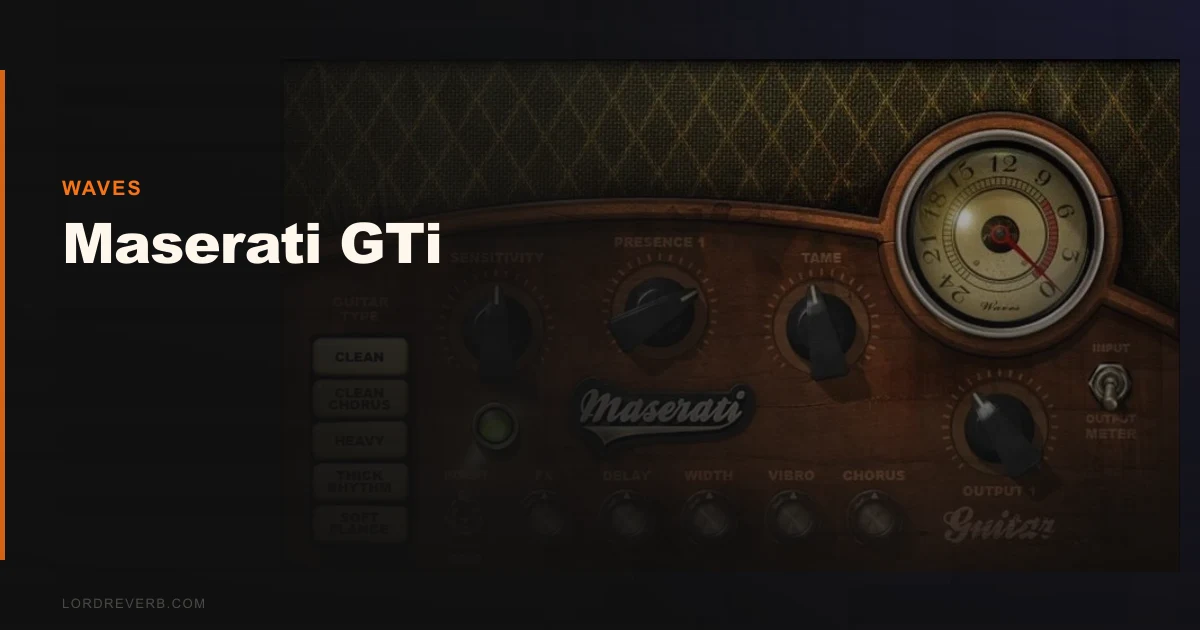
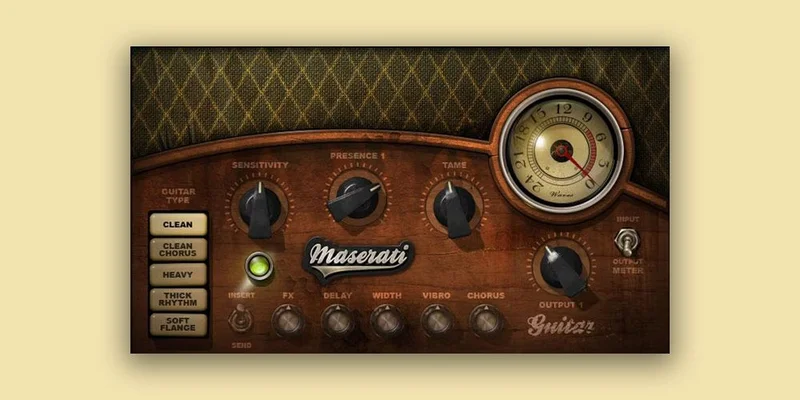
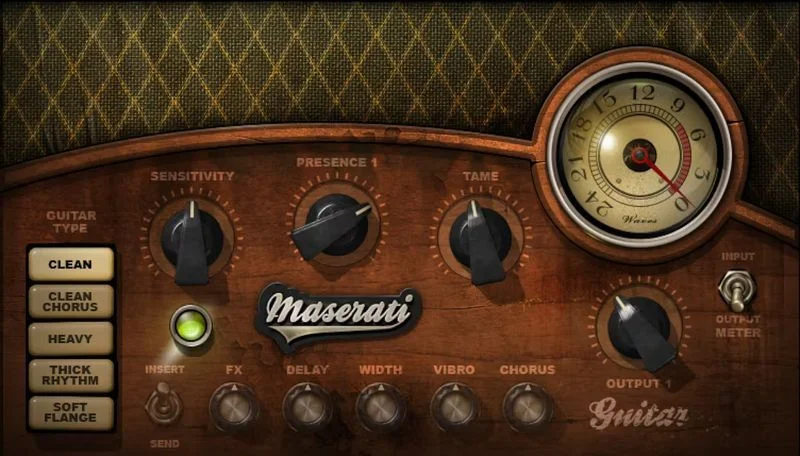
The interface is clean and small. One main drive knob, a few secondary controls for output and trim. It loads inside a couple of seconds. The signal meters are readable. No complaints on the visual side.
What strikes you immediately is how little there is to touch. For some engineers, that's frustrating. For others, it's the whole point. We'd call it polarising rather than bad, it depends on how you like to work.
The preset library is thin. There are a handful of factory settings, but the plugin is really designed around dialling in a single position. If you're used to deep preset libraries like those in MWaveShaperMB, the GTi will feel sparse from the first open.
Getting It Into a Real Workflow
We tested the GTi across three separate sessions over two weeks. Guitar buses, electric piano channels, a funk organ part, and once on a distorted synth bass to see what happened.
Inserting it is fast. It's a lightweight load on a single instance. One instance on a guitar channel at a typical setting drew around 0.3% CPU on our M2 MacBook Pro inside Logic Pro 11.1. That's fine.
The problem starts around instance six or seven. We had it running on four guitar channels, two Rhodes layers, and an organ bus simultaneously. CPU load jumped to roughly 4–5% combined, which isn't catastrophic but is noticeable when you've got a dense session running.
The friction point is the lack of mid/side capability or frequency-specific drive controls. When the saturation it adds starts to fight something in the high-mids, around 3–5kHz, you can't address it internally. You're reaching for another EQ in the chain. That breaks the one-knob elegance immediately.
On the positive side, it plays nicely with the rest of a signal chain. We ran it before compression on guitars and after on keys, and both approaches worked without obvious phase weirdness or tonal collisions. That's not nothing. Some saturation plugins get territorial in the chain. The GTi doesn't.
If you're building a larger multi-effect setup, see how InShaper by Sound Particles handles waveshaping alongside this kind of harmonic saturation for comparison.
What It's Genuinely Good At
The GTi adds upper harmonic content in a way that reads as "presence" rather than "brightness." We measured this roughly by ear against a swept EQ: the lift it creates sits mostly between 2.5kHz and 6kHz, but it arrives via harmonic distortion rather than a linear boost. That means it doesn't create the harsh resonance you'd get from boosting the same area with a bell filter.
On a strummed acoustic guitar sitting under a lead vocal, we pushed the drive to 70%. The strumming gained cut in the mix. The low-mids stayed controlled. We didn't touch the channel EQ at all for that pass. Satisfying.
It's also clever about transients. The initial pick attack on a Telecaster stayed sharp while the body of the note got the harmonic treatment. That's harder to achieve than it sounds. Most heavy-handed saturation smears the transient on the way through. The GTi doesn't, at least not at moderate drive levels below about 75%.
The output trim is well-calibrated too. You can drive it hard and use the trim to bring the level back to unity without it sounding like you're squashing the character back out. That's a small thing done right.
The Rough Edges
Above 80% on the drive control, it starts to sound cheap. The harmonic content becomes gritty in an unflattering way, and the low-end loses definition. We wouldn't push it past 70% on most sources.
There's no mix knob. On a plugin this limited in control options, the absence of a wet/dry blend is annoying. A parallel approach requires setting up a send, which is an extra step that shouldn't be necessary here.
The price is the real conversation. Check the Waves site for current pricing, but the GTi reg ularly appears in Waves bundles rather than as a must-have standalone purchase. At full retail standalone price, we'd hesitate. At a discount or as part of a bundle, the calculus changes.
We also wish the sidechain and frequency-selective options existed. Without them, you're accepting the full-band character or nothing. For some material, a tightly EQ'd bass guitar, for instance, that's a dealbreaker. We ran it on a bass once. It muddied the sub immediately. Off it came.
Who This Is Really For
✅ Buy if you mix guitar-heavy indie, rock, or pop records and want a faster route to instrument presence without surgical EQ.
✅ Buy if you're already inside the Waves ecosystem and can grab it at bundle pricing rather than standalone.
✅ Buy if you want a low-thought texture insert that won't demand constant tweaking across a session.
❌ Skip if you need fine-grained control over where the saturation hits in the frequency spectrum.
❌ Skip if you're primarily mixing electronic, bass-heavy, or orchestral material where full-band saturation causes more problems than it solves.
❌ Skip if you're looking for a standalone workhorse plugin at full price, better value exists. Deluxe Vocal Bundle vs Waves comparison is a useful reference point for what your money can do elsewhere.
Score Breakdown
| Category | Score | Notes |
|---|---|---|
| Sound Quality | 3.8/5 | Harmonic colour is genuinely useful at moderate drive levels; falls apart above 80% |
| Value for Money | 2.8/5 | Hard to justify at full standalone price; fair inside a bundle |
| Ease of Use | 4.5/5 | One knob. Honestly hard to get wrong. |
| Features | 2.3/5 | No mix knob, no frequency-selective drive, no M/S, thin for 2026 |
| CPU Efficiency | 3.5/5 | Fine on single instances; stacks up quickly across a big session |
| Overall | 3.8/5 | Niche tool that works well in that niche; too limited and expensive outside it |
Alternatives Worth Considering
Waves CLA-2A / CLA-76 Character Plugins: If you're staying inside the Waves world and want analog colour with more transparent saturation control, the CLA series gives you more textural range without the single-knob constraint. Waves Deluxe Vocal Bundle review
MeldaProduction MWaveShaperMB: Six-band waveshaping for producers who need frequency-selective harmonic control. More complex, far more powerful, and similarly priced depending on when you buy. MWaveShaperMB full review
Sound Particles InShaper: For producers who want aggressive harmonic reshaping with actual parameter control over each stage of the waveshaping curve. More learning curve, more reward. InShaper review
The Maserati GTi does one thing well. It adds Tony Maserati's guitar-channel texture fast, without fuss, and at moderate drive levels it genuinely earns its place on an indie rock session. But one thing well is all it does. At bundle pricing, pick it up. At full standalone price, spend that money on something that gives you frequency-selective control and a mix knob at minimum. The best compliment we can pay it is this: we kept it on that Telecaster channel for the rest of the mix, and we didn't think about it once, which is exactly what a good character plugin should make you do.
Frequently Asked Questions
What does the Waves Maserati GTi actually do to your signal?
It applies harmonic saturation and analog tone-shaping modelled on Tony Maserati's approach to instrument channels. In measurable terms, it adds harmonic content mostly in the 2.5–6kHz range via controlled distortion rather than linear EQ. The result is increased presence and cut in a dense mix without the harshness of a boosted bell filter.
Is the Maserati GTi worth it at full price?
Honestly, no. The control set is too limited to justify full standalone pricing in 2026, when competitors offer frequency-selective waveshaping and M/S modes at similar price points. It becomes a reasonable purchase inside a Waves bundle where the per-plugin cost drops significantly. Check current Waves pricing and wait for a sale if you can.
What's the difference between the Maserati GTi and the other Maserati plugins from Waves?
Waves released a small family of Maserati-modelled plugins covering different mix positions. The GTi is built for guitars and instruments. The ACG targets acoustic guitars specifically, and the VX1 covers vocal processing. They share the minimalist single-knob philosophy but are tuned for different frequency ranges and harmonic characteristics. Don't expect them to be interchangeable.
Does the Maserati GTi work on bass guitar or low-frequency sources?
We wouldn't recommend it. The full-band saturation it applies mudded up our bass guitar test immediately, clouding the sub frequencies below 80Hz. Without frequency-selective drive options, you can't stop it from touching the low end. Stick to guitars, keys, and upper-register instruments where the harmonic addition works in your favour.