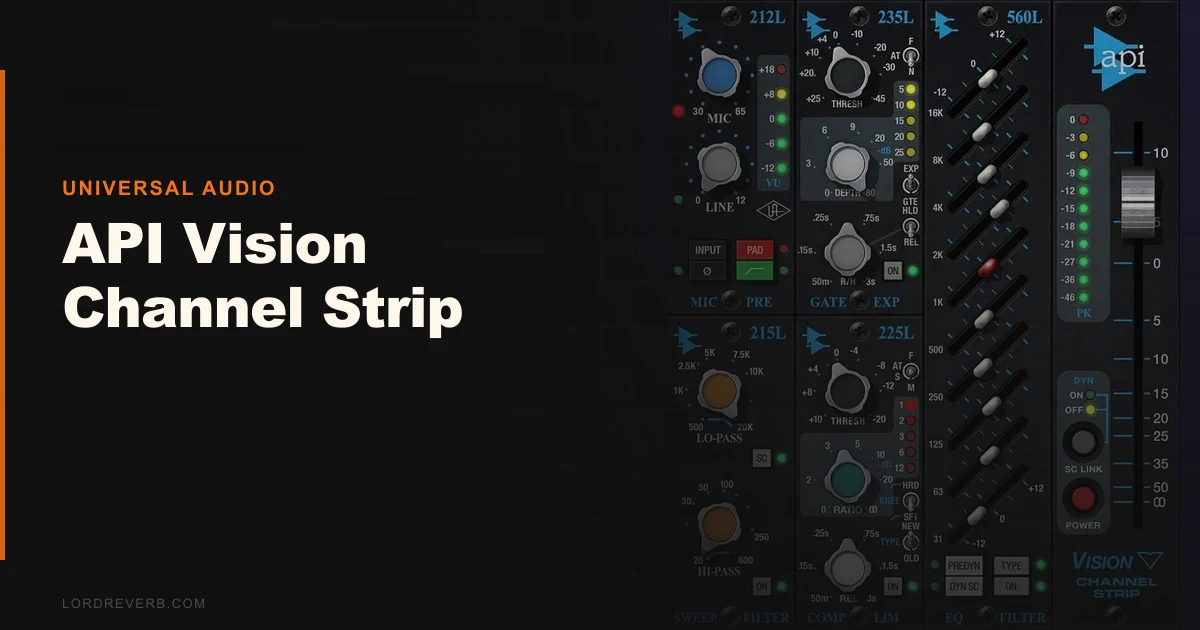
The API Vision Channel Strip is UAD’s most complete API hardware emulation, and at $29 it’s one of the better deals in their entire catalogue.
We pulled it up on a vocal track that had been fighting us for two sessions. The singer had a slightly harsh 3kHz presence and a low-mid buildup that was making her sound boxy in the chorus. We’d already tried two other plugins and were starting to think the problem was in the recording. It wasn’t. Four moves on the Vision sorted it: the Unison preamp at 50dB with the impedance doing its thing, the 550L EQ notching 2dB out at 315Hz with a moderate Q, a gentle lift at 10kHz, and the compressor sitting at 4:1 with a medium attack to let the consonants through. She sat in the mix immediately. First time in two days.
That’s what this plugin does well. It doesn’t fix bad recordings, but it shapes good ones fast.
First Impressions: A Lot Going On
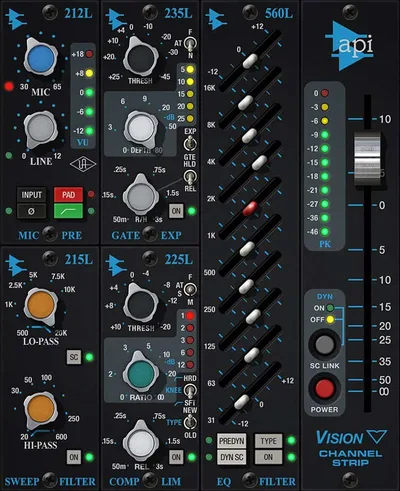
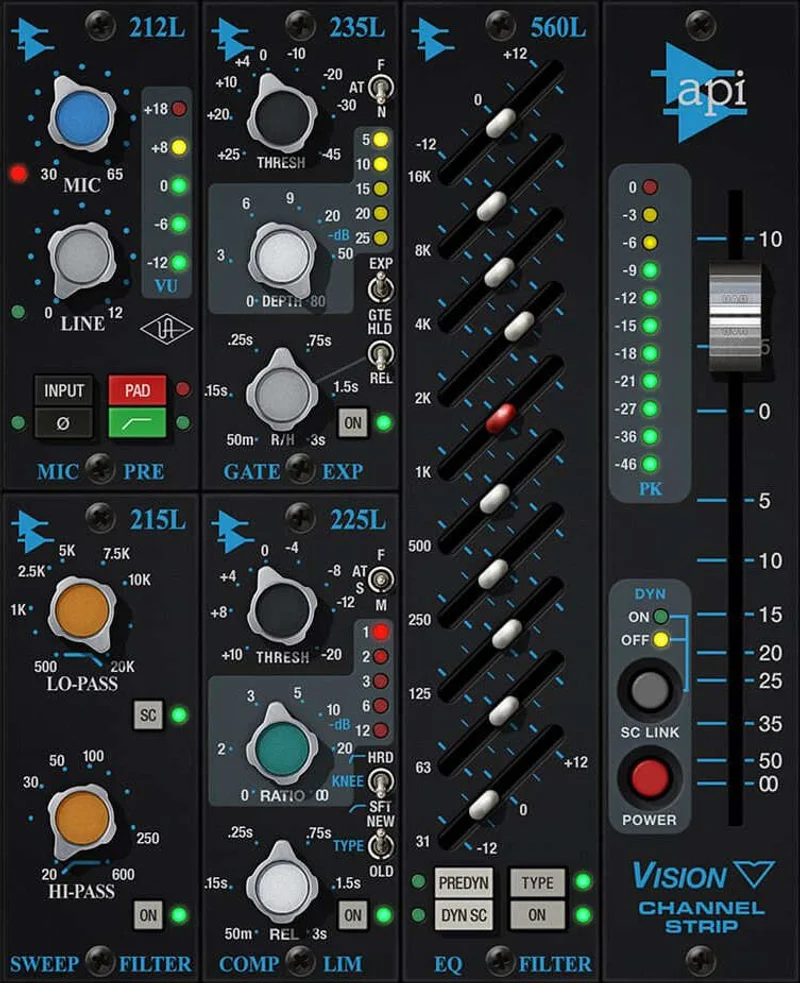
Opening the API Vision for the first time, the reaction is complicated. The UI looks like someone photographed actual API hardware and then tried to cram three modules into a 1080p screen.
It’s busy. Labels overlap at 100% zoom. The font is small. If you’re mixing on a laptop, you’ll squint.
But underneath the visual noise, the layout is logical once you learn it. Left to right: Unison preamp, high-pass and low-pass filters, the switchable EQ section, compression, and gating. That’s exactly how the hardware signal chain runs. Once you’ve spent an hour with it, muscle memory kicks in and the clutter fades.
The load time is fast. No annoying splash screen.
Getting It Into a Real Workflow
The Vision lives as an insert on your input channel or as a track plugin post-recording. We run it both ways depending on the session.
On a drum bus, we’ll stack one instance with the 560L graphic EQ engaged, using it to add 2dB at 8kHz for air and cut 1.5dB at 200Hz to thin the boxy room sound. The compressor on the drum bus at 2:1 with a slower attack keeps the transients intact while the output transformer stage adds just enough glue. That transformer colour is audible. Not subtle. Pull it out of the chain and the drums sound thinner.
The switchable EQ is where the Collection update earns its keep. The 550L is a 4-band parametric. The 560L is a 10-band graphic. They’re not the same tool, and using the wrong one costs you time. The 550L is better for broad tonal shaping. The 560L is better when you’re hunting a specific problem frequency and want surgical control without a separate EQ plugin.
Friction point: you can’t run both EQ modes simultaneously on one instance. You pick one. That’s a hardware-accurate limitation, but it’s worth knowing before you buy.
What the Vision Gets Right
The Unison preamp is the headline feature, and it earns that position. It models the API 212L preamp with impedance characteristics that change how your source signal responds. Set it at 30dB for a cleaner, more transparent input. Push it to 65dB and you start hearing the transformer stage react. There’s a 20dB pad switch for hot signals.
We A/B’d the Unison input against a standard gain stage on an acoustic guitar. At 55dB, the Vision version had noticeably more harmonic weight in the 200-400Hz range. It wasn’t louder. It was richer. That’s the 2520 op-amp and transformer circuit doing their job.
The compressor is satisfying in a way that most software compressors aren’t. The 4:1 ratio on vocals at a medium attack with the output sitting at unity feels like someone grabbed the vocal by the collar and made it behave. No pumping. No artifacts. Just controlled.
The high-pass filter runs from 20Hz to 600Hz at 12dB per octave. That’s steep enough to be genuinely useful on anything with proximity effect buildup. The low-pass runs 6dB per octave from 500Hz to 20kHz. Gentler, works best for taming harshness rather than hard-cutting.
comparing channel strip approaches in 2026
The Rough Edges
The GUI criticism isn’t cosmetic. It’s a workflow issue. On a 27-inch monitor at full zoom, it’s fine. On a 15-inch laptop screen, the overlapping text on the EQ section makes it hard to confirm which band you’ve selected. We’ve accidentally adjusted the wrong band more than once. That’s not a small problem when you’re mid-session.
DSP load matters if you’re on UAD-2 hardware. Running four Vision instances on a vocal group, drum bus, mix bus, and a room mic simultaneously puts real pressure on a single QUAD card. You’ll feel it. Plan your DSP budget before you commit to using it everywhere.
There’s also no native CPU version. If you don’t own UAD hardware, this review doesn’t apply to you. Full stop.
The gate module is functional but basic. It does what a gate does. Don’t expect the kind of detailed transient shaping you’d get from a dedicated gate plugin.
best channel strip plugins that run natively
Who This Is Really For
- ✅ Buy if you own UAD hardware and want an authentic API signal chain at a low price
- ✅ Buy if you record through a UAD interface and want Unison preamp modelling on the way in
- ✅ Buy if you mix genres where API character fits: rock, hip-hop, R&B, country, anything that needs presence and punch
- ❌ Skip if you don't own UAD hardware. There's no other way to run this.
- ❌ Skip if you're stacking many instances and already running a full DSP load on a single Apollo card
- ❌ Skip if your workflow is entirely in-the-box native and you're looking for the most CPU-efficient solution. native channel strips worth considering
Score Breakdown
| Category | Score | Notes |
|---|---|---|
| Sound Quality | 4.5/5 | Transformer and 2520 op-amp modelling is convincing; Unison preamp is the best of its class |
| Value for Money | 4.0/5 | The price for this level of modelling is hard to argue with if you're already in the UAD ecosystem |
| Ease of Use | 3.0/5 | Cluttered GUI with overlapping labels causes real workflow friction, especially at smaller screen sizes |
| Features | 4.0/5 | Switchable 550L/560L EQ modes, full filter section, compressor, and gate covers most of what you'd need |
| CPU Efficiency | 3.0/5 | DSP load is real on UAD-2 hardware; stacking instances requires DSP budget planning |
| Overall | 4.2/5 | Outstanding sound held back by a frustrating GUI and a hard UAD hardware requirement |
What Else to Look At
If you’re in the UAD ecosystem but want a different flavour, the SSL 4000 E Channel Strip covers similar ground with a different character. The SSL has more mid-range definition and a faster-feeling compressor. The API Vision has more colour in the low-mids and a more aggressive transformer stage. They’re not interchangeable. Pick based on the genre.
For native users who can’t run UAD plugins at all, the TDR Channel Strip Bundle is worth a serious look. Different sound philosophy, but it runs on CPU, sounds excellent, and costs less.
If you’re considering a more comprehensive UAD channel strip solution, the McDSP 6050 Ultimate Channel Strip HD v7 offers multiple console emulations in one plugin. More flexible, heavier DSP load, higher price.
Final Word
We’d buy this again. We have bought this. It’s on our template session for tracking vocals through Apollo interfaces, and it’s been there since we first ran it and heard what the Unison preamp does to acoustic guitar. The frustrating GUI is a real problem that UA should have fixed by now, and the UAD hardware lock means it’s not for everyone.
But if you’re already in the UAD world and you need API punch on a budget, this channel strip is a deal. Just accept that you’ll spend your first session learning where everything is, and you’ll spend every session after that moving fast.
It’s not for native users. It’s not for anyone who hates zooming in on plugin text. For everyone else in the UAD ecosystem who hasn’t grabbed this yet: stop waiting.
Frequently Asked Questions
Does the API Vision Channel Strip require UAD hardware to run?
Yes. The API Vision is a UAD platform plugin and requires either a UAD-2 DSP accelerator card or a UAD-enabled Apollo interface to operate. There's no native CPU version available. If you don't own UAD hardware, this plugin simply won't load in your DAW.
What's the difference between the 550L and 560L EQ modes in the Vision?
The 550L is a 4-band parametric EQ modelled on the API 550 hardware. The 560L is a 10-band graphic EQ modelled on the API 560. The 550L works best for broad tonal shaping across a track. The 560L gives you more frequency points for precise problem-solving. You can only use one mode per instance, not both simultaneously.
How does the Unison preamp technology work in the API Vision?
Unison preamp modelling matches the impedance characteristics of the hardware being emulated. In the Vision's case, it replicates the API 212L preamp. This means the plugin doesn't just model the sound of the preamp: it changes how your source signal responds at the input stage, particularly when pushed into higher gain settings between 50-65dB. You hear the 2520 op-amp and transformer stage interacting with the signal in a way that static gain plugins don't replicate.
Is the API Vision Channel Strip good for mixing, or mainly for tracking?
It works well for both. The Unison preamp is most effective at the tracking stage when you're recording through a UAD interface, because it shapes the signal on the way in. But we use it just as often as a mix insert on vocals, drum buses, and room mics. The compressor and EQ modules are genuinely useful at the mix stage regardless of how the signal was originally captured.