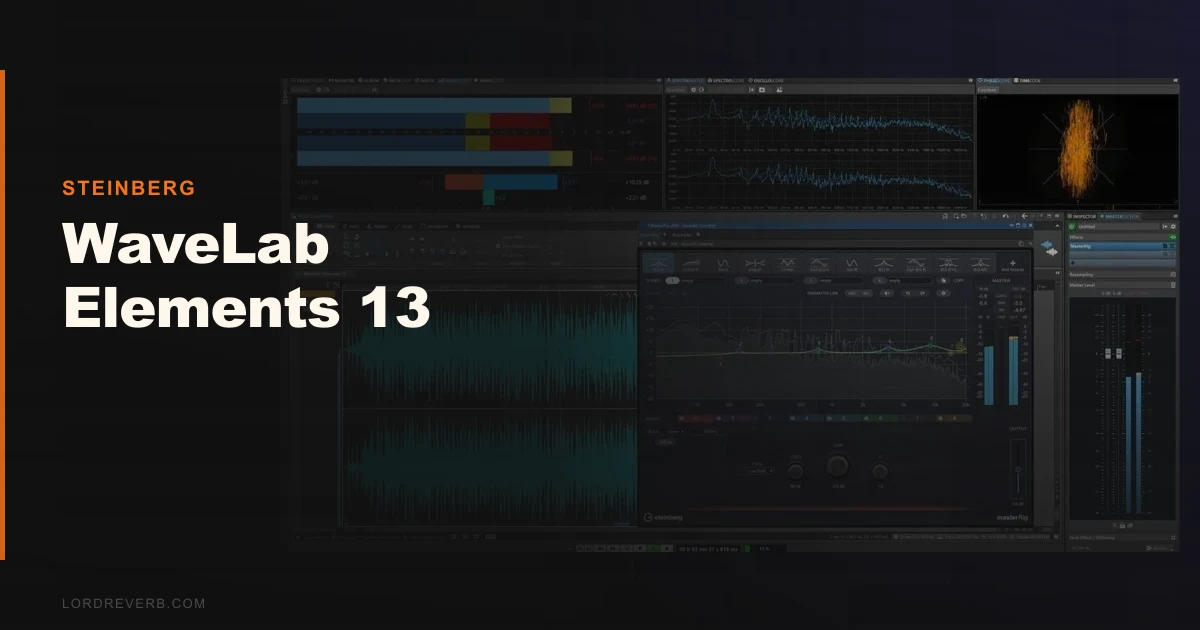
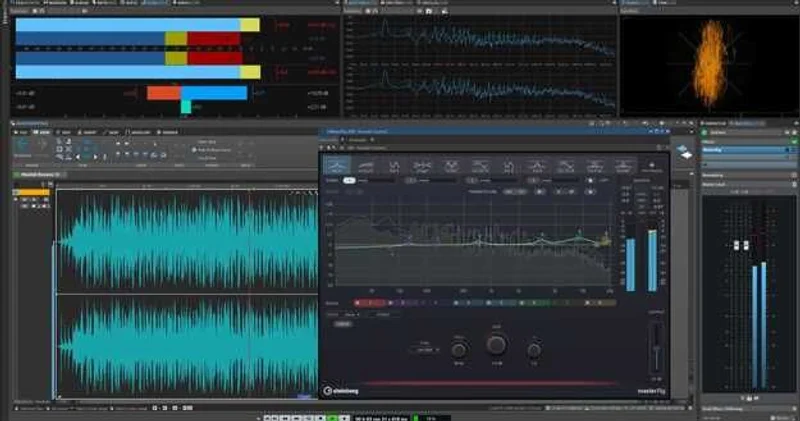
WaveLab Elements 13 is a beginner-to-intermediate mastering and audio editing suite from Steinberg priced at $99.99, and it does exactly what that price suggests: enough to finish a podcast episode or master a single, not enough for professional-grade work.
We tested it on a batch of three podcast episodes and a short EP mastering session. The podcast workflow was satisfying. The EP session hit a ceiling.
Here's what actually happened. We loaded a spoken-word vocal into VocalChain, dialled in the built-in EQ with a shelf at 8kHz, tightened the compression to about 4:1, and had a broadcast-ready voice in under four minutes. Clean, fast, no complaints. Then we switched to the music session and tried to push a 192kHz audio file into the timeline. WaveLab Elements 13 doesn't support it. Hard ceiling at 96kHz. That's not a footnote. That's a wall.
If you're a podcaster or someone finishing their first record, this review is for you. If you're already doing commercial releases at high sample rates, read the "Against the Field" section and move on.
What It Is (and What It's Not)
WaveLab Elements 13 is the stripped-back version of Steinberg's professional mastering software. It ships with MasterRig 2, the VocalChain plugin, and a suite of 25-plus mastering-grade effects. You get the Audio Montage for basic CD-style sequencing, direct publishing to SoundCloud, Spreaker, and Podbean, and a built-in audio restoration suite.
What it's not: a professional mastering suite. Eight audio tracks maximum, 96kHz sample rate ceiling, no support for sample rates above that, and no stems mastering workflow. Compare that to WaveLab Pro 13, which lifts those limits entirely, supports much higher sample rates, and gives you unlimited tracks.
It's also not a DAW. You can't compose or arrange here. This is purely for finishing audio, not making it.
The podcast/content creator angle is where this tool earns its price. The music mastering angle is where it runs out of road.
Living With It
Setup took about ten minutes on a Windows 11 machine with 16GB RAM, well above the 8GB minimum. The installer is clean. Steinberg Activation Manager handles licensing without drama.
Day-to-day, the interface is organised sensibly. The Audio Montage view is the main workspace for sequencing tracks, setting markers, and preparing for export. It's functional rather than beautiful. Nothing about the layout feels inspired, but nothing gets in your way either.
MasterRig 2 is the best thing in the package. We ran a full mastering chain through it: high-pass at 30Hz, mid-side EQ to tighten the low mids, a touch of limiting at -1dB LUFS. The side-chain support in MasterRig 2 is new to this version and it actually makes a difference for pumping control on dense mixes. We pushed the integrated loudness meter to -14 LUFS for streaming, and the result sat cleanly on both Apple Music and Spotify references.
The multi-core support for Audio Montage processing is a real improvement over Elements 12. We didn't notice CPU spikes we'd seen in older versions during real-time preview. On an i7 machine, it ran comfortably.
The frustrating part: we hit one unexplained audio artifact, a short pop on export, on a 48kHz session. No obvious cause. We re-exported and it was gone. That's the kind of thing that makes you nervous before a client delivery.
The Trade-Offs
The value case for WaveLab Elements 13 is genuinely strong if you're upgrading from Elements 11 or 12. With the upgrade, you get MasterRig 2 with side-chain support, VocalChain, and the publishing integrations. That's a fair deal.
The value case is weaker if you're buying fresh. As a fresh buy, you are close to the territory where tools like iZotope Ozone Elements compete hard. Ozone has stronger AI-assisted mastering features. WaveLab has better editing tools and the publishing workflow. Which matters more to you is the real question.
The 8-track and 96kHz limits aren't dealbreakers for everyone. Most podcasters never need more than 4 tracks in a montage. Most bedroom producers master stereo files well under 96kHz. But the moment your work grows, Elements grows with you only so far. There's no upgrade path that adds features. You buy Pro or you start over.
We also wish the audio restoration tools were more transparent about what they're doing. The de-clicker and de-noiser work, but the controls are shallow compared to what you'd get in dedicated tools.
Against the Field
Three real alternatives worth naming:
iZotope Ozone Elements (check the manufacturer's site for current pricing) wins on AI-assisted mastering. If you want a master reference and target loudness matched automatically, Ozone does it faster. WaveLab wins on editing precision and the publishing workflow. iZotope Ozone Elements review
Adobe Audition (subscription-based) wins if you're already in the Adobe Creative Cloud ecosystem and need deep podcast production tools. The spectral repair is better than anything in Elements
. WaveLab wins on mastering-specific features and the one-time purchase option.
REAPER (check the manufacturer's site for current pricing) is a better buy if you want raw flexibility. It is a full DAW, not a mastering suite, so the comparison is slightly unfair, but if your budget is limited and you want the most powerful general-purpose audio tool, REAPER beats Elements on capability. WaveLab wins on mastering workflow clarity. best mastering software for beginners
Against WaveLab Pro 13, there's no contest. Pro is five times the price and a completely different tool. WaveLab Pro 13 vs Elements 13 comparison
The Real Verdict
Buy WaveLab Elements 13 if you're a podcaster who wants the fastest path from raw recording to published episode, or a beginner music producer finishing your first releases at standard sample rates. The MasterRig 2 suite is genuinely good, VocalChain works fast, and the direct publishing integrations save real time.
Skip it if you're doing commercial music mastering above 96kHz, working with stems, or planning to grow into serious work within the next 12 months. At that point, stepping up to Pro is the smarter spend.
The entry price is honest for what you get. It's not an embarrassing product. It's just a product with a clear ceiling, and you need to know where yours is first.
Score Breakdown
| Category | Score | Notes |
|---|---|---|
| Sound Quality | 3.8/5 | MasterRig 2 sounds clean; restoration tools are shallow |
| Value for Money | 3.5/5 | Fair at full price; excellent as an upgrade; iZotope competes hard at this price |
| Ease of Use | 4.3/5 | Fastest podcast-to-publish workflow we've tested at this price |
| Features | 3.3/5 | 25+ effects and VocalChain are good; 96kHz and 8-track limits sting |
| CPU Efficiency | 3.8/5 | Multi-core gains in v13 are real; no notable spikes in testing |
| Overall | 3.8/5 | Solid beginner tool with a hard ceiling; does its job, knows its limits |
Alternatives to Consider
iZotope Ozone Elements is the direct competitor for music mastering use cases. The AI Master Assistant can target a loudness level and match a reference track in seconds. If you're mastering music rather than producing podcasts, it's the stronger pick at a similar price point. iZotope Ozone Elements review
Adobe Audition (subscription) is the better call for podcast producers who need spectral repair, multi-track recording, and tight integration with Premiere Pro. The subscription cost adds up, but the feature depth is higher. Adobe Audition vs WaveLab Elements
REAPER covers more ground for less if flexibility matters more than a streamlined mastering workflow. It's not a mastering suite, but with the right plugins it handles everything Elements does and more. best budget DAWs for beginners
If you are already on WaveLab Elements 11 or 12, the upgrade to 13 is the clearest yes in this entire article. MasterRig 2 alone is worth it.
For everyone else: try the 30-day trial first. The ceiling is real. You'll hit it or you won't, and that's the whole decision.
Frequently Asked Questions
What's the difference between WaveLab Elements 13 and WaveLab Pro 13?
Elements 13 caps out at 96kHz sample rate and 8 audio tracks in the Audio Montage. Pro 13 supports up to 384kHz, unlimited tracks, and adds advanced features like stems mastering, more restoration tools, and deeper batch processing. Pro costs far more than Elements. Elements is the more affordable option. If you're doing commercial mastering professionally, Pro is the right tool. If you're finishing podcasts or bedroom productions, Elements is enough.
Can WaveLab Elements 13 handle podcast production?
Yes, and this is honestly where it performs best. VocalChain combines EQ, compression, and reverb in a single plugin built for speech processing, and the direct publishing integrations to Spreaker, Podbean, and SoundCloud mean you can go from edited file to live episode without leaving the software. For straightforward podcast workflows, it's one of the faster tools at this price.
Does WaveLab Elements 13 work with third-party plugins?
It supports VST3 plugins. VST2 is not supported in Elements 13, which may be a problem if you have older third-party plugins in your signal chain. Check your existing plugin formats before buying. AU and AAX are not supported since WaveLab is a standalone application, not a DAW.
Is there a free trial for WaveLab Elements 13?
Yes. Steinberg offers a 30-day trial through their site. We'd strongly recommend using it before buying, specifically to test your sample rate requirements and to check whether the 8-track Audio Montage limit fits your workflow. The trial is full-featured, not crippled, so you'll get an accurate picture of what you're buying.