
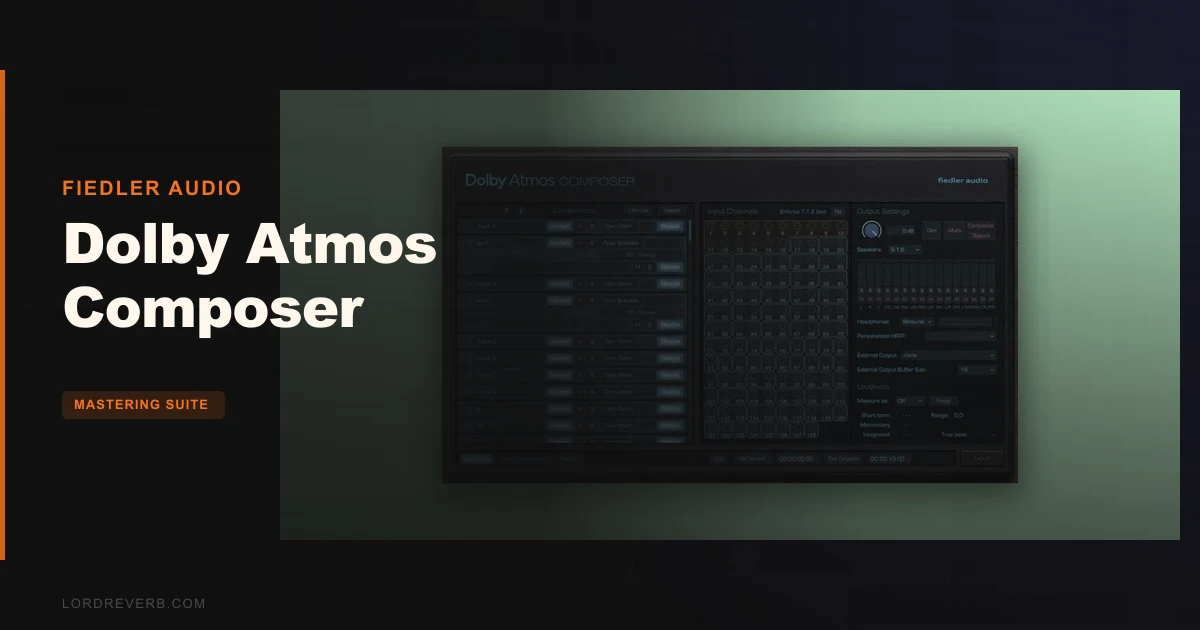
Dolby Atmos Composer is the most accessible self-contained Atmos production plugin available for DAW-based music mixers right now, but it has real stability problems that could wreck a session at the worst moment.
At $139, it sits in a genuinely interesting gap. It hands you a complete Dolby Atmos workflow inside whatever DAW you already use, with no external renderer app, no manual routing, and no hardware upgrade required. For music engineers who want to deliver to Apple Music, Amazon Music, or Tidal without touching Pro Tools, that's a compelling pitch.
But owners report GPU spikes, audio clicks, and stuttering that show up even on high-end machines the moment you open more than one plugin UI. That's not a minor annoyance. That's a workflow problem.
So who is this for? If you're a music mix engineer moving into immersive audio and you don't want to rebuild your studio around post-production tools, this is worth a serious look. If you're running deadline-critical sessions, the stability reports should give you pause.
What You're Actually Getting
Dolby Atmos Composer is a plugin suite from Fiedler Audio. It runs as VST3, AU, or AAX on Mac, and VST3 or AAX on Windows, covering macOS 10.14 through 14.x and Windows 7 through 11.
The suite includes the main Composer plugin plus Dolby Atmos Beam, a 3D panning tool. From version 1.5 onward it integrates with Spacelab, Fiedler Audio's immersive 3D reverb. You get multichannel speaker monitoring up to 9.1.6, binaural monitoring with personalized HRTF, and direct ADM/BWF export for streaming distribution.
The setup philosophy is intentional: no external app, no manual signal routing. You place it on a post-fader insert, and it handles the renderer internally.
Import of existing ADM/BWF files is supported, so you can bring in an Atmos mix, make corrections, and re-export. You can also record new tracks while mixing. Sample rate support is 48 kHz and 96 kHz only.
The Good
The routing philosophy is where this plugin earns its price. Owners specifically call it better suited to music mix engineers than competing products. That tracks. When you're coming from a stereo ITB workflow, Atmos routing in something like the full Dolby Renderer is frustrating to untangle. Composer skips that pain entirely.
The Spacelab integration is clever and genuinely useful. Owners describe reverb tails as naturally smooth with fine detail that spreads convincingly across the immersive soundfield. That's not marketing language. When you're trying to place a string pad above and around a listener, a reverb that only knows left and right is a problem. Spacelab solves that in context.
The ADM/BWF export covers Apple Music, Amazon Music, Tidal, and Netflix. That's the full streaming delivery chain in a single export step. Composer also simultaneously exports speaker and headphone renders, which saves time when you're prepping multiple deliverables.
Dolby Labs approves it. That matters for delivery. You're not submitting files and hoping they clear QC. The export is the right format, done correctly.
The Not-So-Good
The GPU situation is ugly. Opening the Composer UI alone adds around 40% GPU load. Open Composer and Beam together and you're looking at 70% additional GPU draw. That's on top of everything else your system is running. Owners report clicks, pops, and stutters that trace directly to this GPU load, even on high-end hardware. That's not a low-spec problem. It affects well-equipped machines.
Beyond the GPU, owners report stuttering and instability in general use, plus poor support responses when they try to get help. If something breaks mid-session, you may be on your own.
Specific DAW issues have been flagged too. Reaper users report audio timing errors. Non-48kHz WAV files cause problematic render-time behavior. That 48 kHz / 96 kHz only sample rate limit is worth checking against your existing session templates before you buy.
There's no monitor EQ or delay built in. No tempo-sync panning either. If you're used to Atmos tools that include those features, you'll need workarounds. Annoying, at this price.
Compared to the Alternatives
Three products come up regularly alongside Composer.
Pro Tools Ultimate has native Dolby Atmos support baked in. It's the industry standard for a reason, and the routing is tight. But the cost and hardware requirements are significantly higher. If you're already in that ecosystem, Composer is irrelevant to you. If you're not, the entry cost to get there is real.
Dolby Atmos Production Suite is more post-production focused. If you're mixing music rather than finishing film or TV, it's aimed at a different workflow. Music engineers often find it over-engineered for what they need.
Dolby Atmos Renderer has a steeper learning curve in a music context, with more convoluted routing. Owners specifically prefer Composer's approach over this one for music work, which is a meaningful signal.
The honest read: Composer wins when the goal is accessible music-focused Atmos production without switching DAWs or upgrading hardware. It loses when rock-solid stability is non-negotiable.
Who Should Buy This
- ✅ Buy if you're a music mix engineer who wants to deliver Atmos without migrating to Pro Tools
- ✅ Buy if your workflow is centered on Apple Music, Tidal, or Amazon Music Atmos delivery
- ✅ Buy if you want Spacelab's 3D reverb integrated into an Atmos mixing environment
- ❌ Skip if you run sessions where GPU-related audio glitches are unacceptable
- ❌ Skip if you work primarily in Reaper or at sample rates other than 48 kHz or 96 kHz
- ❌ Skip if you need monitor EQ, delay, or tempo-synced panning as part of your Atmos setup
Specs & Technical Details
| Developer | Fiedler Audio |
| Price | $139 |
| Plugin Format | VST3 / AU / AAX (Mac); VST3 / AAX (Windows) |
| OS Support | macOS 10.14–14.x / Windows 7–11 |
| Activation | N/A |
| CPU Usage | Heavy (GPU-heavy with UIs open: up to 70% additional GPU load) |
| Trial Available | N/A |
| Version Reviewed | N/A |
Score Breakdown
| Category | Score | Notes |
|---|---|---|
| Sound Quality | 4.0/5 | Spacelab integration and binaural monitoring deliver genuinely immersive results; reverb tail detail is a highlight |
| Value for Money | 3.5/5 | Competitive at $139 given the full streaming delivery chain, but stability issues reduce that value in practice |
| Ease of Use | 4.0/5 | No-routing-required setup is a real win for music engineers; post-fader insert placement is the only constraint |
| Features | 3.5/5 | Strong core feature set but missing monitor EQ, delay, and tempo-sync panning that rivals include |
| CPU Efficiency | 2.0/5 | 40–70% additional GPU load with UIs open causes real-world clicks and pops on strong hardware |
| Overall | 3.5/5 | A music-focused Atmos workflow with a smart routing approach, held back by GPU instability and support gaps |
Alternatives to Consider
Pro Tools Ultimate, The professional benchmark for Dolby Atmos production. Native Atmos support, tighter integration, and the routing that everyone in post-production already knows. The cost and hardware requirements are substantially higher. Worth it if you're doing this full-time. Probably not worth it if you're dipping into Atmos for select music releases.
Dolby Atmos Production Suite, Post-production focused, with features that skew toward film and TV finishing rather than music mixing. If your work is purely music, you'll be paying for tools you won't use. The music-oriented workflow that Composer offers is a real differentiator here.
Dolby Atmos Renderer, Technically capable and built by Dolby itself, but the routing setup in a music context is convoluted. If routing complexity doesn't bother you, this is worth comparing directly before you decide.
At $139, Composer makes the most sense for music mix engineers who want to stay in their existing DAW and start delivering Atmos content. It's not the right tool if stability is your first requirement or if your session template runs at anything other than 48 or 96 kHz.
The GPU issue is the honest blocker. If Fiedler Audio fixes that, the score goes up. Until then, go in with your eyes open.
Frequently Asked Questions
Does Dolby Atmos Composer work in any DAW?
Yes. It runs as VST3, AU, or AAX on Mac, and VST3 or AAX on Windows, which covers the major DAWs. It requires no external renderer app and no manual routing setup. The one constraint is placement: it must sit on a post-fader insert.
What file formats does Dolby Atmos Composer export?
It exports ADM/BWF files, which is the format required for Dolby Atmos delivery to Apple Music, Amazon Music, Tidal, and Netflix. It simultaneously exports speaker and headphone renders, so you can prep multiple deliverables in a single bounce.
Why is the GPU usage so high with Dolby Atmos Composer?
Owners report that opening the Composer UI adds around 40% GPU load. Opening both the Composer and Beam interfaces together pushes that to around 70% additional GPU draw. This causes clicks, pops, and stuttering even on high-end hardware, and it's one of the most consistent complaints from current users.
Can you use Dolby Atmos Composer for binaural headphone monitoring?
Yes. It includes personalized HRTF-based binaural monitoring for headphone use. Owners report some binaural quirks in the full version, but describe them as workable for music mixing purposes.
Is Dolby Atmos Composer approved by Dolby?
Yes. Fiedler Audio holds Dolby Labs approval for the plugin, which matters when you're submitting Atmos files to streaming platforms. The ADM/BWF export from Composer meets Dolby's specifications, so you're not guessing at QC compliance when you deliver.