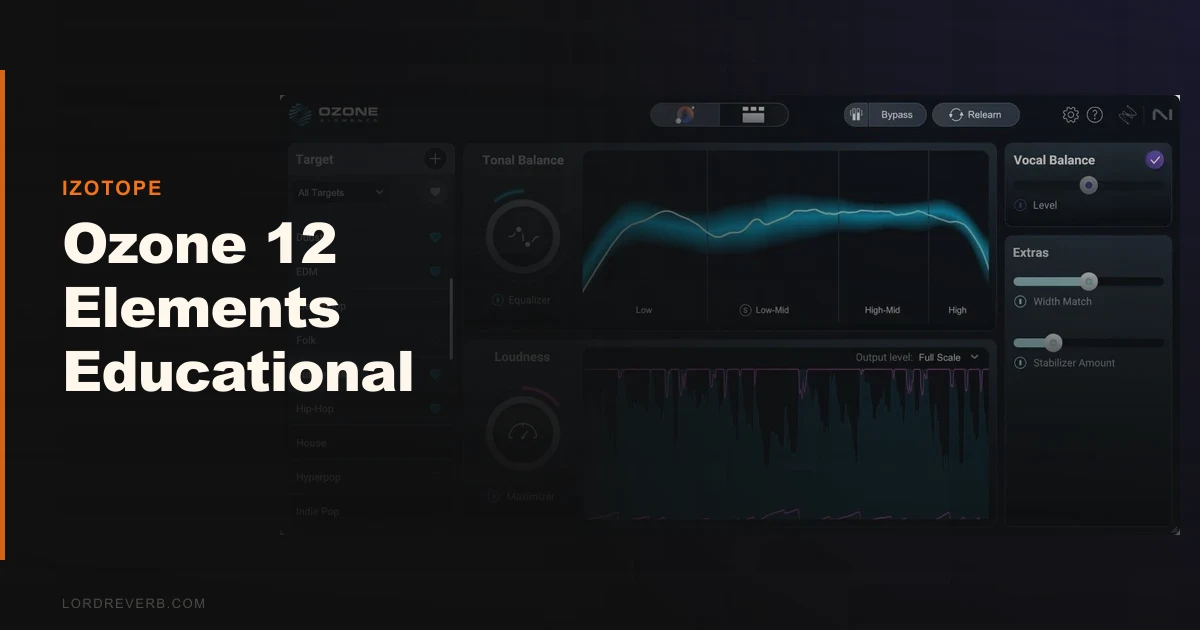
The Ozone 12 Elements Educational Version is a stripped-down but genuinely capable mastering suite available to verified students and faculty for $27.50, and for most beginners, it's probably the smartest $27.50 they'll spend this year.
We had it open on a rough two-bus last Tuesday. Student-produced lo-fi hip-hop. Nice bones, complete mess dynamically. The low-mids were sitting somewhere between 250Hz and 350Hz like a wet sock in a dryer. We hit Master Assistant, let it run its analysis, and inside 25 seconds we had a module chain with EQ, Dynamics, and the IRC 5 Maximizer stacked in a sensible order. The EQ suggestion pulled about 2.5dB around 280Hz with a moderate Q. Not perfect. But not wrong either.
That's the story of Elements in one paragraph. It won't replace ears. But it shortens the gap between "I have no idea what I'm doing" and "this sounds like a finished record" faster than anything else at this price.
This review is for music students, faculty, and self-taught producers who qualify for educational pricing and want to know if Elements is worth their time or if they should stretch to Standard.
First Impressions: Installing It on a Lab Machine
Installation runs through iZotope's Product Portal. Clean, fast, no drama. We had it authorised and open in Logic Pro in about eight minutes on a mid-spec MacBook Air running macOS 14.
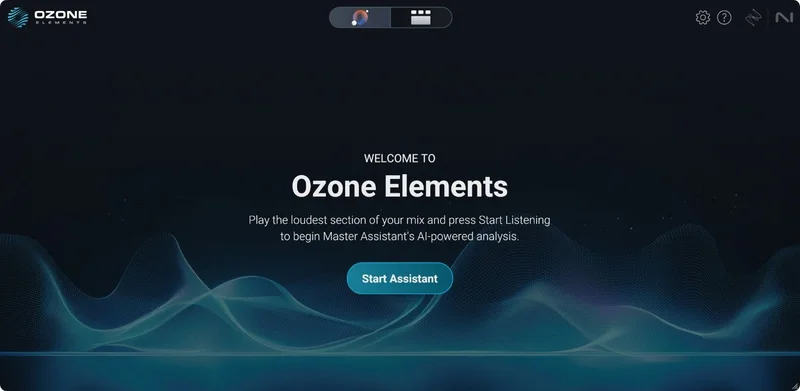
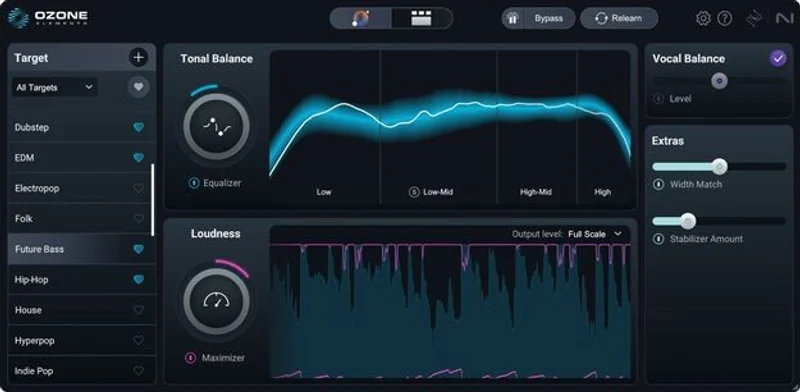
The interface has been redesigned for Ozone 12 and it shows. Modules are presented in a left-to-right signal chain. You can see exactly what's happening and in what order. For students who've only ever seen a cluttered vintage emulation with no labels, this is a relief.
The Custom Flow feature lets you reorder that chain manually. That's a bigger deal than it sounds. Understanding signal flow order is one of the first conceptual hurdles in mixing and mastering. Having a tool that lets you drag EQ before or after compression and hear the difference immediately? That's a legitimate teaching moment built into the product design.
First impression: clean, welcoming, and faster to navigate than most tools at three times the price.
Getting It Into a Real Workflow
We ran Elements on three different sessions over two weeks. A vocalist's self-produced EP, a film score stem mix, and a beat tape from a production student. All three sessions were different enough to stress-test what Elements can and can't do.
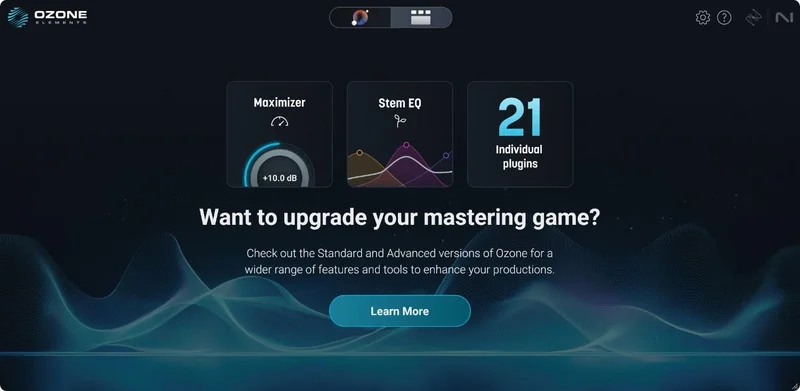
On the EP, the Master Assistant's Custom Flow analysis produced a starting chain we actually kept 70% of. The Maximizer's IRC 5 algorithm handled the limiting without the typical brickwall nastiness you get from free limiters. We pushed it to around -0.3dBFS true peak and the transients stayed honest. That's not a small thing for a $27.50 tool.
The friction showed up on the film score. We wanted to side-chain the Dynamics module more aggressively and automate the Maximizer ceiling across cue transitions. Elements doesn't expose the same depth of parameter control as Standard. You hit walls. Some controls are visible but not adjustable at this tier. That's frustrating when you know what you want and the software is standing in the doorway.
On the beat tape, Elements was near-perfect. The student had no mastering experience. We walked them through Master Assistant, explained what each module suggestion was doing, and watched it click. That's the use case this product was built for. It delivered.
What It's Genuinely Good At
The IRC 5 Maximizer is the headline feature and it earns it. IRC 5 is iZotope's most transparent limiting algorithm. On material with real dynamic range, it preserves transient character better than IRC 4. On a snare-heavy hip-hop mix we pushed it hard, and the top end didn't smear the way it does in most free limiters.
The Assistive Vocal Balance module is a love-it feature we didn't expect to use as much as we did. Feed it a mix where the vocal is sitting awkwardly relative to the instrumental, and it applies frequency-aware adjustments to bring the relationship back into proportion. It's not magic. But on the vocal EP project, it saved two rounds of back-and-forth with the artist.
Master Assistant with Custom Flow is legitimately smart. It doesn't just apply a preset. It analyses your material's spectral balance, dynamic range, and loudness characteristics, then builds a module chain tailored to that specific audio. The result isn't always exactly right, but it's always a reasonable starting point. For a student learning mastering, starting from a reasonable point is worth more than you'd think.
At $27.50, the value-to-capability ratio is hard to beat in this category. Full stop.
The Rough Edges
Elements gives you access to fewer modules. Standard has 14, Advanced has 20, Elements sits below both. Some of those missing modules matter. No Vintage EQ. No Spectral Shaper. No Stabilizer. If you're trying to fix resonances or manage harshness beyond what the standard EQ can do, you're hitting the ceiling fast.
The licensing terms are strict. One approval per person per year. You need to verify student or faculty status. That's not a complaint about iZotope's policy, it's just something to understand before you rely on it. If your verification lapses or you graduate mid-project, you could find yourself locked out. Plan accordingly.
No individual plugin availability is the most annoying limitation for intermediate users. In Standard and Advanced, you can pull the Ozone EQ or Imager out as standalone plugins and use them on individual tracks or buses. In
Elements, Ozone is a mastering plugin only. That limits how much you can actually learn about applying these tools in a full mixing context.
It's also worth being honest: Elements is aimed at beginners. If you're not one, you'll outgrow it inside six months.
Who This Is Really For
- ✅ Buy if you're a music production student who needs a low-cost, AI-guided introduction to mastering that won't embarrass you on your submissions.
- ✅ Buy if you're a faculty member looking for a pedagogically useful tool that demonstrates signal chain logic and frequency-aware processing without requiring prior mastering knowledge.
- ✅ Buy if you produce beats, vocals, or demos at home and you're self-taught. The Master Assistant will teach you more by doing than most YouTube tutorials will by explaining.
- ❌ Skip if you're already comfortable with mastering fundamentals. You'll outgrow Elements fast and the upgrade cost to Standard is real.
- ❌ Skip if your workflow requires standalone Ozone modules on individual channels. Elements doesn't support that.
- ❌ Skip if you need advanced spectral repair or multi-band tools beyond the basics. Go straight to Standard or look at iZotope Ozone 12 Standard review.
Score Breakdown
| Category | Score | Notes |
|---|---|---|
| Sound Quality | 4.0/5 | IRC 5 Maximizer is legitimately transparent at this price tier |
| Value for Money | 4.5/5 | $27.50 for verified students is a serious deal with no caveats beyond eligibility |
| Ease of Use | 4.5/5 | Master Assistant and Custom Flow make onboarding genuinely fast |
| Features | 3.0/5 | Module count and no standalone plugin access hold it back from scoring higher |
| CPU Efficiency | 4.0/5 | Ran cleanly on a 2021 MacBook Air; no stalling on lab-grade hardware in our tests |
| Overall | 3.8/5 | Brilliant entry point, real ceiling, know which you're buying into |
Alternatives to Consider
iZotope Ozone 12 Standard is the obvious next step. At a higher price (check the manufacturer's site for current educational pricing), you get 14 modules instead of Elements' reduced set, plus standalone plugin access. If you're a second-year student who's already past the basics, start here. See our iZotope Ozone 12 Standard review for a full breakdown.
Waves Abbey Road TG Mastering Chain is worth considering if you want a more hands-on, hardware-emulation approach to learning mastering. It's less AI-assisted and more knob-twisting, which suits different learning styles. Check current pricing on the Waves site. We cover it in our best mastering plugins for beginners roundup.
Landr's mastering platform is the subscription-based comparison. Automatic, fast, and zero learning curve, but you're not learning anything about the process. If the pedagogical value of Ozone matters to you, Landr doesn't compete there. See our Landr vs iZotope Ozone comparison for a direct look at both approaches.
The honest bottom line: if you qualify for educational pricing and you're still learning mastering, buy the Elements version now. You'll hit its ceiling within a year, and that's fine. Hitting a tool's ceiling means you've grown past it. That's a good problem. What it won't do is embarrass you before you get there.
At $27.50, the only wrong move is expecting it to do everything Standard does.
Frequently Asked Questions
Who qualifies for the Ozone 12 Elements educational discount?
Verified current students and faculty at accredited educational institutions qualify. iZotope offers a 50% discount for this group, bringing Elements to approximately $27.50. Verification is required through iZotope's educational portal, and approval is limited to one per person per year. If you graduate or your enrollment status changes, you'll need to verify through a standard license going forward.
What's the difference between Ozone 12 Elements, Standard, and Advanced?
Elements is the entry tier with a reduced module set and no standalone plugin access. Standard includes 14 modules and lets you pull individual plugins into your channel strips. Advanced expands to 20 modules and adds the deepest processing and metering tools in the lineup. The educational discount applies across all tiers, so check current pricing on the iZotope site before assuming Elements is your only affordable option.
Can I use Ozone 12 Elements on more than one computer?
iZotope's standard licensing allows activation on two machines simultaneously. The educational version follows the same policy. You'll manage activations through the iZotope Product Portal, and deauthorising a machine is straightforward if you need to move it to new hardware.
Is Ozone 12 Elements good enough for submitting music professionally?
For streaming-ready masters on straightforward material, yes. The IRC 5 Maximizer handles true peak limiting properly, and the Master Assistant produces results that won't embarrass you on a platform like Spotify or Apple Music. Where it falls short is on complex or problem-heavy mixes that need spectral repair tools or the more advanced dynamic modules found in Standard and Advanced. For student projects, demos, and personal releases, it's more than enough.