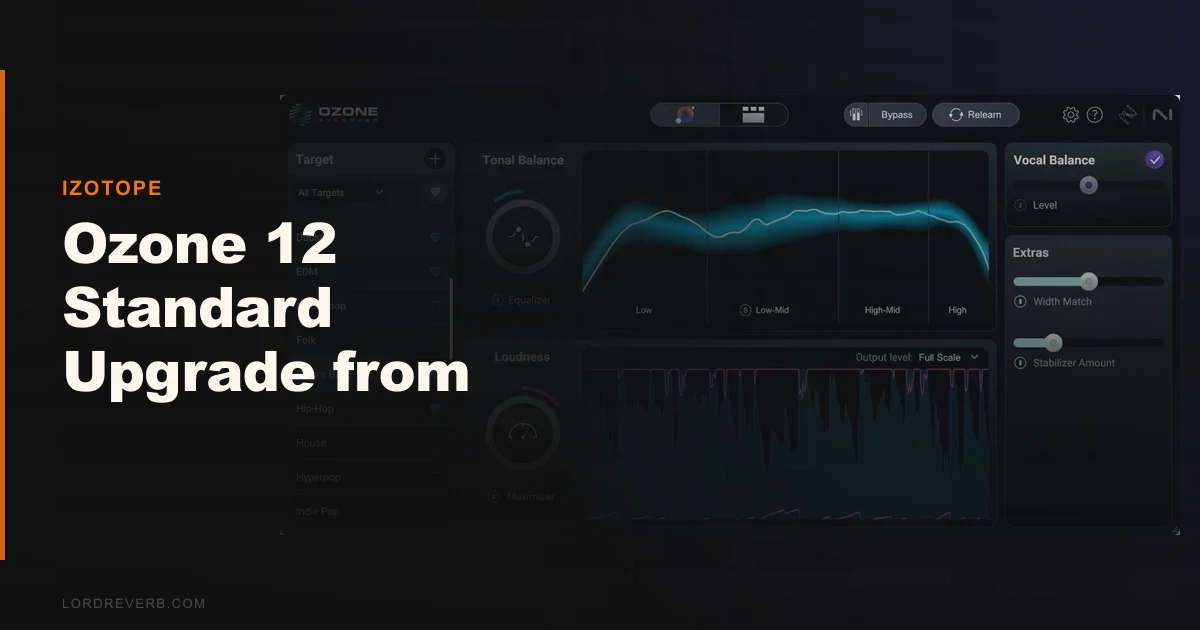
The question everyone asks before clicking “buy” is this: is the jump from Elements to Standard actually worth it, or is iZotope just selling you 10 extra modules you will never open?
It’s worth it. But only for a specific kind of producer.
If you’ve been bouncing masters through Ozone Elements and hitting walls where the Maximizer pumps on dense low-end, where you can’t touch individual stems without going back to your mix session, or where the Master Assistant feels like a one-trick starting point you immediately abandon: Standard solves those problems. All of them.
If you’re mostly happy with Elements and you’re upgrading out of FOMO, you’ll use three modules regularly and wonder what happened to your money.
We tested the upgrade across hip-hop, indie rock, and podcast post-production to see what you’re actually getting for that price.
Does It Actually Deliver on the Upgrade Promise?
iZotope built Ozone 12 Standard around a specific pitch: it’s the “sweet spot” tier. 14 processing modules, IRC 5 limiting, Stem EQ, Bass Control, Transient/Sustain shaping, Upward Compression, and the redesigned Master Assistant. All of it lives inside the Ozone mothership plugin.
That last part matters. You can’t pull individual Standard modules out and use them as inserts in your signal chain the way you can with third-party plugins. Everything runs inside Ozone’s single plugin window. Some producers love this. Others find it frustrating.
The honest answer is: yes, it delivers. IRC 5 is the real reason to upgrade. The Stem EQ is genuinely clever. The Master Assistant redesign isn’t just cosmetic. But the module-as-mothership limitation is real, and iZotope should be upfront about it in the sales copy.
Where Ozone 12 Standard Actually Shines
IRC 5 Maximizer: The Limiting Mode That Fixes the Pumping Problem
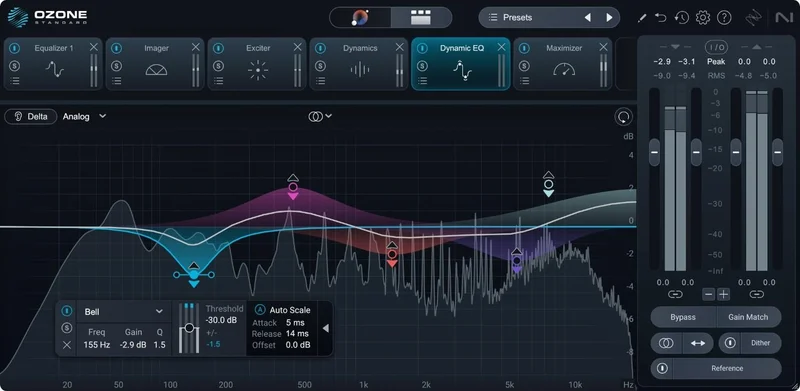
We loaded a hip-hop master with a 808 sitting at around -3 dBFS peaks and a dense hi-hat pattern running through the whole track. Through IRC 4, the limiter pumped every time the 808 hit. Audible. Annoying. We ran the same session through IRC 5 with transient control set to “moderate.” The pumping was gone. The 808 still had weight. The hat didn’t disappear in its shadow.
IRC 5 processes transients separately from sustained content. It’s not a new idea, but iZotope’s implementation here is the best we’ve heard in this price range.
Stem EQ Is an Underrated Workflow Shift
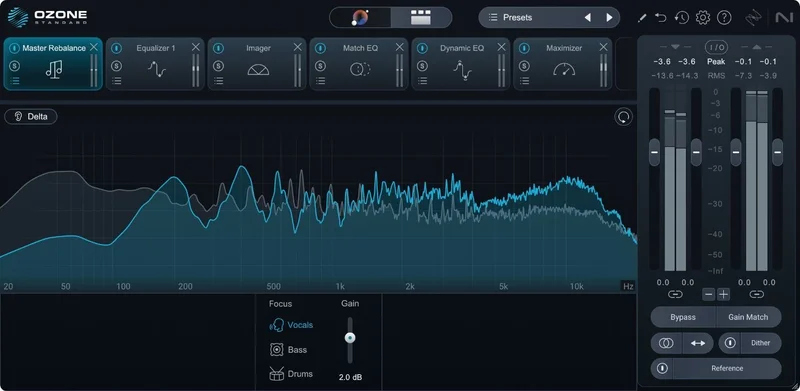
This is the module that changed how we use Ozone in day-to-day work. You feed Ozone 12 Standard a stereo master, and Stem EQ uses iZotope’s source separation tech to isolate drums, bass, vocals, and other elements, then lets you EQ each one independently at the mastering stage.
We had a mix where the snare was slightly buried after limiting. Instead of going back to the session, we opened Stem EQ, found the drum stem, boosted around 5 kHz by 1.8 dB, and that was it. Two minutes. No session reload. It’s not surgical enough to replace proper mixing, but for small fixes on an otherwise solid master, it’s satisfying in a way that’s hard to overstate.
Bass Control and Unlimiter Together
Bass Control gives you separate high-pass and low-end focus controls that respond to the mix’s actual bass content, not a fixed frequency band. Pair it with the Unlimiter for restoration work on over-compressed source material, and you’ve got a genuinely useful combo for podcast mastering and archival audio cleanup.
We ran a podcast episode recorded in a small room with a USB mic, too much 150-200Hz buildup, and heavy-handed compression from the editor. Bass Control pulled the buildup back cleanly. Unlimiter added around 3 dB of apparent dynamic range back. The finished file sounded like it was recorded in a treated space. Not magic. Just good tools working together.
Where It Falls Short
The mothership limitation is the biggest real-world constraint. Standard’s 14 modules only work inside the single Ozone plugin. You can’t insert Ozone’s Transient/Sustain module on a snare bus and Ozone’s EQ on a vocal bus as individual inserts. Everything runs through one plugin window.
If you’re coming from a workflow where you stack individual mastering plugins across your master bus, this is an adjustment that some producers find frustrating enough to abandon Standard entirely.
CPU usage is also not improved over Ozone 11. We ran Ozone 12 Standard alongside FabFilter Pro-L 2, Neutron 4, and RX 10 in Logic Pro on an M2 MacBook Pro. Ozone 12 Standard with IRC 5 active pulled about 11-14% CPU on its own. That’s not crippling, but it’s not light either. On older Intel Macs or Windows machines with less headroom, you’ll feel it.
We also wish the Master Assistant was more transparent about what it’s doing. It produces good starting points, but it doesn’t explain its EQ decisions or gain reduction choices in any detail.
How It Stacks Up Against the Real Alternatives
The honest comparison is FabFilter’s mastering bundle and Waves Abbey Road TG Mastering Chain.
FabFilter’s approach gives you individual modules as standalone inserts. Pro-Q 3, Pro-L 2, Pro-MB as separate plugins in your signal chain. More flexible. No mothership dependency. But you’re assembling that chain yourself, and the AI assistance isn’t as integrated. FabFilter wins on flexibility. Ozone 12 Standard wins on guided workflow and Stem EQ.
Waves Abbey Road TG Mastering Chain is a single-plugin approach like Ozone, but it’s character-based rather than corrective. It sounds
brilliant on material that suits it. It’s not the right tool for clinical translation work or podcast post-production.
For self-mastering producers who want AI guidance plus surgical correction in one place, Ozone 12 Standard has no direct equivalent at this price.
Is $165 a Fair Price for the Upgrade?
At $165, this is reasonable if you use IRC 5, Stem EQ, and Bass Control regularly. Those three modules alone represent a meaningful workflow change from what Elements offers.
If you caught it at the lower price it hit in November 2025, it is an easy yes.
If you’re an Elements-only user who mainly used the Maximizer and Imager, run the free trial first. You might find that two or three of the new modules justify the spend. You might also find that you’re fine where you are.
For the Advanced tier at full retail, the jump from Standard to Advanced adds 6 more modules including Spectral Shaper and the Codec Preview tool. Useful, but not essential for most self-mastering work. Standard is the right stopping point for the majority of producers.
Score Breakdown
| Category | Score | Notes |
|---|---|---|
| Sound Quality | 4.5/5 | IRC 5 is the best limiting we've heard at this price point |
| Value for Money | 4.0/5 | Fair at the $165 upgrade price; less convincing at full retail |
| Ease of Use | 4.0/5 | Master Assistant redesign helps; mothership-only workflow needs adjustment |
| Features | 4.0/5 | 14 modules covers most mastering needs; Stem EQ is a genuine differentiator |
| CPU Efficiency | 3.5/5 | No improvement over Ozone 11; heavier than standalone alternatives |
| Overall | 4.2/5 | The right upgrade for producers who've outgrown Elements and need IRC 5 |
Alternatives Worth Considering
Ozone 12 Elements Educational Version, If you’re still deciding whether the Elements ceiling is actually limiting you, read our Elements Edu review first. It covers exactly what you’re giving up by staying at that tier.
FabFilter Pro-L 2, The best standalone limiter at any price. If IRC 5 is the only reason you are upgrading, Pro-L 2 gives you more limiting flexibility with lower CPU overhead. You’d lose the integrated AI workflow, but gain the ability to use it as an insert anywhere.
iZotope Ozone 12 Advanced, If your work regularly involves Codec Preview (checking how your master sounds after streaming compression) or Spectral Shaper for de-noising at the mastering stage, the Advanced tier’s 20 modules start to make sense. But most self-mastering producers don’t need those 6 extra modules enough to justify the additional cost over Standard.
If you’re an Elements user who’s hit the wall on limiting, stem-level control, or low-end translation, upgrade. The $165 is earned back in time saved on the first few sessions where Stem EQ keeps you out of your mix session.
If you bought Elements six months ago and you’re mostly happy: stay put. Try the 10-day trial, load your three hardest-to-master sessions, and see if you actually hit the ceiling. If you don’t, the upgrade will sit in your dock unopened.
Ozone 12 Standard isn’t for everyone. For the right producer, it’s the best $165 you’ll spend on mastering this year.
Frequently Asked Questions
Can I use Ozone 12 Standard modules as individual inserts in my DAW?
No. This is one of the key differences between Standard and Advanced. In Standard, all 14 modules only work inside the Ozone mothership plugin window. You can't pull the EQ or Transient/Sustain module out and use them as separate inserts on individual tracks. If that kind of flexibility matters to your workflow, Advanced is the tier that offers it, or you'd need to supplement Standard with separate individual plugins from other developers.
What's the difference between upgrading from Elements versus upgrading from the Elements Suite?
The $165 upgrade price applies to both Elements standalone and Elements Suite owners. The Suite bundles Elements with other iZotope tools like Nectar Elements and Neutron Elements, but the Ozone upgrade path is the same regardless of which bundle you came from. Check iZotope's Product Portal when logged in to confirm your exact eligible upgrade price, as promotional pricing changes frequently.
Is IRC 5 worth the upgrade on its own?
For producers working with dense low-end material like hip-hop, trap, or EDM, yes. IRC 5 processes transients and sustained content separately, which removes the pumping artifacts that IRC 4 produces on heavily compressed or 808-heavy material. For acoustic, folk, or podcast content where limiting is light, the difference between IRC 4 and IRC 5 is smaller. Run the 10-day trial on your actual sessions before deciding.
How does Ozone 12 Standard perform on older hardware?
We measured 11-14% CPU usage on an M2 MacBook Pro with IRC 5 active. On Intel-based Macs or mid-range Windows machines from 2019-2021, expect that figure to climb noticeably, potentially into the 20-25% range with multiple modules running. iZotope recommends 16GB RAM and a modern multi-core processor. If you're on older hardware, run the trial with a CPU meter open and test at your actual project sample rate before committing.