Ozone 12 Advanced is iZotope's most capable mastering suite to date, and at $499, it's the right call for producers upgrading from version 10 or earlier, but it's not a simple yes for everyone else.
Picture this: you've finished the mix. It's 1 a.m., the client wants a master by morning, and you don't have stems. The vocal is a touch buried. The kick is fighting the bass. You could go back to the session, or you could hit the master bus and reach for something that can actually work at the stem level without opening a single channel strip.
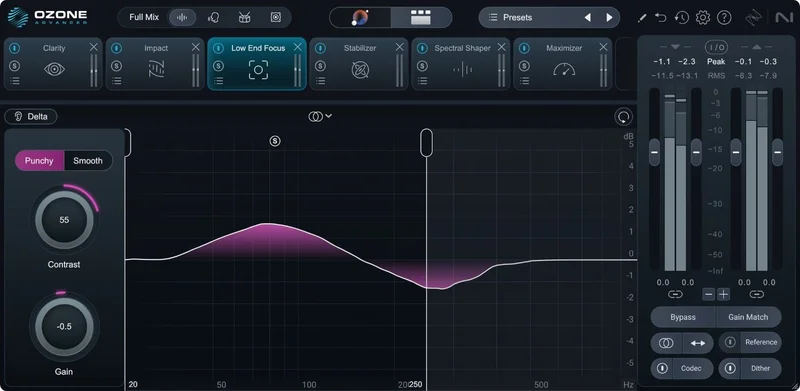
That's the exact moment Ozone 12 Advanced was built for. It sits at the end of your chain as either a mothership plugin pulling 20 component modules into one interface, or as individual processors you insert wherever your signal chain needs them.
If you're coming from Ozone 11, the decision is genuinely close. If you've never owned Ozone, or you're on 10 or older, the jump is significant enough to warrant a hard look. This review tells you which side of that line you're on.
What Ozone 12 Advanced Actually Is (and What It Isn't)
Ozone 12 Advanced is a complete 21-plugin mastering suite. There's the mothership plugin and 20 component plugins, all of which can run as standalone inserts or live inside the main interface together.
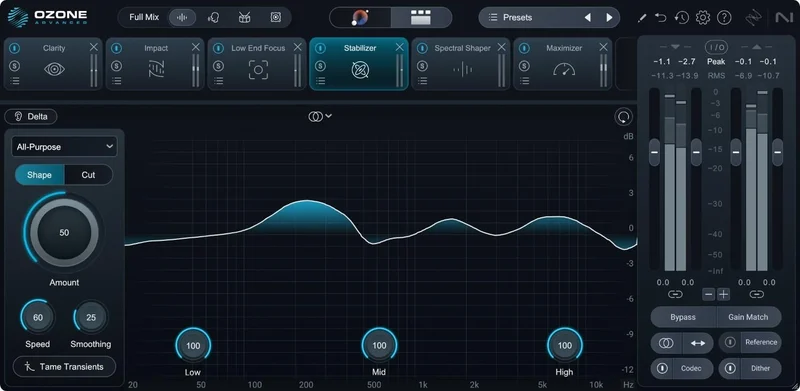
The Advanced tier is the only version that includes Stem EQ, Unlimiter, Impact, Clarity, Low End Focus, Stem Focus, and the two bonus plugins: Tonal Balance Control 2 and Audiolens. The lower tiers, Elements and Standard, don't have those.
It is not a mixing tool. It's not a creative effects processor for individual tracks. It's built for the master bus or the final bounce, and its design decisions reflect that almost exclusively. Trying to use it mid-chain on individual elements works technically, but that's not what the workflow is optimised for.
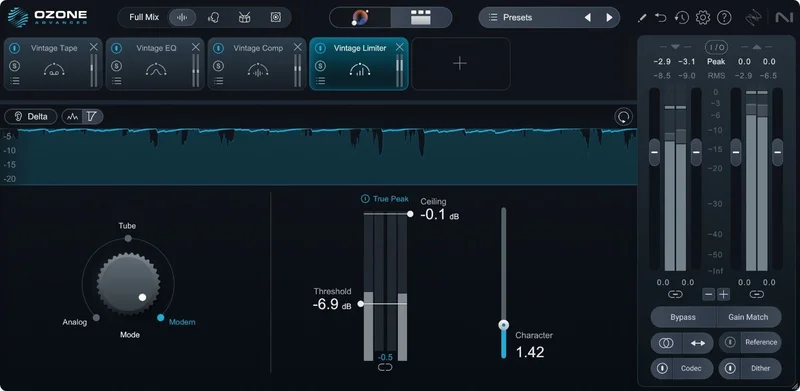
It's also not a transparent utility suite. IRC 5 is described as the most advanced limiting algorithm yet, and reviewers report it can lift upper mids and highs on bass-heavy material. That's a character choice, not a flaw per se, but it matters when you're deciding whether to use it on a dense hip-hop record versus a sparse jazz trio.
Supported formats are VST3, AU, and AAX. VST2 support is gone as of this version, so if your host only reads VST2, stop reading here. It runs natively on Apple silicon, and it supports Windows as well, though the Apple silicon native build is the one that draws the most attention in terms of performance claims.
Where Ozone 12 Advanced Sits in Your Session
You'll load the mothership on your master bus as the final plugin in the chain, after your bus compressor and before your metering. That's the standard placement.
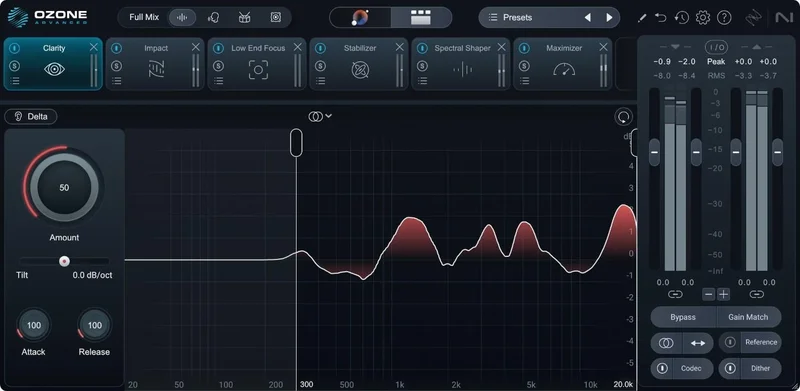
The Assistant View gives you the full preset in one screen. You can see the active modules, adjust loudness targets, and swap out modules without jumping between plugin windows. It's cleaner than previous versions and makes the top-down workflow faster to manage.
The Mastering Assistant analyses your track and generates a starting chain. The new Custom Assistant flow lets you choose genre targets from dozens of options, toggle specific modules on or off, and set your loudness ceiling before it builds the chain. The developer says it creates custom presets matching target sounds in seconds. Reviewers confirm it does generate usable starting points quickly, though they consistently flag that it requires scepticism on complex material.
From there you're working through the chain module by module. The IRC 5 Maximizer sits at the end. Reviewers report pushing to -9 LUFS integrated without audible digital strain on pop and EDM material, which is a meaningful data point. The IRC V algorithm is described as targeting -8 to -10 LUFS integrated loudness.
One thing to know before your first session: the modules as separate plugins feature is an Advanced-only benefit. That means you can pull out just the Stem EQ or just the Unlimiter and insert them independently at any point in a chain, which is useful for stem mastering workflows where you're treating elements before the final 2-bus.
The New Modules, One by One
Bass Control
Bass Control is a new addition in version 12. The developer says it balances low-end energy while adding clarity, punch, and impact, and eliminates guesswork in low-end decisions.
The pitch is compelling: a dedicated module for the one area that trips up most home studio masters, which is bass that translates differently in the car, on earbuds, and in a club.
We'd treat it as a starting point, not a fix-all. It's most useful when the mix has been done well and the low end just needs targeting for playback translation. If the mix is genuinely broken below 100Hz, no mastering module fixes that cleanly. Send it back.
Unlimiter
Unlimiter uses machine learning to restore transients that were lost during mix compression. The developer says it works like an undo button for over-compressed audio.
Reviewers report it's effective when mix compression is heavy but targeted. Set the threshold manually or use the Learn button to let it find the right point. Then push the recovered peaks back in to taste.
The honest limitation: reviewers flag it's less effective when the mix is generally over-cooked across the board, not just heavily limited. If the dynamics were crushed at multiple stages before it reached mastering, Unlimiter works harder for less return. That's a real constraint worth knowing before you buy it specifically for that use case.
Stem EQ
This is the module that generates the most conversation about Ozone 12 Advanced, for better and worse.
Stem EQ separately EQs vocals, bass, drums, and instruments inside your stereo bounce. You never open the session, never request stems from the mix engineer. You're applying EQ adjustments to isolated stem signals that Ozone separates using its neural networks internally.
Reviewers describe the workflow as feeling like magic when it works. A vocal that's sitting slightly behind the mix, push its frequency band forward in Stem EQ without touching anything else. Kick drum overwhelming the room? Pull it back at the stem level.
The constraint is CPU. Stem EQ is the module most cited in CPU spike reports. Running it alongside IRC 5 and Unlimiter on an M2 MacBook Pro or a Ryzen 9 machine, reviewers report frequent spikes and temporary playback dropouts at higher sample rates. That's not a fringe complaint. That's a consistent signal across multiple reports.
The Stem Focus improvement from version 11 is also here: better neural net separation with fewer artifacts than before. It's a real improvement, not just a version number bump.
IRC 5 Maximizer Mode
IRC 5 is the new algorithm in the Maximizer module. The developer calls it the most advanced limiting algorithm yet for Ozone. Reviewers report it handles delicate transients transparently and holds up at -9 LUFS without digital strain on appropriate material.
The genre caveat matters. Reviewers consistently note that IRC 5 tends to lift upper mids and highs, which makes masters feel hyped on bass-heavy genres. On EDM, pop, and R&B, that lift works in its favour. On darker hip-hop, certain rock material, or anything where the top end is intentionally restrained, you'll want to A/B carefully against your reference before committing.
It's not pumping. It's not distorting. But it does have a character, and that character isn't neutral.
Custom Assistant Flow
The Custom Master Assistant flow is one of the upgrades that makes a real difference to daily workflow. In previous versions, you ran the Assistant and got a suggested chain. Now you set the parameters before the analysis runs.
Choose your genre target from dozens of options. Toggle which modules you want in the chain. Set your loudness ceiling. Then let it build the starting point.
Reviewers note the learning curve isn't steep, but trust needs to be calibrated carefully. The Assistant can overburden tracks with processing, particularly on soundtrack or classical material where the dynamic range needs to stay wide. With custom controls, you can prevent it from inserting heavy limiting on a session where that's wrong. That's progress.
The Stabilizer module also gained 25 new genre targets in version 12, which feeds directly into this workflow. The more accurate the genre targeting, the more useful the starting chain becomes.
Modules You Already Know (And Still Need)
Ozone 12 Advanced carries forward the full library of modules from previous versions: Imager, Spectral Shaper, Match EQ, Vintage Compressor, Vintage EQ, Vintage Limiter, and Vintage Tape among them.
Match EQ is worth highlighting because reviewers note it produces more musical results in this version than previous iterations. Specifically, it avoids the narrow surgical peaks that older Match EQ implementations used to generate, which made referenced masters sound corrected rather than musical. That's a meaningful improvement for reference-based mastering workflows.
The Impact module controls microdynamics with musical envelope times. The Clarity module uses psychoacoustic processing. The Transient/Sustain modes let you separate and treat transient and sustain content independently across any module. These aren't new to version 12, but they're part of the full feature set that makes the Advanced tier worth its position in the market.
Tonal Balance Control 2 ships as a separate bonus plugin. It meters your master against a reference curve built from tens of thousands of professional mixes. Load it on a bus send during mixing, or use it on the master during the final pass. It's a useful reality check on tonal balance before the bounce.
Audiolens is the other bonus plugin in the Advanced tier. It captures audio from any source playing on your system and uses it as a reference target inside Ozone. Play a reference track in Spotify or Apple Music, capture it in Audiolens, and use that capture as your Master Assistant reference without importing a file.
The CPU Problem Is Real
This section deserves its own heading because the reports are consistent enough that buying Ozone 12 Advanced without understanding it is a mistake.
Running IRC 5, Stem EQ, and Unlimiter together on an M2 MacBook Pro produces CPU spikes. The same behaviour is reported on Ryzen 9 machines. At higher sample rates, temporary playback dropouts are documented across multiple reviewers.
That's not "one person had a bad system." That's a pattern.
The practical implication: if you're running a complex project with a lot of plugin load already, and you want to use all three of those modules simultaneously, you may need to increase your buffer size, freeze tracks, or bounce to audio before the mastering stage. That's a workflow adjustment, not a dealbreaker, but it's a real one.
On lighter projects, or when you're not stacking those three specific modules together, the CPU picture is better. Apple silicon native processing helps. But we'd strongly recommend running the trial on your actual system before committing at $499.
If you're on an older Intel Mac or a mid-range Windows machine, this is the most important question to check before purchase.
The Trade-Offs Worth Knowing
The Mastering Assistant is genuinely clever. It's also genuinely capable of making bad decisions on the wrong material.
Soundtrack and classical material particularly suffer when the Assistant decides a limiter and a compressor should both be in the chain. The Custom Assistant flow gives you more control over this, but you still need to audit the chain it builds. Blind trust is not the right approach, and reviewers are consistent on this point.
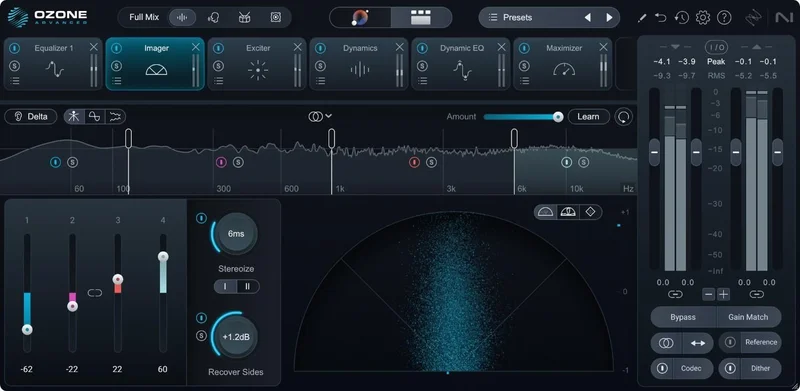
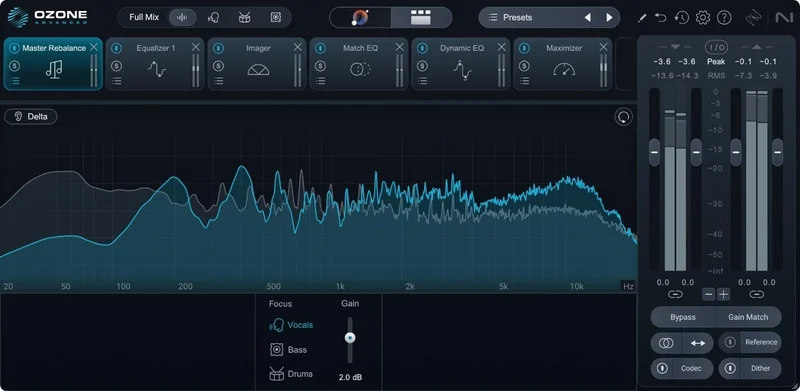
The Vocal Balance feature places vocals in the mix with Vocal Checker guidance. It works on standard pop and singer-songwriter material. On dense, multi-vocal arrangements or heavily processed vocals, results vary and reviewers are less definitive about it.
The design refresh in version 12 is real. The interface feels cleaner and the colour palette is easier to read at smaller sizes. That's not a headline feature, but after a six-hour mastering session, less eye strain matters.
VST2 is gone. If you're on an older host that doesn't support VST3, this is a hard stop. Check your DAW's format support before anything else.
Who It's Actually For
The Working Producer (Self-Mastering)
You finish mixes and master them yourself. You're targeting commercial streaming platforms at competitive loudness. You want a starting point fast and the ability to dial in the details without bouncing between six separate plugins.
Ozone 12 Advanced is built for you. The Mastering Assistant gives you a custom starting chain, which the developer says takes seconds. The Custom flow means you can save genre-specific templates that reflect your preferences. IRC 5 pushes the ceiling without audible pumping on pop, EDM, and R&B material.
Buy it if you're on version 10 or earlier. Wait if you're on 11 and happy with your workflow.
The Mix Engineer Taking the Master Too
Your client sent you a stereo bounce. The vocal is slightly thin. The mix is already compressed. You don't have the session.
Stem EQ is genuinely useful for you. So is Unlimiter for recovering dynamics before the final limiting stage. The combination gives you tools that don't exist in any other single plugin. That's not marketing language, it's a capability difference.
The CPU warning applies directly to you. If you're running multiple instances or working at 96kHz, test on your system first. That's not a small consideration at $499.
The Beginner Starting Out
Honestly? This might not be the right entry point. The Elements version exists and handles the Mastering Assistant workflow. Ozone 12 Advanced at this price assumes you understand signal chain logic, gain staging, and why you'd want stem-level EQ control over a finished bounce.
If you're still learning what a master bus does, the advanced tier is a lot of surface area to navigate. Start somewhere that teaches you the fundamentals. You can upgrade when the tools make sense to you.
Skip it for now. Come back when you understand what you're skipping.
The Mastering Engineer With a Dedicated Room
You're critical. You have reference monitors, a treated room, a workflow that already works. You've been on Ozone for years.
IRC 5's upper-mid character and the Stem EQ CPU overhead are going to bother you. Reviewers in this category tend to use Ozone alongside a dedicated limiter rather than relying on IRC 5 alone. They find the Match EQ and Tonal Balance Control 2 workflow genuinely useful. They're more sceptical about the AI components replacing their ears.
This is a "try before you commit" situation. If Ozone is already in your chain and you're on 10 or older, the upgrade is worth it for Stem EQ alone. If you're on 11, the case is thinner.
Against the Field
The closest comparison point is a FabFilter stack: Pro-L 2 for limiting, Pro-Q 4 for EQ, and possibly smart:EQ for balance. That combination gives you outstanding transparency and excellent GUI design, but zero integrated workflow. No Mastering Assistant, no Stem EQ, no Bass Control, no Unlimiter. You're patching together a solution manually every session.
For the purist who wants maximum control and transparency at the limiting stage, FabFilter Pro-L 2 is still the benchmark. It has no character argument to make. Ozone's IRC 5 is competitive at the upper loudness ceiling, but the two tools approach transparency differently.
Waves L4 Maximizer in Modern mode can achieve comparable loudness targets, but reviewers describe it as slightly thinner than IRC 5 on relevant material. It's a narrower tool for a narrower purpose.
What Ozone 12 Advanced has that none of these provide individually: the Stem EQ, the Unlimiter, the Audiolens referencing workflow, and the integrated mothership that chains everything without multiple plugin windows. That integration is the argument for Ozone. Whether that argument is worth the premium depends entirely on how much of that workflow you'll actually use.
See our FabFilter Pro-L 2 review and best mastering plugins roundup for direct comparisons.
The Real Verdict
Ozone 12 Advanced earns its place at the top of the integrated mastering suite category. The Stem EQ is genuinely new territory. IRC 5 is a real improvement for pop and EDM. The Custom Assistant flow makes the AI component useful rather than frustrating.
But the CPU problem is not a minor caveat. It's a documented, consistent issue across high-end hardware, and it's the most important thing to verify before you commit to $499.
If you're on Ozone 10 or older, buy it. The jump across modules, AI, and workflow quality is substantial enough to be worth it without reservation.
If you're on Ozone 11 and your workflow is solid, wait. The incremental gains don't justify the cost unless you specifically need Stem EQ or Unlimiter in your daily process.
If you've never owned Ozone and you're self-mastering regularly, this is the most complete single-tool solution in the category. Just test the trial on your actual project at your actual sample rate first.
Specs & Technical Details
| Developer | iZotope |
| Price | $499 |
| Plugin Format | VST3 / AU / AAX |
| OS Support | Mac (Apple silicon native) / Windows |
| Activation | iZotope account / iZotope Product Portal |
| CPU Usage | Heavy (spikes documented with Stem EQ + IRC 5 + Unlimiter combined) |
| Trial Available | Yes |
| Version Reviewed | Ozone 12 Advanced |
Score Breakdown
| Category | Score | Notes |
|---|---|---|
| Sound Quality | 4.0/5 | IRC 5 is strong on pop, EDM, R&R; has character that doesn't suit every genre |
| Value for Money | 3.0/5 | Hard to justify for Ozone 11 users; clear value for version 10 and below |
| Ease of Use | 3.5/5 | Custom Assistant is much improved; Stem EQ and Unlimiter have real learning curves |
| Features | 4.0/5 | 21 plugins including three genuinely new modules and two bonus plugins |
| CPU Efficiency | 2.5/5 | Documented spikes on M2 and Ryzen 9 when stacking heavy modules |
| Overall | 3.5/5 | Best integrated mastering suite available, but the CPU issues and upgrade pricing keep it from a clean recommendation |
Alternatives to Consider
FabFilter Pro-L 2 + Pro-Q 4 is the piecemeal alternative most mastering engineers reach for when they want maximum transparency and control. Pro-L 2 is arguably still the purist's limiter benchmark. You lose the integrated workflow, the Stem EQ, the Unlimiter, and any AI assistance, but you gain a cleaner CPU picture and excellent transparency. See our FabFilter Pro-L 2 review.
sonible smart:EQ 4 covers the AI-assisted tonal balance angle with a lighter footprint. It won't do stem-level surgery or limiting, but for producers who want intelligent EQ assistance without the full Ozone overhead, it's worth a look. See our sonible smart:EQ 4 review.
If you want the Ozone workflow at a lower entry point, the Standard tier covers Mastering Assistant, Match EQ, Maximizer, Stabilizer, and the Vintage suite, without Stem EQ, Unlimiter, or the bonus plugins. That's a legitimate option for producers who don't need the stem-level tools yet. Compare all tiers in our Ozone 12 versions compared.
For a broader view of the category, our best mastering plugin suites 2026 covers every major option with side-by-side positioning.
The Final Word
There's a version of Ozone 12 Advanced that is absolutely the right purchase. You've got a track, a stereo bounce, no stems, a vocal that needs pulling forward, and a deadline. Load Stem EQ. Adjust the vocal band. Run IRC 5 to -9 LUFS. Done, and it's clean.
That moment is real. That workflow is genuinely powerful. And the fact that it lives in a single plugin that also gives you Tonal Balance Control 2, Audiolens referencing, Match EQ, and 20 other components is the argument for this suite over building a piecemeal stack.
The frustrating part is the CPU cost. It's not a rumour. It's not an edge case from someone running a ten-year-old laptop. It shows up on current high-end hardware when you stack the modules that make this version meaningful. That's a real problem at this price.
We'd buy it without hesitation for anyone on Ozone 10 or older. We'd tell an Ozone 11 owner to sit tight unless Stem EQ is a specific gap in their workflow. And we'd tell the beginner to start smaller and work up.
Ozone 12 Advanced is brilliant at what it does best. It's annoying in ways that matter. That's the honest answer.
Related reviews: WaveLab Elements 13 Review
Frequently Asked Questions
Is Ozone 12 Advanced worth the upgrade from Ozone 11?
It depends on which new modules you'd actually use. If Stem EQ and Unlimiter solve real problems in your workflow, the upgrade is justified. If your Ozone 11 process is working well and you're not regularly dealing with stems or over-compressed mixes, the incremental gains are thinner. Check the trial against your actual session types before committing.
Does Ozone 12 Advanced work on Apple silicon Macs?
Yes, it runs natively on Apple silicon chips. iZotope lists Apple silicon native compatibility as a feature of version 12. That said, CPU spike reports on M2 MacBook Pro machines are documented when running Stem EQ, IRC 5, and Unlimiter simultaneously, so native doesn't mean light.
What's the difference between Ozone 12 Advanced and Ozone 12 Standard?
The Advanced tier adds Stem EQ, Unlimiter, Impact, Clarity, Low End Focus, Stem Focus, and the ability to run all modules as individual plugins. It also includes Tonal Balance Control 2 and Audiolens as bonus plugins. Standard covers the Mastering Assistant, Maximizer, Match EQ, Stabilizer, and the full Vintage suite without those additions.
What formats does Ozone 12 Advanced support?
It supports VST3, AU, and AAX. VST2 is no longer supported in version 12. If your DAW or host only reads VST2, Ozone 12 won't load. Check your DAW's format compatibility before purchasing.
How does the IRC 5 Maximizer compare to previous IRC modes?
IRC 5 is the most advanced algorithm in the Maximizer as of version 12. Reviewers report it handles delicate transients more transparently than earlier modes and holds up at competitive LUFS targets on pop, EDM, and R&B. The consistent caveat is that it tends to lift upper mids and highs, which can make bass-heavy or deliberately dark material feel hyped. A/B against your reference before finalising.
Can Ozone 12 Advanced handle mastering at 96kHz without issues?
It supports higher sample rates, but reviewers document playback dropouts at elevated sample rates when running CPU-heavy module combinations, particularly Stem EQ alongside IRC 5 and Unlimiter. If you regularly work at 96kHz or above, the trial is the most useful test you can run before purchasing. Increase your buffer size and see how your system handles the load on a representative project.