David Oliver's Rhythmic Odyssey is a loop-based Kontakt percussion instrument built for composers who score to picture, and at $149 it delivers one of the more complete loop ecosystems you'll find at this price point. It covers more than 130 distinct instruments, ships with over 6,500 24-bit WAV files that are yours to use in any DAW, and wraps all of that in a multitrack browser that lets you stack percussion layers without opening a second Kontakt instance. The regret risk isn't about quality. Owners consistently describe the loops as full and fabulous. The regret risk is about workflow fit: if your production process depends on MIDI capture to swap out sounds mid-session, or if your machine is already straining under a dense template, this library can feel frustrating to integrate despite how good it sounds on its own.
This is a library for composers who write to cues, build beds, and think in stems. If that's you, the value here is hard to argue with.
Who Ends Up Regretting This
The buyer who regrets Rhythmic Odyssey is almost always a beatmaker or hybrid producer expecting a kit-style instrument they can trigger note by note. This isn't that. It's a loop library with deep editing tools, not a playable drum instrument in the traditional sense.
You'll also feel friction if your template is already pushing your CPU hard. The multitrack preset, which tempo-syncs up to four sub-mix tracks simultaneously through Kontakt's time-stretching engine, carries a real RAM and CPU cost. On a lean system, that cost shows up fast.
The missing MIDI capture is a genuine annoyance for anyone who likes to sketch a loop, then swap the underlying instruments by re-routing MIDI to a different plugin. That path simply doesn't exist here. You work with what David Oliver recorded, at the fidelity he recorded it, which is excellent, but it's a closed-loop creative model.
And if 16.15GB of install size on top of your existing Kontakt libraries feels tight, sort that storage situation before you click buy.
What Owners Actually Say
The consistent thread across owner reports is the recording quality. Loops described as sounding full and fabulous in isolation, and just as strong when you stack them together. That's not a given with loop libraries, where layering often exposes phase issues or tonal clashes. Here, owners report those problems mostly don't show up.
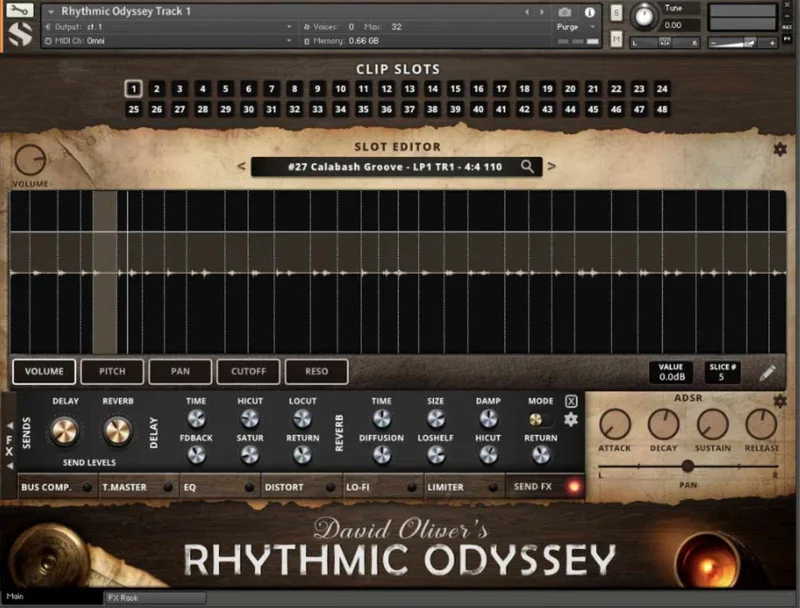
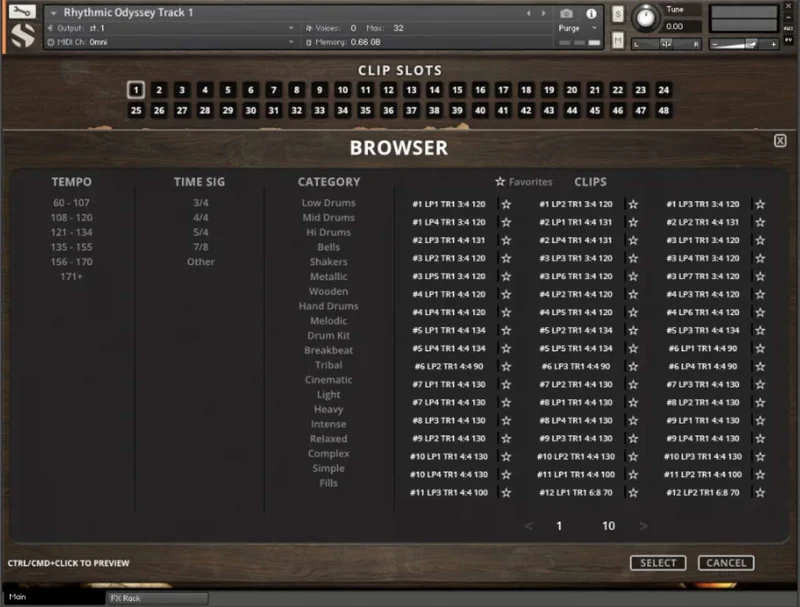
Reviewers single out the loop browser repeatedly. Filtering by style, instrument keyword, tempo, and time signature, then starring your favourites for rapid recall, makes cue work genuinely faster. When you're cutting to picture and a director changes the tempo reference, being able to pull up a new loop at the right BPM is satisfying in a way that list-scrolling never is.
The clip slot system gets praise for variety. Owners note you can build real dynamic range across a cue, from sparse intro to dense climax, without spinning up multiple Kontakt instances. That matters for RAM management.
The included non-encrypted WAV library draws strong reactions. Reviewers call it a meaningful bonus. You're not locked into the Kontakt interface: take those files into any sampler, chop them in your DAW, treat them in Ableton's Simpler, or load them into hardware. At $149, that portability adds genuine value.
The one unresolved complaint is the CPU and RAM load under the multitrack preset. It's not a dealbreaker for owners, but it's the point where the library stops feeling effortless.
What You Actually Get Inside the Library
Start with the raw numbers. 6,856 samples, 12 Kontakt instrument banks, 130+ instruments ranging from conventional drum kits to raw pine tree logs. David Oliver performed all of it. The sessions were recorded in 24-bit, 48kHz stereo, then encoded to lossless NCW for the Kontakt presets and left as uncompressed WAV for the included multitrack library.
The Loop Browser and Track Sets
The loop browser is where you'll spend most of your time. Over 100 percussion track sets live here, each averaging eight discrete solo and sub-mix tracks plus wet and dry stereo master tracks. You filter by style, instrument keywords, tempo, or time signature. Hit the star on anything you want to come back to.
That structure, eight sub-tracks plus masters, means each track set is really a small session in itself. Pull up the dry stems if you want to process everything yourself. Hit the wet master if you need broadcast-ready material fast. Both paths are there.
Multitrack Preset and Clip Slots
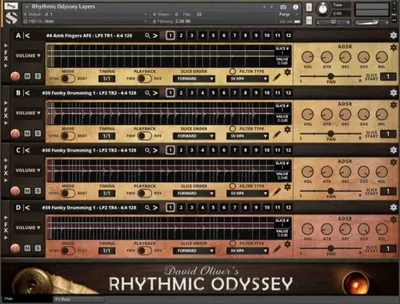
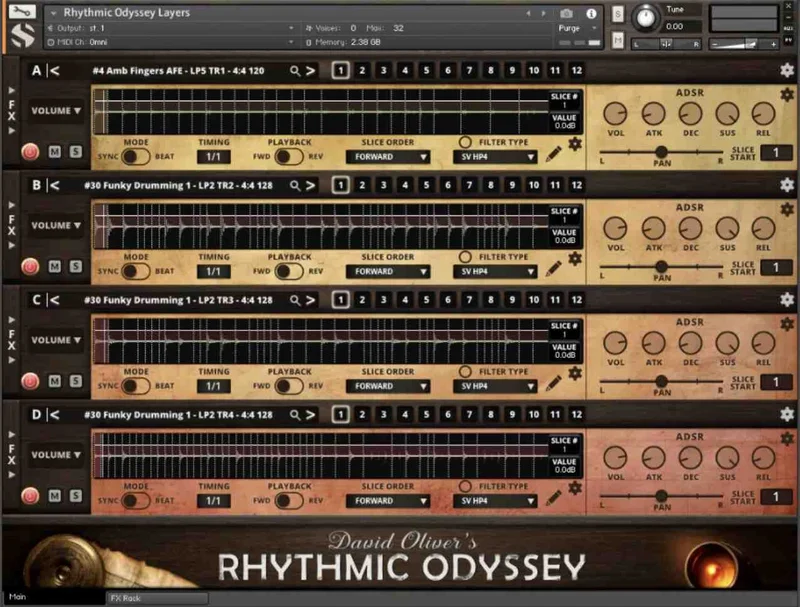
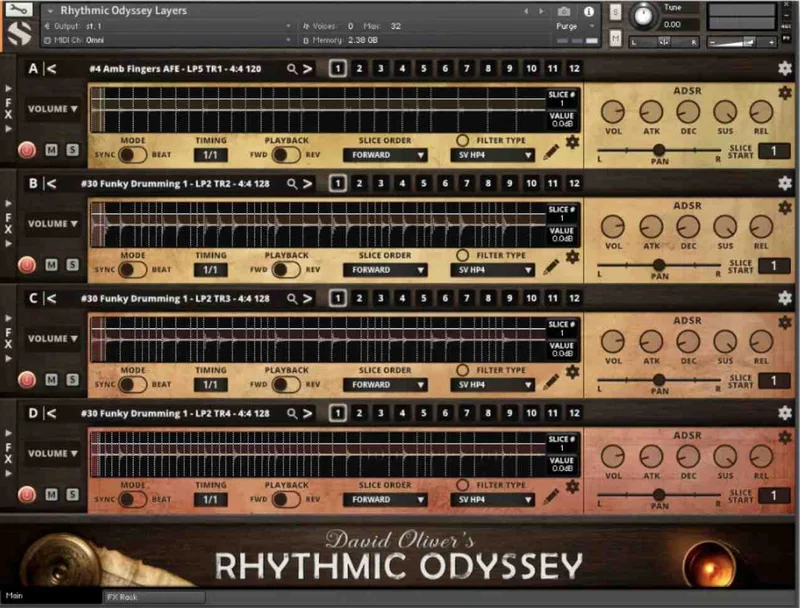
The multitrack preset is the library's most powerful feature and its most demanding one. It auto-syncs up to four sub-mix tracks to your DAW's tempo in real time. Change your session tempo, the loops follow. Stack a sparse hand percussion loop under a dense log-drum pattern, and both track to the same grid without manual stretching.
The clip slot system is how you build arrangement variety without bloating your session. Swap loops in and out across a cue while the overall mix keeps its shape. It's a clever design, and reviewers describe it as a composer's dream for this reason.
The CPU cost is real, though. If your session is already heavy, give the multitrack preset its own track freeze and bake it to audio before the final mix stage.
Slice Editing and Step Automation
Individual transient slices are editable. You can flip playback direction and reorder slice sequences directly in the interface. Take a loop that's too predictable and break it apart. Reverse a hit, shuffle the order, push the pattern somewhere it wasn't supposed to go.
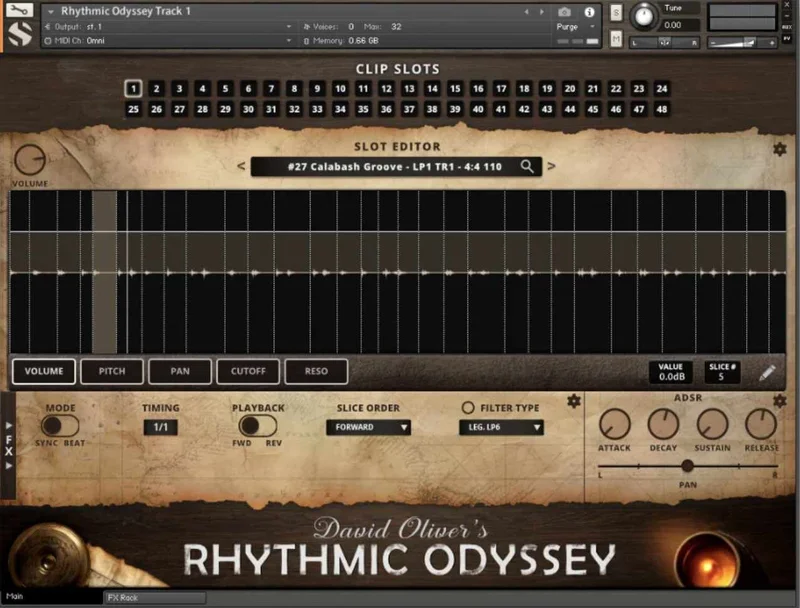
Step automation sits on top of that. Volume, pitch, pan, filter cutoff, and filter resonance are all automatable via the step sequencer. Set the cutoff to open across eight steps, push the pitch up on the last two, and a loop that would have felt static starts to breathe. This is where you stop sounding like you dropped a pre-made loop into a cue and start sounding like you built something.
The FX Rack
The modular FX rack gives you 27 DSP effect modules assignable across 8 slots. Phase, flanger, delay, distortion, amp and cab simulators, compressors, EQ, and a rotator are all in there. That's a full processing chain inside the instrument itself, before you've touched your DAW's insert slots.
The reverb is the highlight. 99 convolution IR presets captured in real-world locations, plus 40 special effect impulses built for sound transformation rather than realism. Push a dry log-drum loop through one of those special effect IRs and the top end turns strange and spatial in a way a standard reverb plugin wouldn't give you. Combined with an amp and cab sim below it, you can take an acoustic percussion recording somewhere entirely different without leaving the Kontakt interface.
The WAV Library
This is the underrated part of the package. The full WAV library, 6,500+ loops, is non-encrypted and 24-bit/48kHz. Human-readable sample names and a detailed loop database make it searchable without loading Kontakt. If you want to drop files directly into your timeline, chop them in your sampler of choice, or load a loop into hardware that reads WAV, every file is accessible.
For sound designers especially, this is brilliant. You're not renting access to Soundiron's audio inside a locked plugin. You own those files to use wherever you need them.
Format and Compatibility
Rhythmic Odyssey runs inside Kontakt Player 7.1.8 or higher. It supports VST, AU, and AAX plugin formats. Windows 7 or higher and OSX 10.12 or higher are both supported. Minimum hardware spec is a dual-core CPU with 3GB RAM, though the multitrack preset will ask for more than that in practice. A SATA or SSD drive is recommended, and at 16.15GB installed, SSD is the right call for playback performance. It integrates with the Kontakt Libraries browser and Native Access, and works with Komplete Kontrol and NI S-Series keyboards.
The Smarter Route
If you only occasionally need percussion beds and you don't score to picture regularly, a smaller loop pack or a simpler Kontakt instrument will cost less and ask less of your drive. Rhythmic Odyssey is sized for composers who use it constantly across multiple projects, not for producers who want one dramatic hit to drop into a track once a month.
If MIDI-triggerable kit instruments are your primary need, look elsewhere first. This library doesn't offer that workflow, and no amount of slice editing fills that gap.
If you're already inside the Kontakt ecosystem and you work in film, games, or multimedia, the scale and flexibility here is hard to match at this price.
Buy or Wait?
Buy it if you score to picture, build dynamic cues with multiple percussion layers, and want a library where the WAV files are yours to keep and use anywhere. The quality is there. Owners love it for a reason.
Wait if your CPU is already stretched, your storage is tight, or your workflow depends on MIDI capture. Those aren't fixable with updates; they're structural limits of how this instrument works.
At $149, with 6,500+ usable WAV files included alongside the full Kontakt interface, the value calculation is straightforward for the right buyer. It's not a library you audition once and shelve.
Specs & Technical Details
| Developer | Soundiron |
| Price | $149 |
| Plugin Format | VST / AU / AAX (via Kontakt Player) |
| OS Support | Windows 7 or higher / OSX 10.12 or higher |
| Activation | Native Access (Kontakt Player) |
| CPU Usage | Medium to heavy (multitrack preset is demanding) |
| Trial Available | N/A |
| Version Reviewed | N/A |
| Installed Size | 16.15 GB |
| Sample Depth | 24-bit, 48 kHz stereo |
| Total Samples | 6,856 |
| Kontakt Version Required | Kontakt Player 7.1.8 or higher |
| Minimum RAM | 3 GB |
| Minimum CPU | Dual core |
Score Breakdown
| Category | Score | Notes |
|---|---|---|
| Sound Quality | 4.8/5 | Owners consistently report loops that hold up in isolation and in combination, with David Oliver's performances giving the material real musical shape |
| Value for Money | 4.5/5 | Non-encrypted WAV library plus the full Kontakt instrument at this price is a strong package for composers who'll use both formats |
| Ease of Use | 4.0/5 | Loop browser is fast and well-filtered, but the multitrack preset's CPU demands and the lack of MIDI capture add friction for some workflows |
| Features | 4.5/5 | Step automation, 27-module FX rack, 99 convolution IRs, slice editing and clip slots cover almost everything a percussion loop instrument should do |
| CPU Efficiency | 3.5/5 | Stereo master preset is manageable; multitrack tempo-sync preset puts a real load on RAM and CPU that lighter systems will feel |
| Overall | 4.5/5 | A deep, well-recorded, flexible percussion library that earns its place in any film or game composer's template |
The Bottom Line
Rhythmic Odyssey is one of those libraries that rewards composers who go all the way into it. The surface level, drop a loop, hit play, is already good. The loop browser works, the loops sound full, and the wet stereo masters are genuinely broadcast-ready. That alone is worth something.
Go deeper and the slice editor, step automation, and 27-module FX rack turn a loop library into a composition tool. Stack up to four sub-mix tracks with step automation for filter cutoff, push the output through a convolution reverb IR captured in a real space, and the result sounds designed, not assembled.
Over 6,500 non-encrypted files with human-readable names. Take them anywhere. That's not a footnote; that's leverage.
The CPU cost of the multitrack preset is real. Not crippling for a modern machine, but real. And the missing MIDI capture is annoying if you think in terms of interchangeable instruments. Those are honest limits, not minor asterisks.
If you score to picture and you're building cues that need real dynamic range across a full percussion palette, this library delivers the answer in the moment because the collection is that comprehensive. If you're a beatmaker looking for a playable kit, the answer is somewhere else.
Frequently Asked Questions
Does David Oliver's Rhythmic Odyssey require the full version of Kontakt?
No. It runs in Kontakt Player version 7.1.8 or higher, which is the free version. You don't need a full Kontakt license to use it. Activation goes through Native Access, and it appears in the Kontakt Libraries browser once installed.
Can I use the loops outside of Kontakt in my DAW or on hardware?
Yes, and this is one of the library's strongest points. The full WAV library, over 6,500 loops at 24-bit/48kHz, is non-encrypted. You can drag files directly into your DAW timeline, load them into any hardware sampler that reads WAV, or process them in any other plugin. The files come with human-readable names and a loop database to help you find what you need without loading Kontakt.
How heavy is the CPU hit when using the multitrack preset?
The multitrack preset, which tempo-syncs up to four sub-mix tracks in real time, carries a significant RAM and CPU load because of the time-stretching engine running underneath. On a modern multi-core machine it's workable, but you'll notice it. Owners recommend freezing or printing the multitrack preset to audio during dense sessions to free up processing headroom for the rest of your mix.