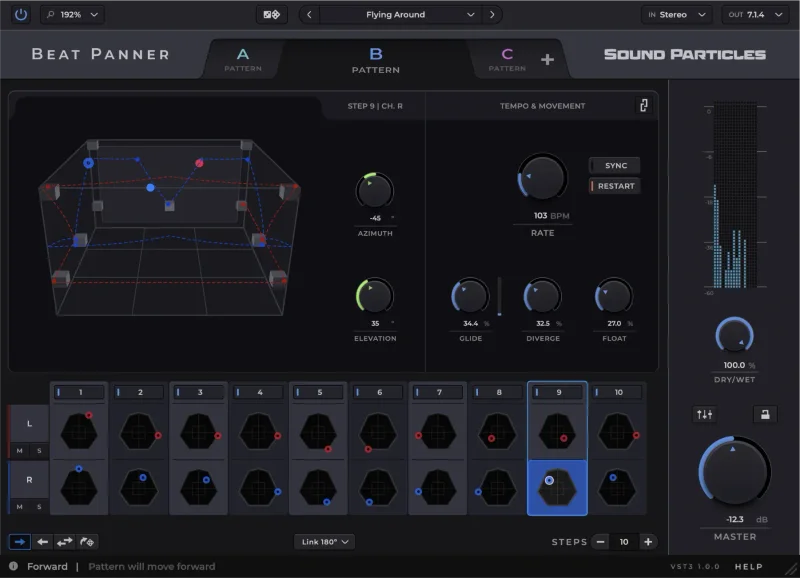
Panning in most student sessions is an afterthought: hard left, center, hard right, call it a day. The Beat Panner Educational Version by Sound Particles exists to fix exactly that habit. It's a rhythm-driven spatial panning sequencer that runs across 30-plus multichannel formats and costs $99 for verified students and academic professionals. If you're building your mixing vocabulary and spatial audio is any part of that picture, this is worth a serious look.
Quick verdict: At $99 for an educational license, Beat Panner gives you one of the most format-complete spatial panning tools you'll find at this level. The score sits at 4.0/5. It's clever, it covers formats most students won't touch for years, and the sequencer-based approach to panning is genuinely different from anything in a basic DAW. The learning curve is real and the micromovement tools take time. But if you're serious about spatial audio, this is the plugin to learn on.
The Problem With Panning in Student Sessions
Here's the frustration: you've got a mix that's technically correct and completely lifeless. Every element sits in a fixed position. Nothing moves. The stereo field is wide in theory and flat in practice.
Most DAW pan knobs do one thing: position a signal left or right. They don't sequence that position. They don't sync to tempo. They don't let you jump between four different movement patterns mid-song without automation clip chaos.
For students working toward film, game audio, or immersive music, the gap is even wider. A 5.1 mix requires spatial thinking that a stereo pan knob simply doesn't teach. You can explore spatial width tools for stereo mixing, but multichannel panning is a different discipline entirely.
Beat Panner is built to close that gap. It sequences panning the way a step sequencer handles rhythm. That reframe is what makes it worth discussing seriously.
How the Sequencer Actually Works
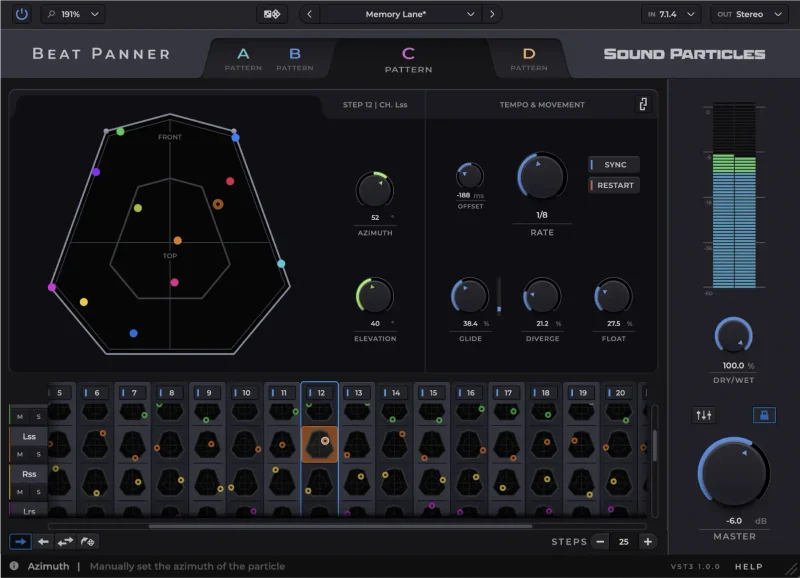
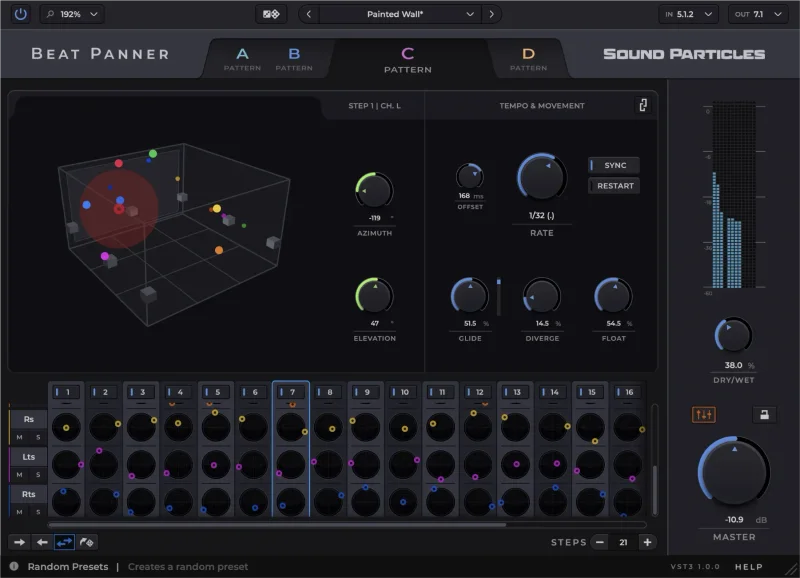
Drop it on a synth pad or a percussion loop. You get a step sequencer where each step sets a position in space, not a pitch or a velocity. Up to 32 steps per channel. Four independent sequence patterns in one instance, so you can program a verse pattern, a chorus pattern, a breakdown pattern, and a bridge pattern and switch between them without touching your automation lanes.
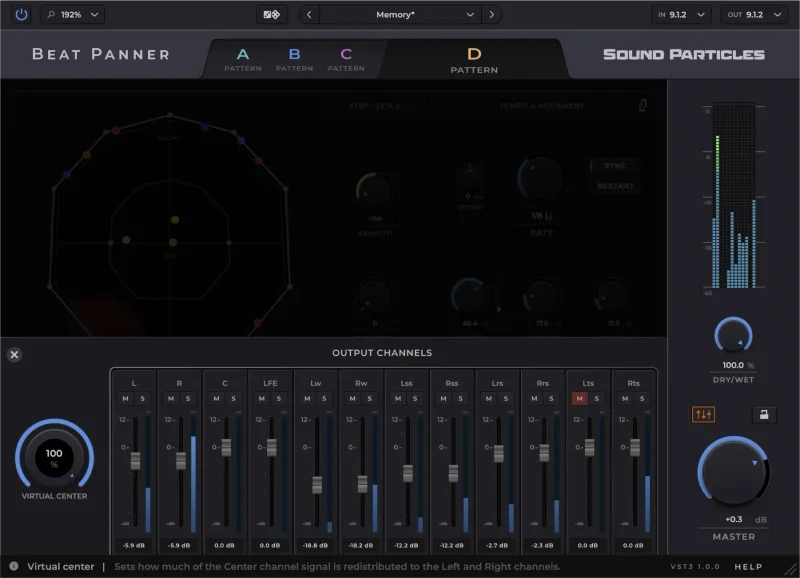
Sync it to your song's tempo and the panning movement locks to your grid. Push the float and divergence controls and the movement gets loose. Tighten them down and you get sharp, rhythmic jumps from position to position.
The format support is where Beat Panner separates itself from anything in a typical student toolkit. Stereo and 5.1 are table stakes. This plugin also covers 7.1.2, 7.1.4, 9.1.6, IMAX 12.0, NHK 22.2, and 360 RA. That's the kind of format list you'd expect from a professional spatial audio suite. For a student learning immersive mixing, having access to NHK 22.2 at this price is frankly ridiculous in the best way.
Version 1.1 added Object Metadata Automation, which matters for anyone working in object-based audio workflows.
Strengths and Weaknesses
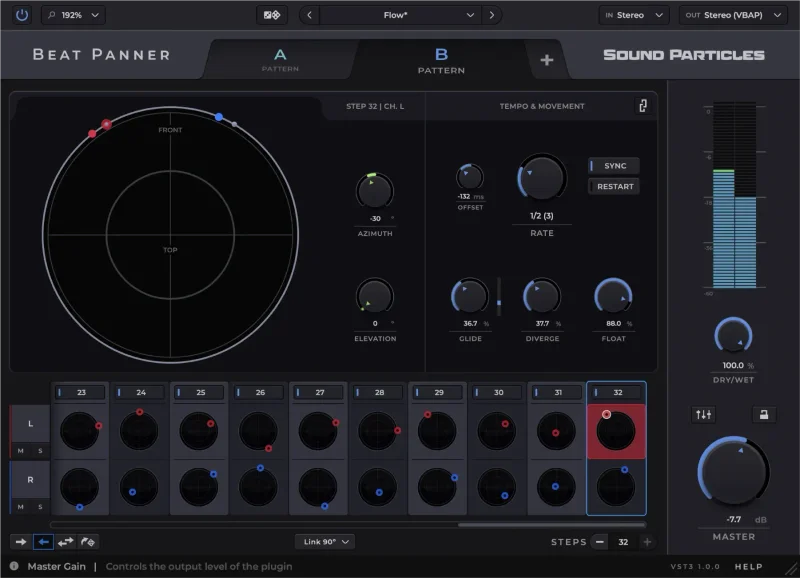
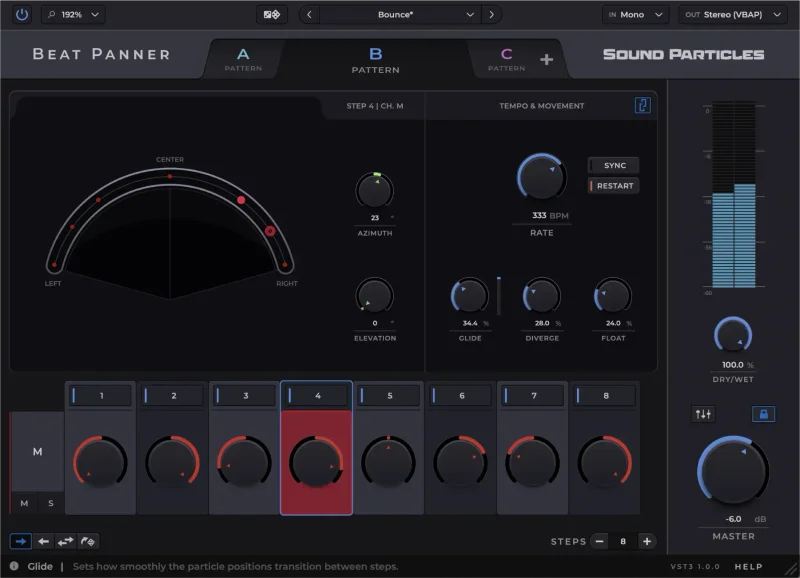
The visual interface is the first thing owners mention. Multiple stereo and 3D views let you see where your signal sits and how it moves. For a learner, that visual feedback is worth a lot. Panning stops being abstract when you can watch it happen in three dimensions.
The multipattern system is genuinely smart. Owners report it makes real session sense: you set up energy-appropriate patterns for different song sections and switch between them without creating automation chaos. That's not a gimmick. It's a legitimate workflow feature.
The weaknesses are just as real. The micromovement tools, specifically float, divergence, and the subtle motion controls, interact with each other in ways that take time to understand. You'll set one parameter and another behaves unexpectedly. Annoying, but not unfixable with patience. The dozens of professional presets help while you're finding your feet, and the Random Dice tool lets you explore combinations without committing.
You're buying on the strength of the full version's reputation applied to a discounted license. That's a minor frustration, not a dealbreaker.
Value for the Price
At $99, this is an educational license for a multichannel spatial panning sequencer with format support that runs all the way to NHK 22.2. Full stop.
If you're a working professional, compare this to what a full spatial audio suite costs. As a student, you're getting legitimate tools for immersive formats at a fraction of that. The value comparison for plugin licenses in 2026 consistently shows educational pricing as one of the better deals in the plugin market. Beat Panner fits that pattern.
The catch: Sound Particles confirms your educational status after purchase. Not before. Factor that into your timeline if you're buying close to a deadline.
Who Should (and Shouldn't) Buy This
✅ Buy if you're a student in film, game audio, or immersive music who needs hands-on time with multichannel spatial formats beyond basic stereo.
✅ Buy if you want to learn panning as a rhythmic, creative tool rather than a static left-right knob.
✅ Buy if you're an academic professional who needs a teaching tool that covers everything from 5.1 to NHK 22.2 in one plugin.
❌ Skip if you're only working in stereo. The depth of this tool is wasted at that level and a simpler stereo width plugin will serve you better.
❌ Skip if you need instant results. The micromovement tools have a real learning curve and this plugin rewards patience, not speed.
❌ Skip if you can't verify your educational status. The license requires confirmation from Sound Particles after purchase.
Specs & Technical Details
| Developer | Sound Particles |
| Price | $99 |
| Plugin Format | VST / VST3 / AU / AAX |
| OS Support | Windows 10 or higher / macOS 10.15 and above |
| Activation | N/A |
| CPU Usage | N/A |
| Trial Available | N/A |
| Version Reviewed | 1.1 |
Score Breakdown
| Category | Score | Notes |
|---|---|---|
| Sound Quality | 4.0/5 | Spatial positioning is clean; no phase artifacts reported by owners |
| Value for Money | 4.5/5 | Format coverage at this price point is hard to argue with for students |
| Ease of Use | 3.0/5 | Visual interface is clear but micromovement tools take real time to learn |
| Features | 4.5/5 | 32 steps, 4 patterns, 30-plus formats, Object Metadata Automation in v1.1 |
| CPU Efficiency | N/A/5 | No data available |
| Overall | 4.0/5 | A serious spatial tool at an educational price; the learning curve is the only real friction |
Beat Panner Educational Version is the plugin you buy when you've decided spatial audio is going where you're going. It's not for students who want quick results or who are happy working in stereo. But if you're heading toward immersive formats, whether that's 5.1 for film or object-based audio for streaming, learning on a tool that covers NHK 22.2 and IMAX 12.0 at $99 is a decision you won't regret. Just give yourself a few sessions before you judge it. The learning curve is frustrating, then it clicks, and after that the multipattern sequencer feels like something you should have had years ago.
The one thing to check before you buy: confirm Sound Particles' current verification process for educational status. It happens after purchase, not before.
You can read more about spatial audio plugins for students and professionals to see how Beat Panner fits the wider toolkit picture.
Frequently Asked Questions
What is the Beat Panner Educational Version?
It's an educational license for Beat Panner, Sound Particles' rhythm-driven spatial panning sequencer plugin. The educational version gives verified students and academic professionals access to the full plugin at a reduced price. Sound Particles confirms your educational status after purchase.
What multichannel formats does Beat Panner support?
Beat Panner covers more than 30 multichannel formats. These include stereo, 5.1, 7.1.2, 7.1.4, 9.1.6, IMAX 12.0, NHK 22.2, and 360 RA. That's a format list that covers everything from cinema to object-based audio workflows.
Is Beat Panner hard to learn?
The visual interface is clear and owners report it's genuinely flexible once you understand it. The steep part is the micromovement tools: float, divergence, and the subtle motion controls interact with each other in ways that take time to map out. The included presets and Random Dice tool help while you're building that understanding.
What DAW formats does Beat Panner support?
Beat Panner is available in VST, VST3, AU, and AAX formats. It runs on Windows 10 or higher and macOS 10.15 and above. That covers the major DAWs including Pro Tools, Logic Pro, Ableton Live, and Cubase.
What did version 1.1 add to Beat Panner?
Version 1.1 introduced Object Metadata Automation. This is relevant for producers and mixers working in object-based audio workflows, where spatial positions need to be tracked and automated as discrete objects rather than fixed channel assignments.