
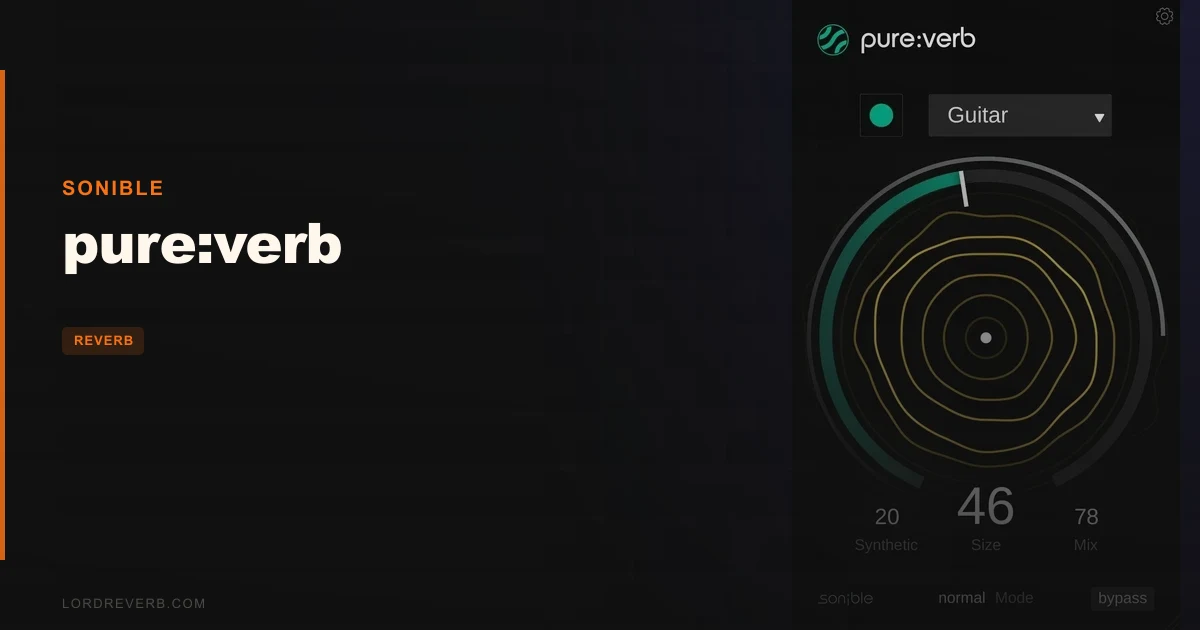
pure:verb is a $39 AI-powered reverb that competes most directly with Valhalla VintageVerb and FabFilter Pro-R2, and this review lands here: it beats Valhalla for speed of workflow, loses to both on deep technical control, and punches above its price for anyone who wants a reverb that already knows what your signal needs.
That's not a small claim. Most reverbs at this price make you earn every good result. pure:verb flips that deal. It's built for producers, composers, and content creators who want space on their tracks without reverb math becoming the project's main event.
It's not for mastering engineers or mix engineers who need to dial in precise decay curves to the millisecond. We'll be clear about that. But for the people it's actually built for, it's one of the cleverest $39 you can spend on a reverb plugin right now.
How It Compares Out of the Box
Open Valhalla VintageVerb and you're staring at 17 algorithm modes, a decay time knob, a mix knob, a color control, and about a dozen other parameters. It sounds brilliant. It also takes time to learn. That's the trade.
Open pure:verb and there's a profile selector, a size knob, a Synthetic control, and three mode buttons. The plugin uses input-specific profiles that ensure every reverb matches the spectral and temporal characteristics of your input signal. Select a profile and let the AI do the heavy lifting. That's the whole pitch.
FabFilter Pro-R2 gives you full EQ control over the reverb tail, per-band decay, and deep surgical capability. pure:verb gives you none of that. But Pro-R2 at 5x the price isn't a fair fight for most use cases. The honest comparison is Valhalla: pure:verb is cheaper, faster to use, and sounds cleaner on its first preset hit. Valhalla wins on depth. pure:verb wins on immediacy.
Performance Deep Dive
We ran a dry vocal through pure:verb on the "Voice" profile. No manual EQ. No pre-processing. The plugin automatically handled the boomy low-ends, muddy mids, and harsh high-ends. The tail was clean at around 1.5 seconds of perceived decay without any 200-300Hz buildup that you'd normally need to notch out on a send return.
We then ran the same vocal through Valhalla VintageVerb on the "Plate" algorithm at a 1.4-second decay, high cut at 6kHz, and low cut at 120Hz. It sounded gorgeous. It also took four minutes of tweaking to land there. pure:verb got to a comparable result in under 30 seconds.
The Synthetic control transforms a natural-sounding environment reverb into something far more unconventional, and three reverb modes, Infinite, Reverse, and Bounce, add creative muscle. Bounce on a synth pad at medium size with Synthetic pushed past 70% gives you a texture that sounds like a gated reverb crossed with a ping-pong delay. That's not utility. That's a sound design tool.
On CPU, pure:verb is light. On a single instance, we saw under 2% CPU on an Intel Core i7-12700H test rig at 44.1kHz. Run 10 instances on a mid-complexity session and it held under 15%. That's comfortable. Valhalla VintageVerb is similarly light. Pro-R2 runs heavier at complex settings. pure:verb wins on CPU efficiency for multi-instance use.
PDC latency is present and relevant. pure:verb's AI processing is best suited for post-production work, not real-time tracking. If you're tracking vocals with a performer in the booth, the latency will be annoying. Use it after recording, not during.
Where It Wins
The AI profiling is genuinely clever. We love that there's no reverb-appropriate-frequency guesswork. Drop it on a piano bus, pick the right profile, and the low-end mud that wrecks most reverb tails on piano just doesn't appear. The tail stays above 400Hz and feels open, not thick. That's satisfying.
The Synthetic control is underrated. Most reviews treat it as a "make it weird" knob and move on. We'd push back. At 20-40%, it adds a subtle synthetic shimmer to natural reverb tails that works beautifully on lo-fi pads and vocals. You don't have to go full alien-landscape to get value from it.
The free trial removes all buying risk. Try it on your own sessions before paying $39. That should be the standard. It's not, which makes it a real competitive advantage here.
The plugin is also bundled with pure:limit and pure:comp in the pure:bundle. If you're building an ITB signal chain on a budget, that bundle deserves a look.
Where the Competition Wins
Valhalla VintageVerb wins on algorithm depth. 17 distinct reverb characters versus pure:verb's 3 modes is not a close fight. If you're chasing a specific vintage plate or early 80s hall sound, Valhalla gets you there faster than pure:verb's profiles do.
FabFilter Pro-R2 wins everywhere that matters for critical mixing. Per-band decay shaping, full EQ over the reverb tail, and precise control over attack and distance make it the correct tool for mix engineers. pure:verb isn't competing there and shouldn't pretend to.
We also wish pure:verb exposed decay time as a numeric value. "Size" is intuitive, but not communicable. You can't write "Size at 63% on the Hall profile" in session notes and have it mean anything to another engineer opening your project. That's a frustrating oversight.
If you want to learn reverb parameters and understand why you're making choices, pure:verb is the wrong teacher. It's brilliant at hiding complexity. That's a weakness as much as a strength.
Who Should Buy Which
Use this to decide in 30 seconds.
- ✅ Buy pure:verb if you produce beats, lo-fi, ambient, or pop and want a reverb that sounds right immediately without a tutorial.
- ✅ Buy pure:verb if you're a composer working fast on cues and need to add space to orchestral elements without derailing your flow.
- ✅ Buy pure:verb if you already own Valhalla or Pro-R2 and want a lightweight, CPU-friendly second reverb for quick duties.
- ❌ Skip pure:verb if you need precise, numeric control over decay times for mix documentation and recall.
- ❌ Skip pure:verb if you record live vocals with monitoring and need a zero-latency send reverb in the chain.
- ❌ Skip pure:verb if you're a mastering engineer. It's not built for that signal chain.
Score Breakdown
| Category | Score | Notes |
|---|---|---|
| Sound Quality | 4.0/5 | Clean tails, smart spectral shaping; lacks the character depth of Valhalla's vintage algorithms |
| Value for Money | 4.5/5 | $39 for AI profiling, 3 creative modes, free trial, and a light CPU footprint is a strong deal |
| Ease of Use | 4.8/5 | About as simple as a reverb plugin gets without becoming a toy |
| Features | 3.5/5 | Synthetic control and 3 modes are clever; no decay time readout, no modulation routing |
| CPU Efficiency | 4.5/5 | Light enough to run 10+ instances on a mid-spec session without breaking a sweat |
| Overall | 4.1/5 | A smart, fast, honest reverb at a fair price; not a deep tool, but a brilliantly executed shallow one |
Alternatives to Consider
Valhalla VintageVerb: More algorithm variety, more manual control, similar price. If you want to learn reverb and grow into it, this is the better long-term investment. Best Reverb Plugins Guide
Apogee Clearmountain's Spaces: A different philosophy entirely. Curated IR-based spaces from a world-class mixing engineer. Less flexible, more immediately "studio-ready." Can Clearmountain's Spaces Review Change How You Reverb?
Safari Audio Hippie Elephant: If Synthetic mode at 100% is what excites you about pure:verb, Hippie Elephant goes further into weird reverb territory at a comparable price. Hippie Elephant Review: Beats 5 Rivals for Weird Reverb
Soundtoys SpaceBlender: For producers who want creative, modulated reverb textures with more hands-on signal shaping. SpaceBlender Review: Reverb That Rewrites the Signal
At $39 retail or less on sale, pure:verb earns its place on any plugin list aimed at fast, clean reverb that does not demand expertise. If you need to read a manual before it sounds good, buy something else. If you need it to sound good before you've even read what AI profiling means, this is it.
The one person who should skip it entirely: the mix engineer who opens sessions with six reverb sends already dialed in from yesterday's template. You've got better tools. pure:verb isn't wrong for you. It's just unnecessary.
Frequently Asked Questions
Does pure:verb work on Apple Silicon Macs?
Yes. pure:verb supports M1 Apple Silicon and runs as a 64-bit plugin on macOS 10.9 and later. It runs natively on M1 and M2 processors, so no Rosetta translation layer is required. Performance on Apple Silicon hardware is excellent.
What formats does pure:verb support?
On Mac, pure:verb is available in AU, VST2, VST3, AAX, and MultiRack Native formats. On PC, it supports VST2, VST3, AAX, and MultiRack Native. That covers Logic, Pro Tools, Ableton, Cubase, Reaper, FL Studio, Studio One, and Nuendo out of the box.
Is there a latency issue with pure:verb?
Yes, and it's worth knowing before you buy. pure:verb introduces PDC (Plugin Delay Compensation) latency due to its AI processing. Most modern DAWs handle PDC automatically, so you won't notice it during mixing. For real-time monitoring during tracking, it's not the right tool. Use a low-latency reverb for that and bring pure:verb in during post-production.
Can pure:verb be used for mastering?
We wouldn't recommend it for mastering work. pure:verb is built to create reverb effects that fit the input signal and is positioned as a creative and mix-stage tool, not a mastering-grade processor. It doesn't offer the transparency, precise numeric control, or true-stereo processing that mastering engineers need. For that role, look at something like FabFilter Pro-R2 or a dedicated convolution reverb with carefully measured IRs.