Rhino Reverb by Safari Audio is a $49 spring reverb plugin modelled on 1960s-70s HiFi amplifier reverb units, and it sounds exactly as characterful and limited as that description implies.
We loaded it on a dry drum bus during a lo-fi hip-hop session. The snare was too polite. We wanted it to feel like it was recorded in someone’s living room in 1968. Thirty seconds after installing Rhino, we had what we needed: a bouncy, slightly unruly spring tail that pushed the snare back into the room without cleaning it up. That moment told us everything. This plugin does one thing. It does it with personality. The question is whether that one thing is worth the price to you.
Rhino is built for producers who want colour, not transparency. If you’re finishing a polished pop mix, keep walking. If you work in indie, lo-fi, surf rock, psychedelic, or experimental production, read on.
First Impressions: Five Knobs and a Toggle
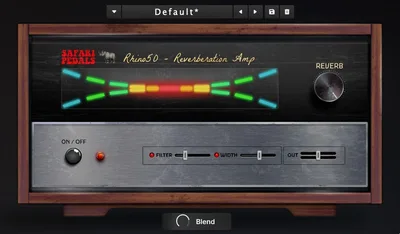
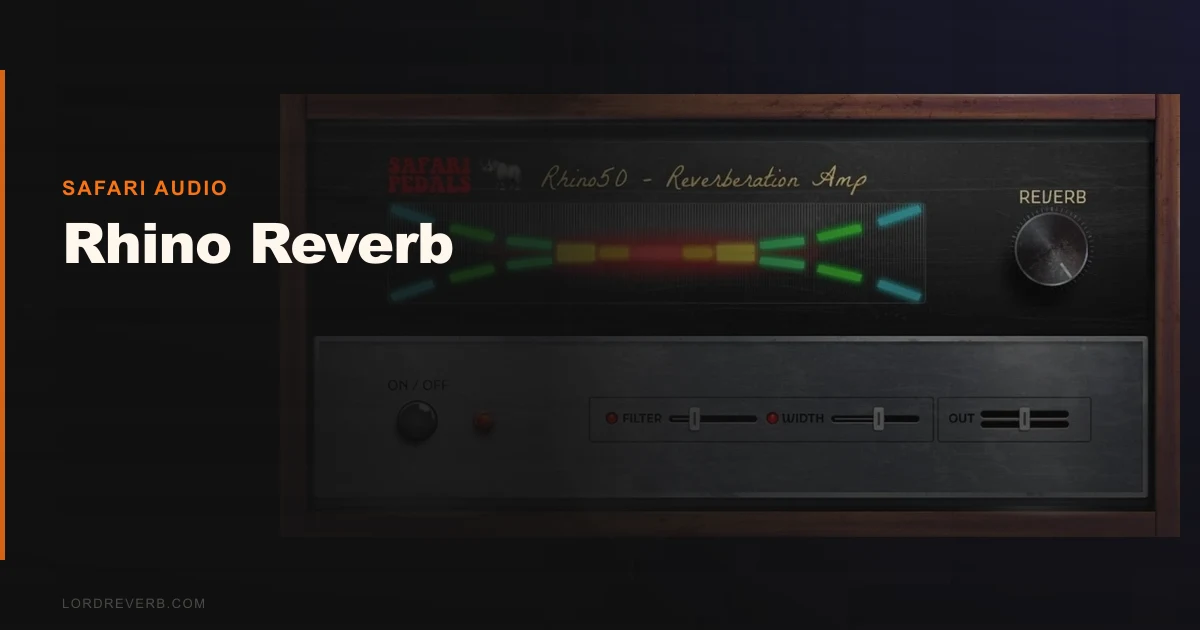
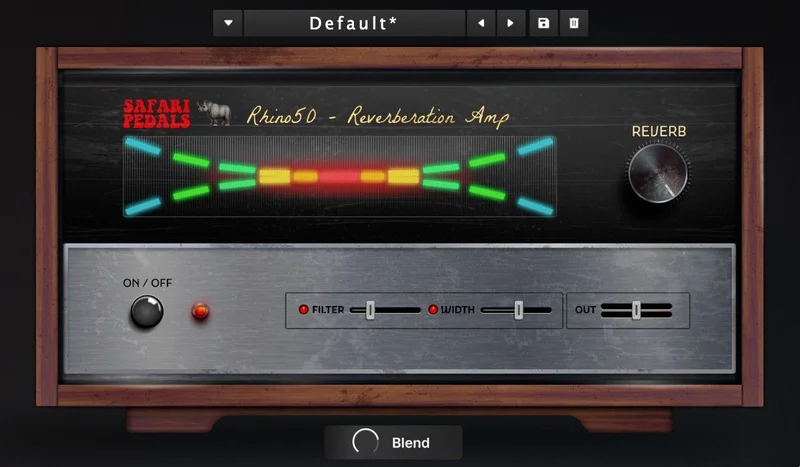
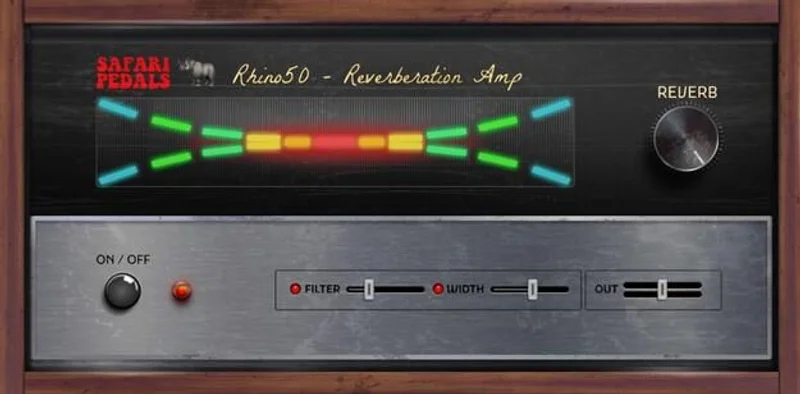
The UI opens small and stays small. You get five knobs: Reverb (decay length), Filter (tonal shaping), Width, Output, and Blend for wet/dry control. There’s an On/Off toggle. That’s the whole plugin.
We loved the restraint. No tabbed menus, no hidden pages, no algorithm selector. You tweak Blend until the spring sits where you want it, roll Filter back to thin the tail, and you’re done.
The preset bank covers drums, guitar, keys, vocals, and general use. None of them are revelatory, but they’re honest starting points. The drum preset in particular landed close to what we’d dial in manually. First impressions are warm, tactile, and slightly retro without feeling like a caricature.
Getting It Into a Real Workflow
Installing Rhino is fast. VST3, AU, and AAX are all covered. macOS 10.15 or newer, Windows 8 and up, 64-bit only. We activated offline after the initial license check. No iLok, no subscription, no nagging screen. That alone puts it ahead of half the plugins we’ve tested this year.
We ran it three ways in a session: as an insert on a guitar buss, as a send from a vocal channel, and as a full-mix parallel effect on a lo-fi beat.
The guitar buss result was satisfying. That bouncy spring character sat right behind a clean Telecaster and gave it a surf-adjacent liveness without sounding like a novelty effect.
On the vocal send, we hit our first friction point. The Filter knob shapes the reverb tail but doesn’t offer precise frequency control. We wanted to cut around 400Hz to clean up some boxiness in the tail. There’s no way to do that surgically. You’re steering with a wide brush, not a scalpel.
We also couldn’t confirm MIDI automation support. The developer’s documentation doesn’t address it clearly. For a plugin aimed at producers building dynamic arrangements, that’s an annoying gap.
How reverb plugins fit into a send/return workflow
What Rhino Does Better Than You'd Expect
The spring character is the whole game, and it delivers. Pull Blend to around 30-40% wet, set Reverb to a medium decay, and the tail has a lively bounce that most plate and hall plugins can’t fake. It has physical weight. Something in the modelling retains that old hardware quality where the spring itself feels like it’s moving.
We compared it informally against Valhalla VintageVerb on a drum room patch. VintageVerb sounds cleaner and more controlled. Rhino sounds like the room has a personality disorder. Neither is wrong. They’re answering different questions.
The Width knob earns its place. Push it out and the spring blooms into the stereo field without getting smeared. Pull it back for a mono-adjacent sound that sits tight in the centre. We used the narrow setting on a kick reverb send and it kept the low end from wandering. Clever design.
At a fair price with a perpetual license, the value is honest. You’re not overpaying for what this is.
Clearmountain’s Spaces review for a comparison with studio-grade reverb
The Rough Edges
The colouration that makes Rhino interesting also makes it stubborn. Some sources just don’t want it. We tried it on orchestral strings as a gentle room reverb. Ugly. The spring character fought the source material. We tried it on a clean piano. Same problem. The analog imperfections that feel musical on drums and guitar feel wrong on anything that needs to breathe naturally.
The preset depth is shallow. Five categories, a handful of patches. We’d love to see a broader library, especially for experimental use cases.
Developer transparency is frustrating here. There are no published CPU or latency specs. We didn’t experience obvious performance issues on our test rig, but that’s not the same as knowing what you’re dealing with. Producers on tighter machines deserve that data upfront.
One reported compatibility issue with Windows 7 and 10 surfaced during our research. Safari Audio doesn’t list those OS versions as supported, but clear documentation would prevent the problem ent
irely.
Who This Is Really For
- Buy if you produce lo-fi, indie, surf, psychedelic, or experimental music and want a character reverb that sounds like real old hardware.
- ✅ Buy if you already own a clean workhorse reverb and want a second unit with personality for specific use cases.
- ✅ Buy if minimalist UI is a priority and you hate menus inside menus inside tabs.
- ❌ Skip if you need one reverb to cover every genre and source. This isn't that.
- ❌ Skip if you mix anything orchestral, cinematic, or pristine. The coloration will fight you.
- ❌ Skip if you need MIDI automation or deep preset management for complex arrangements.
Score Breakdown
| Category | Score | Notes |
|---|---|---|
| Sound Quality | 4.0/5 | Distinctive spring character that larger studios charge more for; narrow but genuinely good at what it does |
| Value for Money | 4.0/5 | Perpetual license with offline use is fair; no subscription nonsense |
| Ease of Use | 4.5/5 | Five knobs, a toggle, and presets; anyone is up and running in under two minutes |
| Features | 2.5/5 | Intentionally minimal, but MIDI automation support and published CPU specs are missing |
| CPU Efficiency | 3.0/5 | No published data; performed fine in our tests but we can't back that with numbers |
| Overall | 3.8/5 | Underrated for its niche, overrated as a general-purpose tool |
Alternatives to Consider
If Rhino’s character appeals but you need more versatility, look at these:
Valhalla VintageVerb sits at the same price bracket and covers spring, plate, hall, and room algorithms with more surgical control. It won’t give you Rhino’s HiFi amp coloration, but it’ll work on every source in your session without complaint. If you can only own one reverb, VintageVerb is the more sensible choice.
Apogee Clearmountain’s Spaces review for a premium studio-grade alternative
Soundtoys SpaceBlender takes a different approach entirely, blending reverb types with a more modern signal chain. Worth comparing if you want character but with more shaping power built in.
SpaceBlender review for a deeper look at character reverbs with more control
For producers who want to understand how tools like Rhino fit into a broader reverb strategy, our reverb plugins guide covers the core decisions every producer needs to make before spending money on a specialist unit like this.
The Final Call
Rhino Reverb is underrated for exactly the right people and overrated as an all-purpose tool. It’s a spring reverb that genuinely sounds like someone recorded it through old hardware, and there’s real love in how it bounces and blooms on the right source material.
We’d buy it as a second reverb. We wouldn’t buy it as our only one.
If you’re mixing anything clean, orchestral, or polished, skip it without guilt. But if you’re working in lo-fi, indie, or anything that values character over cleanliness, Rhino will earn its keep inside your first session.
The plugin that convinces you spring reverb was worth reinventing is still being built. Rhino is a good sketch of what it could sound like.
Frequently Asked Questions
Is Rhino Reverb free?
Rhino Reverb costs a one-time fee for a perpetual license. Safari Audio ran a promotional free offer in late 2025 using a specific discount code, but that promotion has a limited window. Check the Safari Audio site for current pricing and any active deals. The perpetual license model means you pay once and own it, with no subscription required.
Does Rhino Reverb work on both Mac and Windows?
Yes. It runs on macOS 10.15 and newer, and Windows 8 and up, both 64-bit only. VST3, AU, and AAX formats are all included. One user reported installation issues on Windows 7 and 10, which are outside the officially supported range, so stick to the listed OS versions to avoid problems.
Can Rhino Reverb handle genres other than guitar music?
It works well on drums, keys, and vocals in the right context, particularly lo-fi, indie, and experimental productions. The character is distinctive enough that it doesn't suit every source. We wouldn't use it on orchestral strings or anything that needs a transparent, neutral reverb tail.
How does Rhino Reverb compare to Valhalla VintageVerb?
VintageVerb is more versatile, covers more algorithms, and offers more precise control. Rhino has a specific HiFi amp spring character that VintageVerb doesn't replicate. If you need one reverb for everything, VintageVerb wins. If you already own a clean workhorse reverb and want a character unit for specific sessions, Rhino fills a gap VintageVerb doesn't.