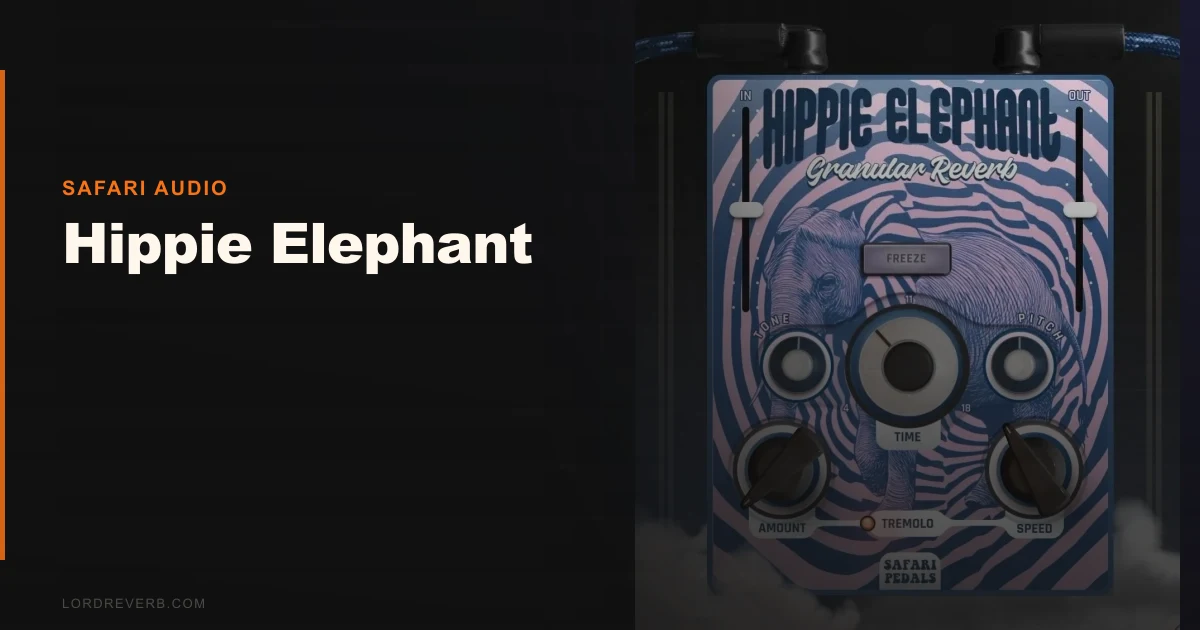
You've got a dry guitar take, a synth pad, or a vocal that needs to sound like it was recorded inside a dream. You reach for your reverb, and everything you own either sounds clinical or takes 20 minutes of tweaking to get weird enough. That's the exact problem Safari Audio's Hippie Elephant exists to solve.
This is a granular reverb plugin built for producers who want psychedelic texture fast. It runs VST3, AU, and AAX on both Mac and Windows. It is on intro pricing and the regular price is $49. And it's aimed squarely at indie rock, darkwave, grunge, and electronic producers who'd rather twist a knob than read a manual.
We put it through its paces on guitars, vocals, and synths. Here's the honest take.
The Specific Pain Point That Built This Plugin
Granular reverb is not a new idea. But most granular tools sit behind complex interfaces built for sound designers, not for a producer halfway through a session who just wants a shimmer on their guitar lead.
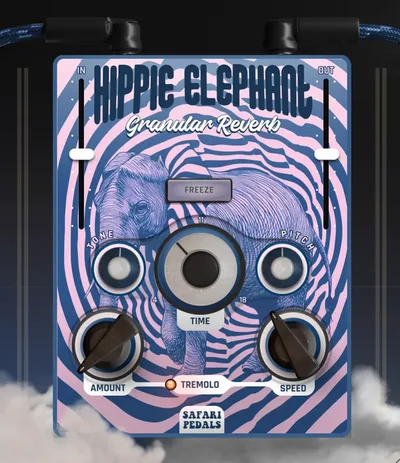
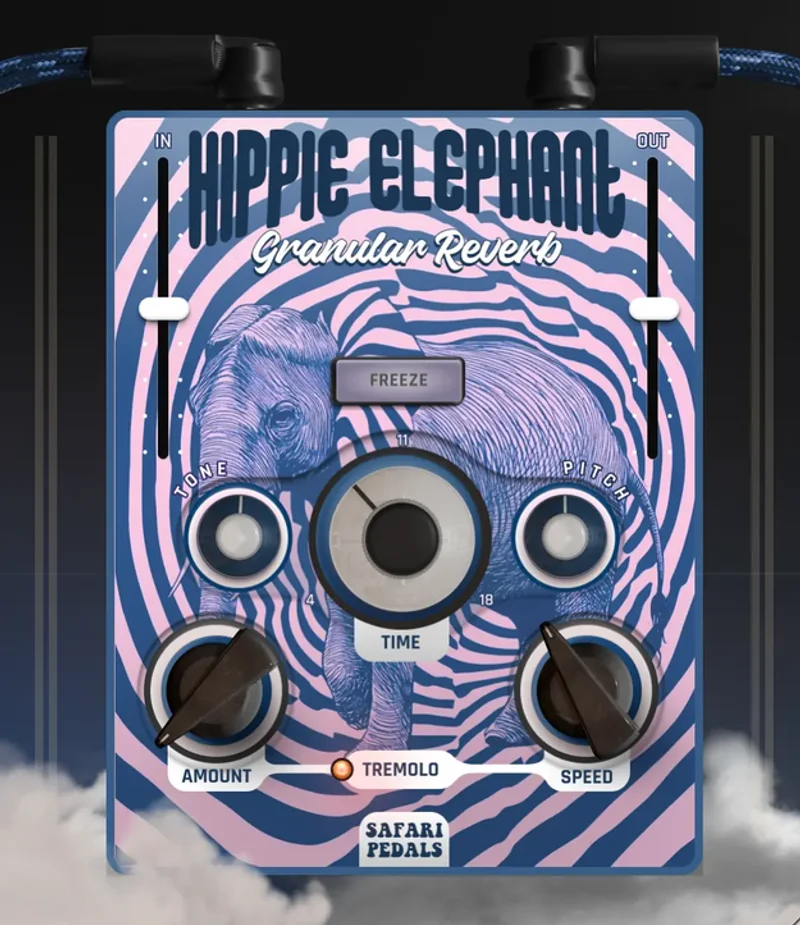
The frustration is real. You load something like a full-featured granular environment, and suddenly you're reading documentation instead of finishing your track. Hippie Elephant collapses that problem into four core controls: TIME (grain size), PITCH (bend the space), TONE (darken or brighten), and a built-in TREMOLO section with AMOUNT and SPEED knobs. That's it. The learning curve is essentially flat.
For producers who already think in guitar-pedal terms, this layout feels immediately familiar. You don't need to understand granular synthesis to get results. That's the whole point.
How It Actually Performs in a Session
We dropped Hippie Elephant on a dry electric guitar track. Jangly, mid-scooped indie rock tone. We pulled TIME to a medium grain size, nudged PITCH up slightly, and hit FREEZE. The guitar locked into an infinite shimmer pad in about three seconds. Satisfying. We've spent longer waiting for plugins to load.
The TONE control earns its place. Sweeping it dark added genuine low-mid weight to the freeze. Not "warmth" in a vague marketing sense: the high-frequency content rolls off and the 200-400Hz range becomes more present. Sweep it bright and you get a glassy, almost string-like shimmer.
On vocals, the tremolo section created a chorusy, warbly movement that would normally require a separate modulation plugin in your chain. The AMOUNT control goes from subtle flutter to full sci-fi wobble. The SPEED control tracks musically if you're careful with it.
The IN/OUT slider for gain staging is a smart inclusion. There's also a blend function with auto-gain compensation, which means you can push the effect hard without blowing your headroom. We didn't clip once using it as intended.
Where it gets frustrating: at high grain density settings, we noticed a moderate CPU hit. Safari Audio doesn't publish specific CPU benchmarks. That's annoying. We'd estimate it sits somewhere between light and medium in typical use, but push the grain parameters and you'll feel it.
For a full comparison of reverb plugin CPU loads and architecture types, that guide breaks down what to expect across different reverb plugin categories.
What It Does Well and Where It Stumbles
The FREEZE function is the headline feature. One click captures your audio into an infinite pad. We used it on a synth chord and got an instant post-rock swell that would have taken three separate plugins to build from scratch. That's a clever implementation. It works.
The interface is genuinely clean. No tabs, no hidden menus, no sub-pages. Everything is on one panel. You can dial in a usable texture in under a minute. For a plugin with this much creative range, that's impressive design discipline.
Now the problems. The factory presets are hit and miss. Some of them are brilliant as a starting point. Others pile on tremolo, pitch bend, and grain saturation simultaneously and produce a noisy, overcrowded signal. Don't judge the plugin by its worst presets. Dial them back immediately and start from a cleaner base.
The 48kHz limitation is the harder issue. If you're scoring to picture or delivering stems for a film mix, 48kHz is the standard. Hippie Elephant isn't optimized for it. That's not a dealbreaker for a music-only producer. For anyone working in post-production, it's a hard stop.
We also wish the PITCH control had more precision at subtle intervals. It's great for dramatic pitch bends but harder to dial in a gentle detune effect without overshooting.
Compare that to Apogee Clearmountain's Spaces, which gives you surgical control at the cost of zero psychedelic weirdness. Different tools. Different jobs.
Is Hippie Elephant Worth It?
At introductory pricing, the ask is low enough that we'd take the risk ourselves. At the regular price of $49, we'd want the 48kHz limitation fixed and the preset library thinned and improved before calling it a full recommendation.
Right now, if you produce indie rock, darkwave, grunge, or ambient electronic music and you don't already own a granular reverb, this gets you a tool you'll actually use on sessions. It's not going to replace a full-featured algorithmic reverb. It fills a different creative slot.
For context, Safari Audio's Rhino Reverb sits in a similar price range and handles spring emulation. If you're building a reverb toolkit from scratch, they work well together.
Who Should Buy It and Who Should Skip It
- ✅ Buy if you produce indie rock, shoegaze, darkwave, or ambient music and need instant psychedelic texture without menu-diving.
- ✅ Buy if you work at 44.1kHz and want a one-click FREEZE tool for pad creation and cinematic swells.
- ✅ Buy if you're at the intro price and have never owned a granular reverb. The risk is minimal.
- ❌ Skip if you work in post-production or film at 48kHz. The optimization gap is a real workflow problem.
- ❌ Skip if you need precise, transparent reverb for acoustic instruments or orchestral work. This isn't that tool.
- ❌ Skip if you want deep preset libraries and structured sound design environments. SpaceBlender or Sparkverb will serve you better.
Score Breakdown
| Category | Score | Notes |
|---|---|---|
| Sound Quality | 4.0/5 | Genuine character on guitars, synths, and vocals, some presets overcrowd the signal |
| Value for Money | 4.0/5 | The intro price is fair but the regular price of $49 needs the 48kHz issue resolved first. |
| Ease of Use | 4.5/5 | Four main controls and one-panel layout, fastest learning curve in this category |
| Features | 3.5/5 | FREEZE and built-in tremolo are wins; limited sample rate support is a real gap |
| CPU Efficiency | 3.0/5 | No published benchmarks; we noticed moderate hits at high grain density settings |
| Overall | 3.8/5 | Strong creative tool for a specific user, too limited for post-production or professional film work |
Alternatives Worth Knowing
If Hippie Elephant's limitations push you elsewhere, here's where we'd look.
Valhalla Shimmer: More precise pitch-shifting, two-voice shimmer engine, and 48kHz support. It's less immediate than Hippie Elephant but more versatile across sample rates. Better for composers who need shimmer without workflow compromises.
GRM Tools Spaces II: Proper granular architecture with deep control over grain parameters. Aimed at sound designers, not session producers. If you want Hippie Elephant's vibe but with full granular depth, this is the step up. Check current pricing on the manufacturer's site.
iZotope Neoverb: Algorithmic reverb with AI-assisted blend. More transparent, more neutral. Not psychedelic. But if you need 48kHz, multi-format support, and a polished preset library, it handles what Hippie Elephant can't. For a full breakdown of algorithmic reverb options, we cover the best options at every price point.
Hippie Elephant sits in its own lane. It's not trying to be Valhalla. It's trying to be the weird, fun one. Mostly, it succeeds.
At this price, it earns its place in a music producer's toolkit. At $49 with a 48kHz gap and inconsistent presets, it needs work before it earns a full recommendation. Buy it during the intro window or wait for an update that addresses the sample rate support. Don't use it for post-production. Don't judge it by the presets. If you produce music that benefits from sounding like it was filtered through a lava lamp, you'll love it.
Frequently Asked Questions
Is Hippie Elephant suitable for film scoring or post-production work?
Not in its current state. The plugin isn't optimized for 48kHz, which is the standard sample rate in post-production and film mixing. If you work at 44.1kHz for music production only, it's fine. If you're delivering to picture, look elsewhere until Safari Audio addresses the sample rate support.
What exactly does the FREEZE feature do?
FREEZE captures the current audio playing through the plugin and holds it as an infinite pad. Hit it during a sustained guitar chord or a synth note and the plugin locks that moment into a continuous shimmer that holds indefinitely. It's a one-click ambient swell tool. No automation needed, no separate sampler required.
How does Hippie Elephant compare to a standard shimmer reverb?
Shimmer reverbs pitch-shift the reverb tail upward, typically by an octave. Hippie Elephant uses granular processing, which means it's fragmenting the audio into grains and manipulating those. The result is warbly, more organic, and more unpredictable than standard shimmer. If you want clean, tracked shimmer, a dedicated shimmer reverb is more precise. If you want something weirder, Hippie Elephant wins.
Do you need to understand granular synthesis to use Hippie Elephant?
No. That's the point. The four main controls (TIME, PITCH, TONE, TREMOLO) are labeled in plain language and respond musically. You don't need to know what a grain window or envelope follower does to get usable results. It's designed for producers who think in terms of "more texture" and "darker sound," not grain parameters.