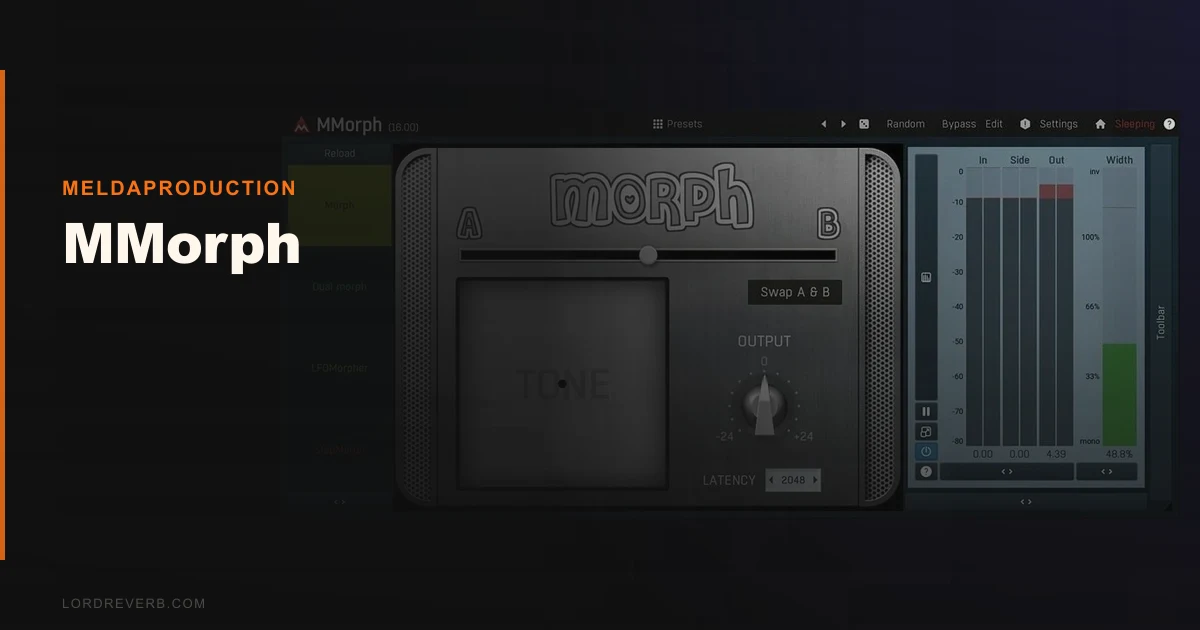
MMorph is a specialist spectral morphing plugin that earns a cautious recommendation for sound designers willing to fight through a frustrating learning curve and an interface that looks like it was designed in 2009.
MeldaProduction built MMorph to do one thing differently from every basic crossfader or vocoder you've already got: it merges two audio signals at the spectral level, shifting the frequency content of one source toward another progressively. That's not EQ. It's not a simple mix blend. It's closer to watching one instrument become another across the morph slider's travel.
We tested it across three months of sound design sessions. The results were uneven. When MMorph works, it sounds like nothing else in the box. When it doesn't, you're staring at a grey interface trying to figure out why the manual doesn't answer your question.
At full price, this is a harder sell than it should be. On sale, it is worth the frustration.
What You're Actually Getting
MMorph takes two audio inputs and morphs their spectral content together. Source A feeds in, Source B feeds in, and you control how far the spectral character of one bleeds into the other.
The processing chain runs deeper than the basic concept suggests. You get spectral compression before the morph, harmonic generation for adding overtones, and tone shaping tools after the morph. Four modulators (LFO, envelope, sequencer, pitch follower) attach to any parameter, and four multiparameters let you link controls for macro-style sweeps.
63 factory presets ship with it. Plugin formats cover VST, AU, and AAX. It runs on both Mac and Windows with lifetime updates included. The 42ms standard latency is the default; drop in the ultra low latency preset and you're at 5ms, which makes it usable on tracked material without destroying your sync.
The Good
The morphing quality at extreme positions is where MMorph separates itself. We routed a close-mic'd upright bass into input A and a modular synth pad into input B. At 75% morph depth, the bass transients survive while the sustain takes on the spectral texture of the synth. The result sits between both sources in a way that no EQ or blending trick replicates.
We love the pre-morph spectral compression. Tightening the dynamic range of source B before the morph happens makes the result far more controlled. Without it, loud partials in source B dominate. With 3dB of pre-morph compression dialled in, the two spectra blend more evenly.
The modulator system is clever and deep. Attaching an envelope follower from source A to the morph amount means the morph moves with the dynamics of the incoming signal automatically. That's expressive. That's the kind of patch you remember after the session ends.
M/S support and 8-channel surround at this price point is genuinely underrated. Surround sound designers working in post have very few affordable morphing tools. MMorph covers that gap.
The Not-So-Good
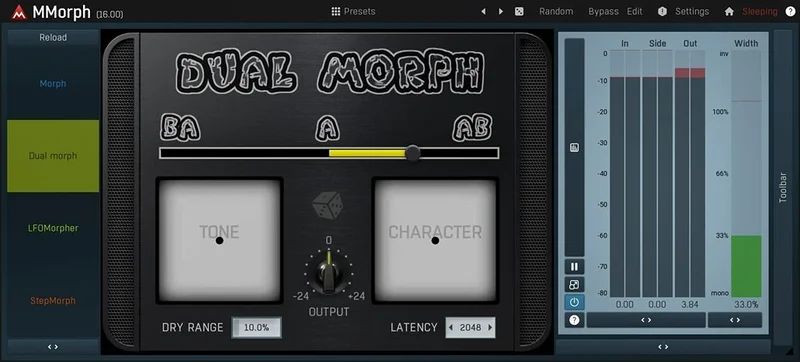
The interface is ugly. Not charmingly lo-fi ugly. Just ugly. Grey panels, cramped controls, and a layout that makes you hunt for things that should be obvious. In 2026, this is inexcusable for a plugin at this price.
The manual is thin. We mean that literally. Core workflow questions like how the spectral compression interacts with the harmonic generator, or how to properly gain stage the two inputs, go unanswered. We spent 40 minutes in a session diagnosing a phasing artefact that turned out to be a gain staging issue with input B clipping pre-morph. Nothing in the documentation flagged that as a common problem. Annoying.
CPU usage is heavier than you'd expect for a spectral plugin without real-time visualisation. We saw consistent hits of 8-12% on a single instance at standard settings in Ableton 12 on an M2 Mac Pro. Stack two instances on a bus and you'll feel it.
The full price is hard to defend when MeldaProduction regularly discounts it deeply. Buy it at full price and you've overpaid. Check sale calendars before you commit.
Compared to the Alternatives
Zynaptiq MORPH is the obvious comparison. It's more polished, better documented, and ships with a cleaner interface. It also costs more and doesn't offer the same pre/post processing chain depth that MMorph builds around the core morph. If workflow smoothness matters more to you than processing flexibility, Zynaptiq wins.
iZotope's VocalSynth 2 does spectral blending for vocals specifically and does it with a far more approachable interface. It's not a general-purpose morphing tool, but for vocal design it outperforms MMorph on ease of use every time.
MeldaProduction's own MTotalBundle review includes MMorph alongside their full su ite. If you want more than one MeldaProduction tool, the bundle math makes more sense than the standalone purchase.
For generative texture work, best spectral plugins for sound design covers a broader field. MMorph belongs on that list, but not at the top.
Who Should Buy This
- ✅ Buy if you design hybrid instruments or evolving textures and you've already exhausted what convolution and simple blending can do.
- ✅ Buy if you catch it on sale. At that price the ceiling-to-floor ratio flips in your favour.
- ✅ Buy if you work in surround or M/S and need spectral morphing across those formats without paying Zynaptiq prices.
- ❌ Skip if you want plug-and-play results. MMorph requires investment before it pays off.
- ❌ Skip if clean, modern UI matters to your workflow. This interface will frustrate you every session.
- ❌ Skip if your primary need is vocal pitch correction or standard modulation. There are better tools for both.
Score Breakdown
| Category | Score | Notes |
|---|---|---|
| Sound Quality | 4.0/5 | Spectral morphing output at extreme settings is genuinely impressive |
| Value for Money | 2.5/5 | The regular price is hard to defend, but at the sale price it is worth it. |
| Ease of Use | 2.0/5 | Poor documentation and cluttered UI create real friction |
| Features | 4.0/5 | Pre/post processing chain, 4 modulators, M/S, surround: deep set |
| CPU Efficiency | 2.5/5 | 8-12% per instance is heavy for a single spectral effect |
| Overall | 3.7/5 | Brilliant at what it does, frustrating to live with |
Alternatives to Consider
Zynaptiq MORPH: Cleaner interface, better documentation, strong spectral morphing. Costs more and lacks MMorph's pre/post processing depth. The current price is shown in the buy box on this page. Zynaptiq MORPH review
iZotope VocalSynth 2: Purpose-built for vocal spectral design. Easier to use, better results on voice, doesn't handle non-vocal morphing as well. iZotope VocalSynth 2 review
MeldaProduction MTotalBundle: If you're buying more than one MeldaProduction plugin, the bundle price makes MMorph essentially free in context. Run the numbers before buying standalone. MeldaProduction MTotalBundle review
MMorph is a tool that rewards patience and punishes impulse buying. We ran a vocal chop through it at 90% morph depth toward a bowed cello recording. The result was something that sat in the mix unlike anything we had in the library. That's the version of MMorph you're buying. The other version is the one where you're reading forum posts at midnight trying to understand why the artefacts are eating the high end. Both are real. Both are you.
Buy it on sale. Skip it at full price unless spectral morphing is central to your work and Zynaptiq is out of budget. If you hate reading thin documentation and fighting grey interfaces, skip it entirely. The sound is worth it. The experience of getting there isn't always.
Frequently Asked Questions
What does MMorph actually do differently from a crossfader or blend?
A crossfader blends amplitude. MMorph merges spectral content at the frequency component level, so the harmonic character of one signal progressively takes on the character of another. You're not just hearing both sounds at different volumes. You're hearing one sound becoming the other.
Is the 42ms latency a problem for live use?
For tracked material in a DAW, 42ms is compensated automatically by your DAW's PDC. For live performance or real-time monitoring, switch to the ultra low latency preset, which drops to 5ms. That's liveable for most performance contexts. We wouldn't use standard mode live.
Does MMorph work well in Ableton Live?
Yes, with a caveat. Setting up the two audio inputs requires routing Source B through a separate audio track into the plugin's sidechain input. Ableton handles this cleanly, but it takes a few minutes to configure correctly the first time. The thin manual doesn't walk you through it step by step, so budget time for that setup.
Is the MeldaProduction 30-day trial fully functional?
MeldaProduction's trial is fully functional with all features unlocked for 30 days. We'd strongly recommend downloading it before purchasing, especially given the GUI and workflow friction. If you can't get results you love in the trial period, the paid version won't change that.