Risenge Pro by Keepforest is a deep Kontakt instrument library built entirely around cinematic rises, suckbacks, hits, drops, and buildups, and it's one of the more serious tools available at $349 for composers who need that tension-building sound design covered in full.
Picture this. You've been scoring a trailer cue for two hours. The action sequence is locked, the orchestra sits right, but the 8-bar climb into the final hit feels thin. You've stacked your go-to riser twice and it's still not cutting through. What you need isn't another subtle sweetener. You need a library that was built from the ground up to own that moment.
That's the exact gap Risenge Pro aims to fill. It's built for cinematic composers, sound designers, and post-production editors who've outgrown single-riser tools and want full creative control over layering, shape, and timing. At $349, it's a considered purchase. Whether it earns that price is what this review is about.
What's In The Box
Risenge Pro ships with 4,976 WAV samples recorded at 48 kHz / 24-bit, organized into 5 .nki patch files. The sample content breaks down to 174 full rises, 1,195 rise layers, 651 full suckbacks, 1,711 suckback layers, 245 hits, 50 drops, 38 buildups and downfalls, 158 buildup and downfall stems, and 754 resampled engine presets.
The 5 patches are: Combined, Layers & Hit, Rise & Hit, Suckback & Hit, and Whoosh & Hit. Those cover most cinematic tension-building scenarios out of the box.
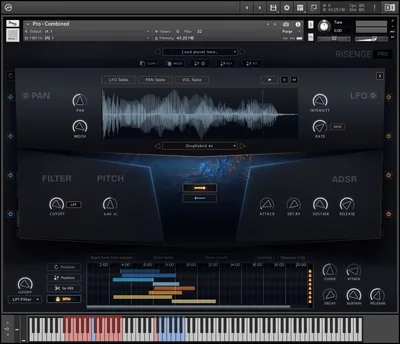
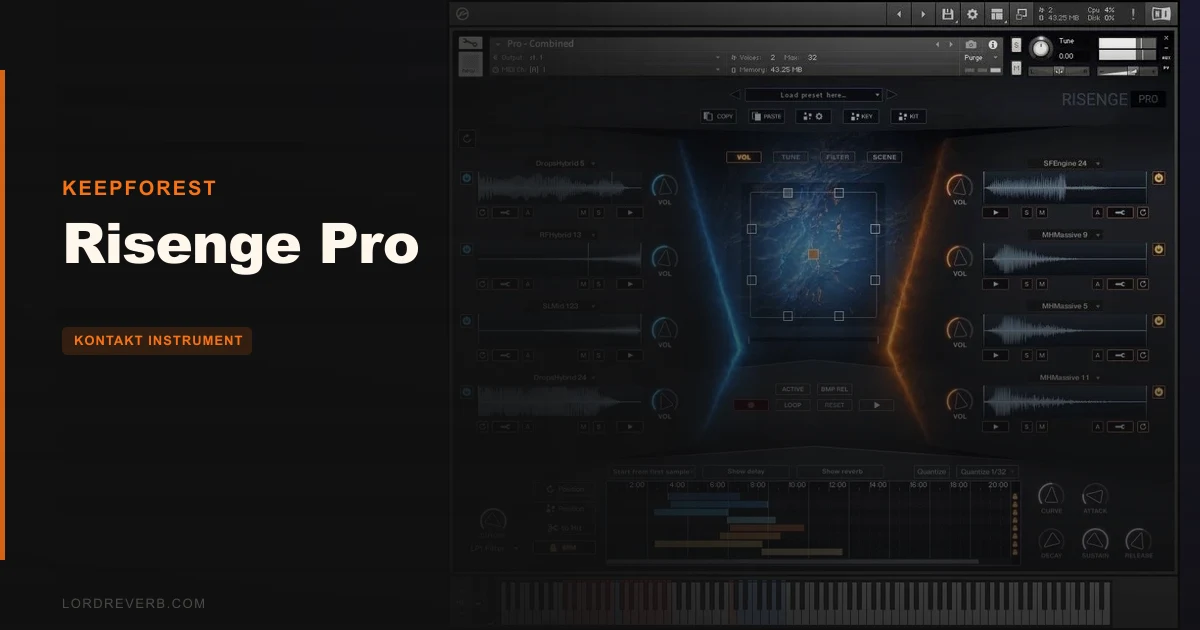
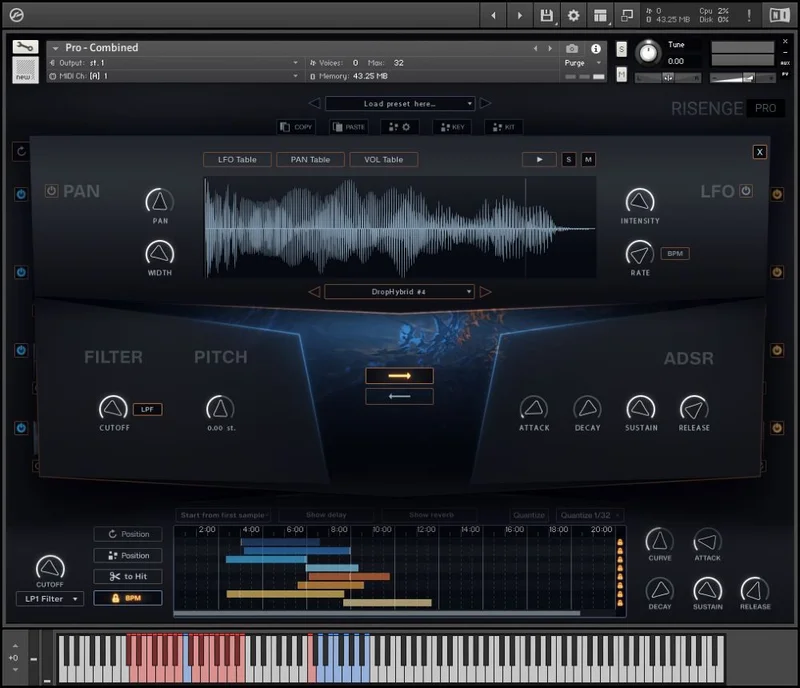
Sound categories span classic, hybrid, engine & motors, mechanical, stutter, orchestral, sci-fi, and horror. That's 9 distinct flavors across one library. The interface includes an XY Pad, LFO, PAN functions, and a built-in sequencer for tension buildups. Eight modules of layers can be randomized independently. Kontakt 6.0.2 or newer is required, but the library is compatible with the free Kontakt Player.
Where It Fits In Your Workflow
Risenge Pro lives at the transition points in your session. You reach for it when you need to build energy into a hit, drag it down through a suckback, or hold tension across a long buildup section. It's not an ambient bed tool. It's not a texture library. It works the moments just before impact.
Load the Combined patch first. That gives you simultaneous access to rise, suckback, and hit layers together, which is the fastest way to hear what the library is actually doing. From there, split into the dedicated Rise & Hit or Suckback & Hit patches when you need tighter control over a specific movement.
You'll want to plan your riser lengths manually. Risenge Pro does not include automatic riser time-syncing to a specific number of bars, so you're setting start points and lengths by hand, or by feel. That's a workflow consideration worth noting before you buy, especially if you're coming from tools that handle bar-sync automatically. If your template depends on that feature, check whether your current setup can compensate before committing.
Requires Kontakt 6.0.2 minimum. Budget for load times when previewing sounds, because they run long.
What It's Genuinely Good At
The pre-designed patches are the headline strength, and owners are not shy about saying so. Words like "astonishing" and "well-crafted" come up repeatedly. That matters when you're on a deadline and need something that drops into the mix sounding finished, not like a rough sketch.
The eight-layer randomization is where things get satisfying. Spin through combinations and you'll land on textures you wouldn't have designed deliberately. It's the kind of happy accident system that makes customization feel less like work and more like exploration. Owners who used Keepforest's earlier AizerX series specifically call out the improved engine as more fun to customize, which is a real upgrade in practice.
The sheer count of layer variants is hard to argue with. 1,195 rise layers and 1,711 suckback layers isn't padding. That's meaningful variety across 9 sound categories, which means mechanical and orchestral risers sit alongside sci-fi and horror textures without the library feeling like a grab-bag. The sequencer adds another layer of tension control, and the XY Pad gives you expressive real-time shaping without diving into menus.
The developer's claim of a CPU-friendly engine also lines up with the library being compatible with the free Kontakt Player. Less overhead means more instances.
The Eight-Layer System Up Close
The layer module is the core of the whole instrument, and it's worth spending time here before you touch anything else. Each of the eight modules holds an independent layer: a rise layer, a suckback layer, or a stem. You can swap content in any module, adjust volume and pan per layer, and then hit randomize to cycle through combinations you haven't manually selected.
Think about what that means when you're building a 16-bar tension climb. You set a broad arc in the sequencer, then use the eight layers to fill the frequency spectrum. Assign something low and mechanical to the bottom two modules, something orchestral to the mid modules, and let a stutter or sci-fi layer sit on top. Then randomize one module at a time until the top layer hits right.
The XY Pad feeds into this workflow. Push the X axis and the filtering opens up. Move the Y axis and you're shaping the dynamic envelope of the combined layers. It's tactile in a way that static knob-per-parameter layouts aren't. The LFO adds movement to whichever parameter you assign it to, which keeps long buildups from going stale.
New users report the interface looks intimidating at first. Honestly? That's fair. Eight modules plus a sequencer plus XY plus LFO is a lot to see at once. But owners say the concept clicks fast once you start clicking around.
The Rough Edges
Let's be honest about where Risenge Pro falls short, because at $349 it shouldn't get a pass on real problems.
Loading times are slow. This isn't a one-person complaint. It's a consistent, persistent thread across owner feedback. If you're the type to preview dozens of sounds before committing, this will frustrate you. The developers point to animations and graphics as a likely contributor. That's an annoying trade-off: a polished interface that costs you time every time you switch patches.
No automatic bar-sync is a bigger workflow problem than it sounds on paper. You're scoring a 4-bar riser to hit exactly on the downbeat, and you want the library to stretch or trim to fit. Risenge Pro doesn't do that natively, so you're managing timing manually or via your DAW's tools. If bar-accurate placement is core to your workflow, that gap matters.
The interface intimidation factor is real even if it passes. First impressions affect confidence at critical points in a session. If you load Risenge Pro for the first time during a client session, that moment of "what am I looking at" costs you credibility.
None of these are dealbreakers for the right buyer. But they're worth knowing.
Value: Is It Worth $349?
This is where we spend some real time, because $349 is not a casual spend.
Keepforest offers Risenge in three tiers. The Essential version gives you 377 WAV samples: 80 full rises, 150 full suckbacks, 40 hits, 10 drops, and 20 toolkits with sorted stem layers. No Kontakt instrument, just samples. The Core version adds 1,669 WAV samples with 3 .nki patches, and includes 490 resampled engine presets alongside the full rises and suckbacks. The Pro version is everything: 4,976 samples, 5 patches, all 9 categories, all layer content, all stems.
If you're not sure whether rises and suckbacks are a regular need in your work, the lower tiers exist for a reason. The Pro tier is for people who already know they want depth, variety, and the full creative tool rather than a set of drag-and-drop files.
Compared to Native Instruments Rise & Hit, which owners reference as the tool they were replacing, Risenge Pro offers substantially more raw content and more hands-on customization. Rise & Hit is polished and faster to load. Risenge Pro is deep and flexible. They're solving slightly different problems, but if you're choosing a primary riser library and you want the most creative headroom, Risenge Pro's layer system and 9-category content spread justify the gap for serious composers.
For casual or hobbyist use? The value math gets harder. If you're building one or two trailers a year, Essential or Core is the smarter entry point.
Who This Is Really For
- ✅ Buy if you score trailers, game cinematics, or episodic TV regularly and need a deep, category-rich riser library that rewards customization.
- ✅ Buy if you've been using NI Rise & Hit and feel like you're hitting its ceiling on creative flexibility.
- ✅ Buy if you work inside Kontakt 6 already and want a library that works with the free Player, not just the full paid version.
- ❌ Skip if you need bar-accurate auto-sync out of the box. The manual approach here will slow you down.
- ❌ Skip if you're doing one-off projects where a lighter toolkit or a lower-tier Risenge version would cover your actual needs.
- ❌ Skip if slow patch-loading times will genuinely disrupt your session flow. This is a real and unresolved complaint.
Specs & Technical Details
| Developer | Keepforest |
| Price | $349 |
| Plugin Format | Kontakt Instrument (.nki), not a VST/AU/AAX plugin |
| OS Support | Mac / Windows (via Kontakt 6.0.2 or newer) |
| Activation | N/A |
| CPU Usage | Developer states CPU-friendly engine; loading times reported as slow |
| Trial Available | N/A |
| Version Reviewed | Pro |
Score Breakdown
| Category | Score | Notes |
|---|---|---|
| Sound Quality | 4.5/5 | 48 kHz / 24-bit recording, 9 categories, pre-designed patches owners call astonishing |
| Value for Money | 4.0/5 | Deep content and tiered pricing help justify the Pro cost for working composers; casual users should go lower-tier |
| Ease of Use | 3.5/5 | Layer concept clicks quickly but first-look intimidation and slow loading drag on workflow |
| Features | 4.5/5 | Eight-layer randomization, sequencer, XY Pad, LFO, 5 patches across 9 categories is a serious feature set |
| CPU Efficiency | 3.5/5 | Developer claims CPU-friendly engine but loading times are a consistent, documented complaint |
| Overall | 4.3/5 | A genuinely deep riser library let down by load speed and missing bar-sync, but worth the price for regular cinematic composers |
Alternatives to Consider
Native Instruments Rise & Hit, the tool that owners most often compare Risenge Pro against, and still the faster, lower-learning-curve option. If you want polished risers with minimal setup and bar-accurate placement matters to you, Rise & Hit is worth a close look. Risenge Pro has more customization depth; Rise & Hit has less friction.
Keepforest AizerX Series, the predecessor line from the same developer. Owners who've used both say Risenge Pro's engine makes customization more fun and intuitive. If you're already in the AizerX world and feel like the workflow is clunky, Risenge Pro is the natural upgrade path from within the Keepforest ecosystem.
Keepforest Risenge Core, not a different brand, but a different tier. If the Pro layer count and stem content is more than your projects need, Core gives you 1,669 samples, 3 patches, and 490 resampled engine presets. Worth being honest about how much content you'll actually reach for before committing to the Pro tier.
Risenge Pro earns its place at the top of the Keepforest riser lineup. The load-time issue is a documented drawback, and the missing bar-sync is a real limitation if that's how you work. But the eight-layer system, the 4,976-sample depth across 9 sound categories, and the polished pre-designed patches add up to a tool that serious cinematic composers will love reaching for. The tiered pricing structure means you're not forced into the deep end. But if you're ready for it, the Pro tier is where the library becomes something special.
Frequently Asked Questions
Does Risenge Pro require the full paid version of Kontakt?
No. Risenge Pro is compatible with the free Kontakt Player, so you don't need a full Kontakt licence to use it. You do need Kontakt 6.0.2 or newer, either the Player or the full version.
What's the difference between Risenge Essential, Core, and Pro?
Essential is samples only, 377 WAV files, no Kontakt instrument. Core adds 3 .nki patches and 1,669 samples with the full Kontakt engine. Pro is the complete library: 5 patches, 4,976 samples, all nine sound categories, all layer content, and all stems. Each tier targets a different level of need and budget.
Can Risenge Pro sync risers automatically to a specific bar length?
No. Automatic bar-sync isn't available in Risenge Pro. Riser lengths are managed manually, either by feel or by editing start and end points in your DAW. If bar-accurate timing is critical to your workflow, you'll need to account for that limitation.
How long does it take to load Risenge Pro patches?
Loading times are slow, and this is one of the most consistent complaints from owners. The exact time varies by system, but it's a documented issue likely related to the library's animations and graphics. If you plan to preview multiple patches in a session, build in extra time.
How does Risenge Pro compare to Native Instruments Rise & Hit?
Rise & Hit is the tool most owners cite when they describe what they were using before switching to Risenge Pro. Rise & Hit is faster to use and handles bar-sync automatically. Risenge Pro offers more layer depth, more sound categories, and more hands-on customization through its eight-module system. They're both legitimate choices; your decision comes down to whether you prioritize speed or creative control.