
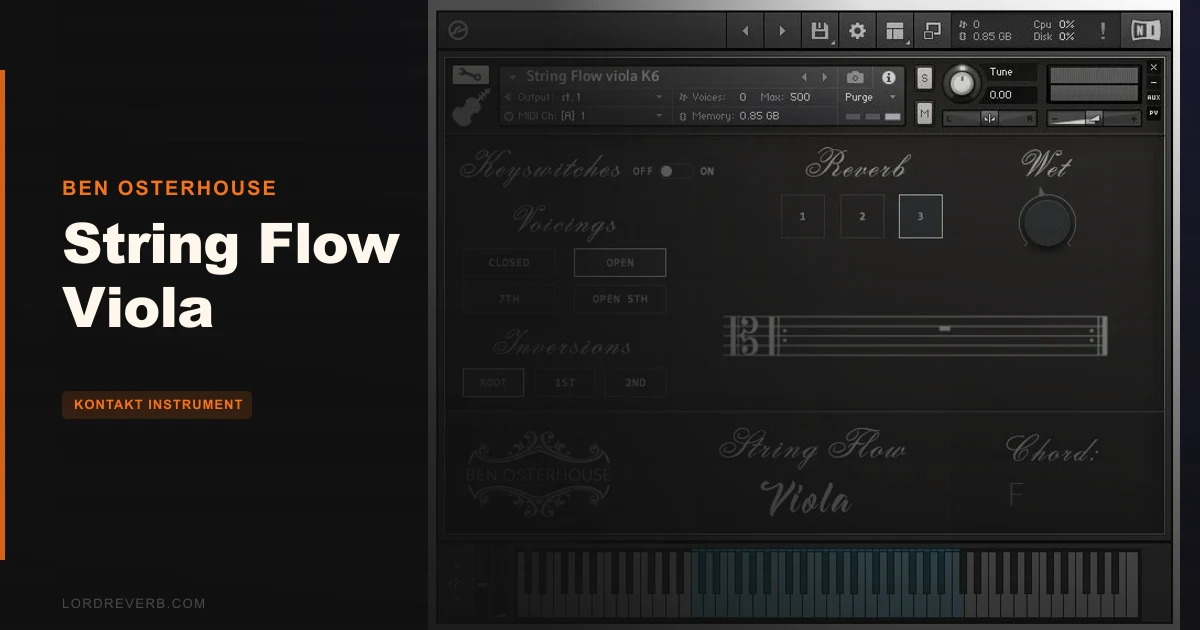
Static string sustains are the villain of most film and cinematic productions. You layer a viola pad, it sits there breathing nothing, moving nowhere, sounding like a MIDI rectangle instead of a player. String Flow Viola by Ben Osterhouse exists specifically to fix that. At $49, it's a Kontakt instrument built around rolling bow technique across viola strings, putting physical motion and natural player transitions back into chordal string writing. It's not for everyone. But for producers who've been hunting for that alive, energetic bow movement in a chordal viola part, this fills a gap that's frustratingly empty in most sample libraries.
The Static String Problem Nobody Talks About Enough
Most string libraries give you beautiful sustains. Hold a chord and you get a clean, stable tone. Which is fine until you need energy.
Rolling bow playing is what a string player does when they want drive and forward motion. The bow crosses multiple strings in a continuous, arpeggiated sweep. It creates that churning, organic texture you hear in energetic underscore and tense production beds. It's the difference between a photograph and a video.
The frustrating part? Almost no library covers it. You can find tempo-synced patterns. You can find swells. But that specific rolling bow chordal movement, recorded with real player transitions between strings, has been a gap that most producers paper over with workarounds that don't quite land. String Flow Viola is built to close that gap and nothing else.
How the Two Play Modes Actually Work
String Flow Viola gives you two ways in. Neither one is complicated, but they suit different workflows.
The first mode is the friendlier one. You pick a chord type and a key, then trigger harmonies by hitting white keys. The clever part: those harmonies were manually recorded, not generated by a harmonize algorithm. You get the slightly uneven, human quality of a real viola player voicing each chord. Ben Osterhouse says it works on the same principle as Kontakt's built-in Harmonize scripts, but the source material sounds more organic because the recordings back it up. MIDI clips are included to show you which chords work cleanly and which don't.
The second mode flips it around. You play recorded chords directly, and the instrument performs them on the viola strings in that rolling bow style. This one rewards producers who want to get specific about voicing. It takes a little more knowledge to operate well, but the payoff is a performance that sounds like you hired someone.
Samples were recorded at 110 BPM. The instrument performs best between 85 and 160 BPM, with 120 BPM as the ideal. Push it outside that window and results get unpredictable. The library runs on 680 MB of disk space from 2 GB of sample content, with 2 velocity layers per chord.
Where It Shines and Where It Frustrates
The sound is the strength. Owners consistently describe it as delivering texture and movement that fills something missing from their production setups. That's not hyperbole. Put String Flow Viola underneath a pad in a tense scene cue and the result feels alive in a way that a held sustain never manages.
The note-length timing quirk is the frustration. Initial notes sometimes sit longer than expected before the arpeggio pattern launches. There's no documented control for it and no clear trigger for when it happens. It's annoying in a tool this focused. When you're working to a picture or a grid, a note that randomly lingers before committing to its pattern breaks your session flow. Owners report it, nobody's found the fix, and it's unresolved.
The BPM limitation is less annoying and more just real. If you work at 75 BPM, you'll need to stretch the tempo or look elsewhere. The 85-160 range is reasonable for most underscore and production work, but it's a limit you'll hit if your music lives at the extremes.
The Kontakt Full requirement will stop some people cold before they even get there. If you only have the free Player, String Flow Viola will open in demo mode and stay there. That's not a design quirk; it's a prerequisite. Check your Kontakt version before you buy.
Is the Price Right?
At $49, this is a specialist buy. It's not trying to be your main string library. It's the tool you reach for when you need rolling bow chordal texture and nothing else in your setup delivers it.
The narrow focus means the value is conditional. If rolling bow viola movement solves a real problem in your work, $49 is honestly a bargain for something this scarce. If you're buying it hoping it'll handle lyrical lines, expressive solos or slow evolving pads, you'll be disappointed and that's a waste of money.
The two velocity layers are thin for the price in an abstract sense. The thinking behind the instrument is brilliant, and the execution is solid for what it does. We'd call the value fair, not exceptional.
Who Should Buy This and Who Should Walk Away
This is where honest advice matters most. String Flow Viola is a specific tool and the fit either works or it doesn't.
- ✅ Buy if you work in cinematic or underscore production and need energetic, physical string movement in chordal parts
- ✅ Buy if you already own Kontakt Full (5.8.1 or later) and work primarily in the 85-160 BPM range
- ✅ Buy if you love the idea of rolling bow viola texture but hate that no other library in your setup offers it
- ❌ Skip if you only have the free Kontakt Player, full stop
- ❌ Skip if you need a general-purpose viola instrument for melodic lines, sustained chords or expressive solo work
- ❌ Skip if you regularly work below 85 BPM or above 160 BPM and need the instrument to flex with you
String Flow Viola for the Film/TV Composer
This is the primary audience and it shows. You're cutting a tense scene, the picture needs kinetic string energy under a sparse melodic line, and your current library gives you a static pad or a tempo-synced pattern that sounds mechanical. Drop String Flow Viola into the session, use play mode one to lock a key and chord type, and trigger harmonies across the white keys while your other elements play back. The rolling bow movement adds exactly the urgency the scene needs.
Buy it.
String Flow Viola for the Working Beatmaker or Pop Producer
The use case is narrower here. If you're building a track at 120 BPM and want an organic string layer with some drive underneath synth chords, this can work well in that context. The ideal tempo lands right at 120 BPM, which is a common production center. But if your sound doesn't call for rolling bow energy, this instrument adds nothing to your library that a general string pack wouldn't cover better.
Wait. Only buy if you hear the specific sound and know you need it.
String Flow Viola for the Sound Designer
If you're building textures, transitions or tension beds and you want physical string motion baked into your source material, there's a strong argument for String Flow Viola as a sound design resource. The fact that the harmonies were manually recorded rather than algorithm-generated means the source samples have real inconsistency in them, which plays well when you're layering or processing.
Worth it at $49 if string textures are part of your design vocabulary.
Try It Yourself
Three things are worth checking before you commit.
First, load it at 120 BPM and trigger a simple chord progression in play mode one using only white keys. That's the core use case. If it sounds right in that context, it'll work for you.
Second, pull the tempo down toward 85 BPM and listen for timing artifacts or rhythmic drift. That tells you exactly where the floor is for your workflow.
Third, watch for that note-length quirk on pattern launch. Trigger several chords quickly and see how often it happens and whether you can live with it in a real session.
Specs & Technical Details
| Developer | Ben Osterhouse |
| Price | $49 |
| Plugin Format | Kontakt Instrument (.nki) |
| OS Support | Mac / Windows (via Kontakt Full) |
| Activation | N/A |
| Kontakt Version Required | Full Version 5.8.1 or later |
| Sample Content | 2 GB (680 MB installed) |
| Velocity Layers | 2 per chord |
| Recorded BPM | 110 BPM (optimal range: 85–160 BPM) |
| CPU Usage | N/A |
| Trial Available | N/A |
| Version Reviewed | N/A |
Score Breakdown
| Category | Score | Notes |
|---|---|---|
| Sound Quality | 4.5/5 | Manually recorded harmonies deliver genuine rolling bow texture that scripted approaches miss |
| Value for Money | 4.0/5 | Fair for the gap it fills; thin if you want broad functionality |
| Ease of Use | 3.5/5 | Mode one is straightforward; mode two takes more setup, and the timing quirk has no documented solution |
| Features | 3.5/5 | Intentionally narrow, two play modes, MIDI clips included, 2 velocity layers only |
| CPU Efficiency | N/A | No data available |
| Overall | 4.0/5 | A satisfying specialist tool that solves a real, underserved problem in string production |
Alternatives to Consider
Pattern Strings is worth checking if you want tempo-synced string patterns with a wider set of articulations. It approaches the motion problem differently but it's a legitimate alternative if you want more flexibility across tempos.
Sospiro Strings is the other name that comes up alongside String Flow Viola. It focuses on tempo-synced string swells rather than rolling bow texture. If your need is more about swell and breath than chordal bow drive, Sospiro may be the better fit.
Neither covers exactly what String Flow Viola does with rolling bow chordal movement. If that specific technique is what's missing from your sessions, there's no direct swap.
String Flow Viola is one of the more underrated releases in the specialist Kontakt instrument space. It won't complete your string library. It doesn't try to. What it does is solve a frustrating and specific gap that most producers don't even know they're papering over until they hear what rolling bow energy actually sounds like under a cue. At $49, with Kontakt Full in your setup and cinematic or underscore work in your workflow, this is a clever, well-executed tool that earns its place. If you need a general viola instrument or you don't own Kontakt Full, look elsewhere.
Frequently Asked Questions
Does String Flow Viola work with the free Kontakt Player?
No. It requires Kontakt Full Version 5.8.1 or later. If you load it into the free Kontakt Player it will open in demo mode and won't function properly. Check your Kontakt version before purchasing.
What is rolling bow technique and why does it matter?
Rolling bow is a string playing technique where the bow sweeps continuously across multiple strings, creating an arpeggiated, churning motion. It produces forward drive and organic energy that a held sustain can't replicate. Almost no other sample library captures it in chordal form, which is why String Flow Viola exists.
What's the best tempo to use String Flow Viola at?
Samples were recorded at 110 BPM and the instrument performs best between 85 and 160 BPM. The sweet spot is 120 BPM. Outside that range the timing can get unpredictable, so tempo-matching your session is worth doing before you commit to a part.
What's the difference between the two play modes?
Play mode one lets you set a chord type and key, then trigger fitting harmonies from the white keys. These harmonies were manually recorded, not generated. Play mode two lets you play specific recorded chords directly, with the viola performing them in rolling bow style. Mode one is faster to use; mode two gives you more voicing control.
Is the note-length timing issue a deal-breaker?
For some workflows it's annoying but manageable; for others it's a real problem. Initial notes can sit longer than expected before the arpeggio pattern launches, and there's no documented control to correct it. If you're working tightly to picture or a locked grid, test this behavior in a demo session before buying. It's the one unresolved limit worth knowing about going in.