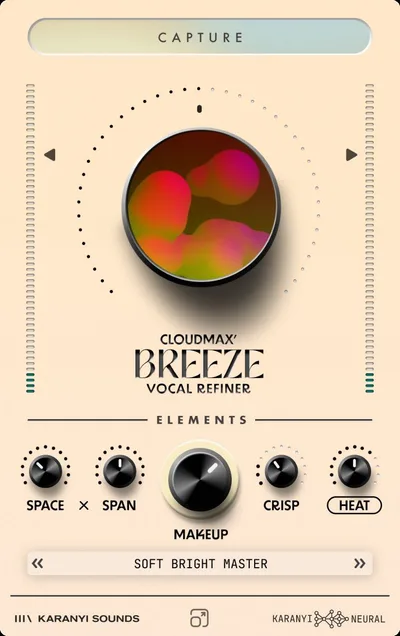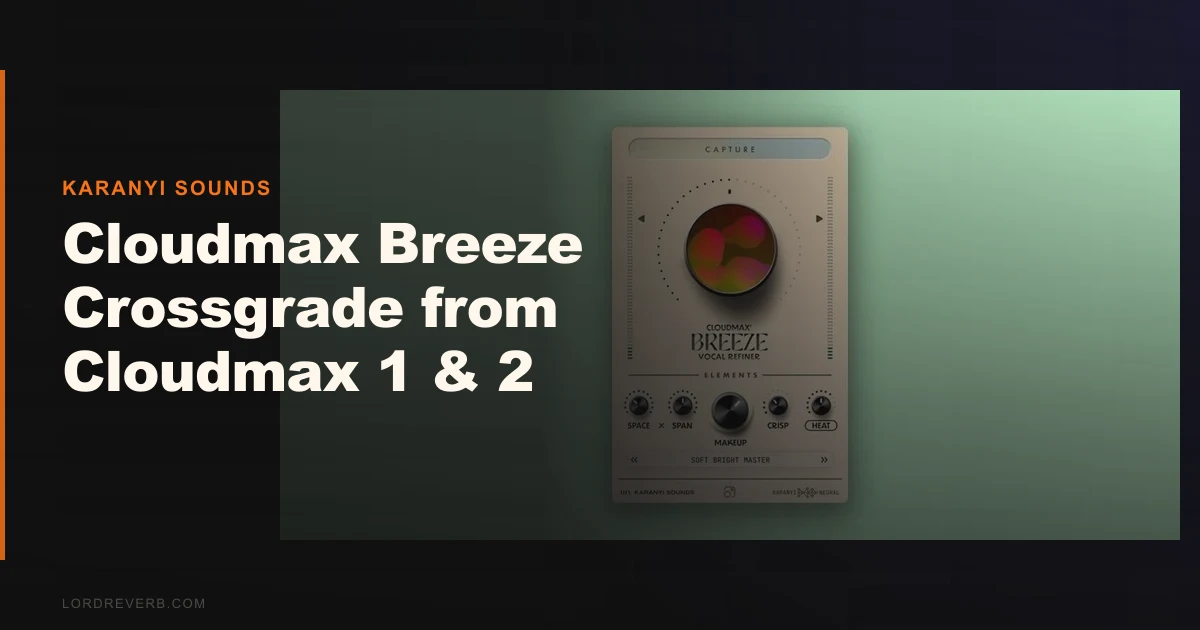
The Cloudmax Breeze Crossgrade from Cloudmax 1 & 2 replaces your existing Karanyi Sounds license with an AI-assisted vocal processor that handles reverb, EQ, saturation, and dynamics inside one plugin. Whether that's worth it depends on one question: how much time are you actually losing building vocal chains from scratch?
We loaded it on a dry singer-songwriter vocal. Mid-range, slightly boxy around 400Hz, breathy in the upper mids. We hit Capture.
The plugin sat there for maybe two seconds. Then it dialed in a gentle high-shelf boost, a short room reverb with a tail around 0.8 seconds, light saturation through the Heat module, and a subtle presence lift through Crisp. It wasn't perfect. The reverb sat slightly too wide for a close-mic vocal. But it was close enough to work from, and we were there in under ten seconds.
That moment is the whole pitch for Breeze. If it sold you, keep reading. If you need to know exactly what the neural model did and why, you'll hit a wall fast.
What Breeze Actually Is (And Where It Falls Short)
Breeze is an AI vocal refiner. Four modules do the heavy lifting: Space and Span handles reverb and stereo width, Heat adds saturation and harmonic colour, Crisp manages high-frequency presence and air, and Makeup handles gain and dynamics.
The Capture feature is the selling point. It reads your vocal's mood, style, and tempo, then adjusts over 40 parameters across those four modules automatically.
What it's not: a pitch correction tool, a de-esser, a transient shaper, or a mixing console replacement. It won't compete with iZotope Nectar for surgical control. It won't replace your main compressor on a professional session. This is a speed tool built for producers who want a polished vocal without a six-plugin chain.
It's also not for Cloudmax 3 users. This crossgrade is specifically for Cloudmax 1 and Cloudmax 2 license holders.
Living With Breeze Over Two Weeks
Setup was fast. The installer covered AU, VST3, and AAX without issues. Logic Pro, Ableton, and Pro Tools all loaded it cleanly on first scan. System requirements are light: Windows 8 or higher, 4GB RAM minimum (8GB recommended), a 2GHz quad-core, and 200MB of disk space. Nothing here will stress a modern machine.
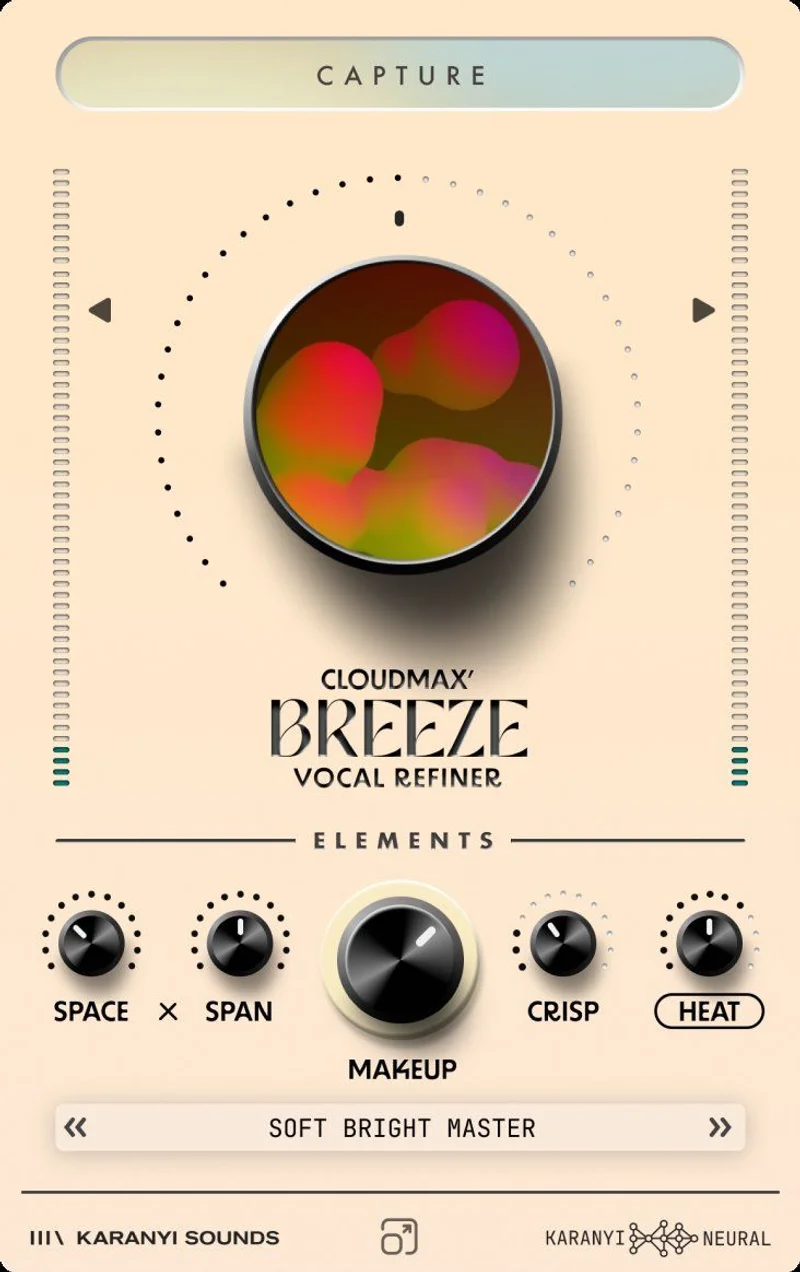
Daily use splits into two workflows. You either hit Capture and tweak from there, or you ignore Capture entirely and treat it as a four-module effect rack. The second approach felt more satisfying on detailed work. Heat on its own is a solid soft-saturation stage. Dialed to around 30% it adds upper harmonic content without turning the vocal harsh. We found ourselves using Heat alone on several sessions where the full Capture result was too processed.
The annoying part: Capture gives you no readout of what it decided. You see the knobs move. You don't see the values it landed on in a way that's easy to learn from. After two weeks, we still couldn't predict what it would do with a particular vocal. That's frustrating for anyone who wants to understand their signal chain, not just trust it.
The Makeup module is understated and useful. It handles gain compensation cleanly after Heat and Crisp push the signal around. Small detail. Makes a real difference to the final output level.
The Trade-Offs You Need to Know
For existing Cloudmax users, the price argument is almost unanswerable. You'd spend more on a single reverb plugin that does less. The crossgrade makes sense on paper.
The trade-off is control vs. speed. Breeze is fast. It's not precise. The Capture feature analyzes vocal characteristics and makes intelligent guesses, but those guesses are baked in the neural model. You can't audit the reasoning or recall a setting with enough detail to rebuild it on a different session.
For demo vocals, reference tracks, and songwriter productions, that's fine. You want fast and close. For a professional mix where the vocal sits inside a dense arrangement and needs to hit specific spectral targets, Breeze alone won't cut it. You'll still need a dedicated EQ and compressor after it in the chain.
CPU data is also thin right now. Karanyi Sounds lists standard system requirements but published no benchmark comparisons against Cloudmax 2. We'd love to see that data. We don't have it yet.
Against the Field
iZotope Nectar 4 is the obvious comparison. Nectar also uses AI-assisted processing, covers a broader module set including pitch, de-ess, and gate, and gives you far more transparency over its decisions. It's also significantly more expensive. If you're mixing professionally, Nectar wins. If you're produ
Voicing demos at speed, Breeze wins on cost alone.

Waves Vocal Rider handles one thing, gain riding, and does it brilliantly. It's not a competitor. It's a companion.
iZotope Nectar 4 review
Oeksound Soothe2 covers resonance control on vocals with more surgical precision than anything Breeze offers. Different category. If harsh resonances are your main problem, Soothe2 is the buy.
best vocal plugins for producers
Against other Karanyi Sounds products, Breeze replaces the patchwork approach of stacking Cloudmax 1 and 2 effects. If you're already in that ecosystem, the upgrade logic is clean.
The Real Verdict
If you own Cloudmax 1 or 2 and you're tired of building the same vocal chain on every project, Breeze is a fair price. It won't impress a mix engineer who needs full transparency over every decision in the signal chain. It will impress a producer who needs a finished-sounding vocal in under a minute.
Skip it if you've already moved to a more complete vocal suite like Nectar. Skip it if you need CPU performance data before committing to a new neural plugin on a live session. Skip it if you're not a Cloudmax 1 or 2 user, because the full price makes the value calculation much tighter.
Score Breakdown
| Category | Score | Notes |
|---|---|---|
| Sound Quality | 3.8/5 | Capture results are close but not always mix-ready without further tweaking |
| Value for Money | 4.5/5 | The crossgrade is a legitimate deal for existing users. |
| Ease of Use | 4.3/5 | One-click Capture is fast; lack of decision transparency is a real limitation |
| Features | 3.5/5 | Four modules cover the basics well; missing de-ess, pitch, and gate |
| CPU Efficiency | N/A | No benchmark data available; cannot score fairly |
| Overall | 3.8/5 | Clever speed tool at a fair crossgrade price, but not a pro mixing replacement |
Alternatives to Consider
iZotope Nectar 4 is the most complete AI vocal suite available right now. It covers pitch correction, de-essing, gating, reverb, and saturation with full transparency over its processing decisions. It costs significantly more, but for professional mixing work, it's worth the gap. iZotope Nectar 4 review
Oeksound Soothe2 doesn't try to be a full vocal chain. It targets resonant frequencies dynamically and does it better than any module inside Breeze. If harsh or nasal vocal tones are your specific problem, Soothe2 is a better spend. Oeksound Soothe2 review
Waves Vocal Bundle gives you more individual tools for mixing vocals at a comparable combined price point. Less clever AI. More transparent control. Worth considering if you want to build your own chain with predictable results. best vocal plugins for producers
Breeze is the right buy if you're a Cloudmax legacy user who wants to speed up your vocal workflow. At full price, compare it carefully against those alternatives before committing.
Frequently Asked Questions
Who qualifies for the Cloudmax Breeze crossgrade?
The crossgrade is for existing Cloudmax 1 and Cloudmax 2 license holders only. If you own Cloudmax 3 or have no prior Karanyi Sounds license, you'd pay the full price. Check Karanyi Sounds' site directly to verify your eligibility before purchasing.
What does the Capture feature actually do?
Capture analyzes your vocal's characteristics, including mood, style, and tempo, then automatically adjusts over 40 parameters across the four modules: Space and Span, Heat, Crisp, and Makeup. It covers reverb, EQ, saturation, and dynamics in one pass. The downside is that it doesn't show you the values it selected in a readable format, so learning from it is harder than it should be.
Does Cloudmax Breeze work in Pro Tools?
Yes. Breeze ships in AAX format alongside AU and VST3, so Pro Tools users are covered. Installation is standard and we didn't hit any scan issues across the DAWs we tested.
Is Cloudmax Breeze a replacement for a full vocal mixing chain?
Not for professional sessions where you need surgical control. It's a speed tool that covers reverb, saturation, EQ presence, and gain compensation in one plugin. You'll still want a dedicated de-esser, compressor, and pitch correction plugin if you're mixing commercially. Think of Breeze as a strong starting point, not a full solution.