If you’re still running iZotope Insight 1 and wondering whether the $99 upgrade to Insight 2 is worth it, the short answer is yes, but only if you’re doing more than stereo mixing. The longer answer is what this review is actually about.
Most comparisons you’ll find online pit Insight 2 against Waves WLM Plus or iZotope’s own Tonal Balance Control. That’s the wrong fight. The real comparison is Insight 1 versus Insight 2 on your actual sessions: whether the new tools change how you make decisions at the mix bus, or whether they’re just a UI refresh with a price tag attached.
We ran Insight 2 across stereo mix sessions, a podcast post-production workflow, and a 7.1.2 Atmos bounce to find out.
This review is for working mix engineers and post-production professionals who already own Insight 1 and need to know if the upgrade money is justified.
How Insight 2 Sits Against the Competition Out of the Box
Waves WLM Plus gives you loudness metering for a low price on sale. It does EBU R128 and ATSC A/85 cleanly. It doesn’t give you a spectrogram, a vectorscope, or a surround scope.
Meter Plugs FLUX: Stereo Tool offers a vectorscope and correlation meter at a lower price point. Again, no spectral analysis, no Intelligibility Meter, no multichannel.
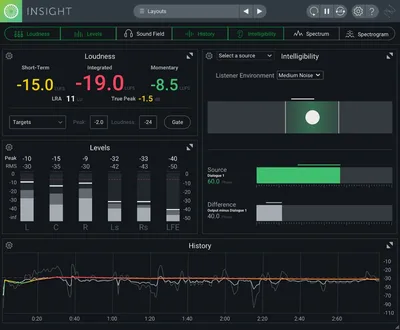
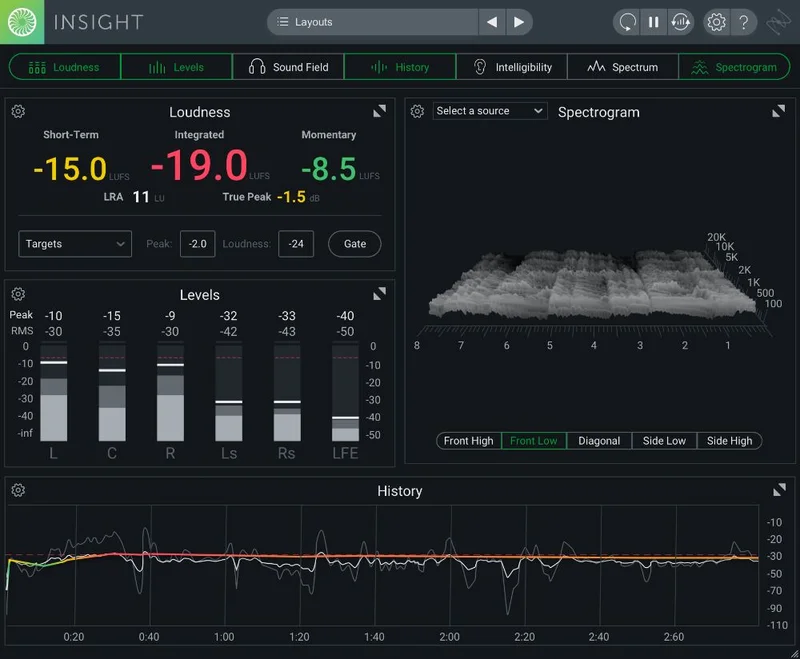
Insight 2 opens with eight active metering tools in a single resizable window: True Peak Meters, Loudness Meters, a Loudness History Graph, Stereo Vectorscope, Surround Scope, 2D and 3D Spectrogram, and a Spectrum Analyzer. That’s the meaningful out-of-box difference. You’re not buying a loudness meter. You’re buying an analysis suite.
The first impression on loading is that the UI is cleaner than Insight 1. Significantly more readable on a secondary monitor at 1080p.
Performance Deep Dive
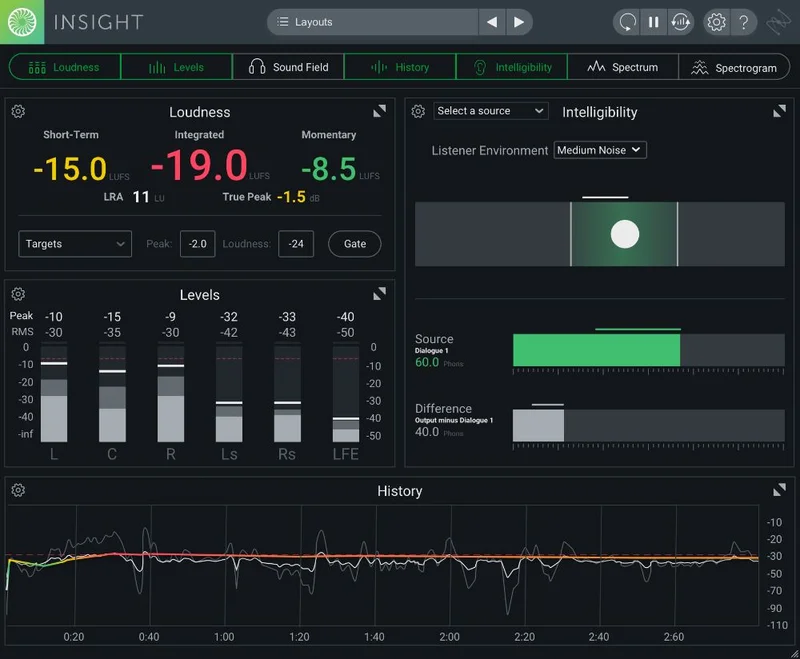
We started with the Intelligibility Meter. This is the headline feature and the one most reviewers gloss over with a sentence. It’s built for checking dialogue clarity against music or ambience beds. In practice, we ran a podcast session with three vocal tracks sitting over a lo-fi music bed. The Intelligibility Meter flagged a conflict between 800Hz and 2.5kHz on the secondary host mic that we’d missed in headphone monitoring.
Pulling 1.5dB at 1.1kHz with a Q of 1.8 on that track resolved it. The meter confirmed the improvement in real time. That’s the tool working exactly as intended.
On the Atmos session, multichannel support up to 7.1.2 is real and functional. Insight 1 users will immediately notice that the Surround Scope now renders the full bed layer and height layer simultaneously. It’s not a gimmick. For post-production engineers delivering to streaming platforms with Atmos specs, this alone might justify the upgrade.
The Loudness History Graph now supports BS.1770-1, BS.1770-2, BS.1770-3, and BS.1770-4 alongside EBU R128, ATSC A/85, and OP-59. Switching between standards mid-session is a two-click operation. We found zero discrepancy between Insight 2’s integrated loudness readings and reference measurements from a hardware loudness meter on the same material.
iZotope Relay handles internal routing between tracks and the plugin. Setup is mostly painless, but it adds one configuration step that trips up anyone new to the iZotope ecosystem. It’s annoying on the first session. By the third session, it’s invisible.
CPU usage sits in the light-to-medium range on modern hardware. On an M2 Mac with a 64-track session, we saw 3-4% CPU draw with all eight meters active. On an older Intel i7 machine, it climbed to 7-9% with the 3D Spectrogram running. Nothing that caused issues, but worth noting if you’re on older hardware.
Where Insight 2 Wins
The Intelligibility Meter isn’t available anywhere else in this price bracket. That’s a real competitive advantage. For anyone mixing dialogue, podcasts, broadcast, or vocals-forward music, it changes how you check clarity.
The customizable, resizable UI is a genuine quality-of-life improvement over Insight 1. We love being able to pull only the meters we need into a floating window and kill the rest. On a single-monitor setup, that flexibility matters.
Multichannel support up to Dolby Atmos 7.1.2 puts Insight 2 in a category that most budget metering plugins can’t compete in. If your work is moving toward immersive audio delivery, this is the tool that scales with you.
Broadcast standard coverage is exhaustive. Seven standards in one plugin means you don’t switch tools between a Netflix delivery and a broadcast TV mix.
Where the Competition Wins
Waves WLM Plus and similar dedicated loudness meters cost a fraction of the Insight 2 upgrade price. If all you need is EBU R128 compliance on stereo music mixes, the upgrade is hard to justify at $99.
The iZotope Relay dependency is a weak point. Competing tools like Meter Plugs or Youlean Loudness Meter Pro work without an additional routing plugin. For engineers who want to install and go, that extra step is a friction point that competitors don’t create.
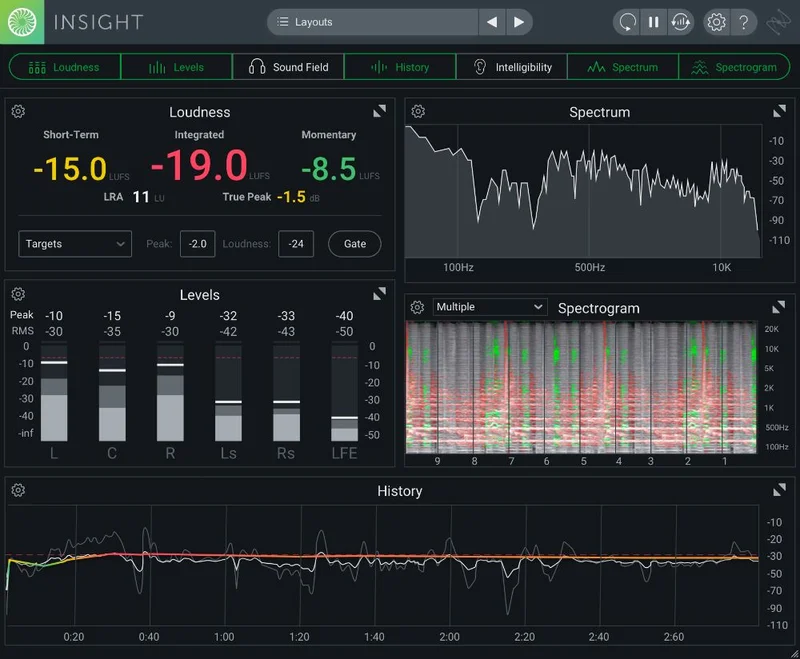
We also wish the 3D Spectrogram were more useful at standard session sizes. It looks impressive. In practice, we reached for the 2D Spectrogram more often because the 3D view becomes cluttered on dense mixes. That’s a display design choice that could be better.
There’s no trial version listed at the time of writing. For a $99 upgrade decision, a 10-day trial would help.
Who Should Buy Insight 2 and Who Should Skip It
✅ Buy if you’re delivering Dolby Atmos or surround content and need multichannel metering beyond stereo.
✅ Buy if you mix dialogue, podcasts, or broadcast content where the Intelligibility Meter will get daily use.
✅ Buy if you’re already in the iZotope ecosystem and want one analysis plugin that covers every broadcast standard without tab-switching.
❌ Skip if you only mix stereo music and a dedicated loudness meter like Youlean or WLM Plus already covers your compliance needs.
❌ Skip if you’re on older Intel hardware and every percentage of CPU matters on large sessions.
❌ Skip if you want a frictionless install with no routing plugin dependency.
Score Breakdown
| Category | Score | Notes |
|---|---|---|
| Sound Quality | N/A | Metering plugin, accuracy is the metric, and True Peak readings matched hardware reference |
| Value for Money | 3.5/5 | $99 is fair for multichannel and Intelligibility Meter; overpriced if you only need basic loudness |
| Ease of Use | 3.5/5 | UI is cleaner than V1 but Relay routing adds a setup hurdle |
| Features | 4.5/5 | Eight metering tools, seven broadcast standards, Atmos support, hard to beat at this price |
| CPU Efficiency | 4.0/5 | Light on modern hardware; 3D Spectrogram adds load on older machines |
| Overall | 4.2/5 | Brilliant for post and immersive audio, overspecified for stereo-only mixing workflows |
Alternatives to Consider
If the Relay routing dependency puts you off, Youlean Loudness Meter Pro review is a cleaner install for EBU R128 and ATSC A/85 compliance on stereo sessions. It’s lighter, faster to set up, and handles most broadcast delivery specs without extra routing plugins.
For producers who want spectral analysis without the metering suite, iZotope Tonal Balance Control review is worth a look. It does something different: reference-based spectral matching rather than standards compliance.
If you’re shopping for a full metering and analysis workflow on a tighter budget, best metering plugins for mix engineers covers where Insight 2 sits against Waves WLM Plus, Meter Plugs, and SPAN Plus in a direct head-to-head.
The Final Word
The $99 upgrade from Insight 1 to Insight 2 is money well spent if Atmos, surround, or dialogue monitoring are part of your regular work. The Intelligibility Meter alone has already changed how we check vocal clarity against music beds. That’s a real workflow improvement, not a bullet point.
But if your sessions are stereo music mixes delivered to streaming platforms, you’re paying $99 for tools you won’t open. A cheap loudness meter does that job fine.
Buy the upgrade if immersive audio or broadcast delivery is on your plate. Skip it if it isn’t.
Frequently Asked Questions
Is the Insight 2 upgrade worth it if I already own Insight 1?
Yes, if you work in post-production, broadcast, or immersive audio. The Intelligibility Meter, full Dolby Atmos 7.1.2 multichannel support, and expanded broadcast standard coverage are real additions, not cosmetic ones. If you only mix stereo music for streaming, the upgrade is harder to justify at $99.
What's the Intelligibility Meter and how is it different from a standard spectrum analyzer?
The Intelligibility Meter is built specifically to flag when dialogue or vocals are being masked by competing audio elements. A standard spectrum analyzer shows you what's there. The Intelligibility Meter shows you what's conflicting with speech clarity. It's a targeted tool, not a general-purpose display.
Do I need iZotope Relay to use Insight 2?
You need Relay if you want to pull metering data from multiple tracks into a single Insight 2 instance. For single-track or bus-level monitoring, Relay isn't required. It's a free iZotope plugin, but it adds a setup step that takes about 10 minutes to configure correctly on your first session.
How does Insight 2 handle Dolby Atmos sessions compared to Insight 1?
Insight 1 had no meaningful multichannel support beyond basic stereo. Insight 2 supports up to 7.1.2 Atmos configurations, with the Surround Scope rendering both the bed layer and height layer simultaneously. For engineers delivering Atmos to Apple Music or Amazon Music HD, that's a direct workflow improvement over V1.