Blue Cat's FreqAnalyst Pro is most often measured against Voxengo SPAN. SPAN wins on price; FreqAnalyst Pro offers deeper features like spectrogram, waterfall view, and note display that frequent spectrum users value.
At $99, it's built for producers and mixers who live inside a spectrum display and want it smoother, deeper and more useful than a free meter.
Quick verdict
We score it 4.2 out of 5. The smoothing is lovely, the spectrogram and 3D waterfall are the reason to pay, and the pitch-to-automation outputs are clever and underrated. The cost is real, though, and if all you do is glance at a curve, SPAN already does that for free. Buy it if you read spectra for a living. Skip it if you don't.
How does it compare to Voxengo SPAN out of the box?
SPAN is the free alternative people rightly praise for its capabilities and price. What it lacks is the note display you get in Blue Cat's paid versions. That sounds minor until you're hunting a boomy bass note and want to know it's an E, not "somewhere near 80Hz".
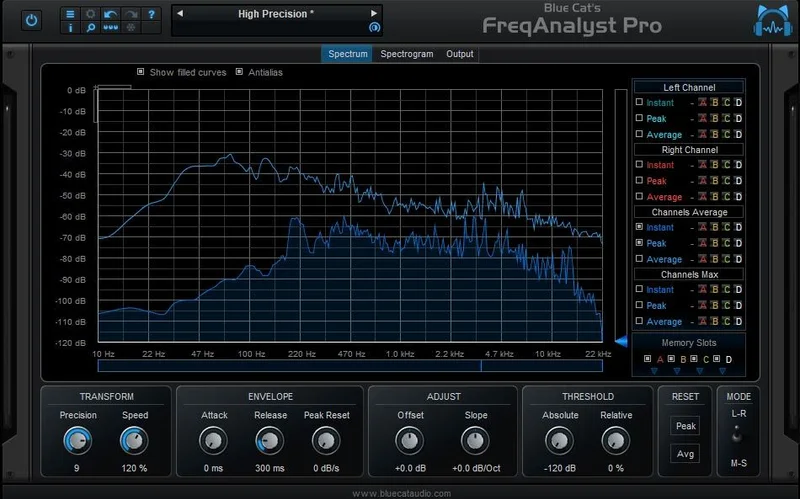
FreqAnalyst Pro uses the same smooth algorithms as Blue Cat's free FreqAnalyst, then piles on the paid extras. Three display modes per channel (instant, peak, average) share one graph. Mono, stereo and mid/side modes are all there.
First impression? Cleaner motion. The smart interpolation algorithm keeps the curve from twitching, and that's a nicer thing to stare at for four hours.
How does it perform under real use?
Let's talk about the smoothing, because that's the headline. Blue Cat claims extreme smoothness and high resolution in both time and frequency. You tune it with precision, rate, offset and slope controls.
The slope control matters more than it looks. Tilt the display and the curve reads flat on typical program material, so a hump or dip stands out instead of hiding in the natural roll-off. That flat response also helps when you're watching what triggers a saturator, compressor or limiter.
There are two threshold systems with adjustable attack and release, plus custom absolute and relative threshold control. Parameter updates are zipper-free, and bypass is smooth with no noise on activation.
It draws no CPU on idle when fed silence. Good.
The catch is graphics. Some configurations with old graphics cards report large CPU usage from alpha blending, especially with all curves active. If your machine is ancient, turn curves off before you blame the plugin.
Where does FreqAnalyst Pro win?
Picture this. Your kick and bass are fighting and you can't tell who's losing. Load the plugin on both buses, store the kick curve in a memory slot, then overlay the bass. Four slots means you can park a reference track, a before and an after, and flip between them without a bounce.
Owners say it excels at exactly this kick-versus-bass job, and that the 3D visualization helps them build a mental map of what's living where.
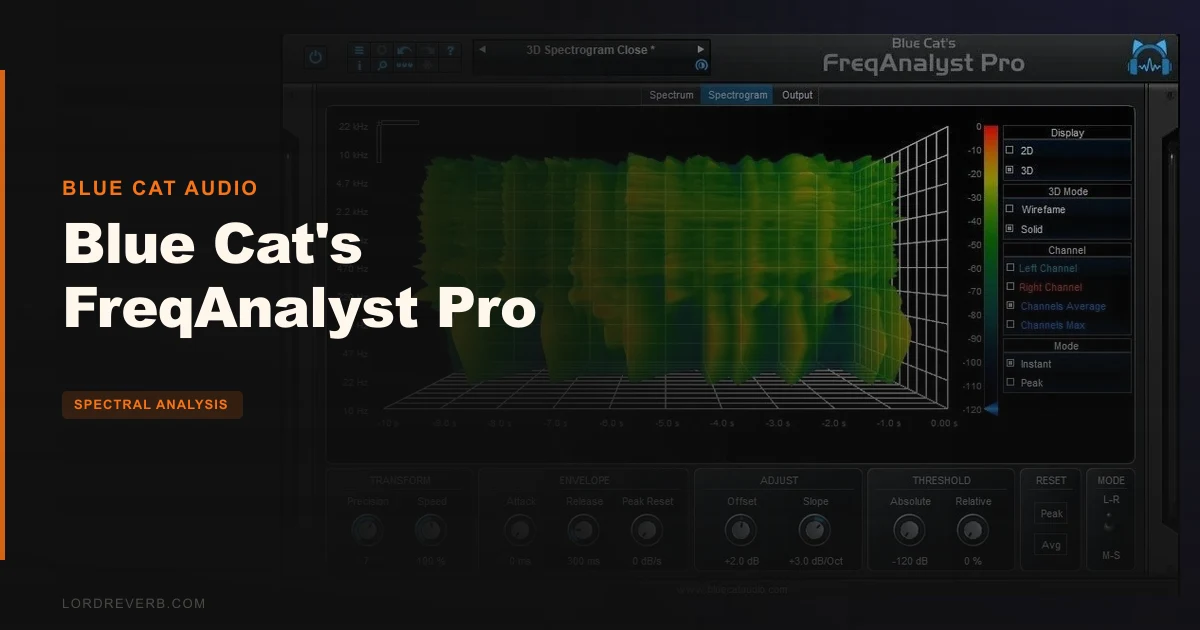
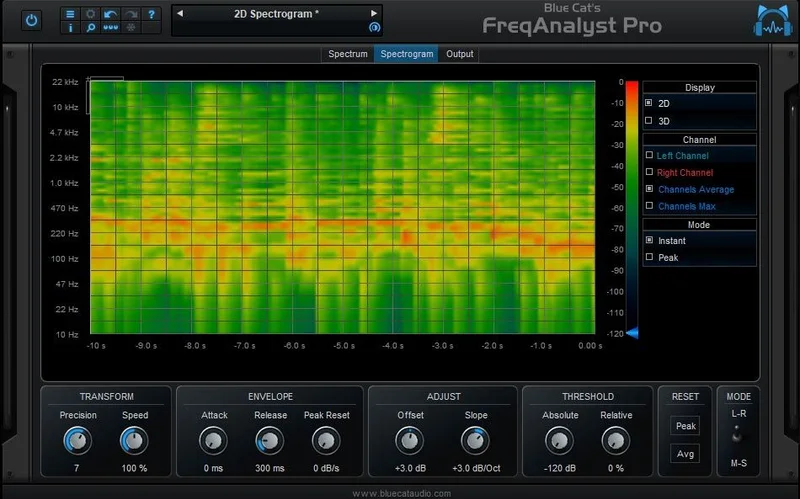
The spectrogram is the other big win. You get 2D or 3D waterfall, all channels, exact coordinates, zoom and full 3D control, in solid or wireframe. Owners single out the zoom and slide functions as especially impressive.
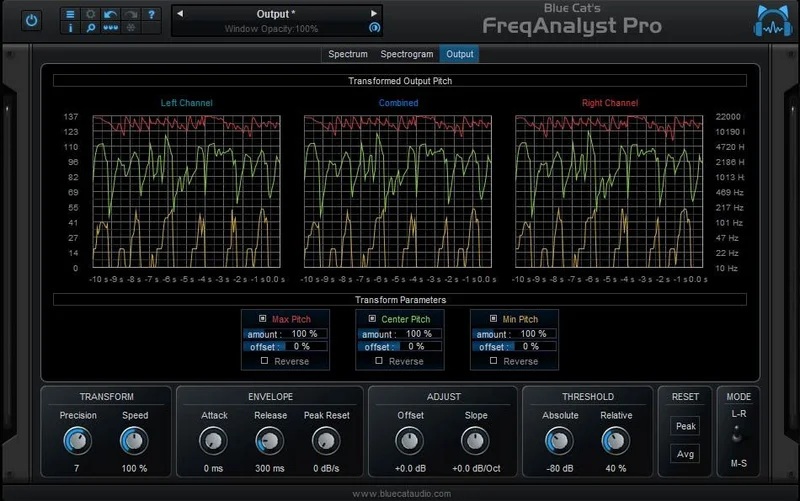
Then there's the party trick. It generates automation envelopes or MIDI CC from the signal, using minimum and maximum frequency and an energy centre. Output can be in Hertz or MIDI note values, with offset, amount and reverse to shape it. Default MIDI refresh is 50Hz, adjustable from 20 to 500Hz. Drive a filter with the pitch of a vocal. Ridiculous, in a good way.
Where does the competition win?
Price, flatly. SPAN is free, and for a quick look at a master bus it's plenty. If you never touch a spectrogram, you're paying for views you won't open.
Room measurement is the other gap. This is a spectrum analyzer, not an acoustics lab. It has limited depth for room-style metric pipelines and impulse-response-oriented predictions compared with dedicated measurement suites. There are no advanced speech intelligibility metrics and no full FRF-to-room-model derivations.
EASE is the name for acoustic labs that need repeatable measurement-to-report outputs with minimal per-run tuning. That's a different job entirely. Don't buy FreqAnalyst Pro to treat a room.
Who should buy which?
- ✅ Buy if you balance kick and bass by eye and want stored curves to compare against.
- ✅ Buy if you want pitch or energy turned into automation or MIDI CC to steer other effects.
- ✅ Buy if you like a standalone plus VST workflow, so your analysis view stays consistent from capture through playback review.
- ❌ Skip if a free analyzer already answers every question you ask.
- ❌ Skip if you need room-acoustics metrics or impulse-response analysis.
- ❌ Skip if you're on an old graphics card and won't prune the curves.
Specs & Technical Details
| Spec | Detail |
|---|---|
| Developer | Blue Cat Audio |
| Price | $99 |
| Plugin Format | VST / VST3 / AU / AAX, plus standalone |
| OS Support | Mac OS 10.9+ (Intel or Apple Silicon M1), Windows 7/8/10 |
| Activation | N/A |
| CPU Usage | Zero on idle with silence; can climb on old graphics cards with all curves active |
| Trial Available | N/A |
| Version Reviewed | 2.14 (September 8, 2025) |
Score Breakdown
| Category | Score | Notes |
|---|---|---|
| Sound Quality | N/A | An analyzer, so nothing audible to grade |
| Value for Money | 3.5/5 | Strong feature set, but a free rival covers the basics |
| Ease of Use | 4.0/5 | Clear modes, undo/redo, skinnable interface |
| Features | 4.8/5 | Waterfall, memory slots, MIDI and automation outputs |
| CPU Efficiency | 4.0/5 | Zero idle load, but alpha blending bites on old GPUs |
| Overall | 4.2/5 | Smooth, deep and a little pricey for a meter |
What are the alternatives to consider?
Start with the obvious one. Voxengo SPAN review covers the free option that handles everyday spectrum checks, minus the note display.
If you want to see how the field stacks up before spending anything, our best spectrum analyzer plugins roundup lines them up side by side.
Chasing room problems instead of mix problems? Read our room measurement software guide first, because that's EASE territory, not this.
And if you're still deciding what a spectrum view should do for you, our how to read a spectrum analyzer primer is a good place to start.
Is Blue Cat's FreqAnalyst Pro worth $99?
Yes, if you'll use the spectrogram, the stored curves or the MIDI outputs. You're paying for those, not for the meter. If you only ever want a glance at the master bus, don't. SPAN is free, and it's good.
Buy it for the waterfall. Skip it if the waterfall would sit unopened.
Frequently Asked Questions
Is Blue Cat's FreqAnalyst Pro worth it over free analyzers?
It's worth it if you'll use the spectrogram, the four memory slots or the automation and MIDI outputs. For a quick look at levels, a free analyzer like Voxengo SPAN covers it. You're paying for depth and smoothness, not basic metering.
What formats and systems does it support?
It runs as VST, VST3, Audio Unit and AAX in 32-bit or 64-bit DAWs, and also as a standalone app. On Mac you need OS 10.9 or newer, on Intel or Apple Silicon M1. On Windows it supports 7, 8 and 10.
Can it control other plugins?
Yes. It generates automation envelopes or MIDI CC messages from the signal, using minimum and maximum frequency and an energy centre. You can express output in Hertz or MIDI note values and shape it with offset, amount and reverse.
Does it use a lot of CPU?
Not at idle, since it draws no CPU load when fed silence. Some setups with old graphics cards report large CPU usage from alpha blending, especially with all curves active. Turning off curves you don't need helps.
Is it good for room acoustics measurement?
No. It's a spectrum analyzer, with limited depth for room-style metrics and no advanced speech intelligibility analysis. For repeatable measurement-to-report work, a dedicated acoustics suite such as EASE is the better fit.