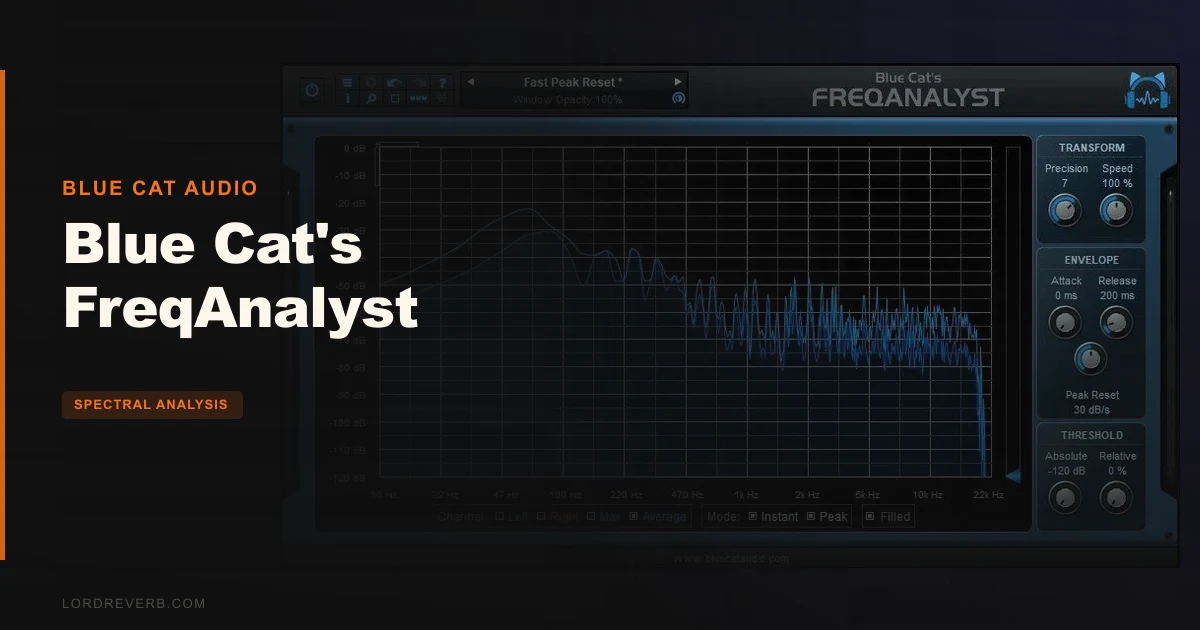
You can’t fix a muddy low-mid buildup you can’t see, and most stock DAW analyzers show you a jumpy, low-resolution smear that hides exactly where the trouble lives. Blue Cat’s FreqAnalyst is the free fix. It’s a real-time spectrum analyzer for mono and stereo, it costs, and it’s built for anyone who mixes with their eyes as well as their ears.
Quick verdict
We rate Blue Cat’s FreqAnalyst 4.4 out of 5. It’s free, it’s smooth, and the zoom and slide controls make it easy to drill into a problem band. The Pro-only features and a steeper learning curve keep it from the top of the scale. Grab it if you want a serious analyzer without paying. Beginners may want a calmer plug-in first.
The Problem This Solves
Picture it. Your kick and bass are fighting, and you suspect the clash sits somewhere between 60 and 120Hz. Your DAW’s built-in meter jitters so much you can’t pin the overlap down.
That’s the gap here. An analyzer is only useful if the display is stable enough to read. A twitchy curve makes you guess.
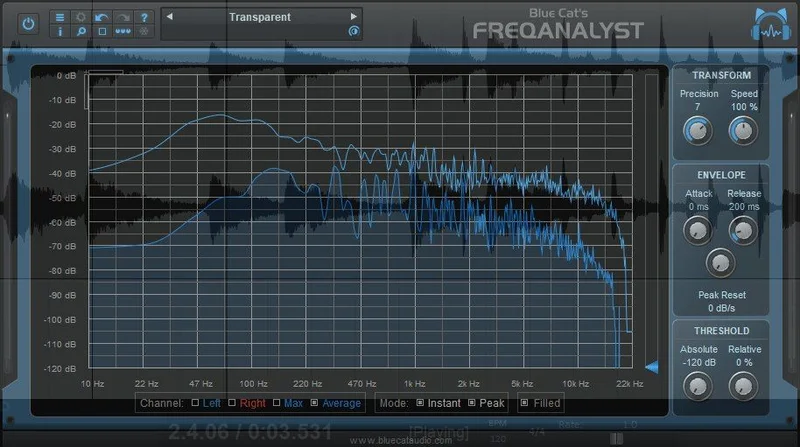
FreqAnalyst uses smooth interpolation algorithms and very high frequency resolution, so continuous variations show up as a readable line instead of a flicker. Honestly? That alone is why we’d keep it in a template.
How It Performs
The display is where this plug-in earns its keep. Smooth interpolation and fine resolution mean a sustained bass note draws a clean peak you can actually zoom into.
Zoom and slide are the stars. Reviewers call them particularly impressive, and we get why: drag into a narrow band and the picture stays coherent.
The thresholding system is clever. It highlights the important parts of the spectrum, and you can set custom absolute and relative thresholds so quiet clutter stops stealing your attention.
Put it before and after an EQ and you can watch exactly what a cut does. Owners report that before/after view is the whole point.
It handles up to 16 audio channels at once. That’s the headline for anyone chasing overlaps. Users prefer it over iZotope Neutron for visualizing multi-track frequency overlaps, and Melda MMultiAnalyzer offers more options but a less straightforward setup.
CPU is a non-issue. It draws no load when fed silence, and owners call it super efficient.
Strengths and Weaknesses
The strengths are easy to list. It’s free. The display is smooth. Zoom and slide work well. It supports any sample rate, runs natively on Apple Silicon, and offers MIDI control with MIDI Learn and zipper-free automation. There’s undo/redo, a full presets manager, and a skinnable interface.
Now the weak side.
The free version doesn’t save or restore curves. There are no measurement tools, no 3D spectrogram and no MIDI output. Those live in FreqAnalyst Pro. If you want to snapshot a reference curve and compare later, that’s annoying.
Beginners may find the settings overwhelming. A few thresholds and a zoomable display are a lot when you only wanted a quick look.
Stability is mostly fine, but some users report isolated crashes when moving the plug-in between track types in Pro Tools. Check that on your own system before a session depends on it.
Value for the Price
It costs. At that number, the question isn’t whether it’s worth buying. It’s whether it’s worth the download.
It is. A smooth, high-resolution analyzer with multi-channel viewing is something plenty of paid plug-ins don’t match. Download it and keep it on your mix bus.
If you later want saved curves or a spectrogram, the Pro version exists. Don’t pay for that until you’ve hit the free version’s ceiling.
Who Should (and Shouldn't) Buy This
- ✅ Buy if you want a free analyzer with a stable, readable display for chasing low-mid buildup.
- ✅ Buy if you need to see spectrum curves from several channels at once to find overlaps.
- ✅ Buy if you like MIDI control and automation on your meters and want to map them with MIDI Learn.
- ❌ Skip if you want to save and recall reference curves. That's Pro.
- ❌ Skip if you're brand new and want one simple meter with almost no settings.
- ❌ Skip if your Pro Tools sessions shuffle plug-ins between track types and you can't risk a crash.
Specs & Technical Details
| Spec | Detail |
|---|---|
| Developer | Blue Cat Audio |
| Price | |
| Plugin Format | VST / VST3 / AAX on Windows; VST / VST3 / AU / AAX on macOS |
| OS Support | Mac (Intel or Apple Silicon, OS X 10.9+) / Windows (Vista or newer, SSE2 processor) |
| Activation | N/A |
| CPU Usage | Light (no load on idle with silence) |
| Trial Available | N/A |
| Version Reviewed | 2.5 |
Score Breakdown
| Category | Score | Notes |
|---|---|---|
| Sound Quality | N/A | An analyzer, so no audio coloration to score |
| Value for Money | 5.0/5 | Free, with a high-resolution display |
| Ease of Use | 3.5/5 | Powerful, but beginners may feel overwhelmed |
| Features | 4.0/5 | Great free set, but Pro holds back curves and spectrogram |
| CPU Efficiency | 4.5/5 | No load on silence, owners call it super efficient |
| Overall | 4.4/5 | A smooth, free analyzer with a few Pro-only gaps |
Alternatives to Consider
RND's Inspector
Also a free frequency analyzer. Look at it if you want a second free option to compare against FreqAnalyst on your own material.
Melda MMultiAnalyzer
Offers more options, but the setup is less straightforward than FreqAnalyst. Pick it if you want extra depth and don’t mind the extra clicking.
iZotope Neutron
Users prefer FreqAnalyst for visualizing multi-track frequency overlaps. If overlap hunting is your main job, FreqAnalyst is the sharper free tool for it.
Our Call
Download it. For, a smooth analyzer that shows several channels at once is a no-brainer, and the zoom and slide controls make hunting a trouble band fast.
It’s the wrong pick if you need saved curves, a 3D spectrogram or measurement tools, since those belong to the Pro version. It’s also not the gentlest start for a total beginner.
Everyone else should install it today and let the picture settle the argument your ears keep having.
Frequently Asked Questions
Is Blue Cat's FreqAnalyst really free?
Yes. It costs. The paid FreqAnalyst Pro adds saved curves, measurement tools, a 3D spectrogram view and MIDI output.
Can Blue Cat's FreqAnalyst analyze multiple tracks at once?
It supports up to 16 audio channels at once. Users single it out for viewing spectrum curves from several channels together. A separate FreqAnalyst Multi plug-in is also available for multiple-track analysis.
What plug-in formats does it support?
On Windows you get VST, VST3 and AAX in 32 or 64 bit. On macOS you get VST, VST3, AU and AAX, 64-bit only. AU and AAX on Windows aren’t offered for AU.
Does it run on Apple Silicon?
Yes. Native Apple Silicon (M1) support is included, and macOS needs OS X 10.9 or newer. Version 2.5 came out in September 2024.